by Aykut Kardas
Weave together data from diverse sources into different views. Inspired by Excel Spreadsheets and Notion.so.
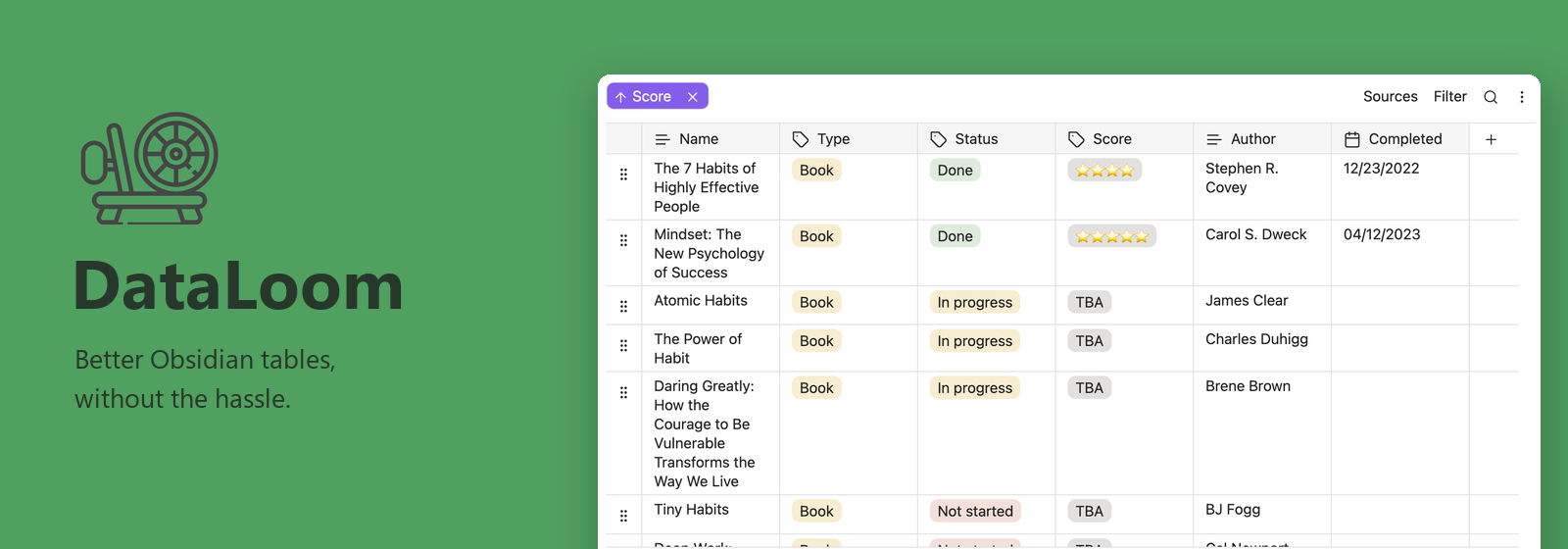
Better Obsidian tables, without the hassle.
DataLoom is an Obsidian plugin for desktop and mobile. Create and manage database-style tables, connect notes through folders and frontmatter, and embed tables directly into your notes.
Weave together data from diverse sources to organize projects, track reading, or manage your own collections — all inside your Obsidian vault.
Install in Obsidian · Report an issue · Contribute
What you can do
- Build structured tables with text, numbers, currencies, dates, checkboxes, tags, multi-tags, files, and embeds. Keep track of creation and last edited times.
- Connect your notes using folder sources and frontmatter properties.
- Find what matters with filters, text search, and ascending or descending sorting.
- Make tables your own by renaming, reordering, and hiding columns, changing cell types, and inserting or reordering rows.
- Keep tables in context by embedding loom files directly into your notes.
- Move your data with CSV and Markdown import and export.
- Work across devices with desktop and mobile support, light and dark themes, and undo/redo.
Get started
- Open Settings → Community plugins → Browse in Obsidian.
- Search for DataLoom, then install and enable it.
- Open the command palette and run DataLoom: Create loom.
To create a table inside a note, run DataLoom: Create loom and embed it into current file.
Each open tab and embed has its own filters and sorting. Editing table data still updates all views of the same loom. Existing looms keep their saved filters and sorting as the initial defaults for newly opened views.
Changing an embed's filters or sorting saves its preferences in that Markdown embed's link automatically. Reopening the note restores them, including when the same loom is embedded more than once. Link sizes and aliases are preserved. These preferences travel with the note when it is copied or synced; no separate configuration file is required.
Project background
DataLoom was originally created by decaf-dev. The original plugin is no longer maintained; this fork continues its development and maintenance.
Customization with CSS
The following CSS variables are supported for use in CSS snippets. They are considered a stable API and are the recommended way to adjust table density instead of targeting internal selectors.
:root {
	/* Minimum height of a table cell */
	--dataloom-cell-min-height: 1.9rem;

	/* Horizontal and vertical padding inside a table cell */
	--dataloom-cell-spacing-x: 12px;
	--dataloom-cell-spacing-y: 4px;
}
For example, to make rows more compact:
:root {
	--dataloom-cell-min-height: 1.4rem;
	--dataloom-cell-spacing-y: 2px;
}
Support & contributing
For bug reports and feature requests, please visit issues. If you are experiencing a problem, search for an existing report before opening a new issue.
Contributions are welcome. Please see the contribution guide for details on how to contribute.
Network usage
According to Obsidian developer policies, an Obsidian plugin must explain which network services are used and why.
DataLoom will make one GET request to https://api.github.com/repos/aykutkardas/obsidian-dataloom/releases/latest to pull the latest release for the What's New Modal. Besides this, DataLoom does not make any network requests. DataLoom does not include client-side telemetry.
License
DataLoom is distributed under the MIT License
Disclaimer
This plugin extends the functionality of Obsidian.md. Although tested during development, there may still be bugs in the software. I strongly recommend you to make frequent backup copies of your vault. I am not responsible for any data that is lost due to the usage of this plugin.
For plugin developers
Search results and similarity scores are powered by semantic analysis of your plugin's README. If your plugin isn't appearing for searches you'd expect, try updating your README to clearly describe your plugin's purpose, features, and use cases.