Copy Search URL
approvedby Carlo Zottmann
Add a button to the search view to copy the search URL.

Copy Search URL
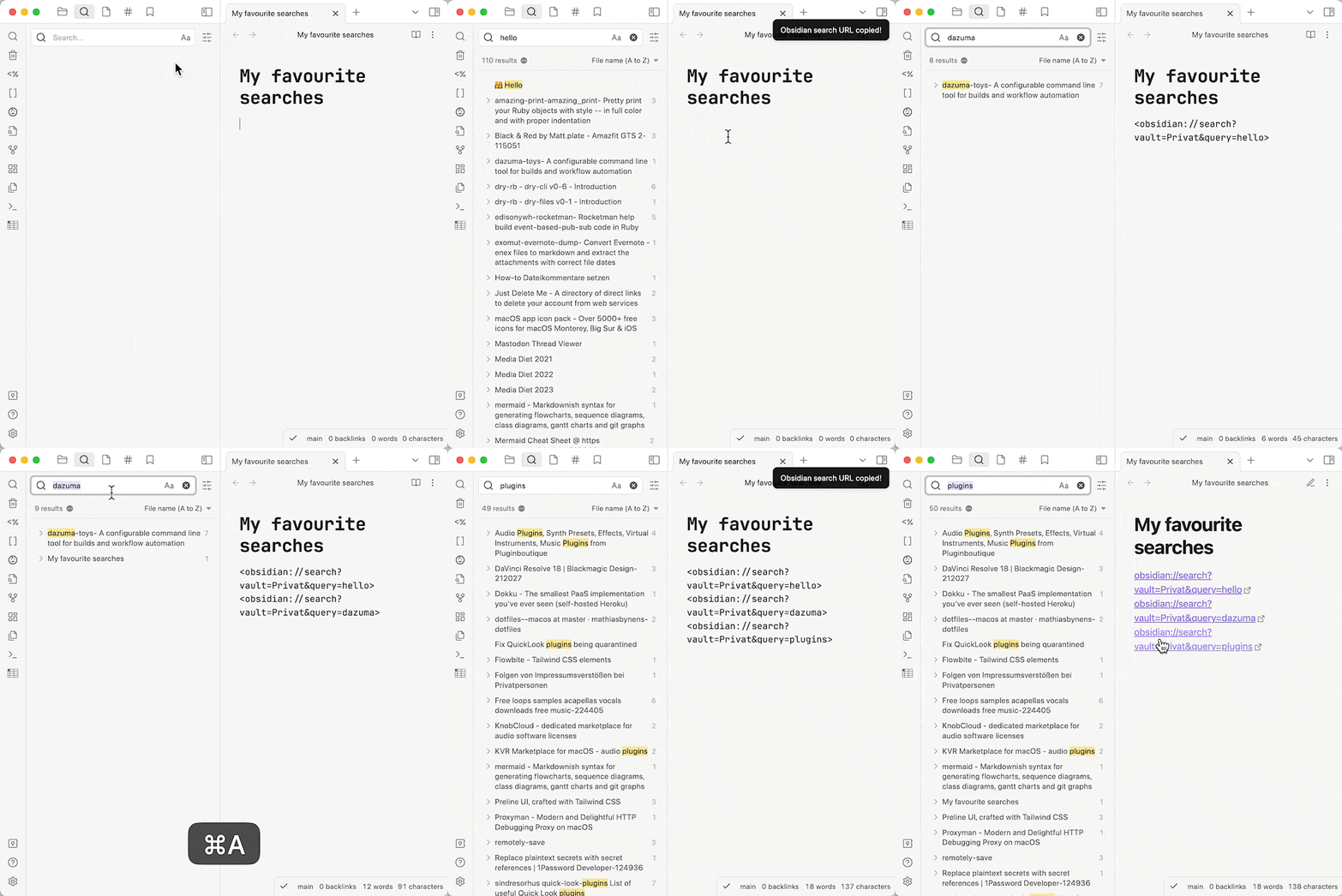
This plugin adds a menu entry to the "X results" context menu in Obsidian's search view. Clicking it will copy the Obsidian URL for the current search to the clipboard. This allows for easier bookmarking of pre-defined searches.
Showcase
Bug Reports & Discussions
For bug reports please use this repo's Issues section — thank you!
I've moved all plugin discussions to the ActionsDotWork Forum which is a hub for both my Obsidian plugins and the macOS/iOS productivity apps I'm building: Carlo's Obsidian Plugins - ActionsDotWork Forum.
The forum supports single-sign-on via GitHub, Apple and Google, meaning you can log in with your GitHub account.
Installation
- Search for "Copy Search URL" in Obsidian's community plugins browser. (This link should bring it up.)
- Install it.
- Enable the plugin in your Obsidian settings under "Community plugins".
That's it.
Installation via BRAT (for pre-releases or betas)
- Install BRAT.
- Add "Copy Search URL" to BRAT:
- Open "Obsidian42 - BRAT" via Settings → Community Plugins
- Click "Add Beta plugin"
- Use the repository address
czottmann/obsidian-copy-search-url
- Enable "Copy Search URL" under Settings → Options → Community Plugins
Please note
This plugin adds functionality (a button) to a core plugin. The jury's out on whether that idea is a wise one, tho — either way, here we are. ;)
I wanted this functionality for a while so I've built it myself. It was a good learning experience for me.
Development
Clone the repository, run pnpm install OR npm install to install the dependencies. Afterwards, run pnpm dev OR npm run dev to compile and have it watch for file changes.
Thanks to …
- the obsidian-tasks crew for the "starter templates" for the GitHub Action workflow and the handy
release.shscript - the humans of Discord channel
#plugin-devfor pointing me in the right direction
Author
Carlo Zottmann, carlo@zottmann.org, https://zottmann.org/
License
MIT, see LICENSE.md.
For plugin developers
Search results and similarity scores are powered by semantic analysis of your plugin's README. If your plugin isn't appearing for searches you'd expect, try updating your README to clearly describe your plugin's purpose, features, and use cases.