Ultrafocus
approvedby Elia Scotto
A plugin to turn Obsidian into the ultimate platform for focused writing. - This plugin has not been manually reviewed by Obsidian staff.
Ultrafocus
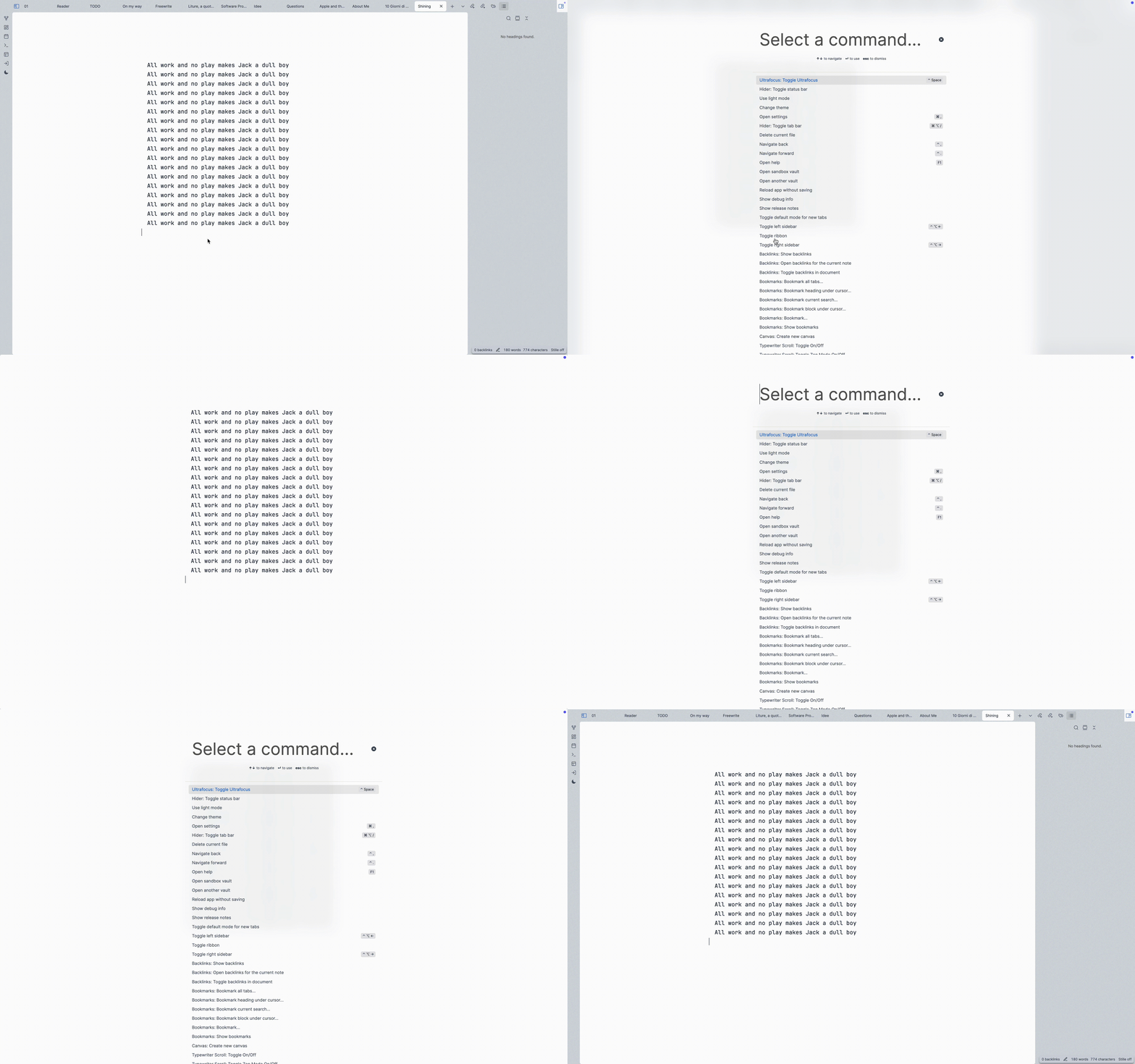
Hide Everything Everywhere All at Once
A plugin to turn Obsidian into the ultimate platform for focused writing.
What it does: hides all elements like tabs, status, ribbon, sidebars, etc. All with a single toggle command, no buttons.
Install
Getting this plugin approved in Obsidian Community repo was a bit of a pain. But you can install it manually very easy.
In your Obsidian vault, we clone this repo, install the deps and build it.
cd YourVault/.obsidian/plugins/
git clone git@github.com:eliascotto/ultrafocus.git
cd ultrafocus
npm i
npm run build
This will give us a main.js file. Then from Obsidian:
cmd+p-> Open Settings...- Go to "Community Plugins"
- Installed Plugins, press the reload button
- Find Ultrafocus and enable it
Settings
Choose what elements you'd like to keep visible. By default, everything will be hidden.
Alternatives
- Hider: Chose what to hide one by one.
- Focus Mode: Toggle focus with a sidebar button but doesn't hide elements.
For plugin developers
Search results and similarity scores are powered by semantic analysis of your plugin's README. If your plugin isn't appearing for searches you'd expect, try updating your README to clearly describe your plugin's purpose, features, and use cases.