Image Gallery
approvedby lucaorio
A zero setup masonry image gallery for Obsidian.

Obsidian Image Gallery
Obsidian Image Gallery is a zero setup masonry image gallery for Obsidian.
Table of Contents
Requirements
- Obsidian
(ver >= 1.1.8) - A folder(s) of local images located somewhere in your vault
Installation
Obsidian Image Gallery can be installed from within Obsidian, as for every other community plugin.
Usage
To create a dynamic gallery, add one of the following code blocks to a note (make sure to customize the path!):
For a horizontal masonry:
```img-gallery
path: Attachments/Folder
type: horizontal
```
For a vertical masonry:
```img-gallery
path: Attachments/Folder
type: vertical
```
Take a look at settings to see how to tweak some properties of the gallery; the examples available above are the most minimal configuration possible.
In Live Preview mode, the gallery will be generated after moving the cursor outside the code block. Using the regular Source Mode, press cmd+e (or ctrl+e) to trigger Obsidian's Note Preview.

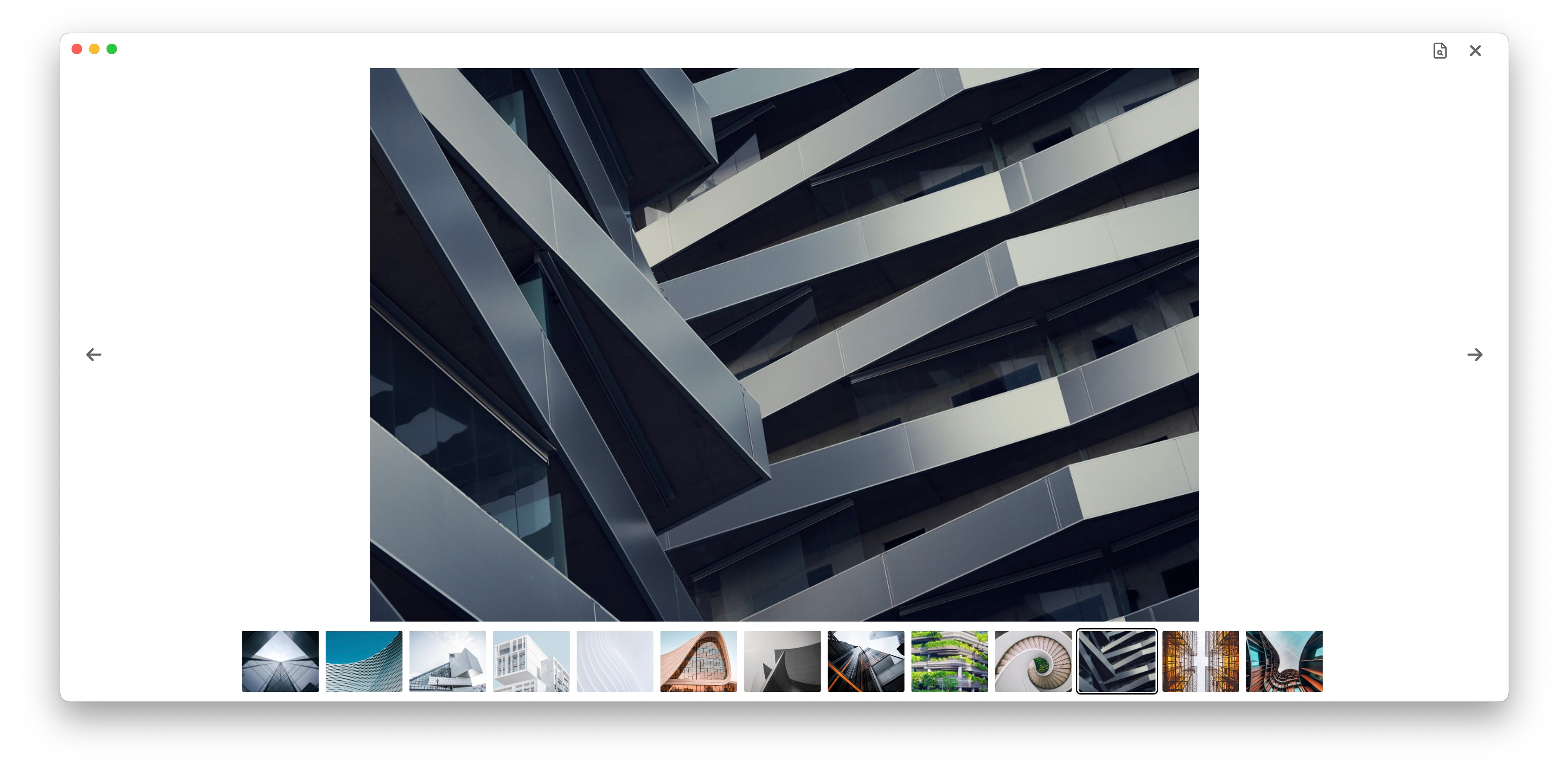
1.1.1 introduces a lightbox view accessible by clicking on any image part of the gallery. Then, if you need to, click the button on the top right to open the original image in a new tab.
Settings
Settings can be customized in any order, in yaml syntax. Optional properties default to the values outlined in the tables below:
| Option | Default | Alternatives | Required | Description |
|---|---|---|---|---|
path | - | - | Yes | Path relative to the root of the vault |
type | horizontal | vertical | No | Type of masonry |
gutter | 8 | (any number) | No | Spacing in px between the images |
radius | 0 | (any number) | No | Border radius in px of the images |
sortby | ctime | mtime, name | No | Sort images by |
sort | desc | asc | No | Order of sorting |
Options applicable only for type=horizontal:
| Option | Default | Alternatives | Required | Description |
|---|---|---|---|---|
height | 260 | (any number) | No | Height in px of all rows |
Options applicable only for type=vertical:
| Option | Default | Alternatives | Required | Description |
|---|---|---|---|---|
columns | 3 | (any number) | No | Number of columns for desktop |
mobile | 1 | (any number) | No | Number of columns for mobile |
Notes:
- For
paththere is no need to specify the name of the vault - As mentioned in the Requirements section, only local images are accepted. This plugin was designed with a specific use case in mind: create a gallery from a folder of images with as little setup as possible.
- Make sure the images to embed have a reasonable size: generating a masonry with 60 4k photos will most likely slow down the app to a crawl!
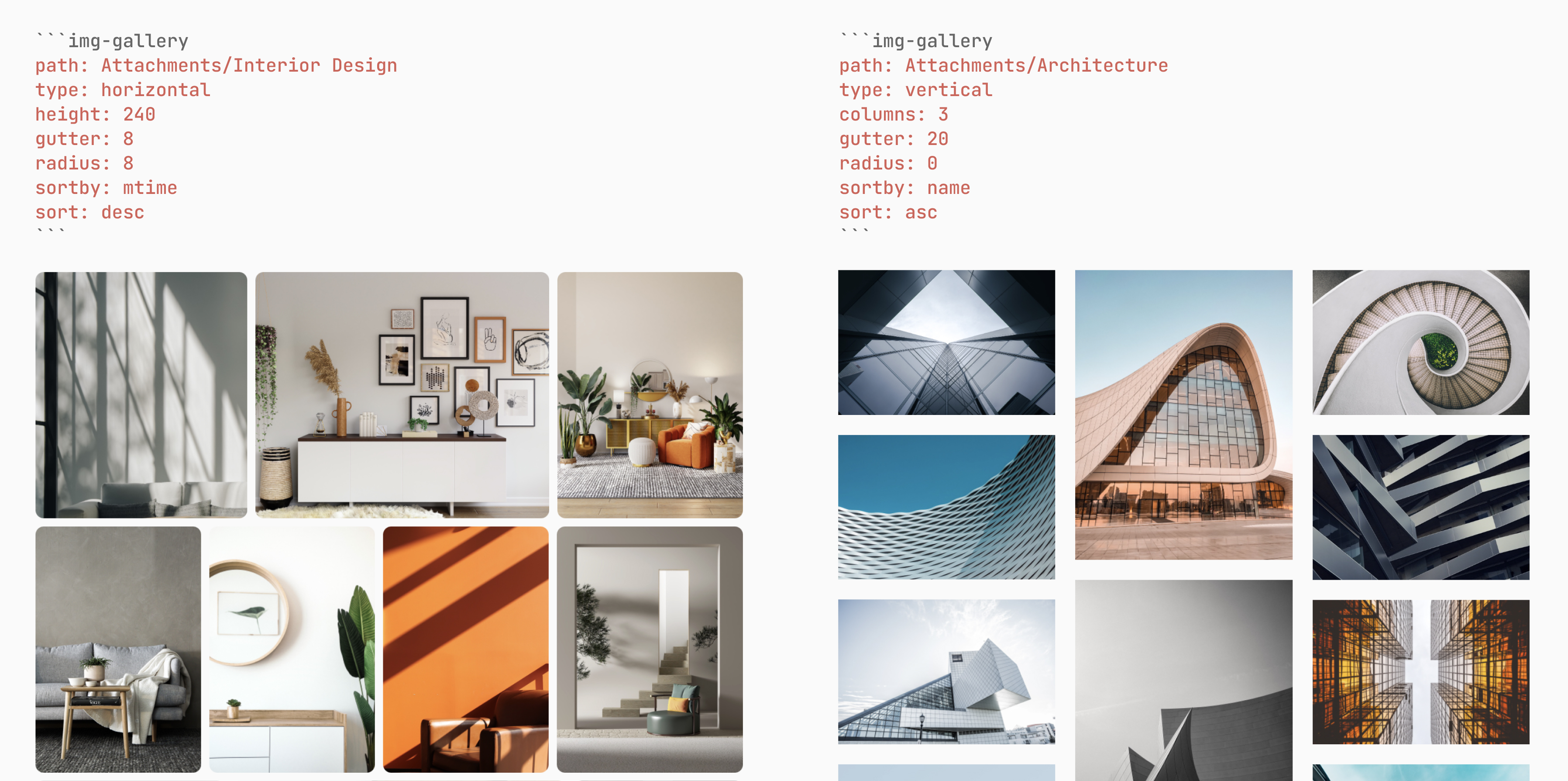
An additional note about the orientation of the masonry vs. the distribution of its images: until a true masonry layout is available for native css grids, the sorting of the vertical version is a hit or miss. This is because the flow of its elements goes from top to bottom (see this article for more info about it.) If sorting is critical, please rely on the horizontal version; its images are sometimes cropped, but their ordering is way more intuitive.
Examples:
Changelog
1.1.1
- fixed bug for the "open image in new tab" feature
1.1.0
- fixed alphabetical sorting
- introduced lightbox for both desktop and mobile
- added a "open image in new tab" button available in the lightbox
- fixed the casing of README.md to let Obsidian retrieve the correct file
Acknowledgments
All photos in the header are by various photographers and available on Unsplash.
License

Contacts
- Twitter: @lucaorio_
- Website: lucaorio.com
- Email: luca.o@me.com
For plugin developers
Search results and similarity scores are powered by semantic analysis of your plugin's README. If your plugin isn't appearing for searches you'd expect, try updating your README to clearly describe your plugin's purpose, features, and use cases.