by luongpd
A calm, Markdown-first habit tracker for Obsidian: flexible schedules, streaks, a month calendar and focused insights.
PDL Habit
A calm, Markdown-first habit tracker for Obsidian.
Every habit is a plain note; every check-in is one line of frontmatter. Nothing is locked inside the plugin, and the whole thing works offline.
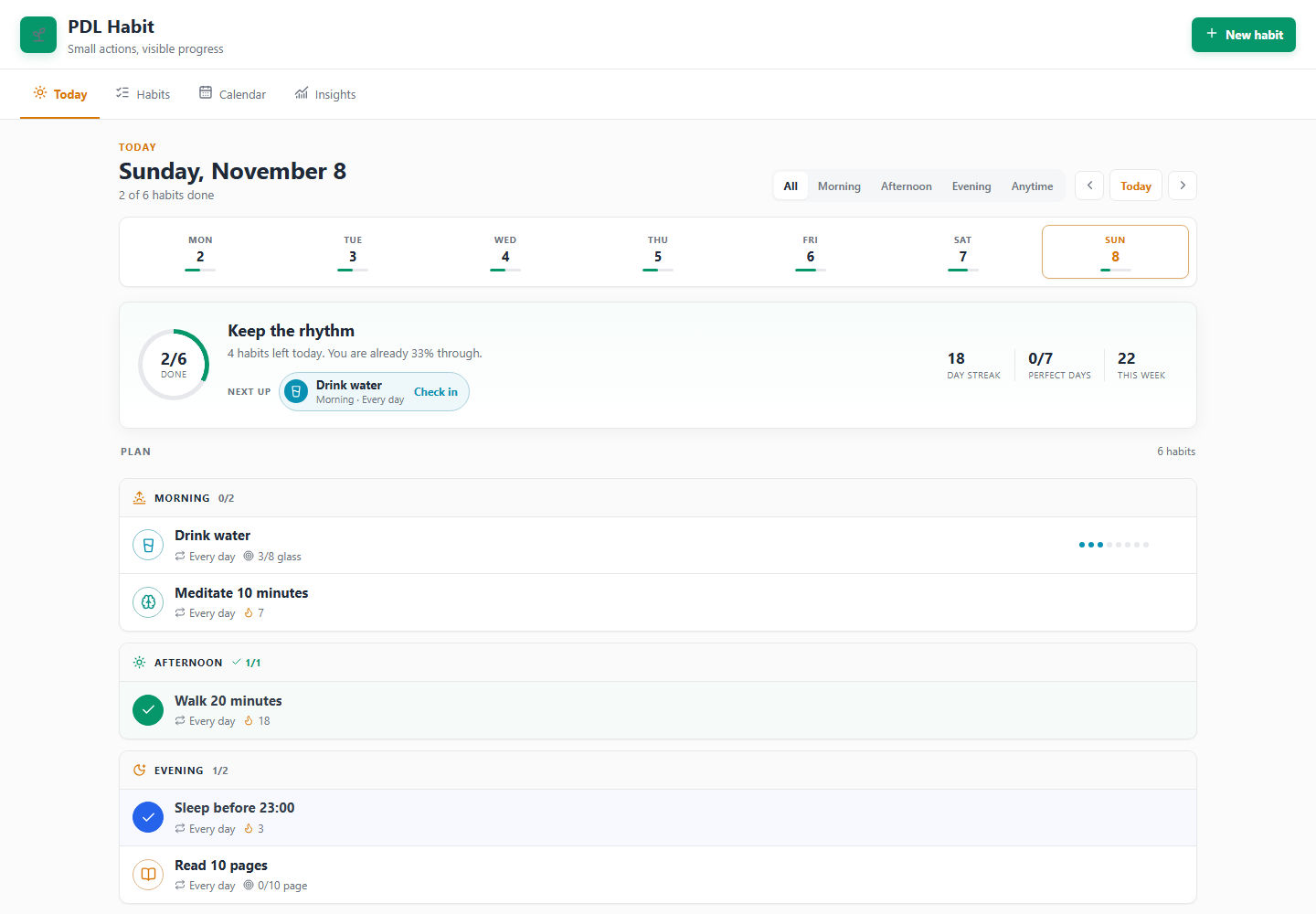
Version 1.0.1 · Obsidian 1.5.0+ · desktop and mobile · English / Tiếng Việt
Why another habit tracker?
- Your notes stay yours. A habit is
<folder>/Drink water.mdwith frontmatter — no database, no sync service. - Four tabs, one job each. Today for doing, Habits for finding, Calendar for seeing, Insights for noticing.
- Quiet by default. No points, no badges, no guilt. Progress is shown as a ring, a streak and a month calendar.
Highlights
Capture
- Compact habit form: name it, pick Did it / Count / Limit, choose when — done. Everything optional hides behind More options, and Enter saves.
- Five schedules: daily, selected weekdays, times per week, times per month, every N days, plus an optional exact time of day.
- Build or limit: grow a behaviour or cap one you want less of.
Check in
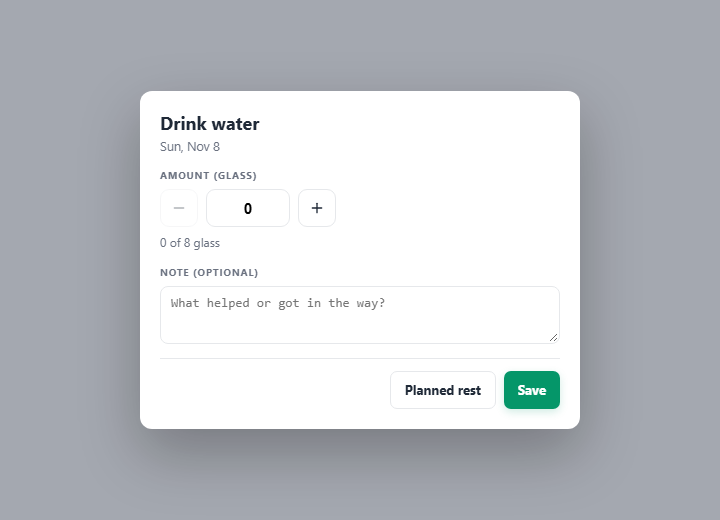
- Counted habits start at 0 with − / + buttons and a live
0 of 3 lyhint; binary habits get a Done / Not done switch instead of a meaningless amount. - Undo anything — every check-in, planned rest and clear raises a toast with Undo for eight seconds that restores the previous frontmatter exactly.
- Planned rest never breaks a streak.
Review
- Habit detail with a month calendar — one month at a time with ‹ Today › navigation, five colour-coded states and a legend; tap any day to fix that day.
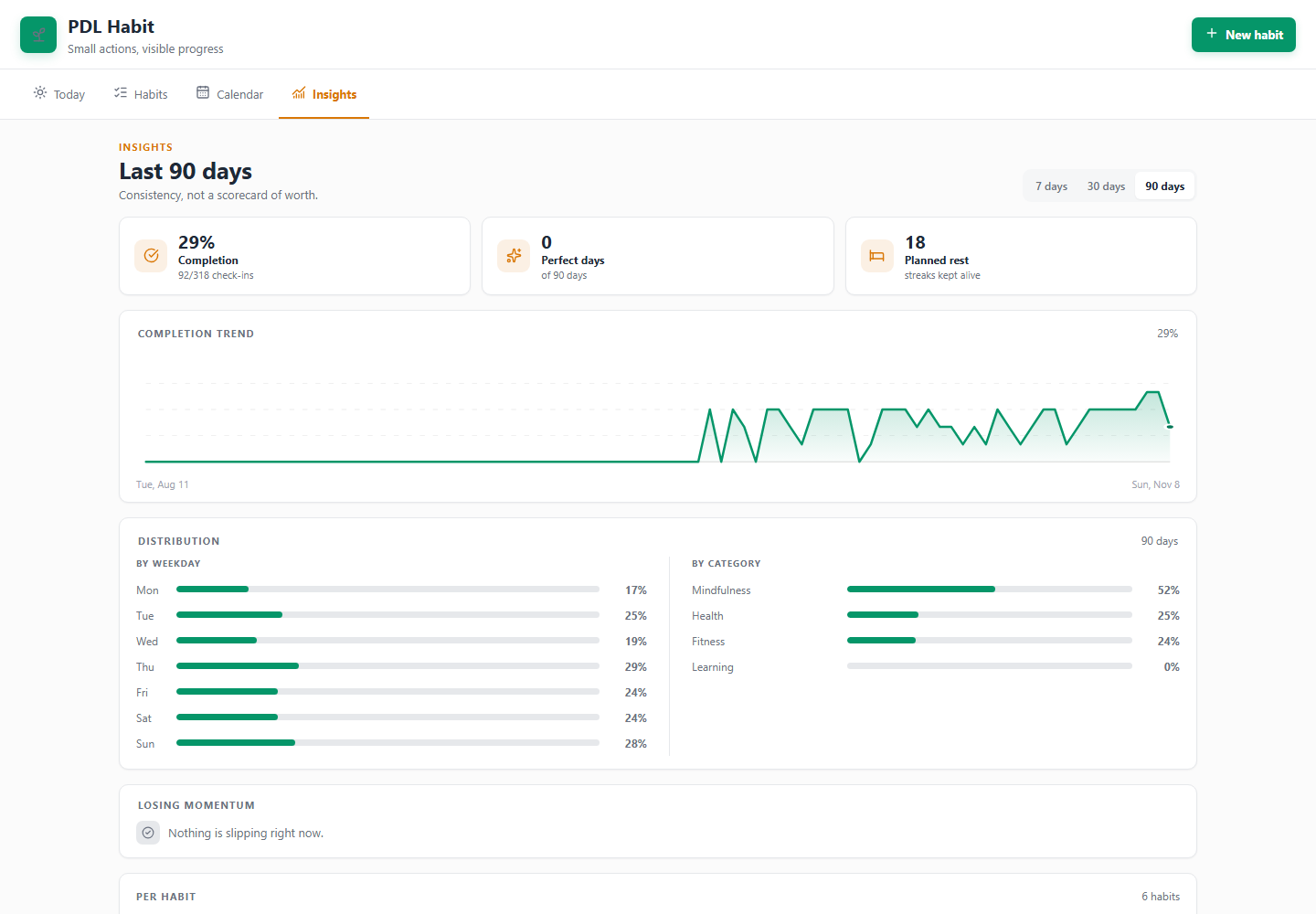
- Insights with a 7 / 30 / 90-day range — completion trend line, weekday and category breakdowns, and habits that are losing momentum.
Find & tidy
- Search, category filter and sort (title, streak, 30-day rate, category) over a list of tappable seven-day cells; Active / Archived is a switch, not a tab.
- Any colour, 171 icons in ten groups with search; dark mode throughout.
Shortcuts & language
- Command palette: Quick add (name + Enter), Open a day, Undo last check-in, Add starter habits.
- English or Tiếng Việt — a language setting translates the whole interface; Auto follows Obsidian.
Install
Manual (works today)
- Download
main.js,manifest.jsonandstyles.cssfrom the latest release. - Put them in
<vault>/.obsidian/plugins/pdl-habit/. - Enable PDL Habit in Settings → Community plugins.
From source
git clone https://github.com/LuongPham16/pdl-habit.git
cd pdl-habit
npm ci
npm run build
npm run build writes the release artifact: main.js (minified, no sourcemap),
styles.css and manifest.json at the repo root. Copy those three files into
<vault>/.obsidian/plugins/pdl-habit/.
Quick start
- Click the sprout ribbon icon, or run PDL Habit: Open habit dashboard.
- Press New habit — or Add starter habits for a five-habit starter set.
- Tap the circle beside a habit to check in; counted habits open a small sheet for the amount, a note or a planned rest.
Notes live in 03 - Area/Habits by default; change the folder in settings.
What a habit note looks like
---
type: habit
title: Drink water
period: morning          # morning | afternoon | evening | anytime
time: "07:30"            # optional exact time
frequency: daily         # daily | weekdays | weekly | monthly | interval
days: [1, 3, 5]          # weekdays, when frequency is weekdays
target: 8
unit: ly
direction: build         # build | quit
icon: glass-water
color: "#0891b2"
start_date: 2026-01-01
history:
  2026-11-07: { value: 4, note: "hot day" }
  2026-11-06: { value: 0, status: skip }   # planned rest
---
Screenshots
| Habit form | Month calendar | Check-in |
|---|---|---|
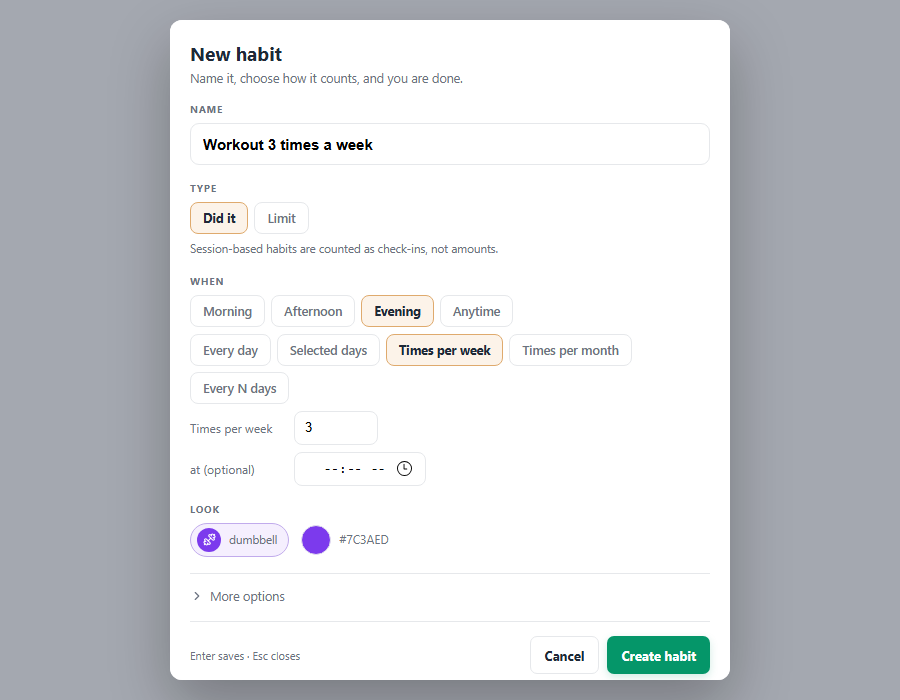 | 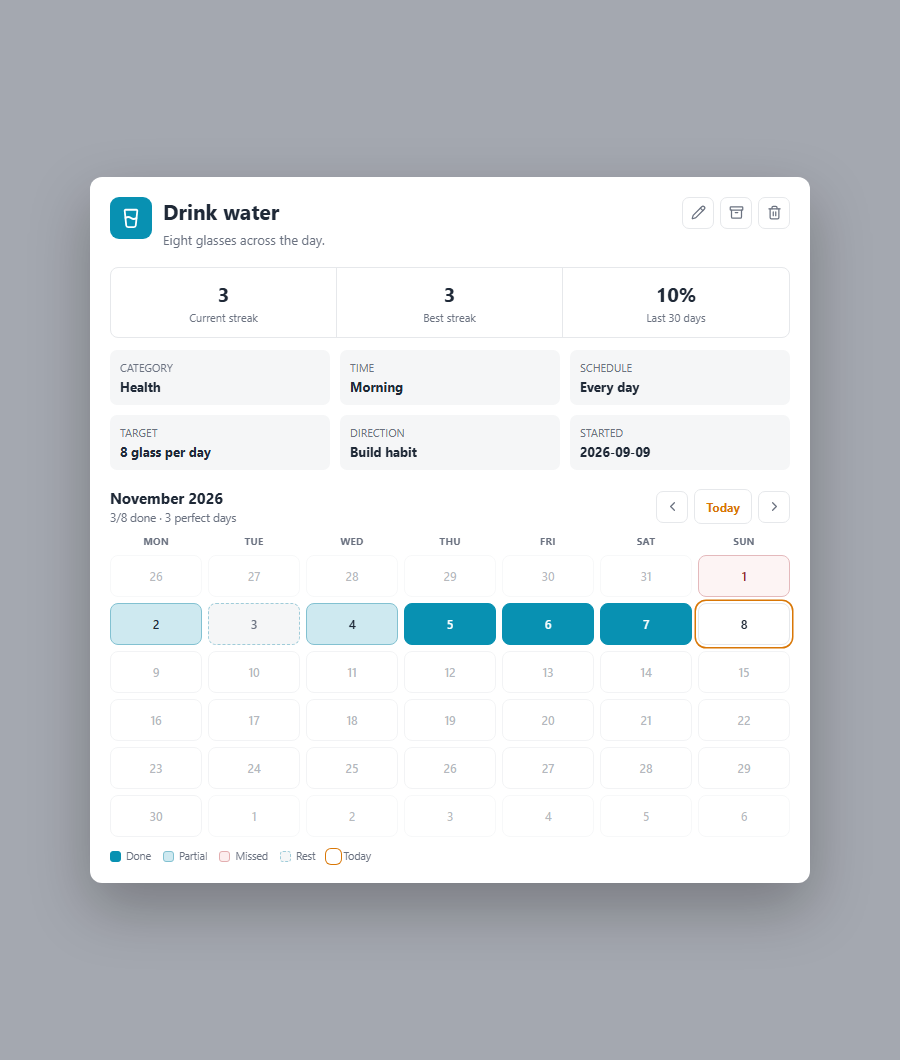 |  |
Development
npm ci
npm run dev        # watch src/ into dist/main.js (dev build, inline sourcemap)
npm run build      # production build: the release artifact main.js at the repo root
npm test           # unit tests (scheduling, completion, streaks, aggregates, i18n)
npm run verify     # audit + reproducibility + load the shipped main.js against a stub
npm run preview    # render every tab offline into preview/*.png
npm run deploy     # build + copy into the vault listed in .deploy.json
Copy .deploy.example.json to .deploy.json and point it at your vault to use
npm run deploy.
Release checklist
npm version <x.y.z>— bumpspackage.json,manifest.jsonandversions.json.- Add the notes to
CHANGELOG.md. npm run release— buildsmain.js, runs the tests, then auditsstyles.css, proves the build is reproducible and loads the shipped bundle.- Commit
main.js,styles.cssand the metadata together, then push the tag. GITHUB_TOKEN=… npm run publish— attaches the rootmain.js,styles.cssandmanifest.jsonto the GitHub release.
main.js must be committed and must be produced by npm run build: the community
store rebuilds the tagged source and compares it byte-for-byte with the release asset,
so a hand-edited or dev-built bundle fails verification. styles.css follows the
review rules too — no !important, no partially supported features — and npm run audit fails if either comes back.
Project layout
src/
  index.js       bundle entry
  plugin.js      lifecycle, note scanning, persistence, reminders, undo, commands
  view.js        the four tabs — Today, Habits, Calendar, Insights
  ui.js          page header, segmented control, cards, empty states, toast
  habits.js      scheduling, completion, streaks, aggregates, search/sort, insights
  habit-form.js  draft model behind the habit form
  starters.js    five starter habits for a new vault
  i18n.js        English/Vietnamese dictionary, t()/tp(), locale helpers
  reminders.js   reminder window + message (pure, testable)
  dates.js       date and string helpers
  constants.js   ids, palette, icon catalogue
  dom.js         small DOM helpers
  modals/        habit form, icon picker, check-in, detail, confirm, quick add, day picker
  settings.js    settings tab (folder, week start, default view, language, reminders)
styles.css       base sheets, page frame, tabs, toolbar, toast and modals
main.js          release bundle — committed, and always regenerated by `npm run build`
scripts/         build, review audit, reproducibility check, release publisher
preview/         offline renderer used for design review
tests/           node:test suites
License
MIT © 2026 Luong Pham
For plugin developers
Search results and similarity scores are powered by semantic analysis of your plugin's README. If your plugin isn't appearing for searches you'd expect, try updating your README to clearly describe your plugin's purpose, features, and use cases.