Notion Bases
pendingby bgarciamoura
Turn any folder into a database — table, kanban board, gallery, calendar, timeline and list views powered by frontmatter.
Notion Bases for Obsidian
The database engine Obsidian deserves
7 views. 18 column types. Charts, subtasks, formulas and relations. Zero code required.
Turn any folder into a Notion-style database with Table, Board (Kanban), Gallery, List, Calendar, Timeline (Gantt), and Chart views — powered by plain Markdown and frontmatter. Your data stays yours, always.







Highlights
- 7 views — Table, Board (Kanban), Gallery, List, Calendar, Timeline (Gantt), Chart
- 18 column types — Title, Text, Number, Select, Multi-select, Checkbox, Date, URL, Email, Phone, Status, Formula, Relation, Lookup, Rollup, Image, Audio, Video
- Charts — Bar, line, and pie charts with configurable axes, aggregations, and smart formatting — pure SVG, zero dependencies
- Subtasks — Hierarchical rows with expand/collapse, up to 3 levels deep, powered by self-relation columns
- Rollup columns — Aggregate values across related databases with 7 functions (sum, count, avg, min, max, count_values, list)
- Formula engine — Spreadsheet-style functions:
IF,SUM,AVG,CONCAT,LEFT,ROUND, and many more - Relations & Lookups — Link rows across databases and pull values from related notes
- Advanced filters — Type-aware operators with AND/OR logic
- 100% local Markdown — Every row is a
.mdfile, every column is a frontmatter field. No lock-in, no cloud, no telemetry
Why Notion Bases?
Obsidian's built-in Bases plugin is great for tables and has its own expression-based formula system. Notion Bases focuses on a different set of trade-offs — more views, more column types, and a spreadsheet-style formula syntax.
Views
| View | Notion Bases | Core Bases |
|---|---|---|
| Table | Yes | Yes |
| Board / Kanban | Yes | No |
| Gallery | Yes | No |
| List | Yes | Yes |
| Calendar | Yes | No |
| Timeline / Gantt | Yes | No |
| Chart view | Yes | No |
Notion Bases offers 5 exclusive views that Core Bases doesn't have — Board, Gallery, Calendar, Timeline, and Chart — giving you the flexibility to visualize data the way that fits your workflow.
Data modeling
| Feature | Notion Bases | Core Bases |
|---|---|---|
| Column types | 18 | 6 |
| Formulas | Spreadsheet-style (IF, SUM, AVG, CONCAT) | Expression-based (JS-like) |
| Relation columns | Yes | No |
| Lookup columns | Yes | No |
| Rollup columns | Yes | No |
| Image columns | Rendered in cell | Text only |
| Subtasks / Sub-rows | Yes | No |
| Number formatting (prefix, suffix, decimals, thousands) | Yes | No |
With relation and lookup columns, you can link databases together and pull values across notes — just like Notion. The spreadsheet-style formula syntax is familiar to anyone who has used Excel or Google Sheets.
Table experience
| Feature | Notion Bases | Core Bases |
|---|---|---|
| Column reordering (drag) | Yes | Yes |
| Column resizing (drag) | Yes | Yes |
| Column pinning | Yes | No |
| Row height options | Yes | Yes |
| Text wrap toggle | Yes | No |
| Aggregation row | 5 functions always visible | Right-click → Summarize |
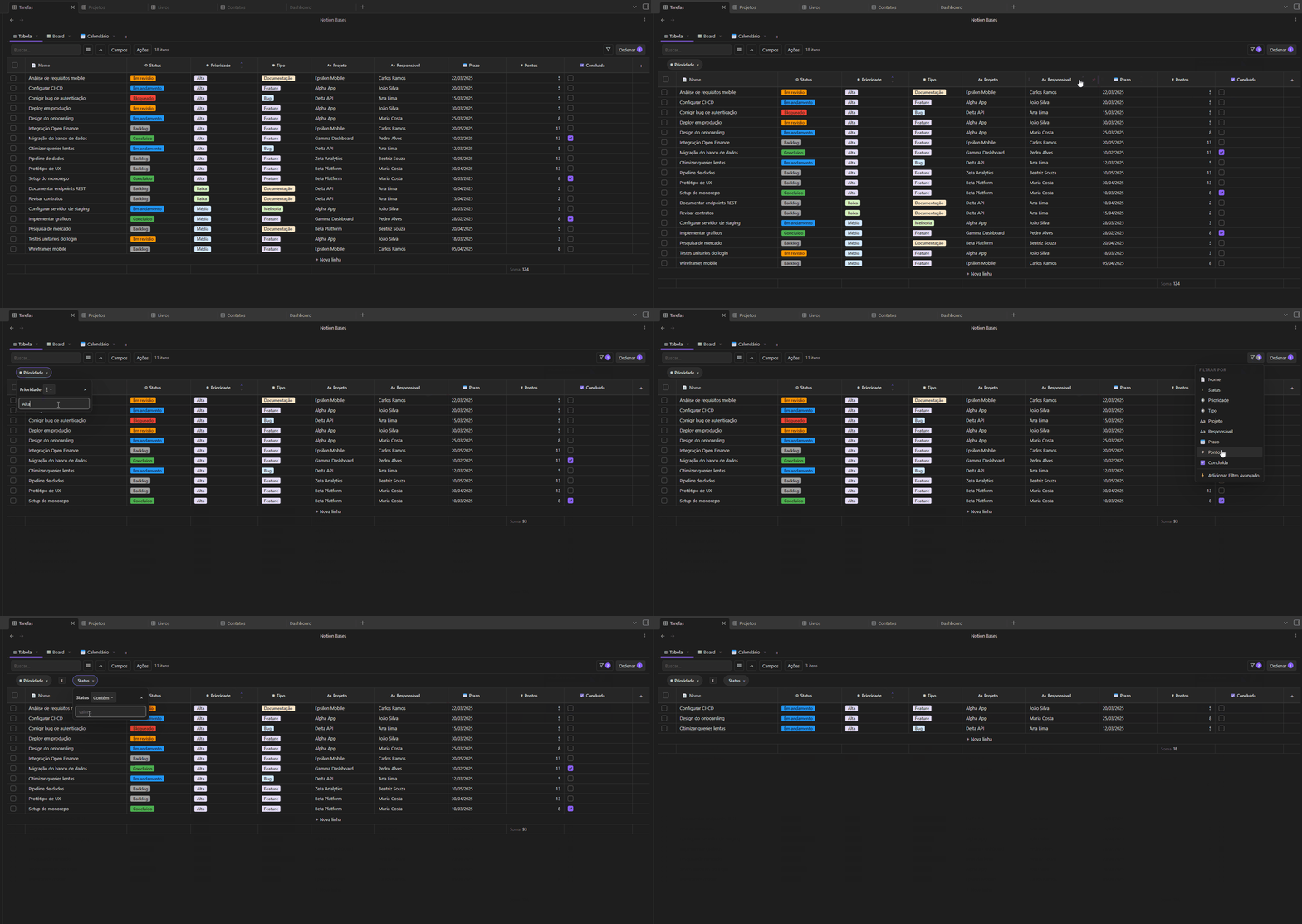
| Multi-column sort with priority | Yes | Basic sort |
| CSV import / export | Yes | No |
| Bulk actions (delete, duplicate, move) | Yes | No |
Both plugins let you resize, reorder columns and adjust row height. Notion Bases goes further with column pinning, text wrap, a persistent aggregation footer, multi-column sort with drag-to-reorder priority, CSV import/export, and bulk row actions.
Shared features
| Feature | Notion Bases | Core Bases |
|---|---|---|
| Embed database in any note | Yes | Yes |
| Multiple views per database | Yes | Yes |
| AND/OR filter logic | Yes | Yes |
| 100% local Markdown | Yes | Yes |
If you ever wished Obsidian had Notion-level databases without leaving your vault, this is it.
Views
Table
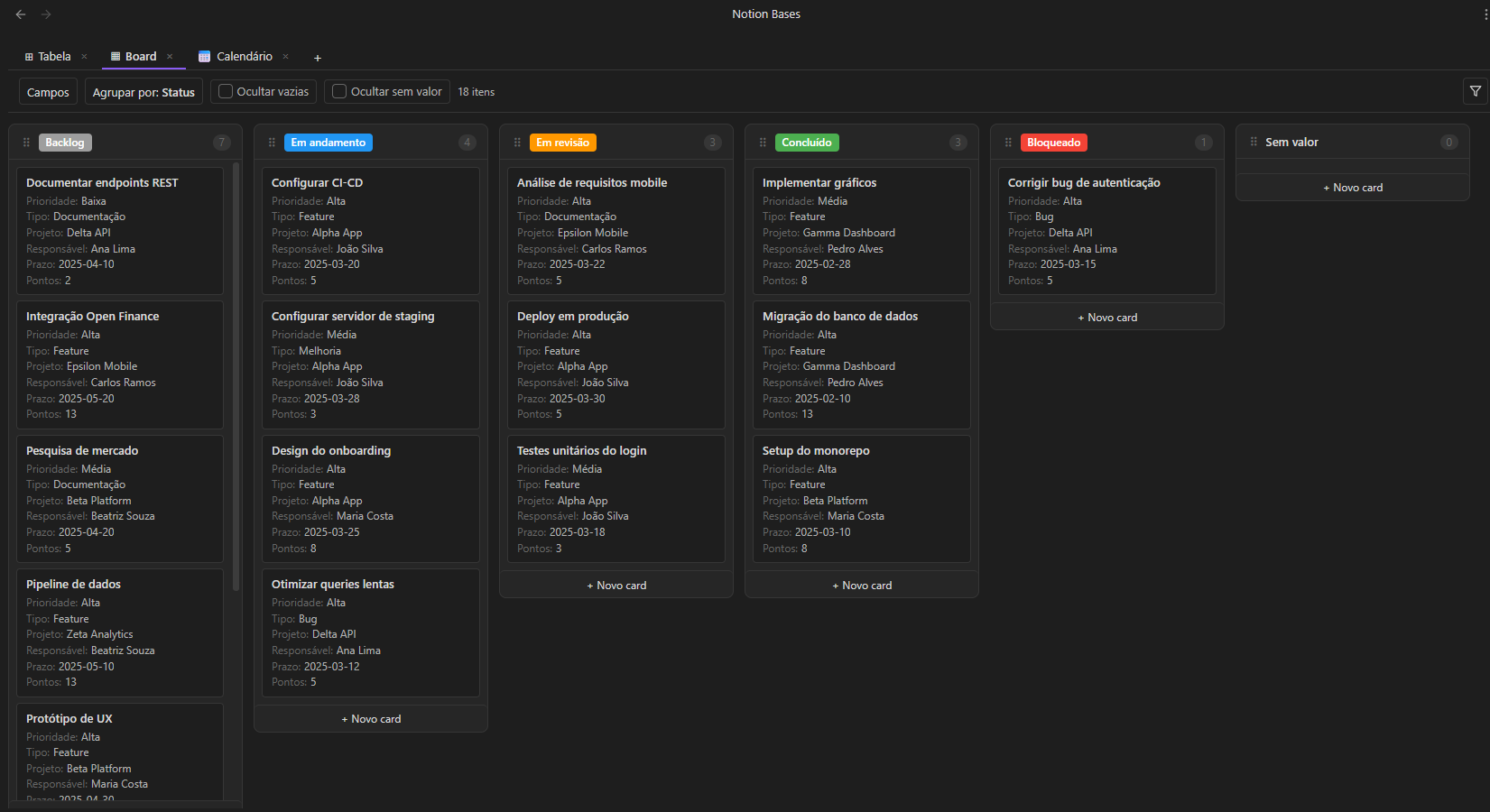
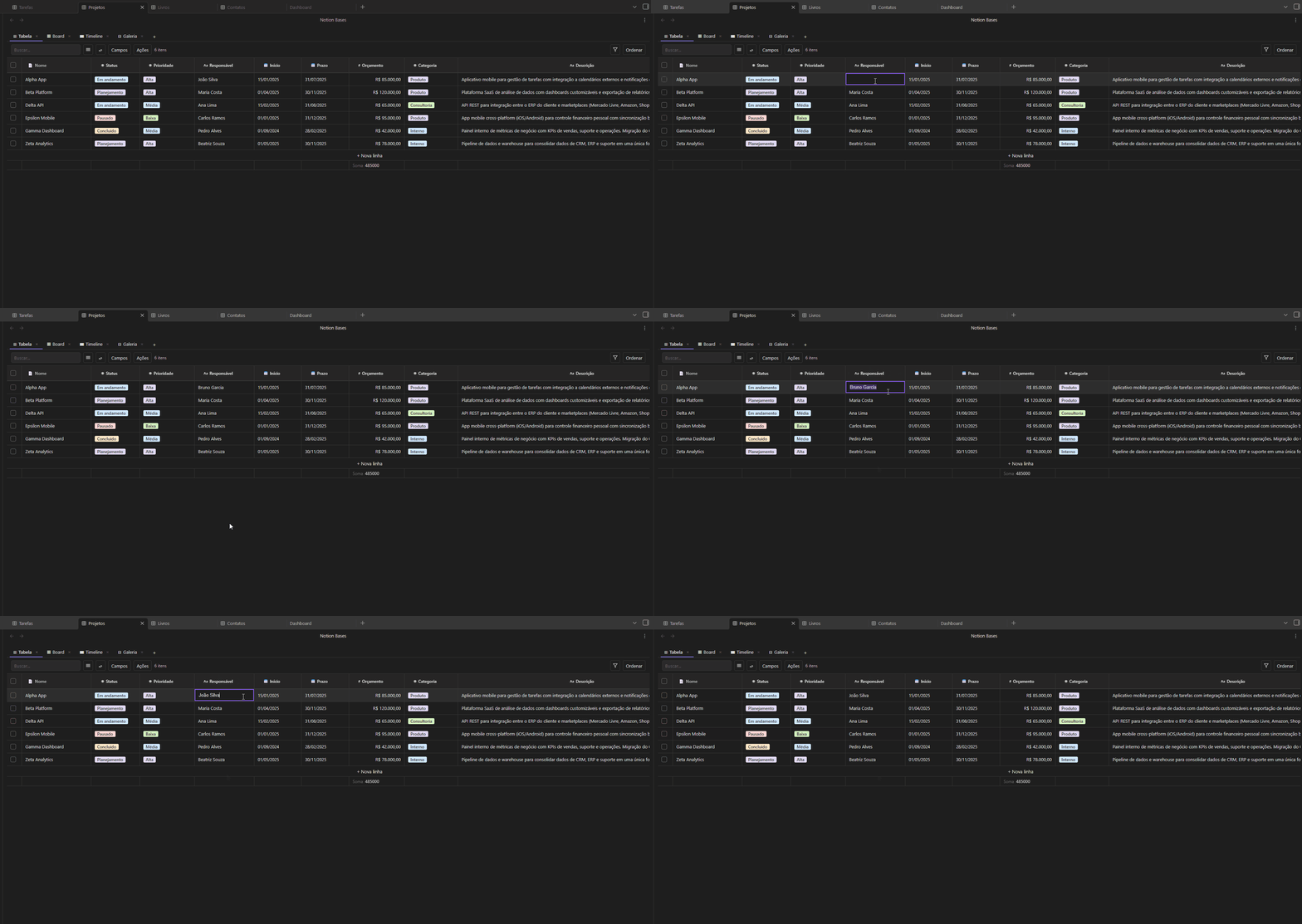
A fully interactive spreadsheet: inline editing, resizable/reorderable/pinnable columns, aggregation footer, row height options, text wrap, multi-column sort, and bulk row actions.
Board (Kanban)
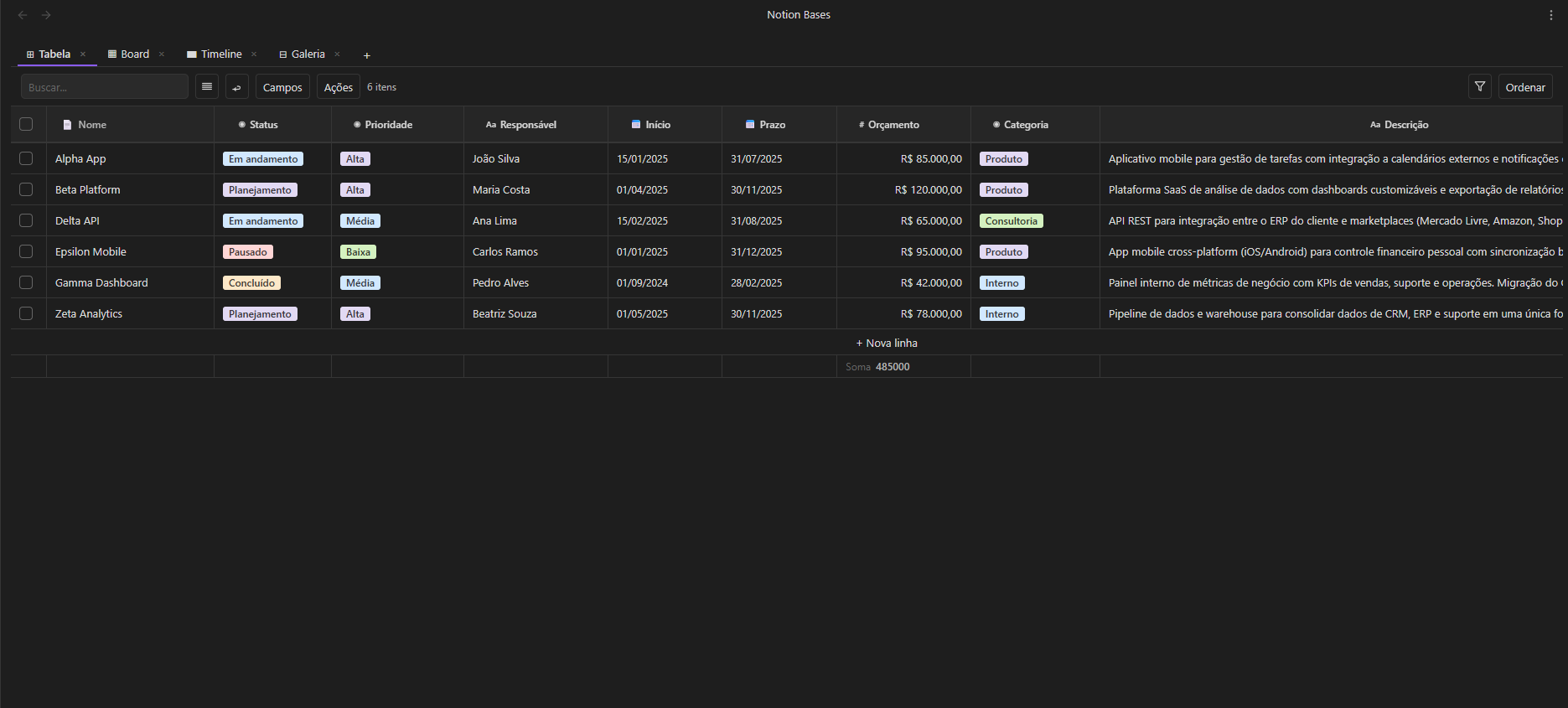
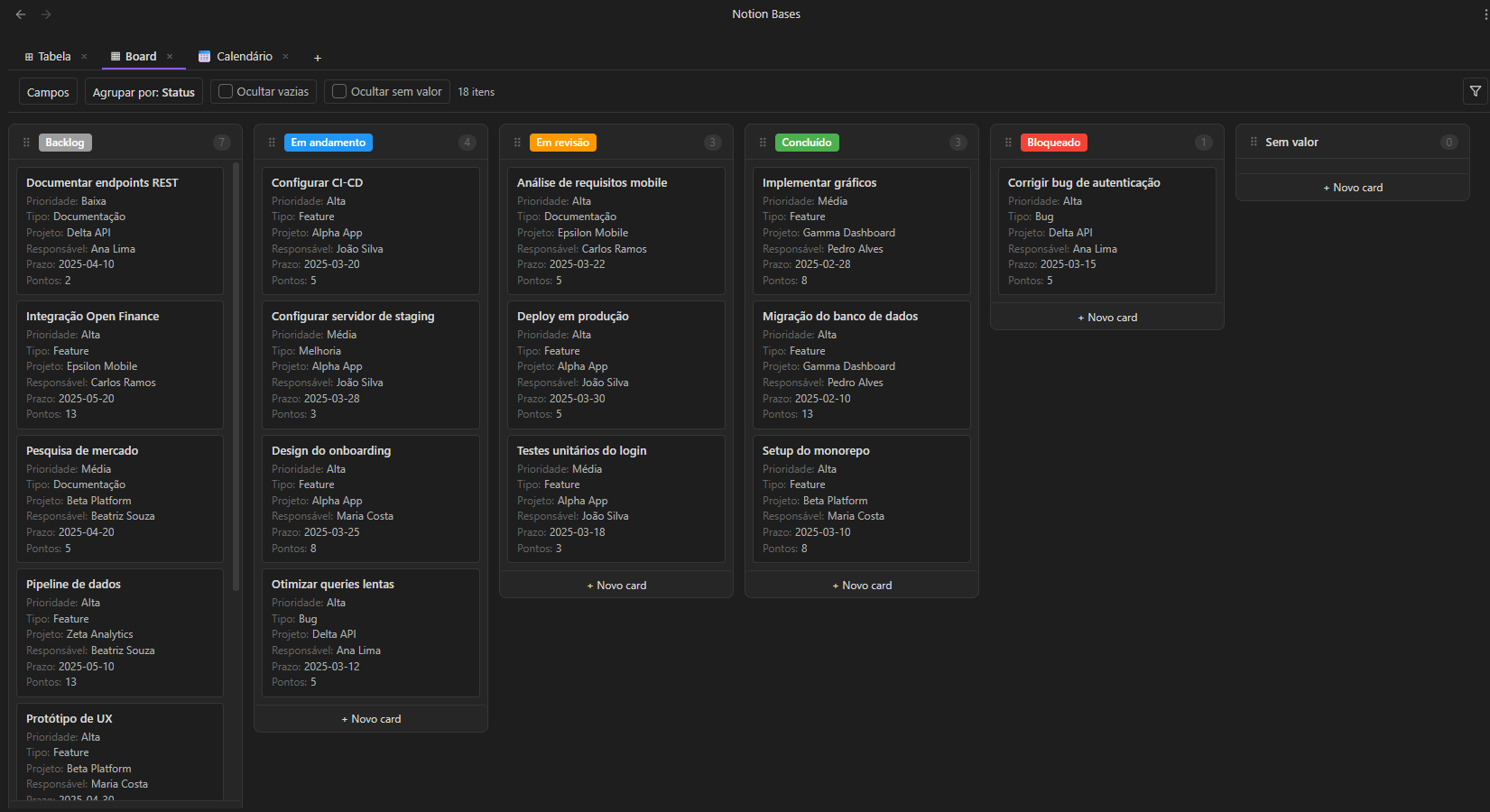
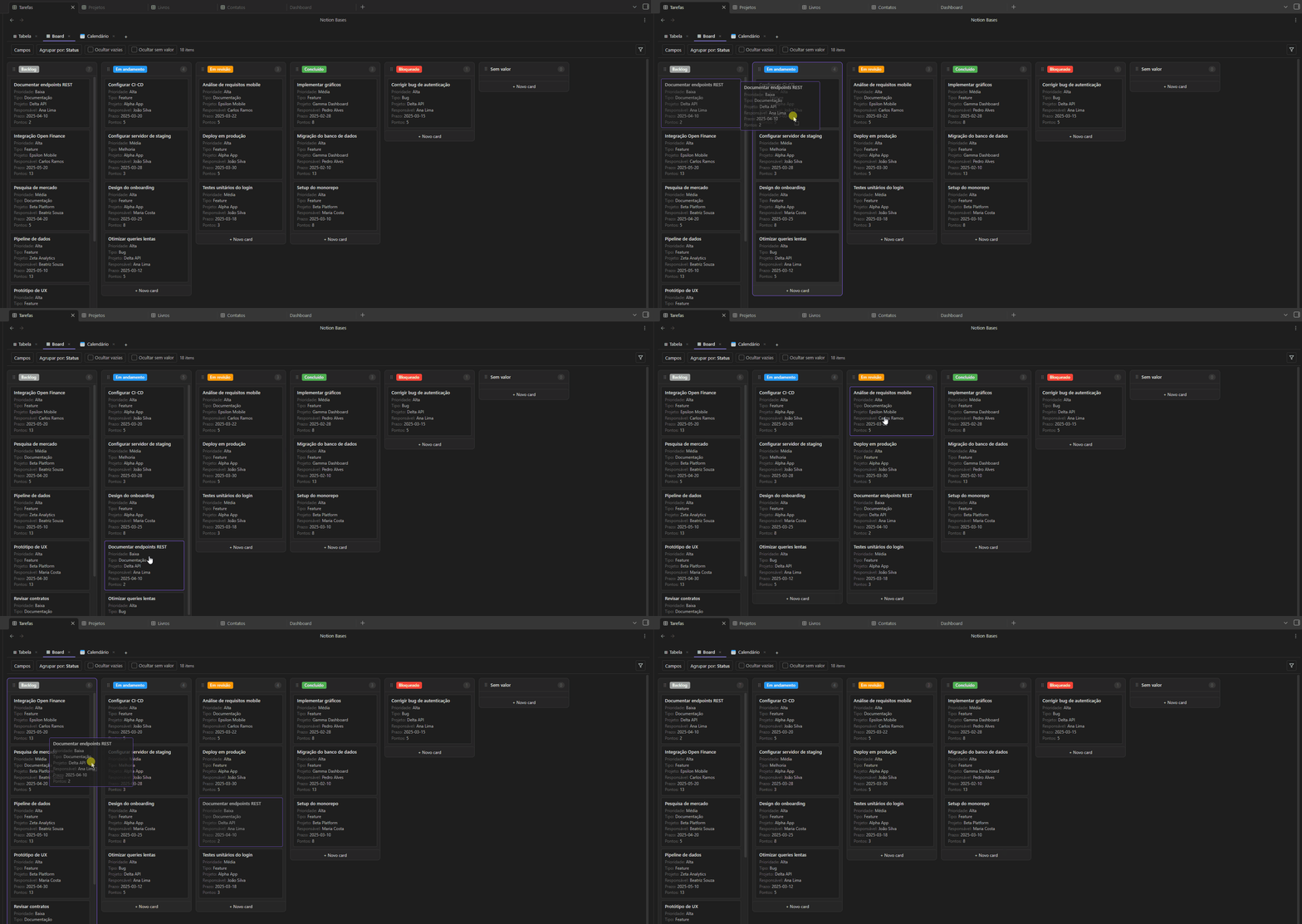
Drag cards between columns grouped by any select or status field. Add cards directly to a column. Hide empty or no-value columns. Configure which properties appear on each card.
Gallery
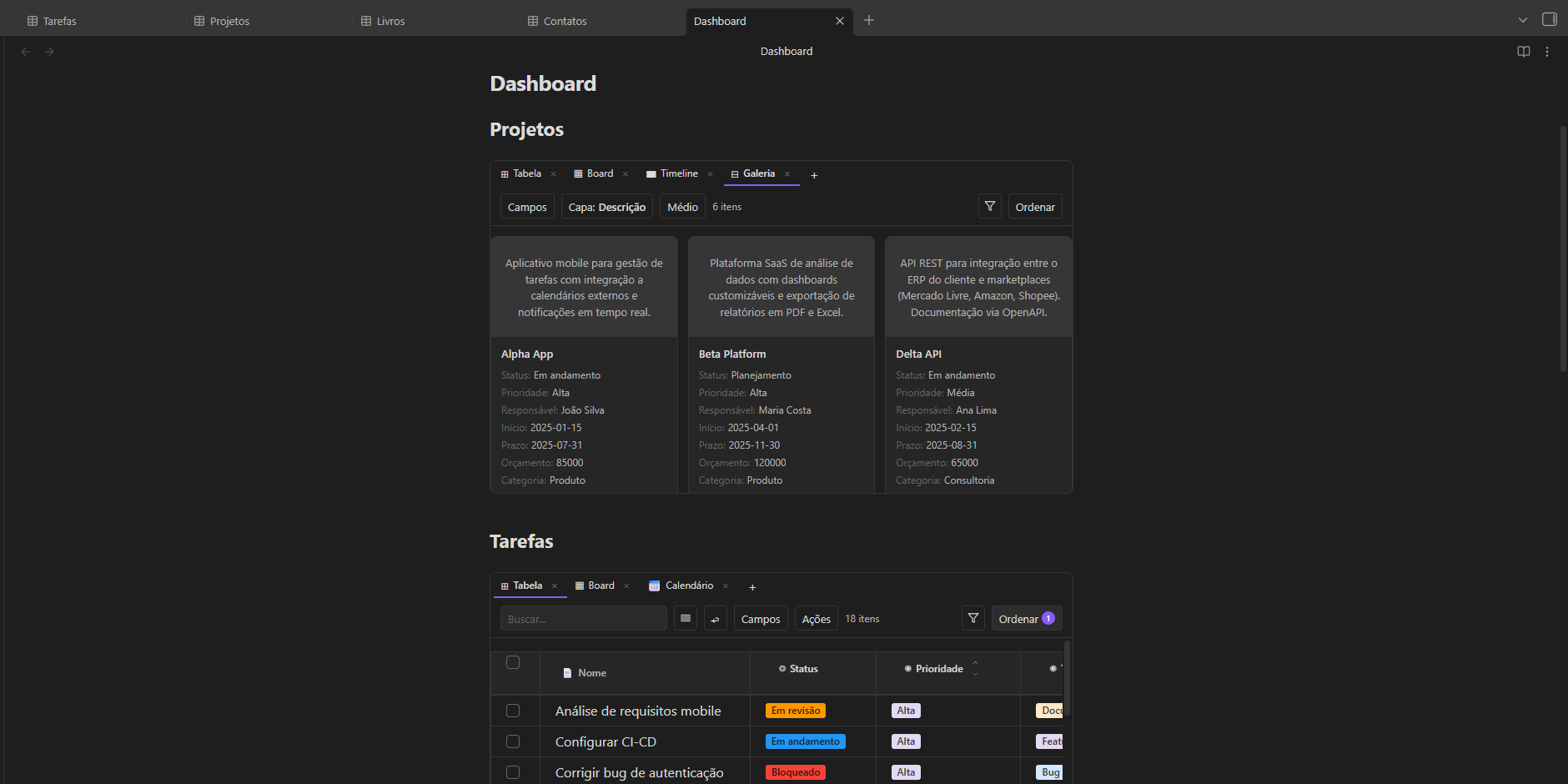
A responsive card grid. Pick a cover field, choose card size (small / medium / large), and display any properties below the title.
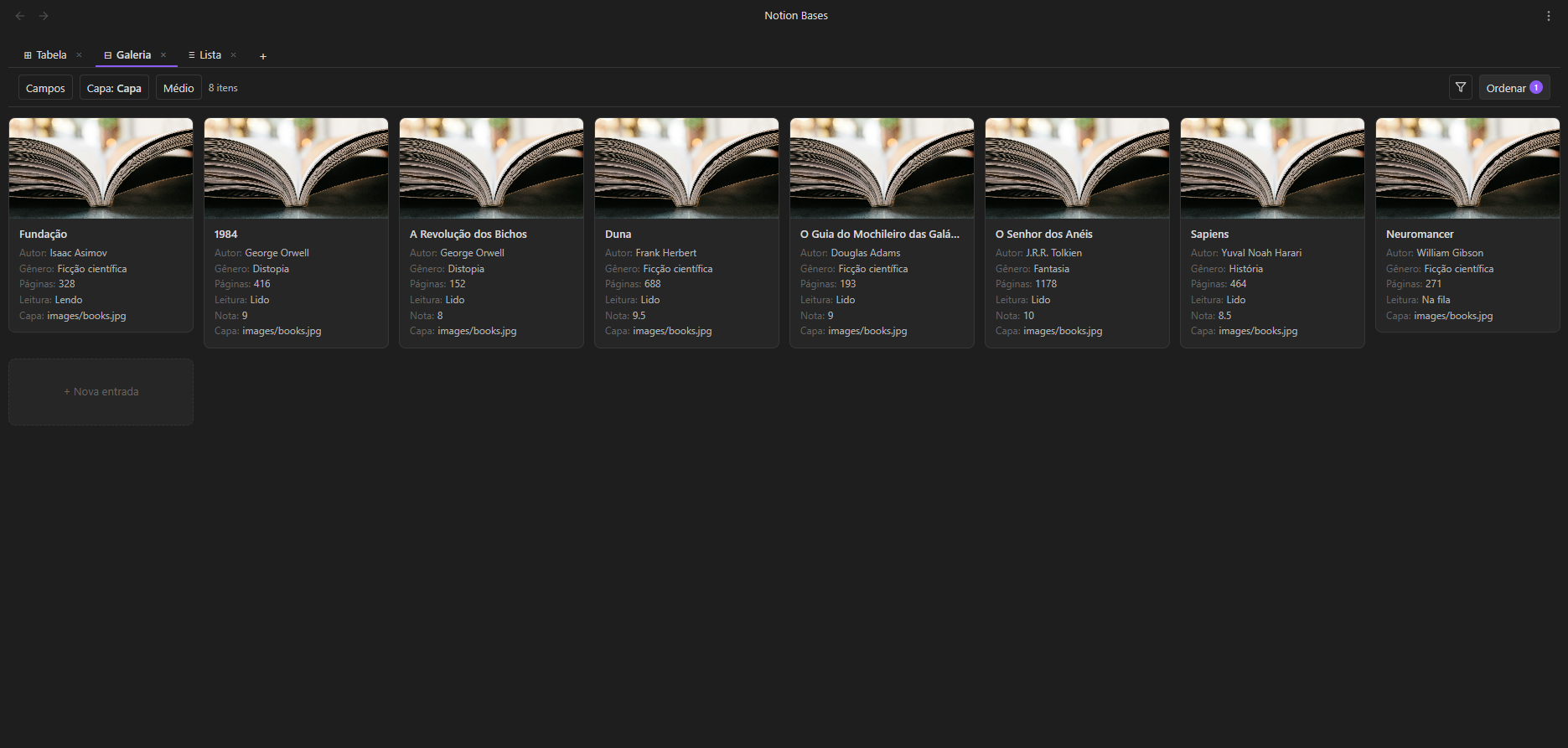
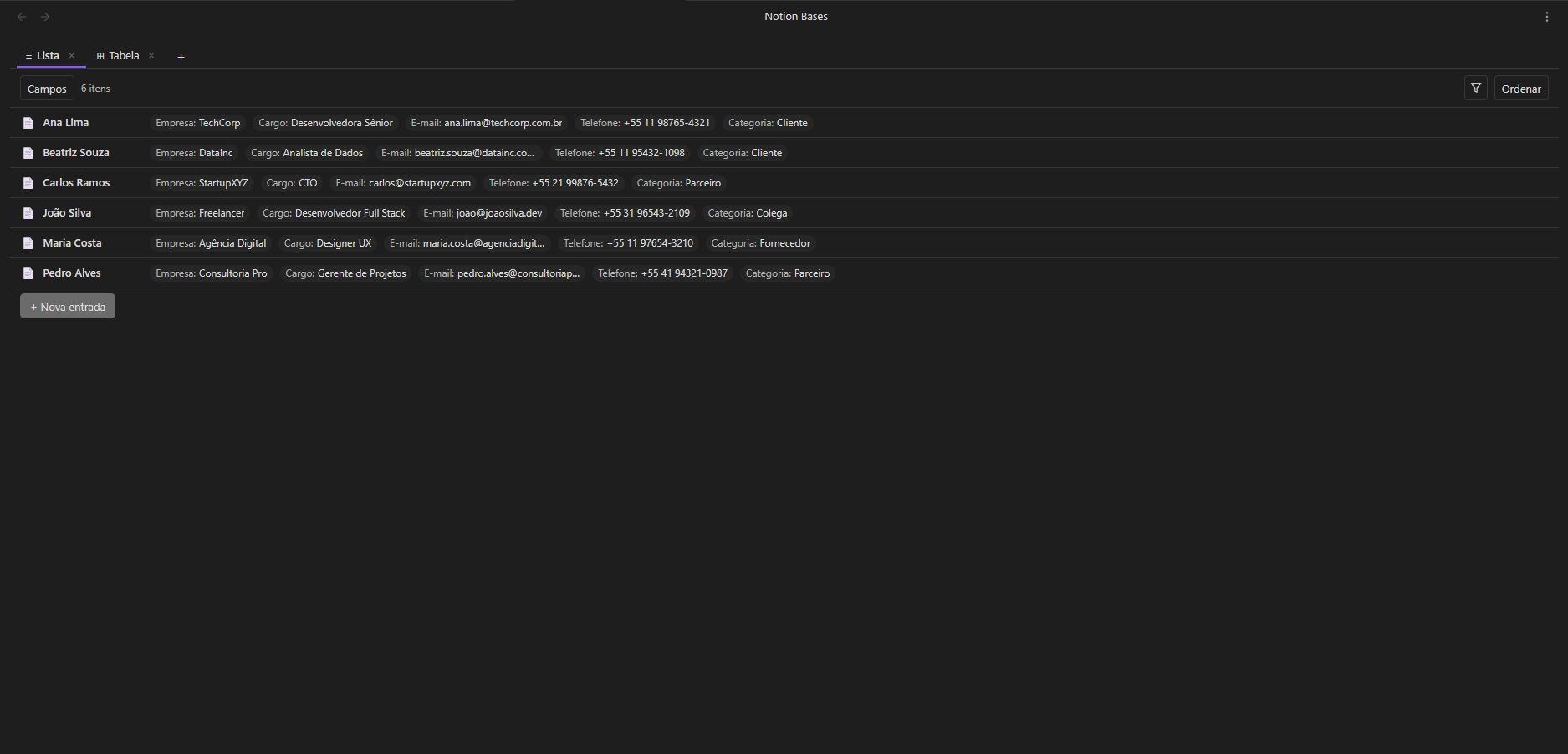
List
A minimal, single-line view — title plus property chips. Great for quick overviews and task-oriented databases.
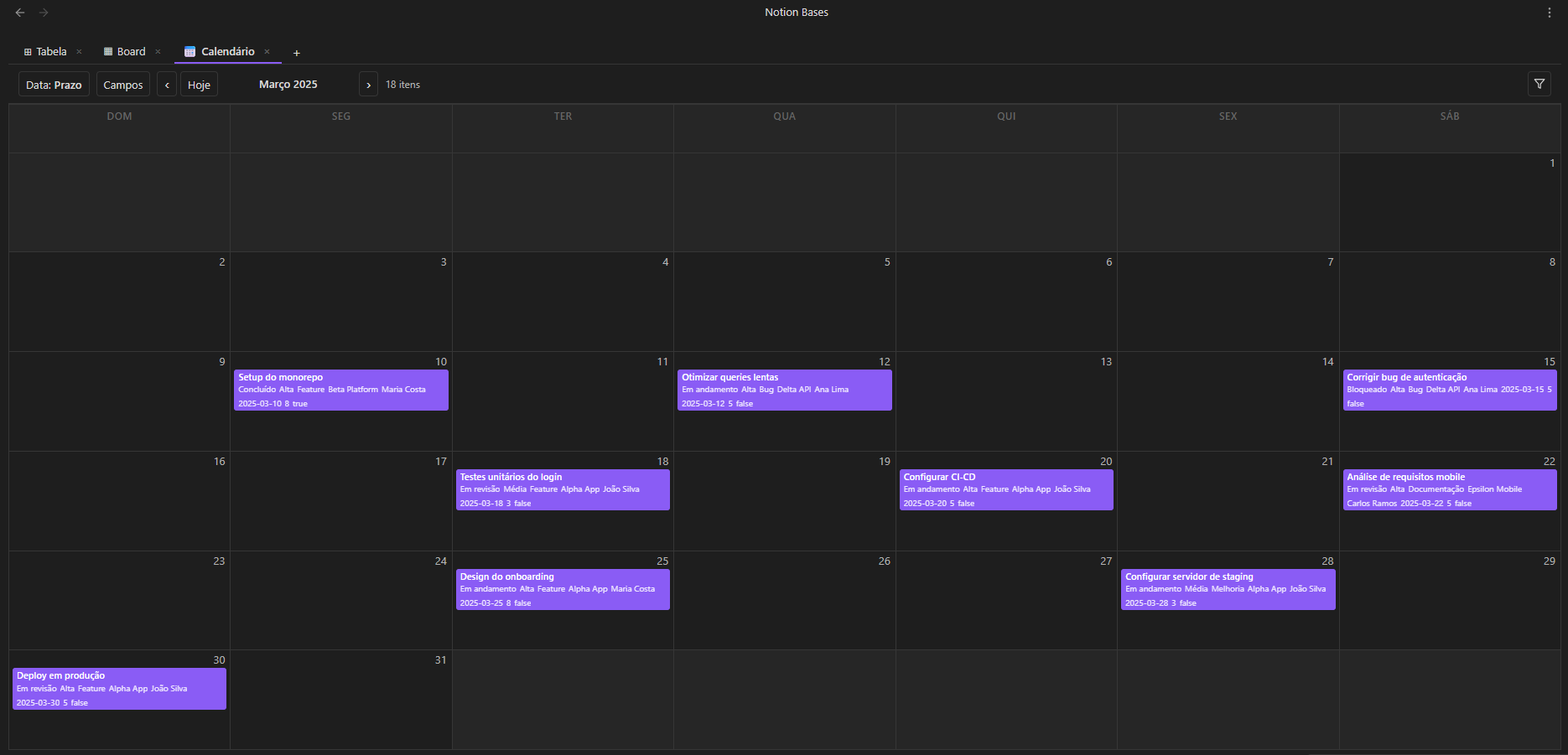
Calendar
Monthly calendar. Position notes by any date field. Click a day to create a note with the date pre-filled. Notes without a date appear in a collapsible section.
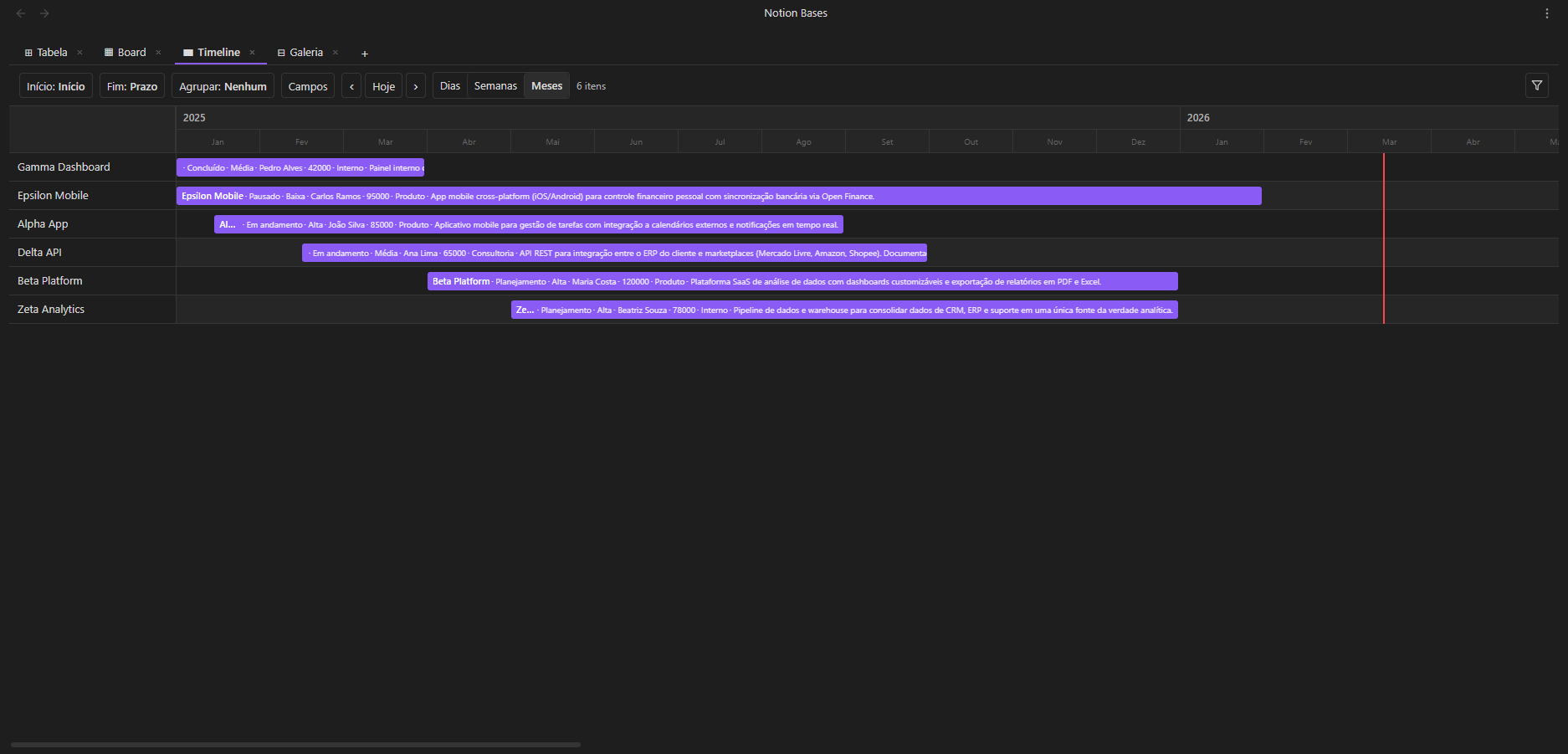
Timeline (Gantt)
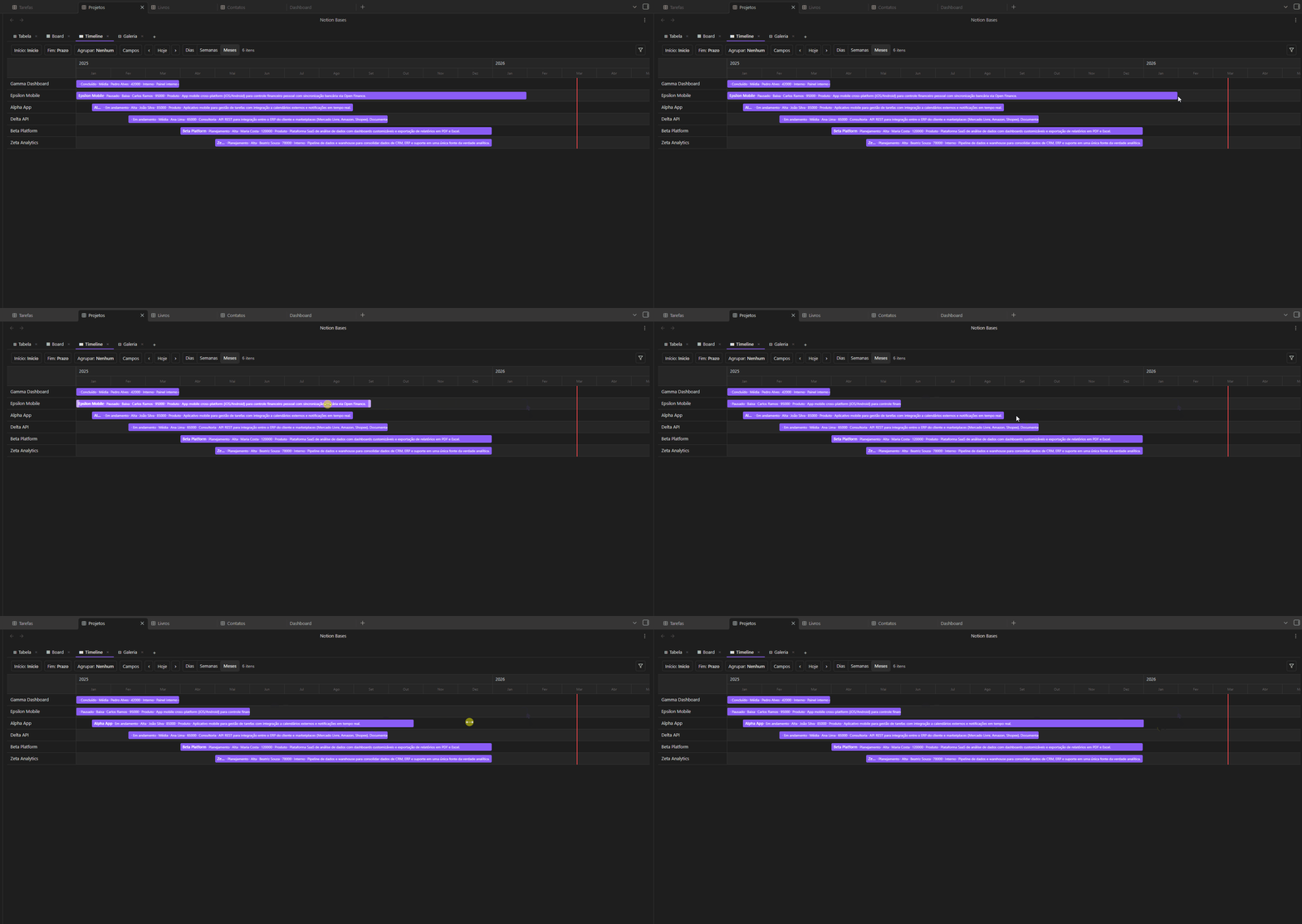
Horizontal bar chart with three zoom levels (days / weeks / months). Drag bar edges to resize start or end dates. Group rows by any field.
Chart
Bar, line, and pie charts rendered as pure SVG. Pick a category column (X axis), choose count or a number column (Y axis), and select an aggregation function. Smart axis formatting with k/M suffixes and integer ticks. Responsive sizing and full mobile support.

Features
| Category | What you get |
|---|---|
| Column types | Title, Text, Number, Select, Multi-select, Checkbox, Date, URL, Email, Phone, Status, Formula, Relation, Lookup, Rollup, Image, Audio, Video |
| Formulas | IF, SUM, AVG, CONCAT, LEFT, ROUND and more |
| Relations & Lookups | Link rows across databases, pull values from related notes |
| Rollup | Aggregate values across related databases: sum, count, avg, min, max, count_values, list |
| Charts | Bar, line, pie — pure SVG with aggregations and smart axis formatting |
| Subtasks | Hierarchical rows with expand/collapse up to 3 levels via self-relations |
| Filters | Type-aware operators, AND/OR groups |
| Sorts | Multi-column with priority ordering |
| Aggregation | Sum, Average, Min, Max, Count — updates live |
| Number formatting | Prefix ($, R$), suffix (%, kg), decimals, thousands separator |
| Column controls | Pin, resize (drag), reorder (drag) |
| CSV | Import and export |
| Bulk actions | Select rows to delete, duplicate or move |
| Schema inference | Auto-detects column types from existing frontmatter |
| Embeds | Embed any database inside a note via code block |
| Multi-view | Each view has independent filters, sorts and field visibility |
| 100% Markdown | Every row is a .md file. No lock-in, ever |
Column types
| Type | Description |
|---|---|
title | Note filename — always the first column |
text | Plain text |
number | Numeric value with optional formatting |
select | Single option from a defined list |
multiselect | Multiple options |
checkbox | Boolean true / false |
date | Date value |
url | Clickable link |
email | Email address |
phone | Phone number |
status | Colored badge with inline management |
formula | Computed value from other columns |
relation | Link to a note in another database |
lookup | Pull a field from a related database |
image | Display an image from the vault |
rollup | Aggregate values from related databases |
audio | Inline audio player with folder-based file picker |
video | Video with modal player and folder-based file picker |
Getting started
Installation
Note: Notion Bases is not yet available in Obsidian's Community Plugins directory. For now, use one of the methods below.
Via BRAT (recommended)
- Install BRAT from Community Plugins
- Open BRAT settings → Add Beta plugin
- Paste:
bgarciamoura/obsidian-notion-bases-plugin - Enable Notion Bases in Settings → Community plugins
Manual installation
- Download
main.js,manifest.jsonandstyles.cssfrom the latest release - Create
<your-vault>/.obsidian/plugins/notion-bases/ - Copy the three files into it
- Reload Obsidian and enable the plugin in Settings → Community plugins
Create your first database
- Open the command palette (
Ctrl/Cmd + P) → "Create new database" - Pick a folder — a
_database.mdfile marks it as a database - Click the table icon in the ribbon (or run "Open database") to open it
Add views
Click + in the view tab bar to add a new view. Each view has its own filters, sorts and field visibility. Drag tabs to reorder.
Embed in a note
```nb-database
path: Projects
```
Pin a fixed view type (no tabs):
```nb-database
path: Projects
type: table
```
How data is stored
Everything lives in your vault as plain Markdown:
| What | Where |
|---|---|
| Rows | .md files in the database folder |
| Column values | Frontmatter fields in each note |
| Schema & view config | Frontmatter of _database.md |
| Embed view configs | Frontmatter of the hosting note |
Open any file in any text editor and your data is right there.
Requirements
- Obsidian
1.4.0or later - Desktop and mobile supported
Support the project
If Notion Bases makes your vault more powerful, consider supporting development:


Contributing
Contributions are welcome! Please read the Contributing Guide before submitting a pull request.
For bugs and feature requests, use the issue tracker.
License
GPL v3 — free to use and modify, but any distribution must remain open source under the same license.
For plugin developers
Search results and similarity scores are powered by semantic analysis of your plugin's README. If your plugin isn't appearing for searches you'd expect, try updating your README to clearly describe your plugin's purpose, features, and use cases.