VaultForge Engine
pendingby Dennis Fassbaender
Core engine for VaultForge. Includes Cards (card styling for Bases). Discovers optional modules (e.g. VaultForge Tables) and provides unified settings and licensing.
VaultForge Engine
Core engine for VaultForge modules in Obsidian.
This community plugin ships VaultForge Cards and VaultForge Advanced Views inside one engine (no separate Cards/Views downloads). VaultForge Cards styles Obsidian Bases card views; VaultForge Advanced Views adds quick Base view switching, view icons, vault sync (“Sync views”), the link-views assistant, saved view-layout templates as markdown in your vault, guarded template apply (compatibility + YAML prompts for the current view only), optional Base rename when saving a template, and automatic updates when you rename/move a .base file.
Project Identity
- VaultForge is not a standalone legal brand/company. It is a project by DF Videoproduktion.
- Official website: vaultforge.tools
- Instagram updates: @vaultforgetools — follow for release news and updates.
Video
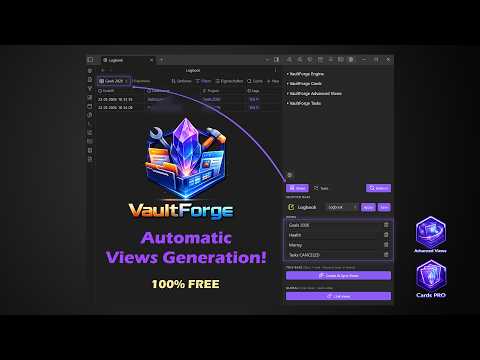
Watch on YouTube → (opens in browser)
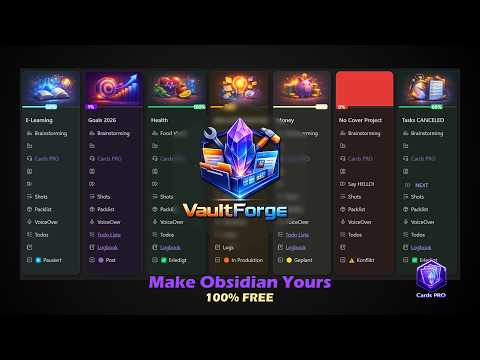
Watch on YouTube → (opens in browser)



Highlights
- Advanced card design (radius, shadow, tint, title controls).
- Status/color workflows for card visuals.
- Progress bars (simple row mode and snapped cover mode).
- Property row icons (Lucide fallbacks; optional Iconic for overrides).
- Multi-entry list popup UX.
- Advanced Views: side panel (Selected Base + views list), templates (
slug.md, collision suffix-2,-3, …), optional rename Base when saving a template, guarded Apply template (compatibility + YAML prompts for the current view only), automatic path updates when a.baseis renamed/moved, and link-view workflows for Base properties. - Built-in Cards and Advanced Views; optional companion VaultForge plugins can extend the engine (separate installs).
- VaultForge Tasks (companion plugin, work in progress): aimed at synced task state, note-level helpers, and tighter engine integration—optional; install from Community plugins when you want to try it.
All features are free — no license keys or paid tiers.
Support the project (optional)
- In Settings → VaultForge Engine, use Donate via PayPal if you want to contribute.
- The community plugin listing may also show Fund plugin development when
fundingUrlis supported (PayPal donate).
Requirements
- Obsidian
>= 1.12.7(seemanifest.jsonfor the enforced minimum). - Obsidian Bases (for card rendering context).
- Optional: Iconic plugin (optional overrides for property-row icons).
Installation
- Install/copy plugin files into your vault:
.obsidian/plugins/vaultforge-engine/
- Enable VaultForge Engine in Obsidian Community Plugins.
- Open Settings → VaultForge Engine and enable/configure modules.
Details: DOCUMENTATION.md. Maintainer notes: RELEASING.md.
Privacy / Networking
- See
PRIVACY.mdfor local data and optional donation (browser) behavior.
Known limitations
- Card rendering depends on Obsidian Bases DOM structure; major upstream DOM changes may require plugin updates.
- Visual details can vary with theme/CSS snippets and other plugins that also style card/property elements.
Legal
- VaultForge is a project by DF Videoproduktion (not a standalone legal brand).
- This plugin is not affiliated with or endorsed by Obsidian.
- Third-party names are trademarks of their respective owners.
- Open-source license terms for the code: see
LICENSE.
For plugin developers
Search results and similarity scores are powered by semantic analysis of your plugin's README. If your plugin isn't appearing for searches you'd expect, try updating your README to clearly describe your plugin's purpose, features, and use cases.