LazyCrypt
pendingby François-Marie Le Régent
Maintain an encrypted git history of your vault using age.
LazyCrypt - Obsidian Plugin
Maintain an encrypted git history of your Obsidian vault using age encryption.
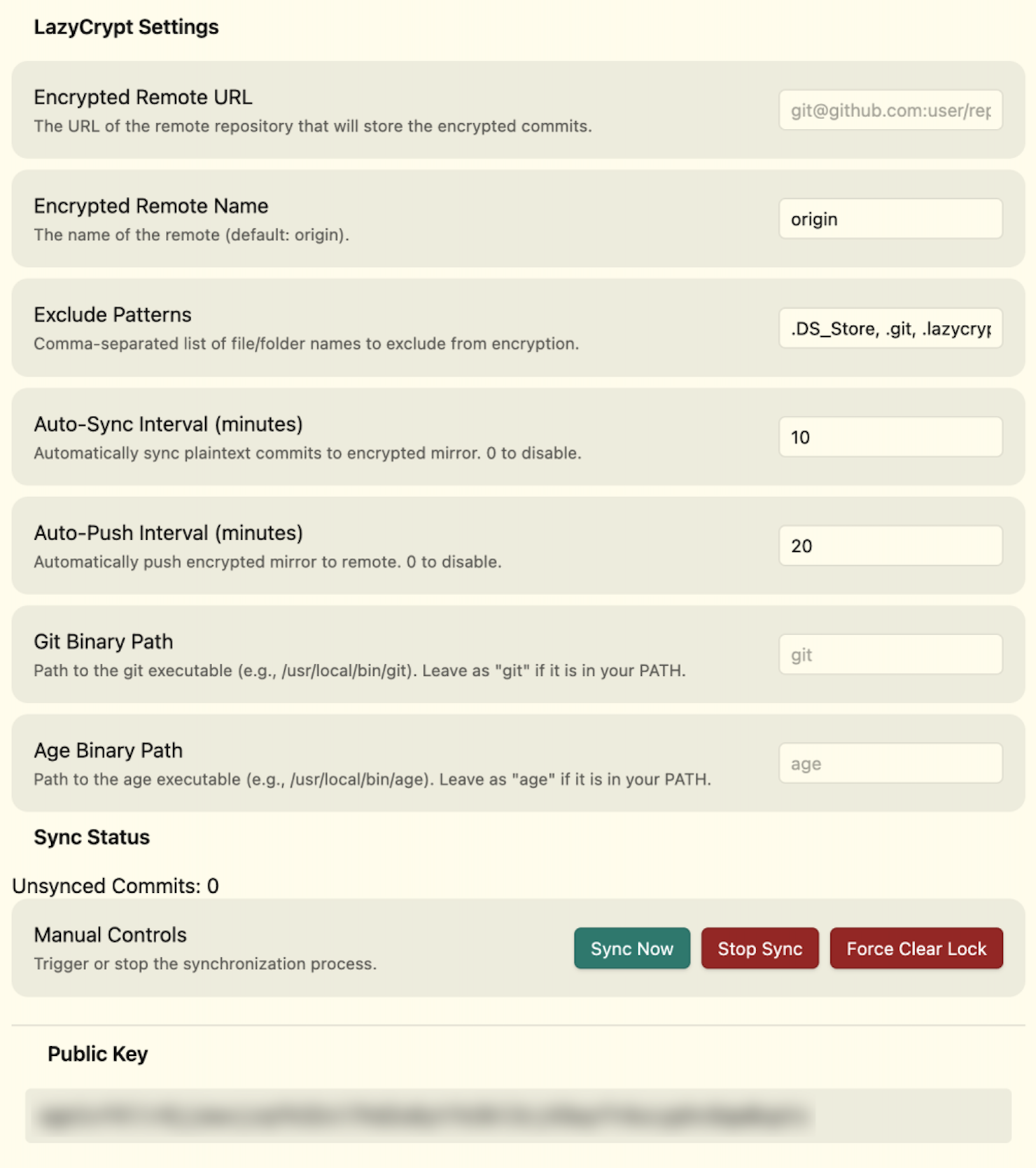
LazyCrypt mirrors every git commit in your vault into a separate encrypted repository. Each file is encrypted with your age public key before being committed to the encrypted mirror, which can then be pushed to a remote (e.g., GitHub) for secure off-site backup.
Features
- Encrypted git mirror: Every plaintext commit is re-committed with all files encrypted via age.
- Push to remote: Push the encrypted mirror to any git remote for secure backup.
- Pull and decrypt: Recover your vault by pulling the encrypted history and decrypting it locally.
- Auto-sync and auto-push: Configurable intervals to automate encryption and pushing.
- Progress tracking: Status bar and notices show sync progress in real time.
- Lock management: Built-in lock file prevents concurrent syncs; force-clear available if stuck.
Requirements
- Desktop only (macOS, Linux, Windows). This plugin uses Node.js APIs and is not compatible with Obsidian mobile.
- git must be installed and accessible.
- age (and
age-keygen) must be installed and accessible. Install via Homebrew:brew install age. - Your vault must be a git repository with at least one commit.
Installation
From community plugins
- Open Settings -> Community plugins.
- Search for "LazyCrypt" and select Install.
- Enable the plugin.
Manual installation
- Download
main.js,manifest.json, andstyles.cssfrom the latest release. - Copy them to
<your-vault>/.obsidian/plugins/obsidian-lazycrypt-plugin/. - Reload Obsidian and enable the plugin in Settings -> Community plugins.
Getting started
- Initialize: Run the command LazyCrypt: Initialize repository from the command palette. This creates the
.lazycrypt/directory, generates an age key pair, and sets up the encrypted bare repository. - Configure remote: Open Settings -> LazyCrypt and set the Encrypted remote URL to your target git remote (e.g.,
git@github.com:user/vault-encrypted.git). - Sync: Run LazyCrypt: Sync encrypted history or click the lock icon in the ribbon. This encrypts all unsynced commits.
- Push: Run LazyCrypt: Push encrypted history to push the encrypted mirror to your remote.
Commands
| Command | Description |
|---|---|
| Sync encrypted history | Encrypt all new plaintext commits into the encrypted mirror |
| Push encrypted history | Push the encrypted mirror to the configured remote |
| Initialize repository | Set up the .lazycrypt/ directory, keys, and encrypted repo |
| Pull and decrypt history | Pull from the encrypted remote and decrypt into the vault |
Settings
| Setting | Description | Default |
|---|---|---|
| Encrypted remote URL | Git remote URL for the encrypted mirror | (empty) |
| Encrypted remote name | Name of the git remote | origin |
| Exclude patterns | Comma-separated patterns to exclude from encryption | .DS_Store, .git, .lazycrypt |
| Auto-sync interval | Minutes between automatic syncs (0 to disable) | 0 |
| Auto-push interval | Minutes between automatic pushes (0 to disable) | 0 |
| Git binary path | Path to the git executable | git |
| Age binary path | Path to the age executable | age |
Recovery
To recover your vault from the encrypted backup:
- Create a new vault (or use an empty directory as a git repo).
- Install and enable LazyCrypt.
- Copy your
.lazycrypt/directory (containing yourkeys/current.key) into the vault root. - Configure the encrypted remote URL in settings.
- Run LazyCrypt: Pull and decrypt history.
Security
- All encryption is performed locally using age. No data is sent to any third-party service.
- Your private key (
keys/current.key) never leaves your machine unless you copy it manually. - The encrypted remote only ever receives age-encrypted blobs.
- Back up your private key (
<vault>/.lazycrypt/keys/current.key). Without it, the encrypted history cannot be decrypted.
Development
# Install dependencies
npm install

# Development build (watch mode)
npm run dev

# Production build
npm run build

# Lint
npm run lint
License
For plugin developers
Search results and similarity scores are powered by semantic analysis of your plugin's README. If your plugin isn't appearing for searches you'd expect, try updating your README to clearly describe your plugin's purpose, features, and use cases.