GhostTag
pendingby Itibo
Manage hidden emotional data within your notes. Stealth mode, scanner, copy protection, and ghostify toggle.
GhostTag
Invisible until you want to see it.
A gentle Obsidian plugin that softly conceals your emotions and thoughts within your notes.




🌙 Concept
Sometimes, we have words we want to keep but don't want to keep. Sometimes, we have emotions we don't want to see daily, but need to access when ready. GhostTag embraces this complexity and vulnerability.
- What you write never disappears
- But it stays quietly hidden until you're ready
- It won't appear in prints or copies
- It reveals itself only when you want to see it
✨ Features
🎭 Stealth Mode
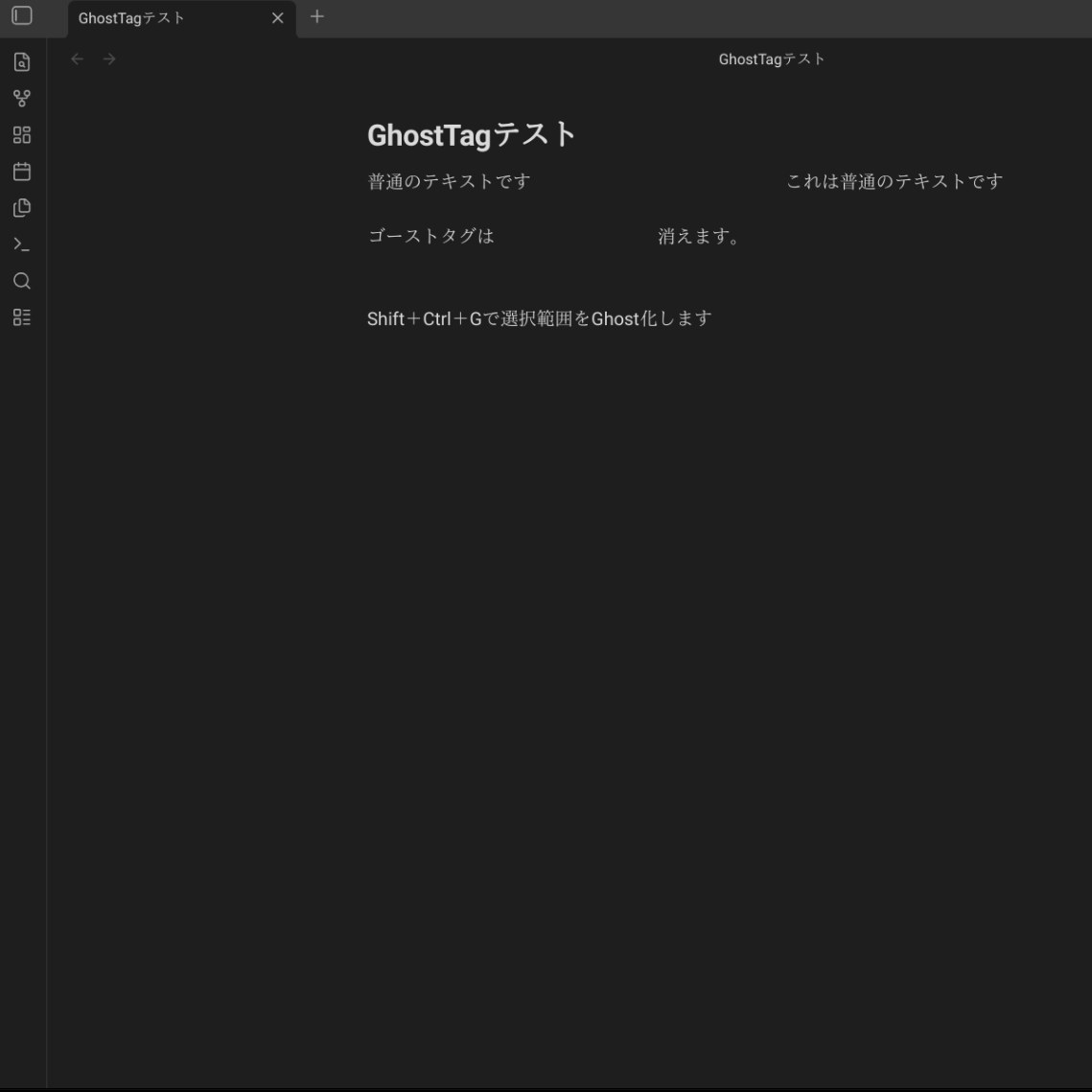
Text wrapped in %%...%% becomes transparent and invisible.
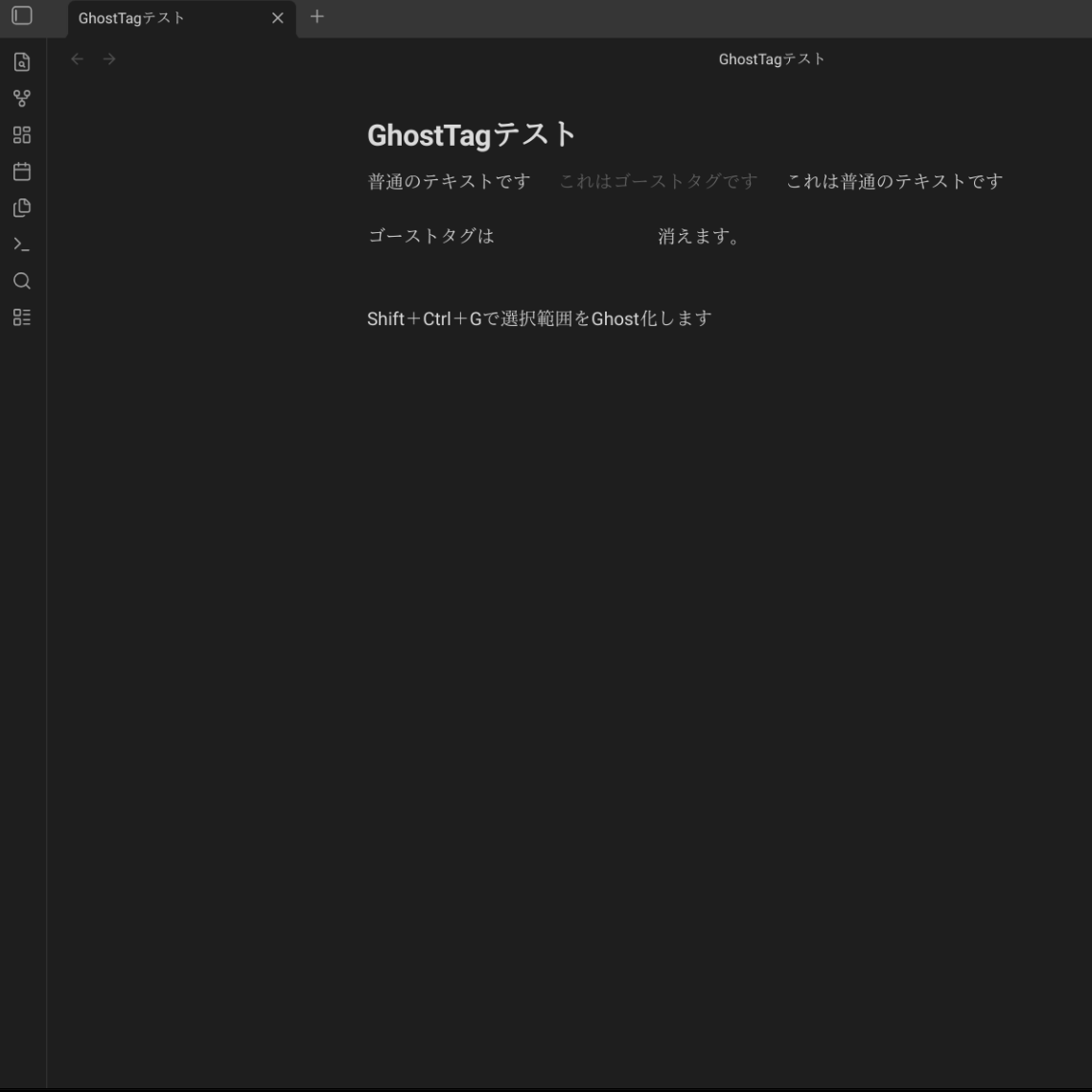
👀 Hover to Reveal
Move your cursor over it, and it softly appears.
✏️ Click to Edit
Place your cursor inside, and it becomes fully visible for editing.
👻 Ghostify Toggle
Select any text and instantly wrap it with Ghost delimiters — or unwrap it to toggle off.
- Shortcut: No default hotkey assigned (to prevent conflicts).
- Recommended: Set
Ctrl+Shift+G(orCmd+Shift+G) in Settings > Hotkeys.
- Recommended: Set
- Also available from the right-click menu and Command Palette
- Works on empty selections too — inserts delimiters and places your cursor between them
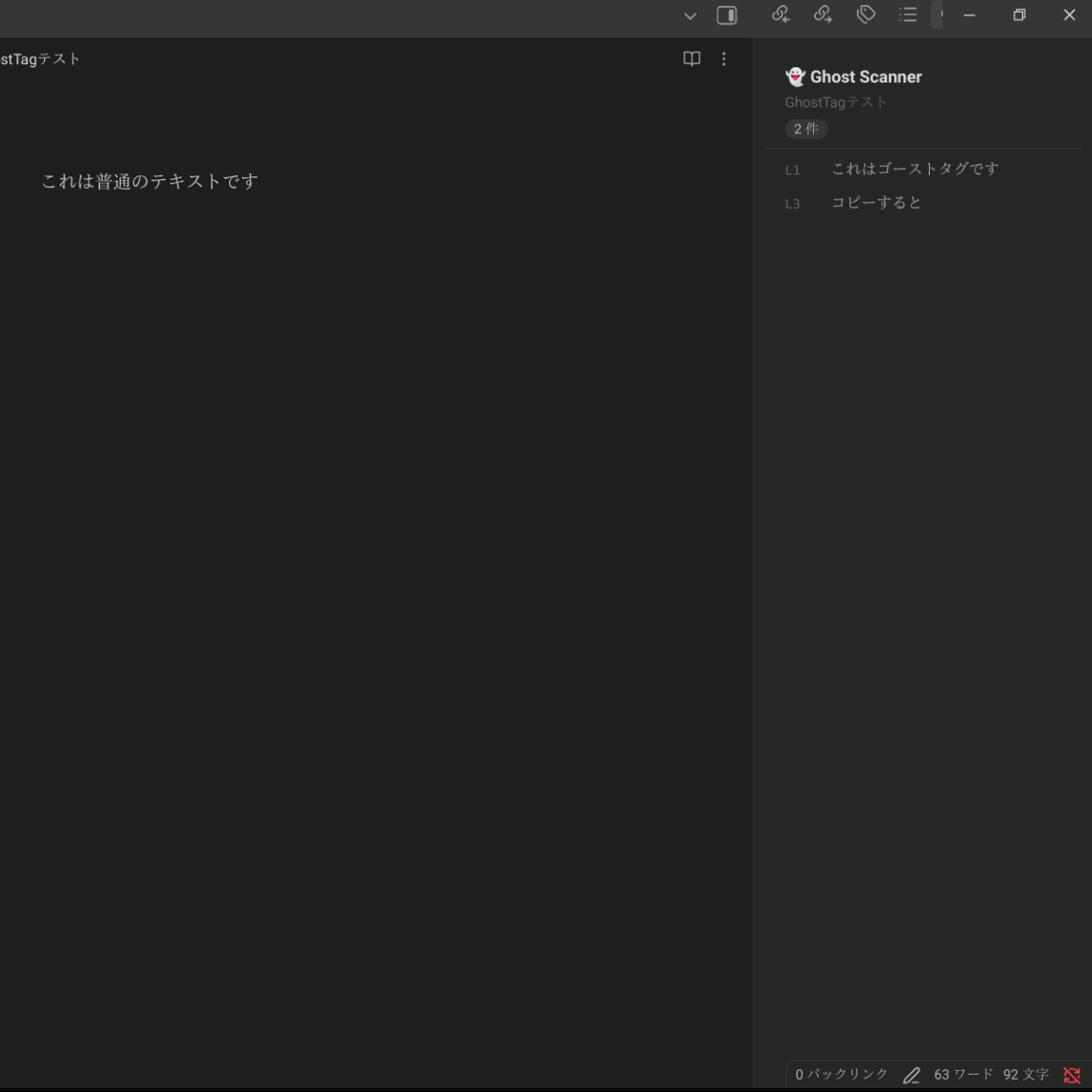
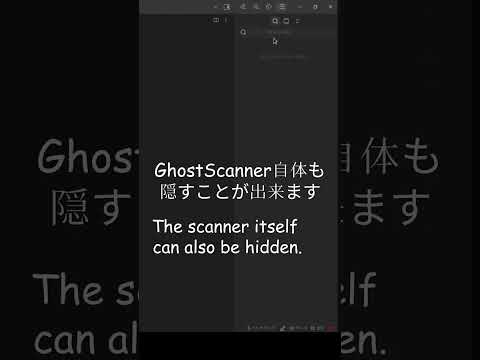
🔍 Ghost Scanner
A sidebar that lists all Ghosts in your current note.
- Open only when you want: Activate via ribbon icon or Command Palette
- Hidden when you don't: Close the sidebar and it disappears completely
- Click to jump: Select from the list to navigate to that Ghost
Your Ghosts reveal themselves only when you're ready to see them. Otherwise, they stay completely hidden — no distraction, no intrusion.
🛡️ Copy Protection
When you press Ctrl+C, Ghost content is automatically stripped (toggle in settings).
🌍 Multilingual Support
Available in English, 日本語, 中文, Русский, Português, Français, Deutsch, and Español.
🎨 Fully Customizable
- Change delimiters (
%%,((,==, etc.) - Adjust opacity and animation speed
🖨️ Hidden from Print / PDF
Ghosts are completely invisible in print and PDF exports.
📱 Mobile Friendly
GhostTag works on both desktop and mobile versions of Obsidian.
📦 Installation
From Obsidian Community Plugins (after approval)
- Open Obsidian Settings
- Go to Community Plugins
- Search for "GhostTag"
- Install & Enable
Manual Installation
- Download the latest release from Releases
- Copy
main.js,manifest.json, andstyles.cssto.obsidian/plugins/ghost-tag/ - Enable the plugin in Obsidian
🚀 Usage
Basic Usage
Simply wrap text with %%:
Today was a good day %% but I'm actually struggling inside %%
The wrapped portion becomes transparent and reveals itself on hover.
Ghostify Toggle
Select any text and trigger the command (via Palette or your custom hotkey) to wrap it in Ghost delimiters. Execute again on wrapped text to unwrap — a seamless toggle.
Note: Please assign a hotkey (e.g.,
Ctrl+Shift+G) in Obsidian Settings > Hotkeys > GhostTag: Ghostify selection.
Open Ghost Scanner
- Click the ribbon icon (🔍)
- Or use Command Palette: "Open Ghost Scanner"
Right-Click Menu
Select text and right-click:
- Ghostify Selection: Wrap or unwrap the selected text with Ghost delimiters
- Copy with Ghost Tags: Copy including Ghost markers
- Copy without Ghost Tags: Copy with Ghost content removed
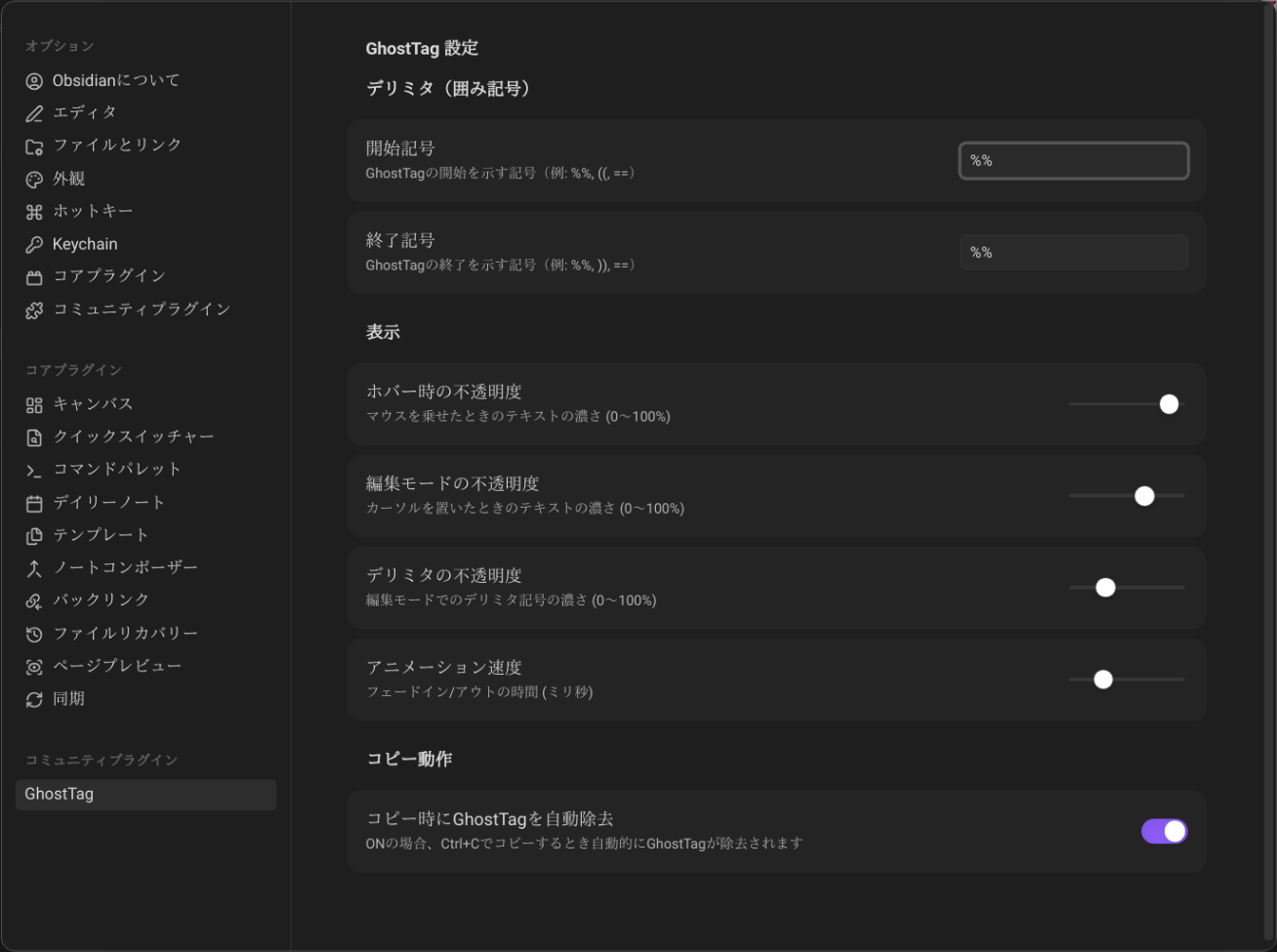
⚙️ Settings
Delimiters
Customize start and end markers:
%% ... %%(default)(( ... ))== ... ==- Or anything you prefer
Display
| Setting | Description |
|---|---|
| Hover opacity | How visible Ghosts become on hover |
| Edit mode opacity | Visibility when cursor is inside |
| Delimiter opacity | How visible markers are in edit mode |
| Animation speed | Fade transition duration (ms) |
Copy Behavior
| Setting | Description |
|---|---|
| Auto-strip on copy | Remove Ghosts when pressing Ctrl+C |
💭 Use Cases
1. Emotional Journaling
The meeting went well today.
%% but my boss's attitude was really upsetting %%
Moving forward with the next project.
2. Creative Writing
She smiled and replied.
%% while plotting her revenge inside %%
"I'm fine," she said.
3. Study Notes
Understood the basics of quantum mechanics.
%% still confused about the uncertainty principle %%
Next, I'll study wave functions.
4. Work Notes
Project is on schedule.
%% actually two weeks behind %%
Client presentation is next week.
🎨 Design Philosophy
GhostTag doesn't "completely hide" information. It gently conceals it.
- Present, but invisible
- There, but not intrusive
- Hidden, but accessible
Like a whisper in your mind, your emotions exist in a quantum state — revealed only when you choose to observe them.
📸 Screenshots
🎭 Beautifully Hidden
GhostTag blends seamlessly into your workflow.
👀 Hover to Reveal
Your thoughts are always there, just waiting for your attention.
🔍 Never Lose a Ghost
The Ghost Scanner helps you find every hidden thought instantly.
⚙️ Your Style, Your Rules
Customize opacity, animations, and more to fit your theme.
🎥 Demo Video
See GhostTag in action (YouTube Shorts):
🤝 Support
If GhostTag helps you, please consider supporting its development:
- ⭐ Star on GitHub
🐛 Bug Reports & Feature Requests
Feel free to report issues or suggest features on Issues.
📝 License
MIT License
📚 Technical Details
- TypeScript
- CodeMirror 6
- Obsidian Plugin API
- i18n (8 languages)
🙏 Acknowledgments
To everyone who uses this plugin: I hope it gently embraces your vulnerabilities and complexities.
Made with 💙 by Itibo
For plugin developers
Search results and similarity scores are powered by semantic analysis of your plugin's README. If your plugin isn't appearing for searches you'd expect, try updating your README to clearly describe your plugin's purpose, features, and use cases.