LoudThoughts
pendingby Jonas Haefele
Multi-service voice note sync with support for AudioPen, VoiceNotes, Alfie and future voice note platforms.
LoudThoughts - Sync Your Voice to Obsidian
Obsidian plugin and service that syncs your thoughts from AudioPen, VoiceNotes, and Alfie to your Obsidian vault.
This is based on the amazing work trashhalo did with obsidian-webhooks, but updated and extended to work with multiple voice note services.
Setting up the plugin
- Install the obsidian plugin from the community plugins
- Go to https://loud-thoughts.web.app to signup for the service
- Generate a login token
- Use the token to log in the
LoudThoughtsplugin settings in Obsidian - Add the webhook url to AudioPen
For detailed instructions, read on:
5. How to add the webhook to AudioPen
You can follow the same instuctions to add the webhook to VoiceNotes
After you did 1-4 above, you'll have a webhook url and a token.
The webhook URL looks like this: https://europe-west1-loud-thoughts.cloudfunctions.net/webhook/ab97f2f036a143f5d3555e5fc3f4e833
- Navigate to AudioPen
- Make sure you're logged in
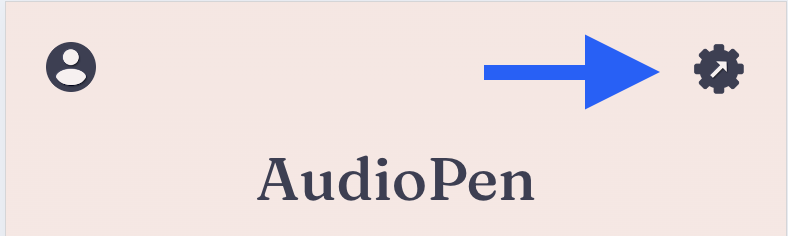
- Click the settings icon at the top right of the screen:
- Scroll down to the section
Beta Programand enable the toggle - Right above in the
Integrationssection, clickSet up integrations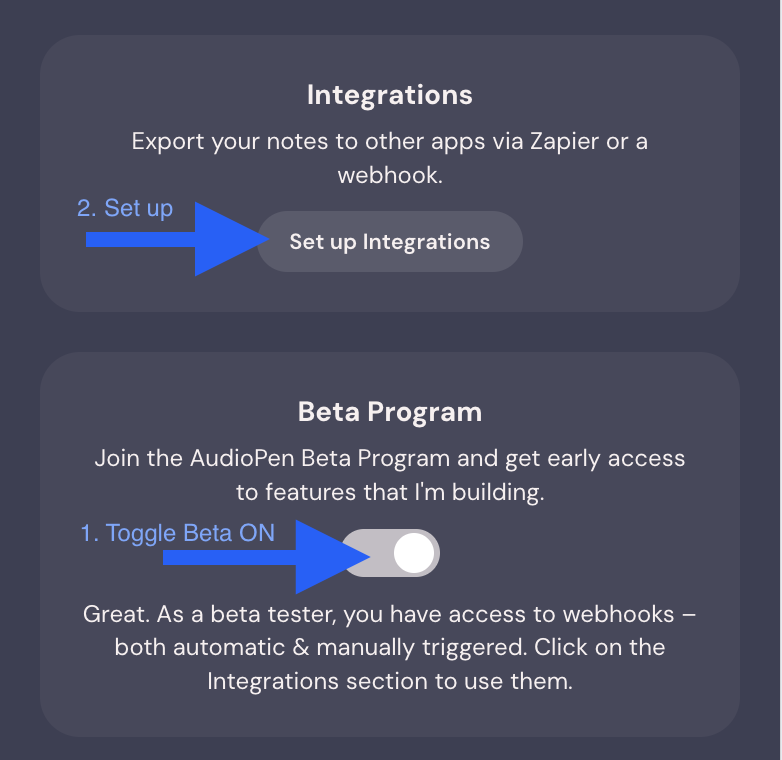
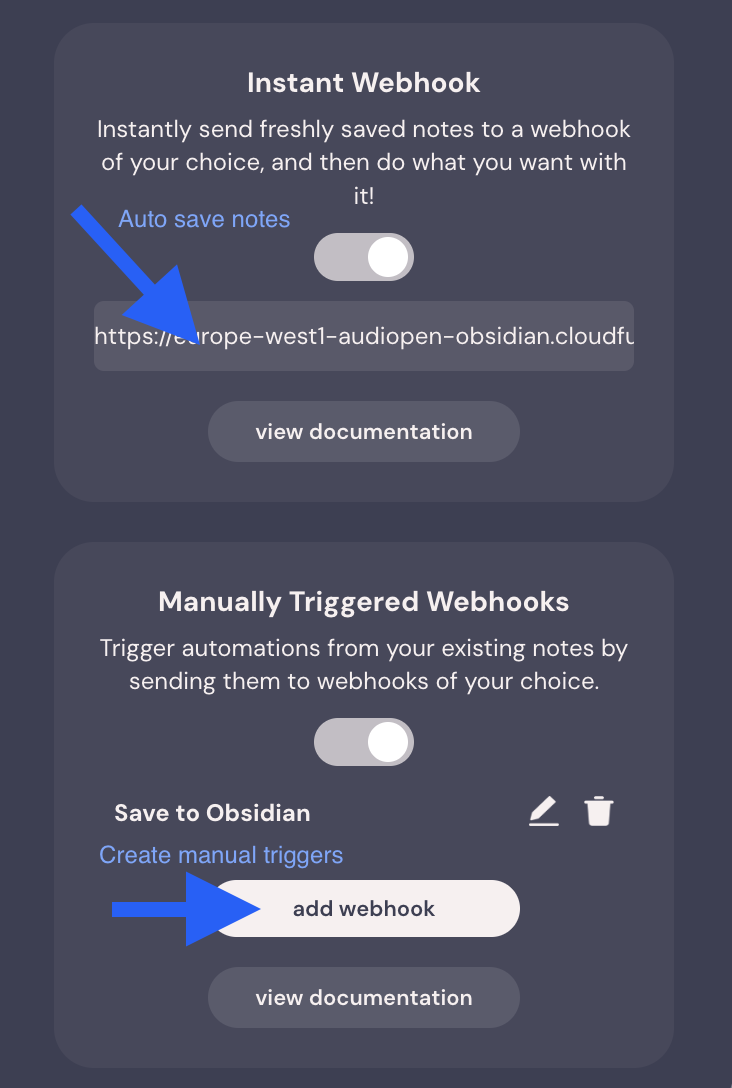
- add your webhook url
- as an automatic webhook
- (optionally) as a manual trigger, if you want to be able to update notes
Custom Templates
You can create custom templates for your notes by creating a loudthoughts-template.md file (name it anything you want), preferably in your template folder with your other templates.
1. Choose a starting point for your template:
2. Save it to your vault's template folder
3. Edit it to your liking
You can use the following variables in your template:
{title}- title of the note{content}- main content of the note (cleaned text for AudioPen, transcript for VoiceNotes, reflection for Alfie){body}- deprecated, use{content}instead (kept for compatibility){orig_transcript}- original transcript of the note{id}- unique note ID - if you remove this from the template, it won't be able to append or update notes and will always create a new one.{date_created}- date created{date_formatted}- date created formatted to link to your daily notes, uses settings in periodic notes plugin, or daily notes plugin if periodic notes isn't installed.{tagsAsLinks}- tags formatted as list of[[Links]]for Obsidian properties{tagsAsTags}- tags formatted as a list of tags for Obsidian properties{platform}- platform used to transcribe the note (audiopen, voicenotes, or alfie)
Alfie Integration
Alfie reflections work seamlessly with the existing templates! The rich conversation context (mood, energy, needs, location, etc.) is automatically converted to searchable tags like mood/excited, energy/4, needs/process. No special template needed - just use the standard templates above and all your Alfie context will be preserved as tags.
Note: Both
{tagsAsLinks}and{tagsAsTags}are rendered as a simple list like:- "[[Link one]]" - "[[Link two]]"They currently don't handle empty states for you, that's why I suggest always having one tag or one link in the template before you insert
{tagsAsLinks}or{tagsAsTags}. As you can see in the example templates, I added a tag#audio-penand a link to the current daily note using{date_formatted}. Otherwise if you don't add any tags in AudioPen, and the template only contains{tagsAsLinks}or{tagsAsTags}, the template YAML properties won't be valid.
4. Add the template to the plugin settings
- toggle
Use custom templateon and select your template in the dropdown below.
5. Test it
- make a new note on AudioPen to make sure the template works for you.
Suport this plugin
If you sign up to AudioPen or VoiceNotes with a link from this readme, I'll get a little kickback at no cost to you. You can also:
 or become a Github Sponsor
And while you're at it, you might be interested in some of the other things I think about and create. You can find my work slow.works and read about my thoughts on Substack
For plugin developers
Search results and similarity scores are powered by semantic analysis of your plugin's README. If your plugin isn't appearing for searches you'd expect, try updating your README to clearly describe your plugin's purpose, features, and use cases.