Year in Pixels
pendingby Juanchi Parra
Visualize your year in pixels using metadata from your notes.
Obsidian Year in Pixels
A visual tracking plugin for Obsidian. Year in Pixels reads the frontmatter of your daily notes and generates grid and circular charts to visualize your tracked variables throughout the year.
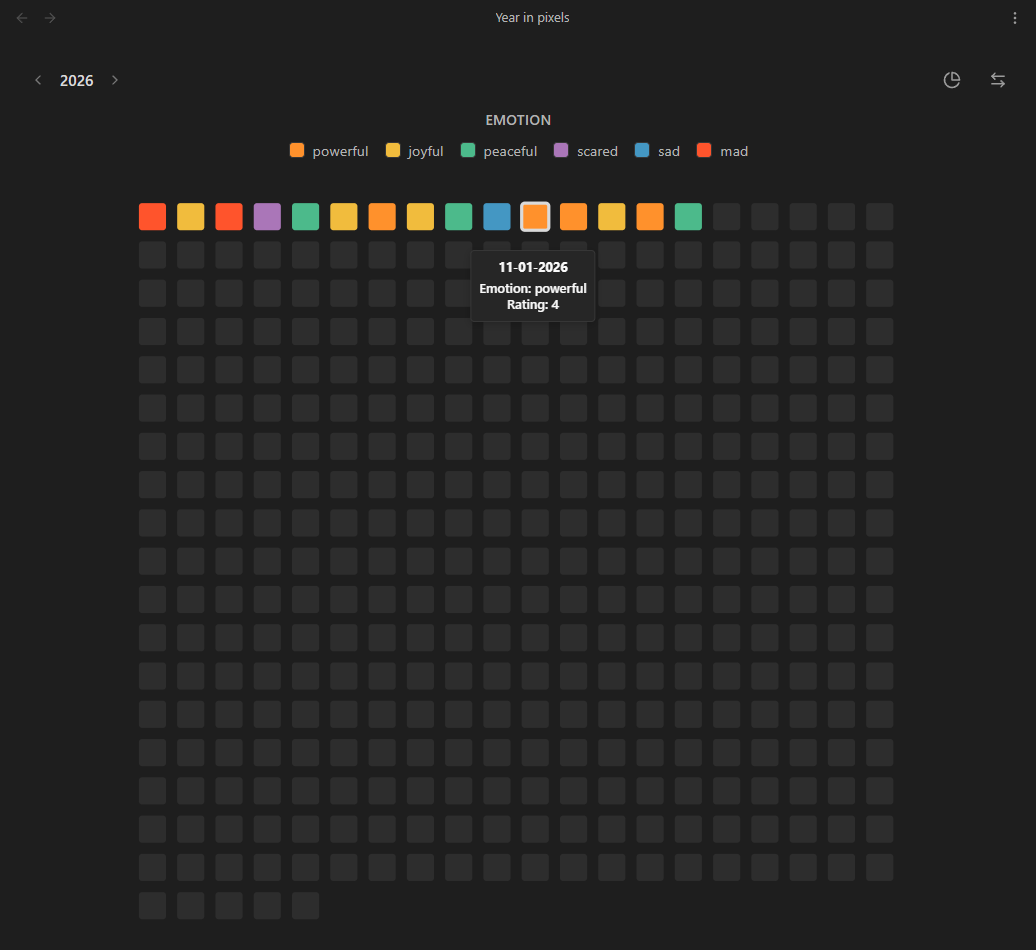
Features
- Chart layouts: View your records as a standard horizontal grid or alternative circular layouts
- Custom variables tracking: Tracks user-defined properties from your daily notes frontmatter
- Custom date formats: Supports notes formatted as
YYYY-MM-DD,DD-MM-YYYYand other standard layouts in titles or frontmatter - Color configuration: Maps frontmatter values to user-defined hex colors
- Dual view modes: Available as a main workspace tab or a compact sidebar view
- Interactive interactions: Hover to view the exact date and logged variables, or click to open the corresponding note
How it Works
The plugin looks for notes in a specified target folder (e.g., Journal/2026). It expects the note titles or a date property to contain a valid date according to your chosen format.
To track data, add the variables to your YAML frontmatter:
---
date: 2026-05-14
emotion: joyful
rating: 5
energy: high
---
Installation (Beta)
Note: The plugin is currently in beta and not yet available in the community store or releases page.
To test it locally:
- Clone or download this repository
- Run
pnpm installandpnpm run build - Copy
main.js,manifest.json, andstyles.cssto your vault's.obsidian/plugins/obsidian-year-in-pixels/folder - Reload Obsidian and enable Year in Pixels in Settings → Community plugins
Pre-Release Checklist
Pending tasks before the first official release:
- Test across different operating systems
- Add screenshots or a GIF demonstrating the plugin in action
- Finalize versioning and release assets
Usage
- Use the grid icon in the left ribbon to open the main Year in Pixels view
- Open the Command Palette (
Ctrl/Cmd + P) to access:Open Year in Pixels: Opens the main visualization tabOpen Year in Pixels (Sidebar): Opens the compact visualization in the right sidebar
Settings
- Target folder: The folder containing your daily notes or journal entries
- Date format: The format used in your note titles or frontmatter dates
- Years: The specific years to visualize
- Data & examples: Generates sample notes to automatically configure and preview the charts
- Custom variables: Defines the frontmatter keys to track, their display names, and the specific color mapping for each possible value
For plugin developers
Search results and similarity scores are powered by semantic analysis of your plugin's README. If your plugin isn't appearing for searches you'd expect, try updating your README to clearly describe your plugin's purpose, features, and use cases.