Sidebar Task Hub
pendingby Terixer
Collects every checkbox task from your vault into a right-sidebar panel, grouped by file and heading. Click to navigate; click the checkbox to toggle done — without leaving the panel.
Sidebar Task Hub
An Obsidian plugin that collects every checkbox task from your vault into a right-sidebar panel — grouped by folder, file, and heading, with three view modes, subtask support, and full interactivity.
Views
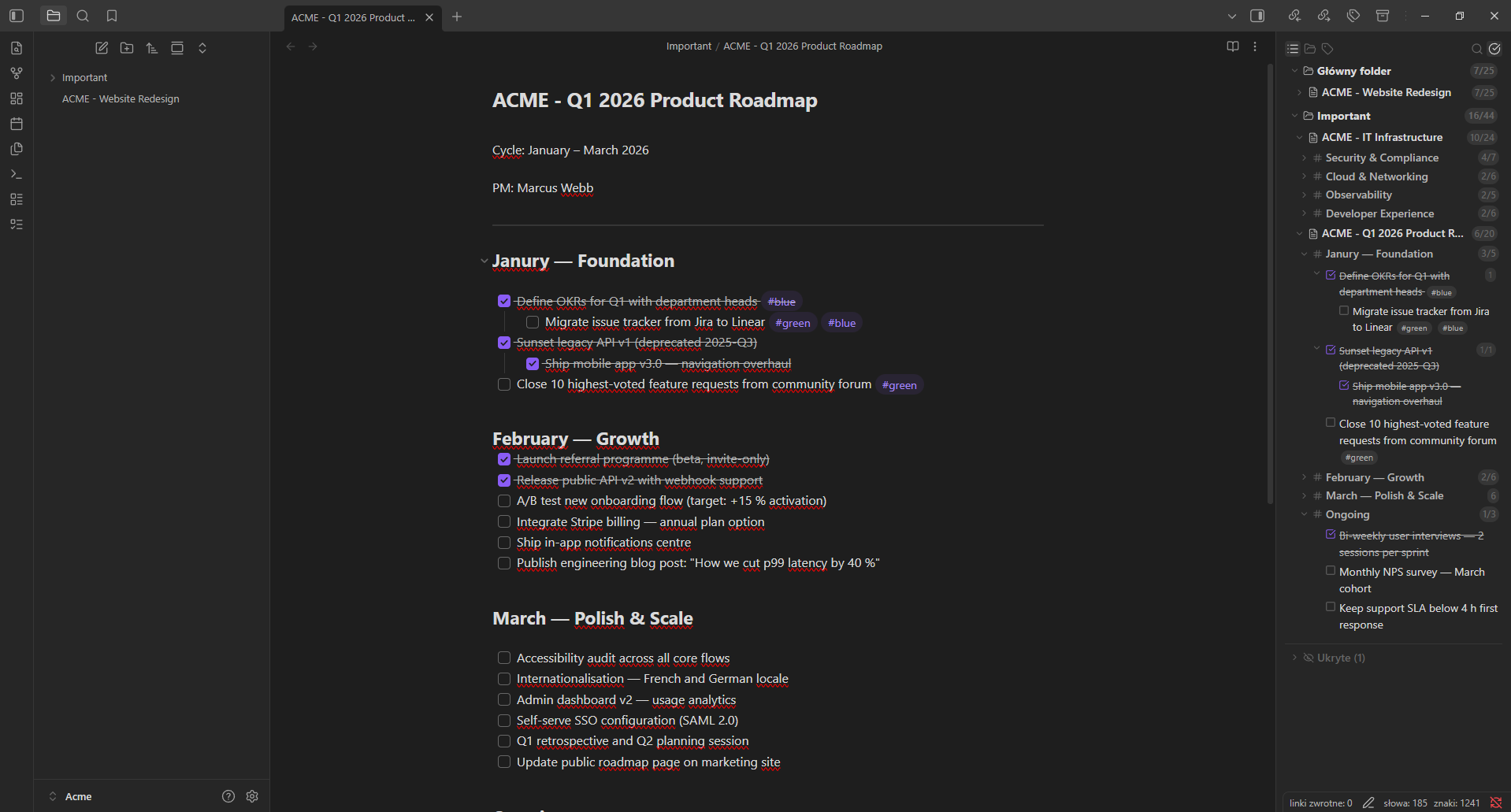
List view
The default view groups tasks by folder → file → heading with collapsible sections at every level. Subtasks are nested under their parent with a chevron toggle.
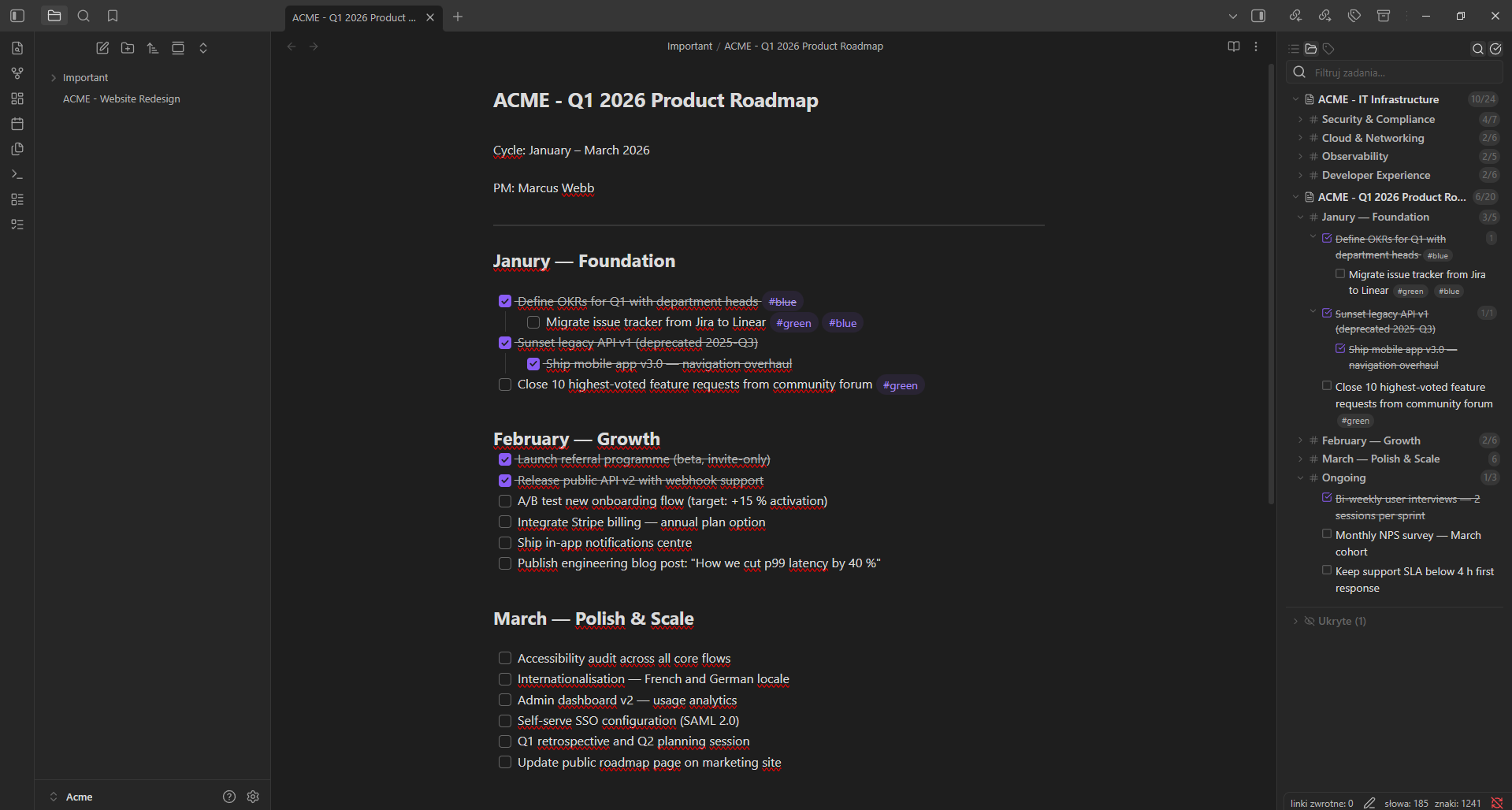
Focus view
Shows only tasks from the folder of the currently open file. The view updates automatically when you switch to a file in a different folder. No folder grouping — just files and headings.
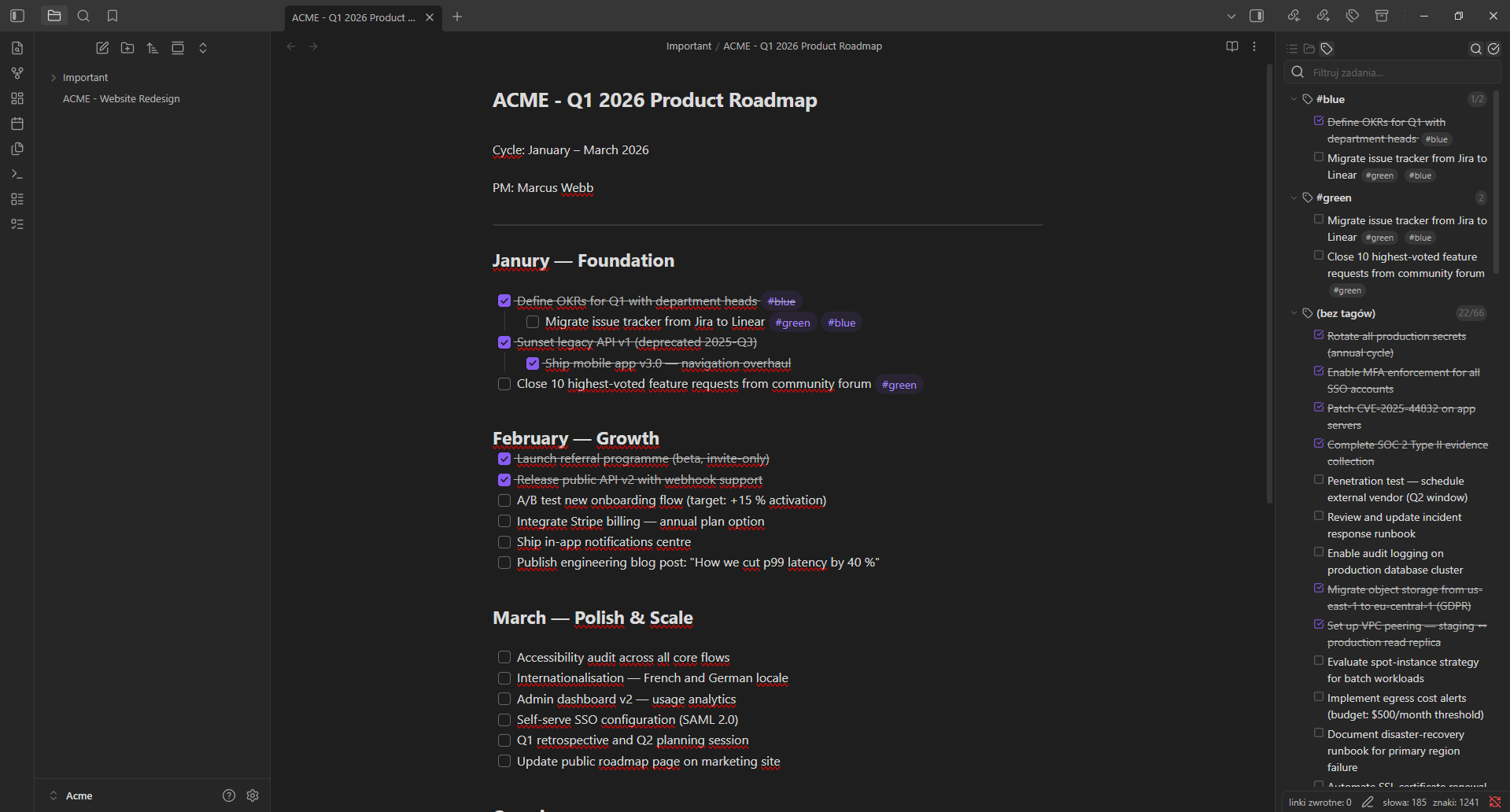
Tag view
Groups all tasks by their #tags. Tasks with multiple tags appear under each tag. Untagged tasks are collected in a separate group.
Features
- Vault-wide task scanning — finds every checkbox task (
- [ ],* [ ],+ [ ]) across all Markdown files - Three view modes — list (folder → file → heading), focus (active folder), and tag grouping
- Subtask support — indented tasks are displayed as collapsible subtasks with correct hierarchy
- Tag pills —
#tagsin task text are rendered as styled pill badges - Toggle done in-place — click the checkbox to mark a task complete or incomplete; the file updates instantly
- Click to navigate — click any task text to open the file and jump to the exact line
- Live search — filter by task text, file name, heading, or tag
- Hide tasks, files, and folders — right-click to hide items; hidden items are collected in a collapsible section at the bottom with unhide support
- Collapsed state is remembered — expand/collapse groups and the state survives re-scans
- Smart done filtering — done parent tasks with undone subtasks stay visible when "show completed" is off
- Internationalization — 14 languages auto-detected from browser locale (EN, PL, DE, FR, ES, PT, IT, RU, UK, ZH, JA, KO, AR, TR)
- Theme-native styling — uses Obsidian CSS variables; works with any community theme, light or dark
- Mobile-compatible — works on both desktop and mobile
Usage
Once enabled, the panel opens automatically in the right sidebar. You can also open it via:
- The ribbon icon (left sidebar,
list-todoicon) - Command palette: Open Task Hub (right sidebar)
Navbar
| Button | Action |
|---|---|
| List icon | Switch to list view (folder → file → heading) |
| Folder icon | Switch to focus view (active folder only) |
| Tag icon | Switch to tag view (grouped by #tags) |
| Search icon | Toggle the search/filter input |
| Check-circle icon | Toggle visibility of completed tasks |
Interactions
| Action | Result |
|---|---|
| Click checkbox | Toggle the task done/undone in the source file |
| Click task text | Open the file and jump to the exact line |
| Click chevron (▶) | Collapse/expand a group or parent task |
| Right-click task | Hide/unhide the task |
| Right-click file header | Hide/unhide the file |
| Right-click folder header | Hide/unhide the folder |
Installation
Via Community Plugins (recommended)
- Open Obsidian → Settings → Community plugins → Browse
- Search for Sidebar Task Hub
- Click Install, then Enable
Via BRAT (beta testing)
- Install BRAT
- In BRAT settings, add:
kamil-bartczak/obsidian-sidebar-task-hub
Manual
- Download
main.js,styles.css, andmanifest.jsonfrom the latest release - Copy them to
<YourVault>/.obsidian/plugins/sidebar-task-hub/ - Reload Obsidian and enable the plugin under Settings → Community plugins
Development
git clone https://github.com/kamil-bartczak/obsidian-sidebar-task-hub
cd obsidian-sidebar-task-hub
npm install
npm run dev      # watch mode
npm run lint     # ESLint (always run before build)
npm run build    # type-check + production build
Copy main.js, manifest.json, and styles.css to your vault's plugin folder to test.
License
ISC © License
For plugin developers
Search results and similarity scores are powered by semantic analysis of your plugin's README. If your plugin isn't appearing for searches you'd expect, try updating your README to clearly describe your plugin's purpose, features, and use cases.