Game Backlog Tracker
pendingby Kevin Morelli
Track completed games from your game backlog.
Game Backlog Tracker Plugin for Obsidian
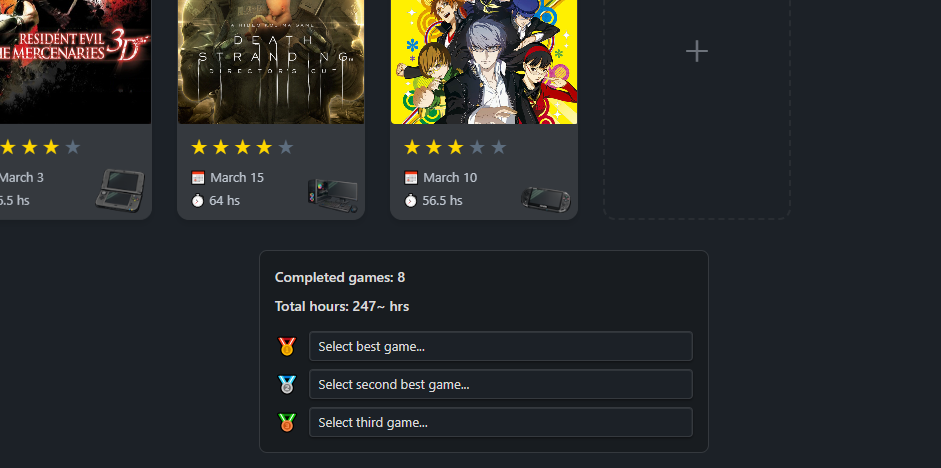
A plugin for Obsidian to track completed games from your game backlog. The main focus of this plugin is to track yearly completions and simplify the process of adding new entries.
❓ How to use it
On a MD file press Control + P and search for Game Backlog: Insert game-backlog block.
This will create a specific block that this widget uses.
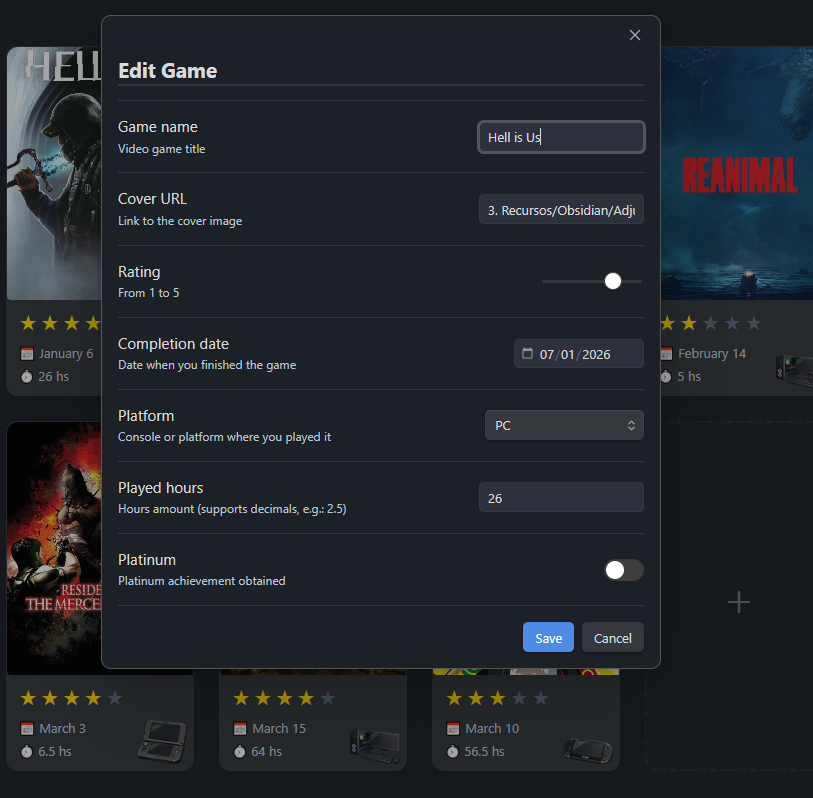
From here you can just use the interactive interface to add new entries.
📦 Manual installation
Releases for this plugin are published on the GitHub repository Releases page.
- Download the latest release files from GitHub Releases:
main.jsmanifest.jsonstyles.css
- In your Obsidian vault, open the folder
.obsidian/plugins/game-backlog-tracker/. - Copy the downloaded files into that folder.
- Open Obsidian and go to
Settings > Community plugins. - Refresh community plugins if needed, then enable
Game Backlog Tracker.
If the game-backlog-tracker folder does not exist yet, create it manually before copying the files.
🎮 Features
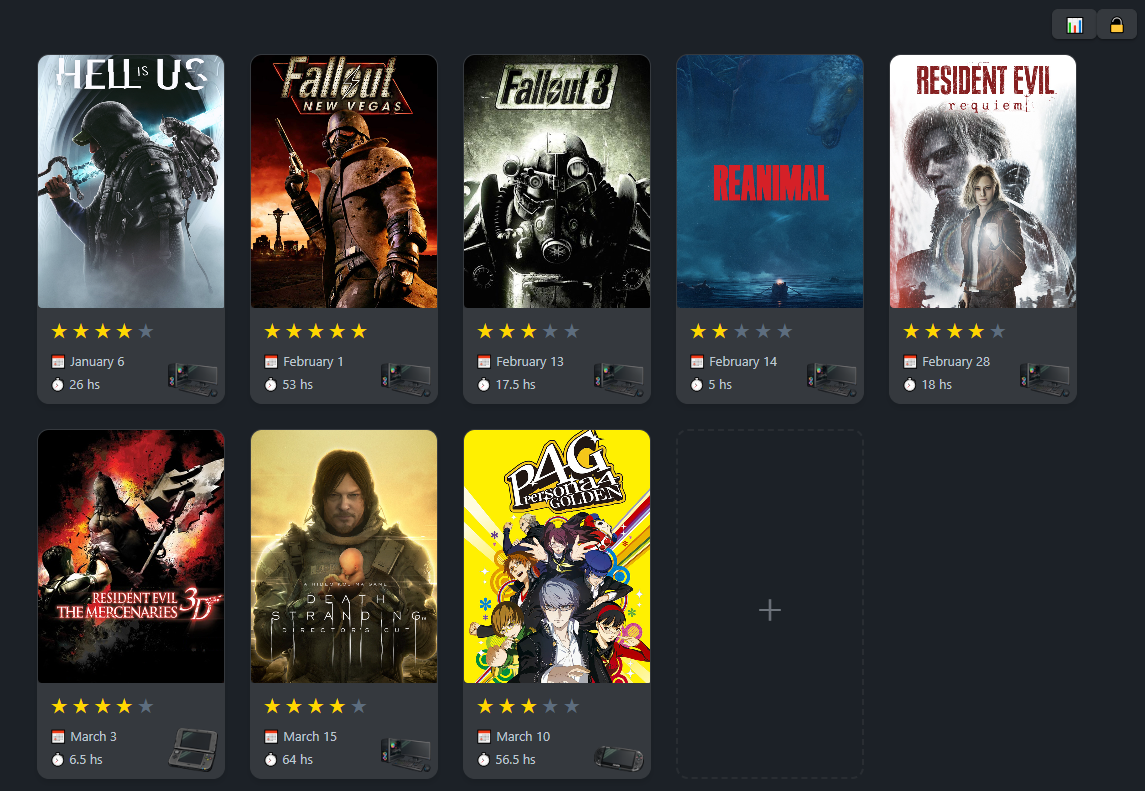
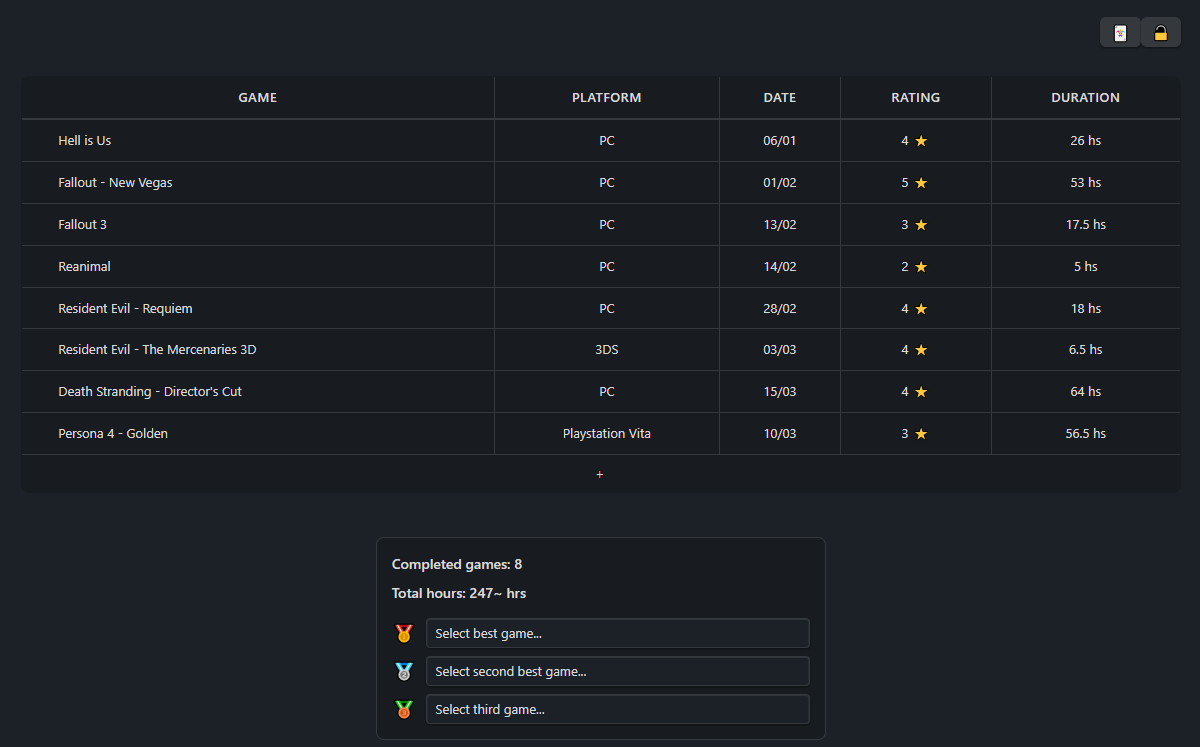
- Switch between visual grid or table mode
- 1-5 rating system
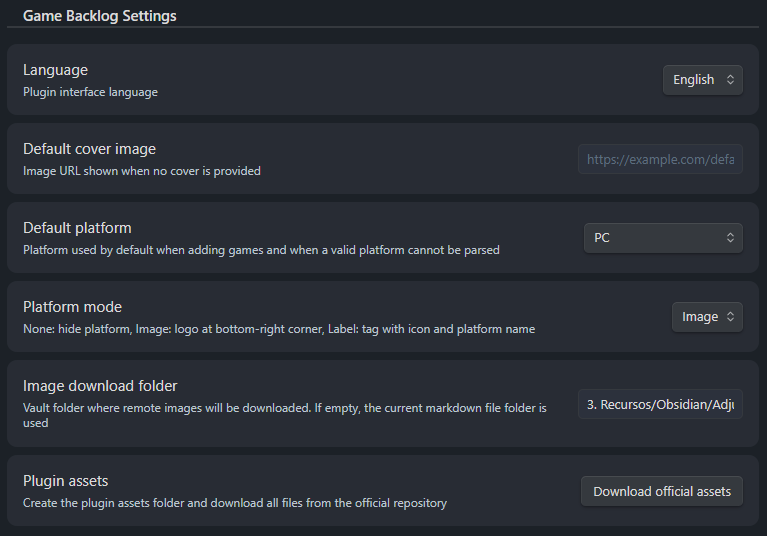
- Different styles for game platform
- Local or remote game covers
- Option to download remote game covers into your vault
- Mark games as platinum
- Responsive design
- English/spanish language
- Fully customizable
- Customizable themes
- Support for SteamGridDB
- Support for DLC campaigns
❗ Assets
Since assets cannot be included directly into the plugin there is a button inside plugin configuration screen to downloaded platform images and the platinum badge. This is totally optional but required if you want to use the image option on the platform config.
📄 License
MIT
📷 Screenshots
🤝 Contributions
Contributions are welcome! Feel free to open issues or submit pull requests.

For plugin developers
Search results and similarity scores are powered by semantic analysis of your plugin's README. If your plugin isn't appearing for searches you'd expect, try updating your README to clearly describe your plugin's purpose, features, and use cases.