Tablite
pendingby laofahai
A fast CSV/TSV editor with virtual scrolling, inline editing, column filtering, and auto encoding detection.
Tablite
A fast, feature-rich CSV/TSV editor for Obsidian. Edit tabular data directly in your vault with an Excel-like experience.
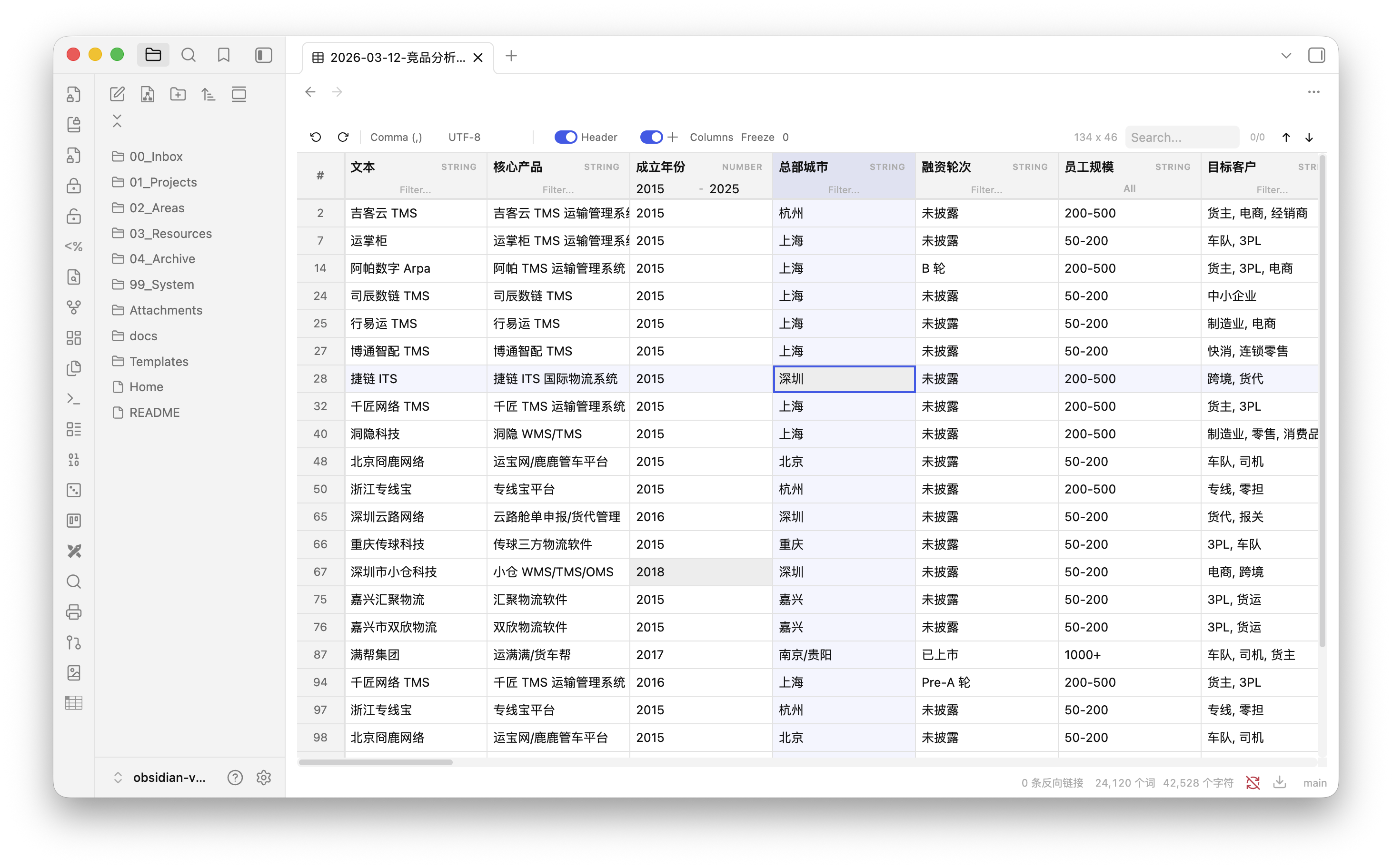
Features
- Virtual scrolling & progressive loading — handles large files smoothly with chunked rendering
- Inline editing — double-click any cell to edit
- Cell selection & cross highlight — single-click to select, with row/column cross highlight (toggleable)
- Column type detection — auto-detects STRING, NUMBER, DATE types per column
- Column sorting — click header to sort (multi-column supported)
- Smart column filtering
- Text columns: free-text filter
- Enum columns (< 12 unique values): multi-select dropdown with checkboxes
- Number columns: min/max range filter
- Date columns: date range picker
- Global search — search across all cells with highlight and navigation
- Auto delimiter detection — comma, semicolon, tab, pipe
- Excel export compatibility — auto-trims trailing empty columns from bloated spreadsheet exports
- Auto encoding detection — UTF-8, GBK, Windows-1252, Shift-JIS
- Header detection — auto-detects whether first row is a header, with manual toggle
- Column management — hide/show, reorder via drag & drop, freeze columns
- Column resizing — drag column borders to resize
- Persistent column config — column widths, order, visibility, and freeze state are saved per file
- Context menu — right-click to insert/delete rows and columns
- Undo/Redo — full edit history (up to 50 steps)
- Obsidian-native styling — respects your theme colors and dark/light mode
Installation
From Community Plugins (coming soon)
Search for Tablite in Obsidian Settings → Community Plugins → Browse.
Via BRAT
- Install BRAT plugin
- In BRAT settings, select Add Beta Plugin
- Enter
laofahai/obsidian-tablite
Manual Installation
- Download
tablite-x.x.x.zipfrom the latest release - Extract the zip into
<vault>/.obsidian/plugins/ - Restart Obsidian and enable Tablite in Settings → Community Plugins
Usage
Open any .csv or .tsv file in your vault — Tablite automatically opens it as an editable table.
| Action | How |
|---|---|
| Edit a cell | Double-click |
| Select a cell | Single-click |
| Sort column | Click header name (multi-sort with Shift+click) |
| Rename header | Double-click header name |
| Filter column | Use the filter input below header (type varies by column) |
| Resize column | Drag the right edge of header |
| Reorder columns | Drag & drop column headers |
| Hide/show columns | Use the Columns panel in toolbar |
| Freeze columns | Set freeze count in toolbar |
| Insert/delete row or column | Right-click → context menu |
| Undo / Redo | Ctrl/Cmd+Z / Ctrl/Cmd+Shift+Z |
| Search | Ctrl/Cmd+F or search box in toolbar |
Tech Stack
- Preact — lightweight UI
- TanStack Table — headless table logic (sorting, filtering)
- TanStack Virtual — row virtualization
- PapaParse — CSV parsing/serialization
- jschardet — encoding detection
Development
git clone https://github.com/laofahai/obsidian-tablite.git
cd obsidian-tablite
npm install
npm run dev    # watch mode
npm run build  # production build
License
MIT
For plugin developers
Search results and similarity scores are powered by semantic analysis of your plugin's README. If your plugin isn't appearing for searches you'd expect, try updating your README to clearly describe your plugin's purpose, features, and use cases.