Mermaid Copy
pendingby MBlogs
Adds a copy button to rendered Mermaid diagrams in Live Preview. Copy as PNG or SVG with one click.
Mermaid Copy
An Obsidian plugin that adds a copy button to rendered Mermaid diagrams in Live Preview mode.
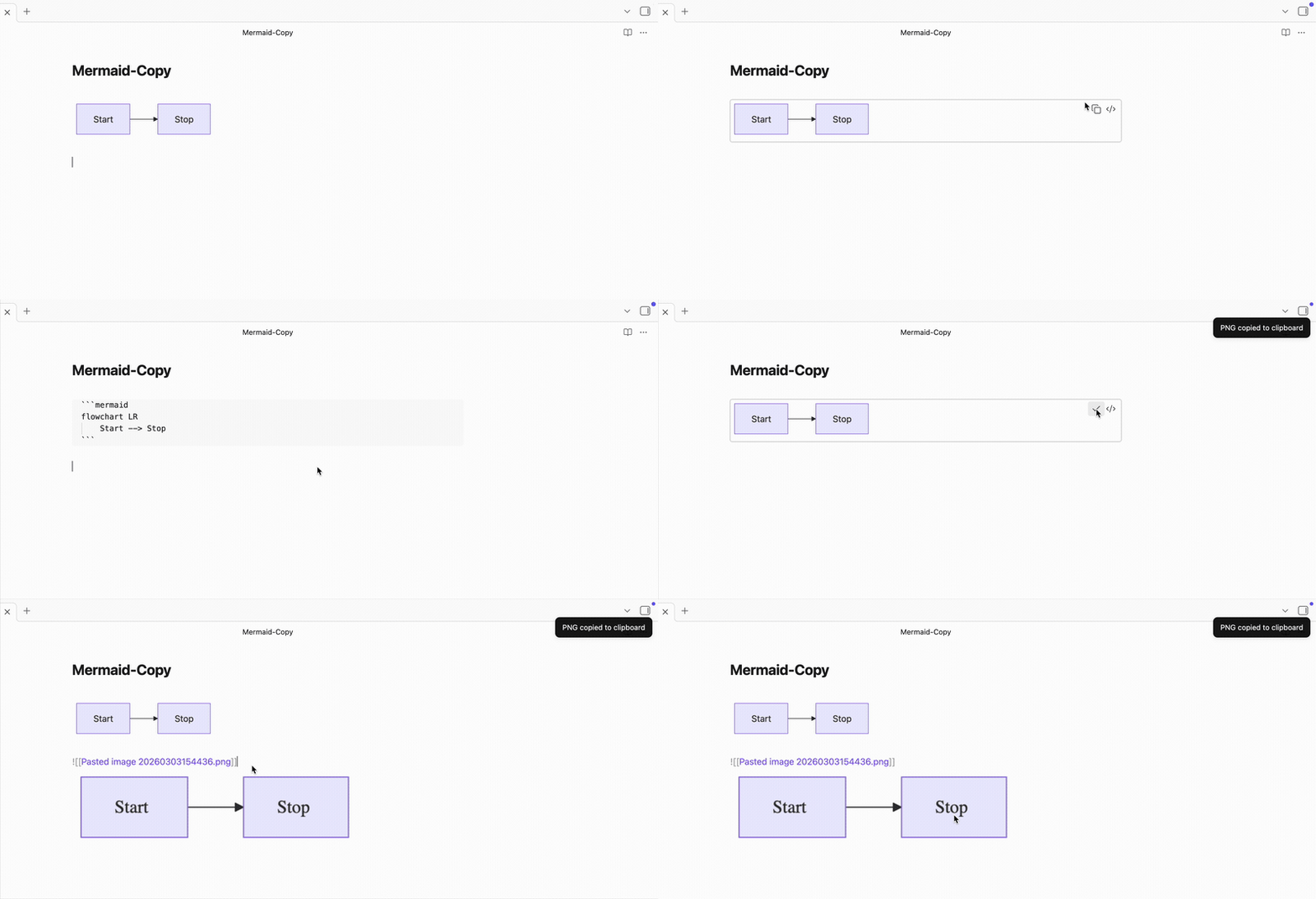
Features
- One-click copy of any Mermaid diagram
- Copy as PNG (image) or SVG (markup) — configurable in settings
- Button appears next to the existing edit button on each diagram
- Transparent PNG background preserves theme colors
Usage
- Write a Mermaid code block in any note
- In Live Preview, hover over the rendered diagram
- Click the copy icon (next to the edit icon)
- Paste into any app — Slack, Docs, email, etc.
Settings
Copy format — Choose between PNG (default) and SVG output.
Installation
From Community Plugins
This plugin is currently under review for the Obsidian Community Plugin directory. Once approved, you will be able to install it directly from Settings > Community Plugins.
Manual
- Go to the latest release
- Download the three files:
main.js,manifest.json, andstyles.css - In your vault folder, create
.obsidian/plugins/mermaid-copy/ - Move the three downloaded files into that folder
- Open Obsidian, go to Settings > Community Plugins, and enable Mermaid Copy
For plugin developers
Search results and similarity scores are powered by semantic analysis of your plugin's README. If your plugin isn't appearing for searches you'd expect, try updating your README to clearly describe your plugin's purpose, features, and use cases.