Mermaid View
pendingby Simone Carletti
Handle Mermaid files as first-class citizens, rendering them fullscreen when opened.
Mermaid View for Obsidian
An Obsidian plugin that treats Mermaid files as first-class citizens.
Mermaid View is a type of view you can use to view Mermaid files and render them as interactive diagrams, similar to how Canvas work.
Features
- Native file support - Open
.mermaidand.mmdfiles directly in Obsidian, just like markdown or canvas files. - Three view modes - Toggle between preview, split, and source modes:
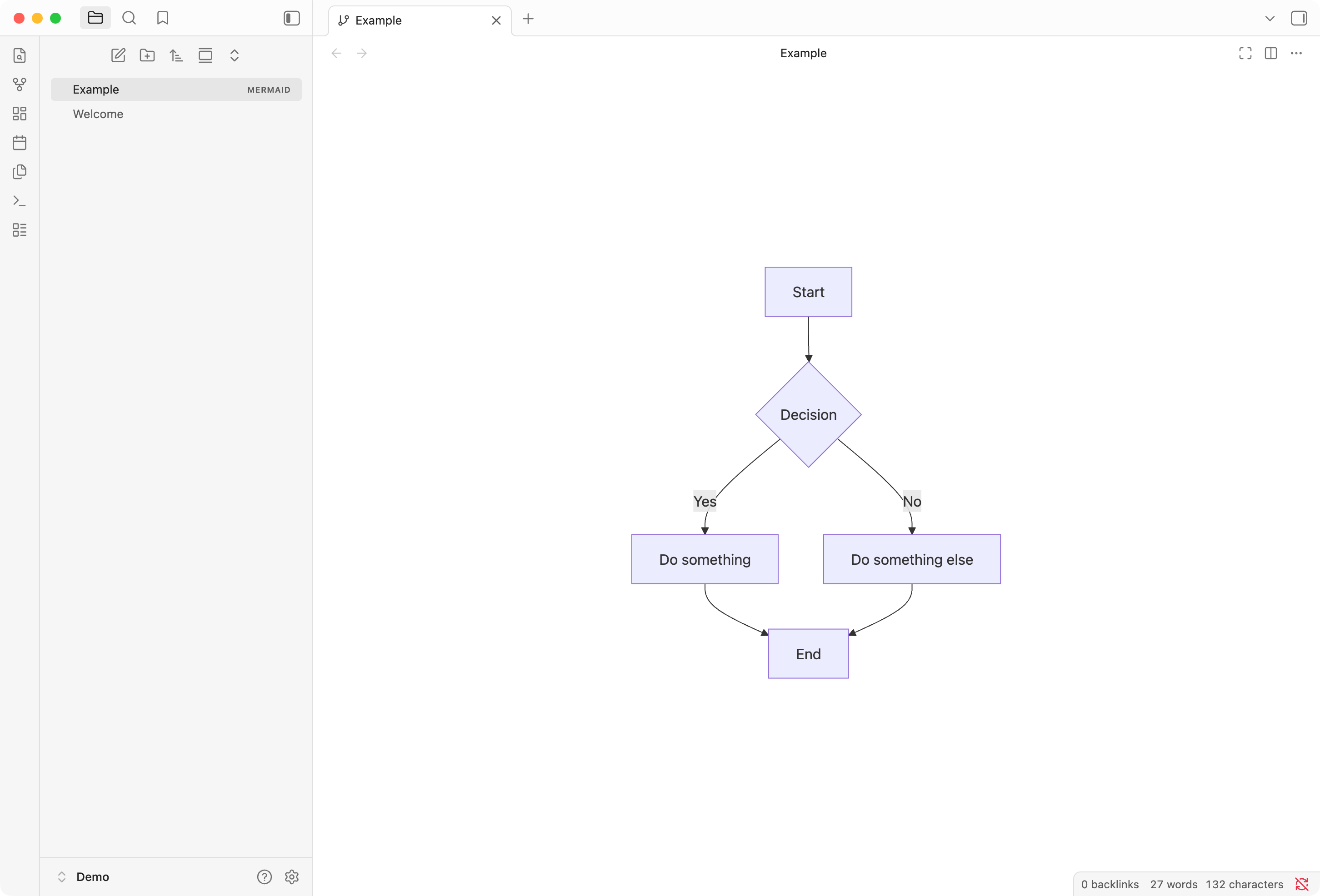
- Preview: Full-screen rendered diagram
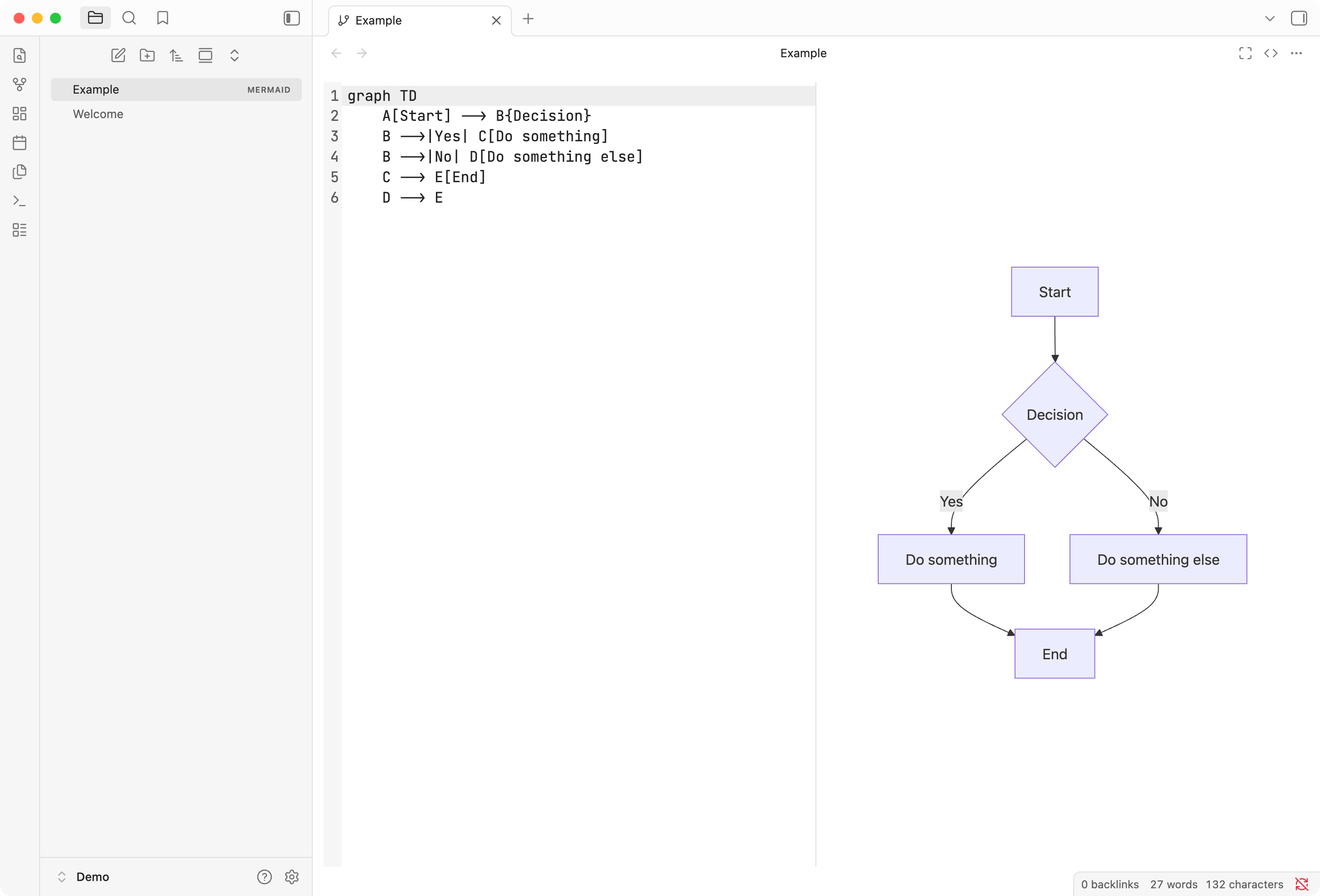
- Split: Side-by-side editor and live preview
- Source: Full-screen code editor
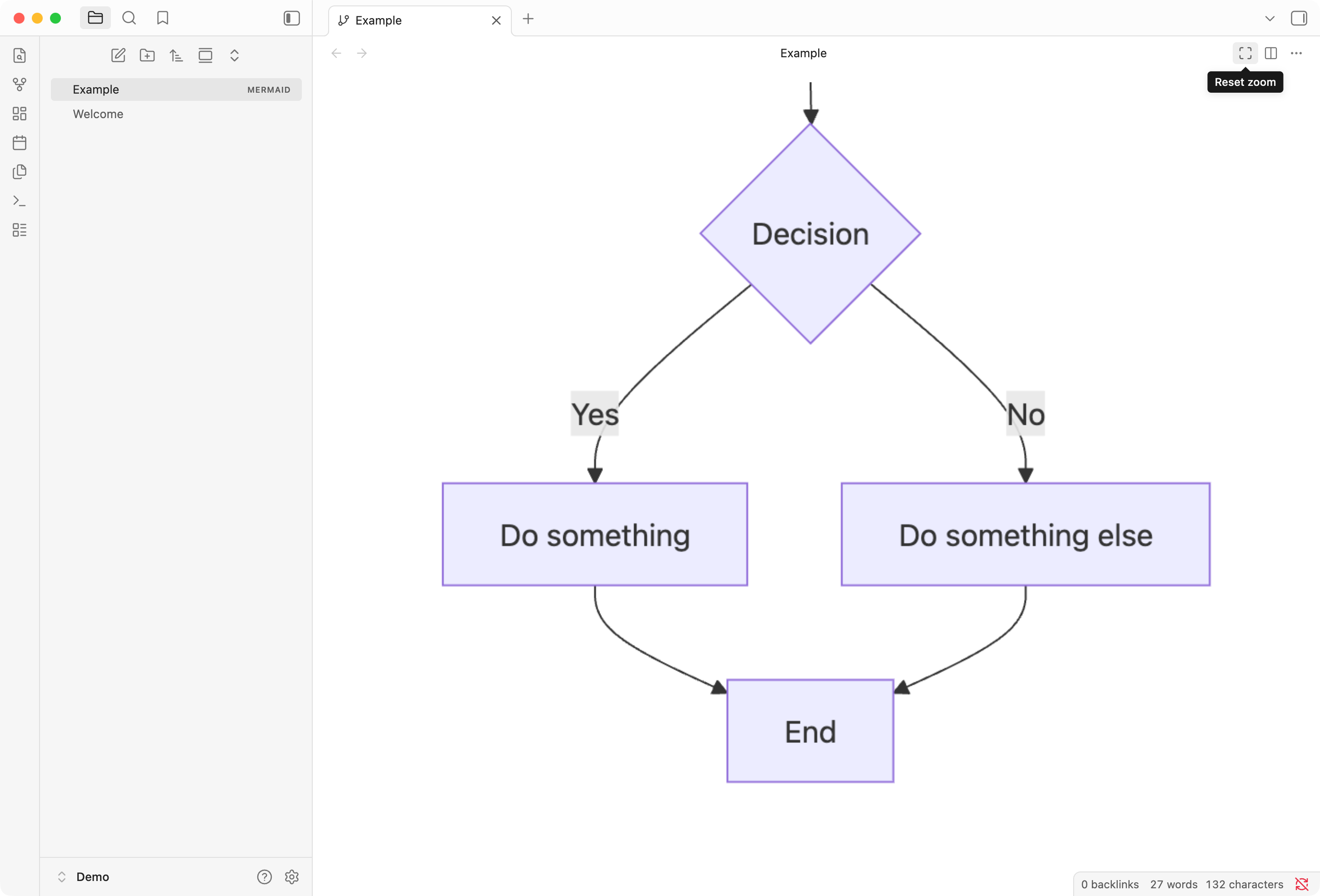
- Pan and zoom - Navigate large diagrams with mouse wheel zoom and click-drag panning. Double-click to reset.
- CodeMirror editor - Full-featured editor with line numbers, syntax highlighting, undo/redo, and standard keyboard shortcuts.
- Export diagrams - Save diagrams as SVG or PNG files for use in other applications.
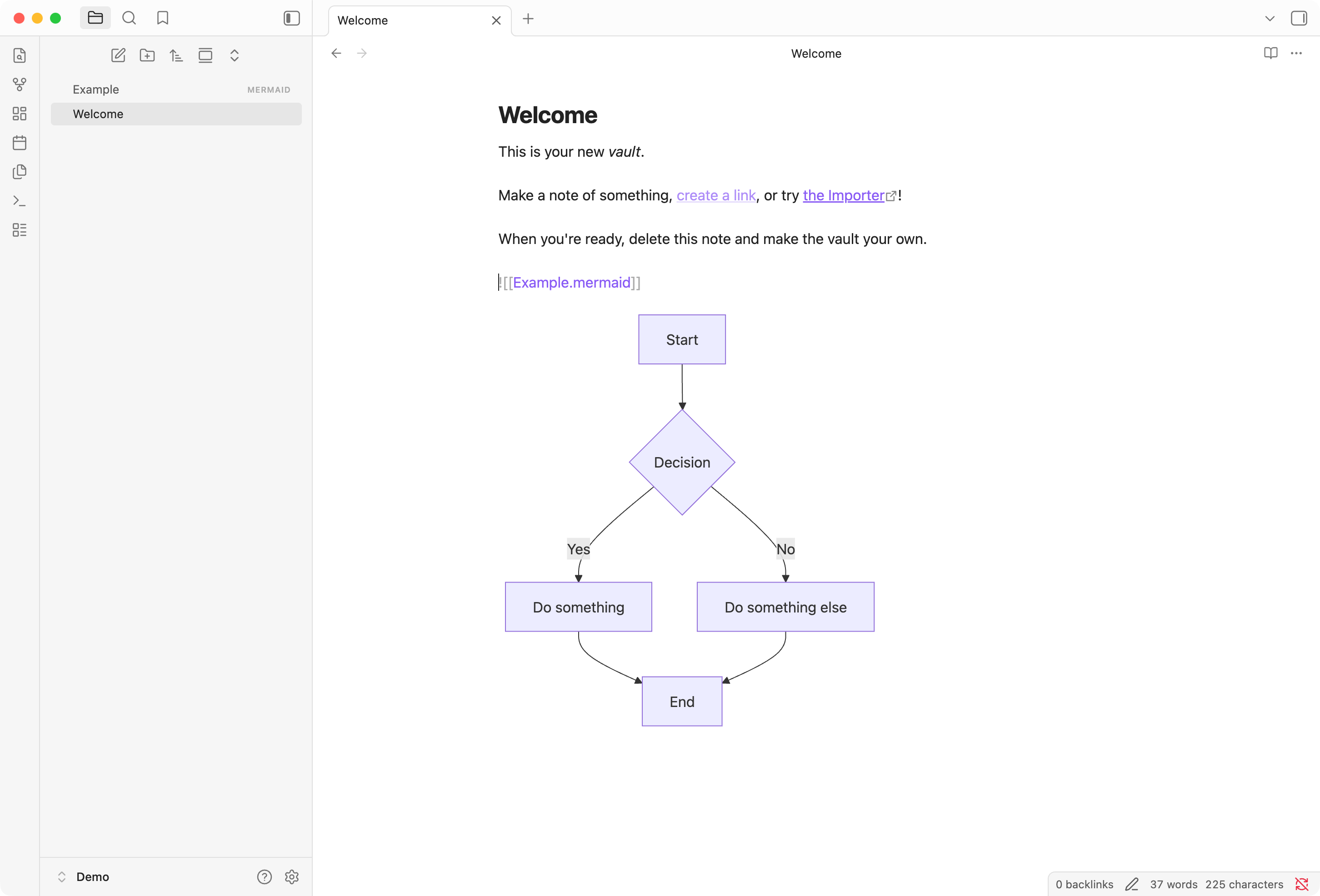
- Embed in notes - Include mermaid diagrams in other notes using standard embed syntax:
![[diagram.mermaid]] - Menu integration - Right-click in the file explorer to create a new Mermaid file, or use the command palette.
Feature Comparison
Mermaid diagrams can be rendered in three ways within Obsidian. This plugin enhances all of them:
| Rendering method | Export PNG/SVG | Pan/Zoom |
|---|---|---|
```mermaid ` code block | ✅ | ✅ |
![[file.mermaid]] embed | ✅ | ✅ |
Standalone .mermaid file | ✅ | ✅ |
Preview Mode
View your diagrams full-screen with pan and zoom support.
Split Mode
Edit with a side-by-side code editor and live preview.
Pan and Zoom
Navigate large diagrams with mouse wheel zoom and click-drag panning. Double-click to reset the view.
Embed in Notes
Include diagrams in your notes using standard Obsidian embed syntax. The autocomplete suggests mermaid files just like any other note.

The diagram renders inline within your note.
Example Diagram
graph TD
    A[Start] --> B{Decision}
    B -->|Yes| C[Do something]
    B -->|No| D[Do something else]
    C --> E[End]
    D --> E
More information on Mermaid View features and usage.
Usage
- Create a new
.mermaid(or.mmd) file or use the "New mermaid" context menu option - Write your Mermaid diagram syntax
- Toggle between modes using the view action button or the command palette
Installation
This plugin has been submitted for official inclusion in Obsidian Community plugins, but reviews can take some time. In the meantime, you can install it using one of the methods below.
Using BRAT
BRAT (Beta Reviewers Auto-update Tester) is a plugin that allows you to install plugins not yet included in the official Obsidian community repository. It's commonly used for pre-release versions or testing.
- Install BRAT from the Obsidian Community plugins or from GitHub
- Open BRAT plugin settings
- Click "Add Beta plugin"
- Enter
https://github.com/weppos/obsidian-mermaid-view/ - Select "Latest version"
- Click "Add Plugin"
From Release
- Go to the Releases page
- Download
mermaid-view.zipfrom the desired version - Unpack the archive
- Copy the
mermaid-viewfolder into your vault's.obsidian/plugins/folder (resulting in.obsidian/plugins/mermaid-view/) - Enable the plugin in Settings > Community plugins
Changelog
See CHANGELOG.md for details.
License
For plugin developers
Search results and similarity scores are powered by semantic analysis of your plugin's README. If your plugin isn't appearing for searches you'd expect, try updating your README to clearly describe your plugin's purpose, features, and use cases.