GitHub Sync Pro
pendingby nikunjjajodia7
Forked from GitHub Gitless Sync
Enhanced fork: fixes external file sync, delete propagation, and stability issues for cross-device vault sync.
GitHub Sync Pro
Plugin to sync a GitHub repository with an Obsidian vault.
Fork notice: this repository is a maintained fork of silvanocerza/github-gitless-sync that focuses on external-change reliability, crash fixes, and cross-device sync stability.
I highly recommend not using this plugin with another sync service. This might create problems for this plugin when determining what needs to be synced between remote repository and local vault.
Features
These are the main features of the plugin:
-
Desktop and mobile support
-
Doesn't require
git -
True two-way sync between local vault and GitHub
-
Handles remote changes made outside the plugin (PRs/direct commits/other tools)
-
Propagates deletes across devices
-
Multiple vaults sync
-
Automatic sync on fixed interval
-
Manual sync
-
Conflict resolution view
-
Filtering by file type (TODO 🔨)
How Sync Works
- Two-way sync: local changes upload to GitHub, remote changes download to local.
- New files created in one location are synced to the others.
- Deletions propagate: if a file is deleted and synced on one device, the delete is applied on the others.
- If the same file is edited on both sides before syncing, conflict handling rules apply.
Conflict handling
Ask: open conflict view and let you resolve per file.Overwrite local: remote wins for conflicting files.Overwrite remote: local wins for conflicting files.
Installation
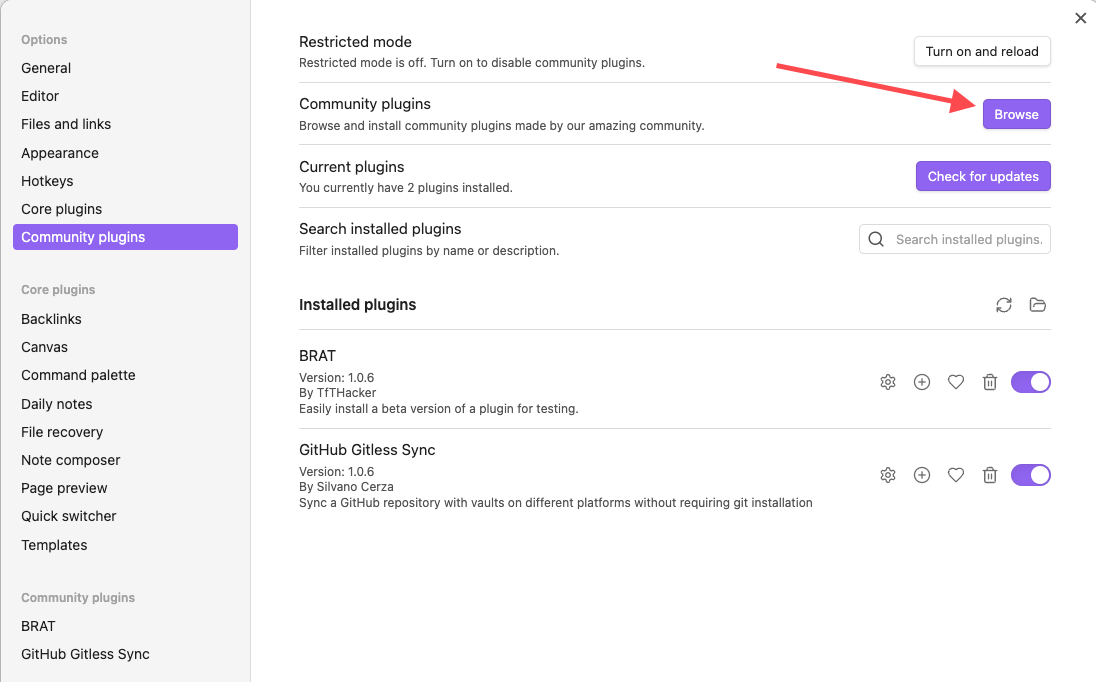
The plugin can be installed through BRAT from this repository releases. Community-plugin listing can be added separately after review.
Issues
If you find any problem please open an issue with as many details as possible.
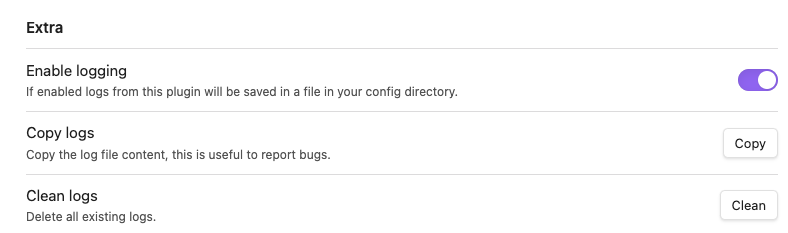
Please also provide logs if possible, you can copy them from the settings page. Remember to enable logging first.
Usage
First sync
[!IMPORTANT] Migration-safe behavior: if both local vault and remote repo already contain files, the plugin now falls back to normal incremental sync instead of failing.
Typical behavior:
- If one side is empty, first sync initializes by copying from the populated side.
- If both sides have files, first sync falls through to regular sync and computes actions.
You must also configure the plugin settings before syncing.
These settings are mandatory:
- Your GitHub Token (see below)
- Repository owner
- Repository name
- Repository branch
If any of this is not set sync won't start.
Token
A GitHub Fine-grained token is required to sync with your repository. You can create one by clicking here.
The token must have the Contents permission set to Read and write like in the screenshot below.

I also suggest creating the token with access only to your sync repo.
Sync modes
You can always sync manually by clicking the sync button in the side ribbon. This will always work even if sync on interval is enabled.
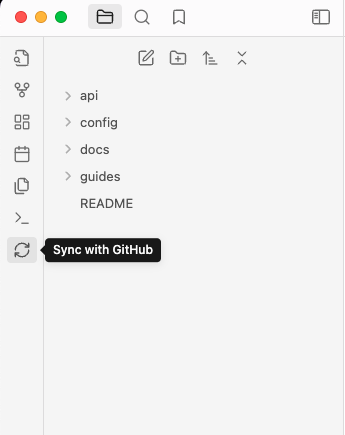
If you don't want to see the button you can hide it, just check the plugin settings.
The Sync with GitHub command is also available.
What happens on delete
- If you delete a note locally and sync, GitHub is updated.
- If you delete a note on GitHub and sync on device, local file is deleted.
- If one side deletes while the other edits, resolution depends on timestamps and conflict settings.
Conflict resolution
When you sync multiple vaults using this plugin you might risk creating conflicts between the remote and a local vault. This usually happens when the remote has a new update from vault A, but vault B edits the file before syncing with remote. That creates a conflict, by default we'll open a view to let you resolve the conflict since you should have all the necessary information to correctly resolve it.
By default the split view will be used on desktop and the unified one on mobile, you can change the settings to always use the one you prefer.
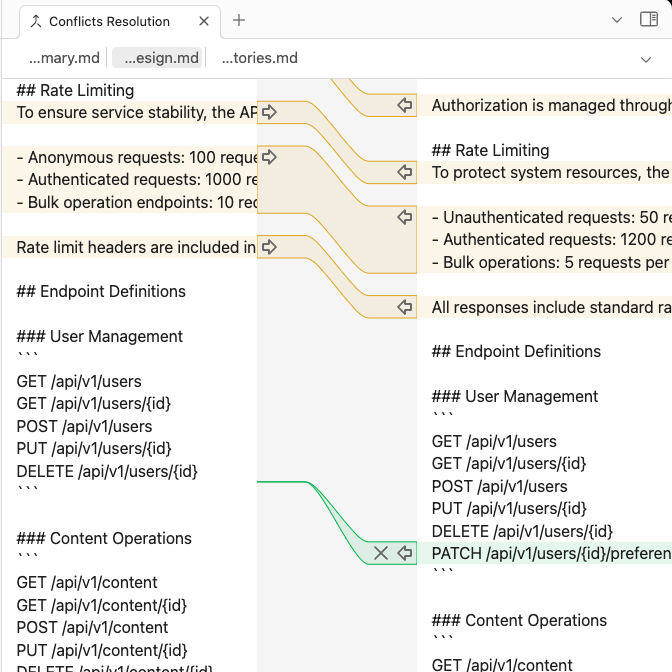
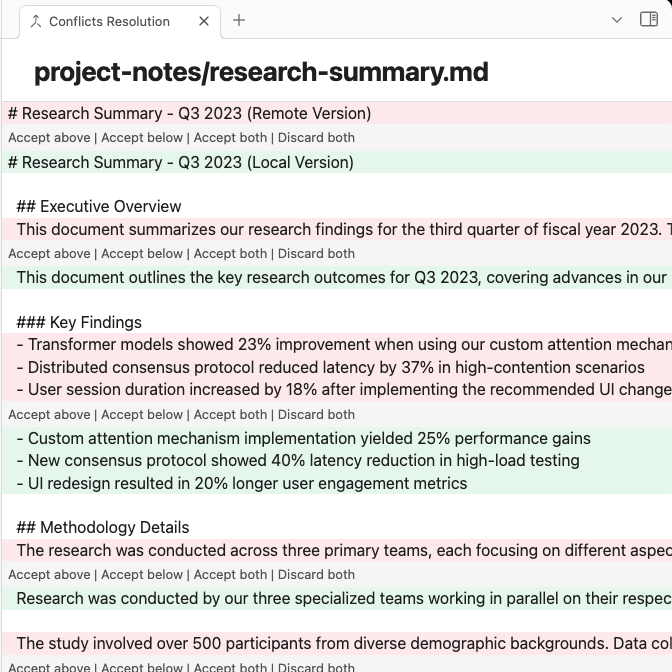
If you don't want to resolve them you can change the settings to always prefer either the remote or local version in case of conflicts.
Config sync
If you want to sync your vault configs with other vault you can enable that.
It will sync the whole folder, that is .obsidian by default, including all plugins and themes.
Note that the .obsidian folder will always be present, this happens because the plugin
needs to store some metadata to correctly sync
[!CAUTION] DO NOT sync configs if your remote repository is public. That will expose the token you used to sync.
Reset
If you need to reset the plugin settings and metadata you can easily do that in the settings.
That will completely wipe all the sync metadata so you'll have to repeat the first sync as if you just enabled the plugin for the first time.
FAQs
What's different from other sync plugins?
There are obviously other plugins that let you sync your vault with GitHub or other git hosts, like obsidian-git and Obsidian-GitHub-Sync just to name a couple.
Most of those plugins though require the git executable to be present in your system, they might rely on Bash scripts too. This makes them much less portable, it's harder to use on Windows, and mobile is really unstable because most of the times they rely on isomorphic-git.
This annoyed me because I wanted to have the same experience on every platform, and I wanted especially to support mobile.
So I went a different way and chose to sync only with GitHub using their REST APIs, this means I don't rely in anyway on git being present in your system. This way I can easily support desktop and mobile with the same identical logic, and some small necessary differences in the UI for a better user experience.
This obviously comes with some limitations. Since git is not used you can't interact with your repository locally in any way, and any git feature like branching, merging, or rebasing, are not available at all.
Also since this relies only on the GitHub APIs you can only sync with GitHub and no other host.
Can I use this with other sync plugins?
No.
To work correctly this plugin uses a custom metadata file that is updated every time we sync, if you commit changes outside the plugin that file is not updated properly.
Other plugins don't know about that file, so if you sync with others too you risk losing data.
Contributing
Contributions are obviously accepted.
Bug fixes are always welcome, new feature must be discussed first. Open a discussion and let's talk in that case.
Keep PRs as small as possible, I won't review PRs with hundreds of lines if it's mostly code.
Low quality or vibe coded PRs are not welcome. Put some effort in it please.
License
The project is licensed under the AGPLv3 license.
For plugin developers
Search results and similarity scores are powered by semantic analysis of your plugin's README. If your plugin isn't appearing for searches you'd expect, try updating your README to clearly describe your plugin's purpose, features, and use cases.