Note Progressbar
pendingby Ryoma Kawahara
Displays a live progress bar summarizing checkbox completion in the active note.
Updated 1mo agoDiscovered via Obsidian Unofficial Plugins
Note Progressbar

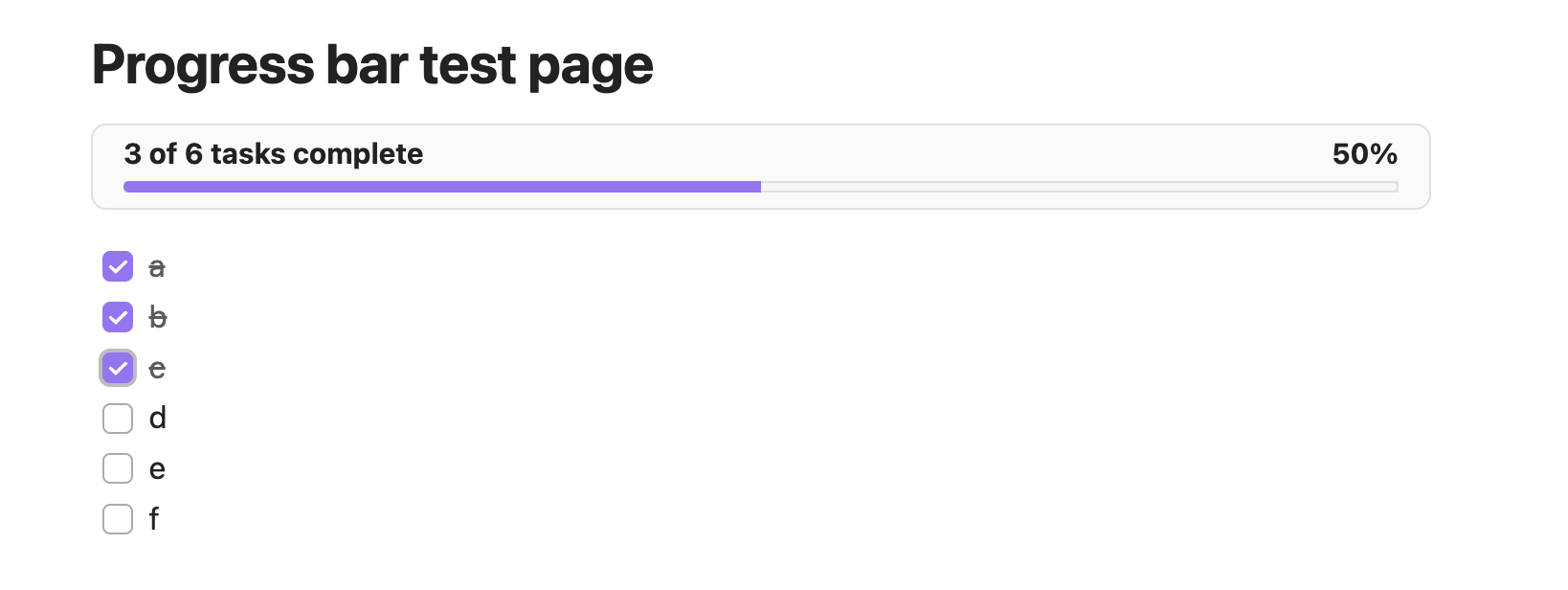
An Obsidian plugin that displays a lightweight progress bar above the current note, showing how many Markdown checkboxes are complete and updating live as you toggle tasks.
Features
- Scans the active note for standard
- [ ]/- [x]tasks using Obsidian’s metadata cache. - Renders a theme-aware bar just above the note content with totals, percentage, and a fill bar.
- Updates automatically when you check/uncheck tasks or switch notes.
- Command palette action Toggle todo progress bar to quickly show/hide the bar per vault.
Usage
- Open any note that contains Markdown checkboxes.The bar appears above the note body showing
completed of total tasks complete (xx%). - Toggle checkboxes while the note is open.The counts, percentage text, and fill bar update in under 200 ms.
- Run the
Toggle todo progress barcommand (or set a hotkey) to hide/show the bar without disabling the plugin. - Notes without tasks keep the layout untouched—the bar hides automatically until tasks exist.
Development
Refer to DEVELOPERS.md for setup instructions, coding guidelines, testing tips, and release steps.
For plugin developers
Search results and similarity scores are powered by semantic analysis of your plugin's README. If your plugin isn't appearing for searches you'd expect, try updating your README to clearly describe your plugin's purpose, features, and use cases.