Dynamic Theme Background
pendingby sean2077
Build Your Own Wallpaper Library! Make every note-taking experience visually inspiring.
🌈 Dynamic Theme Background
Build Your Own Wallpaper Library in Obsidian!
Make every note-taking experience visually inspiring
🇺🇸 English | 🇨🇳 中文版





Preview
Features
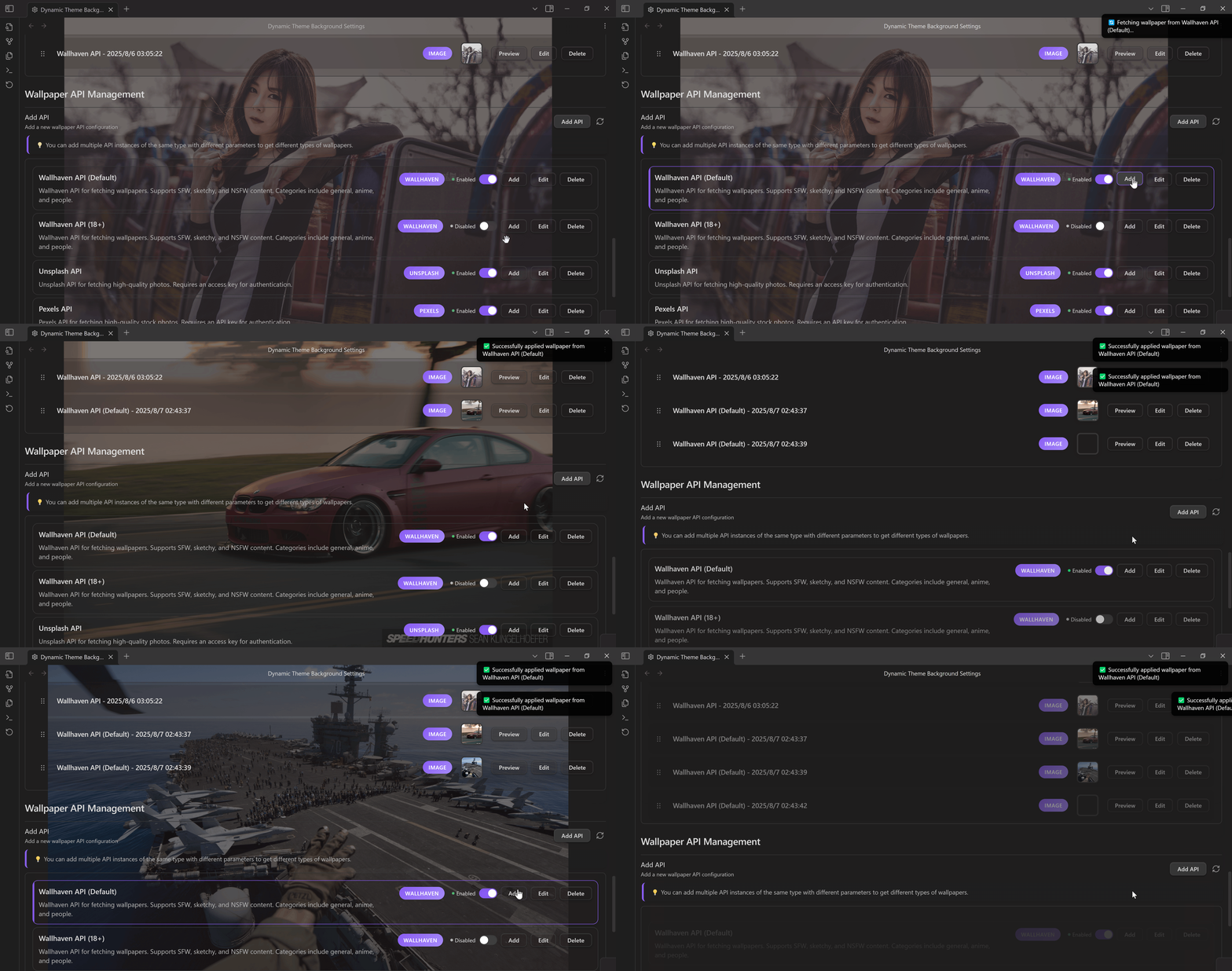
- Multi-source Library — Unsplash, Pixabay, Pexels, Wallhaven + custom API & local folders
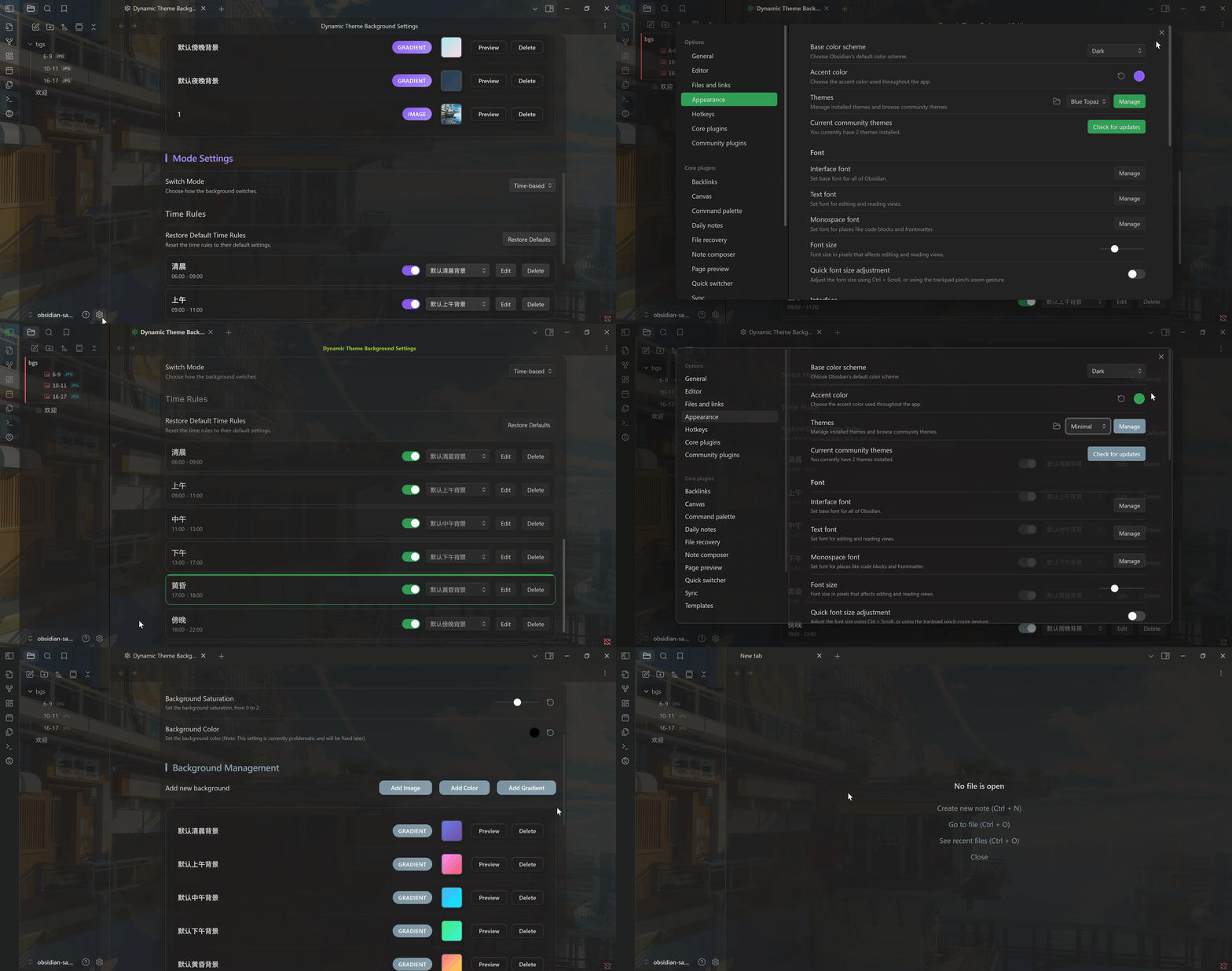
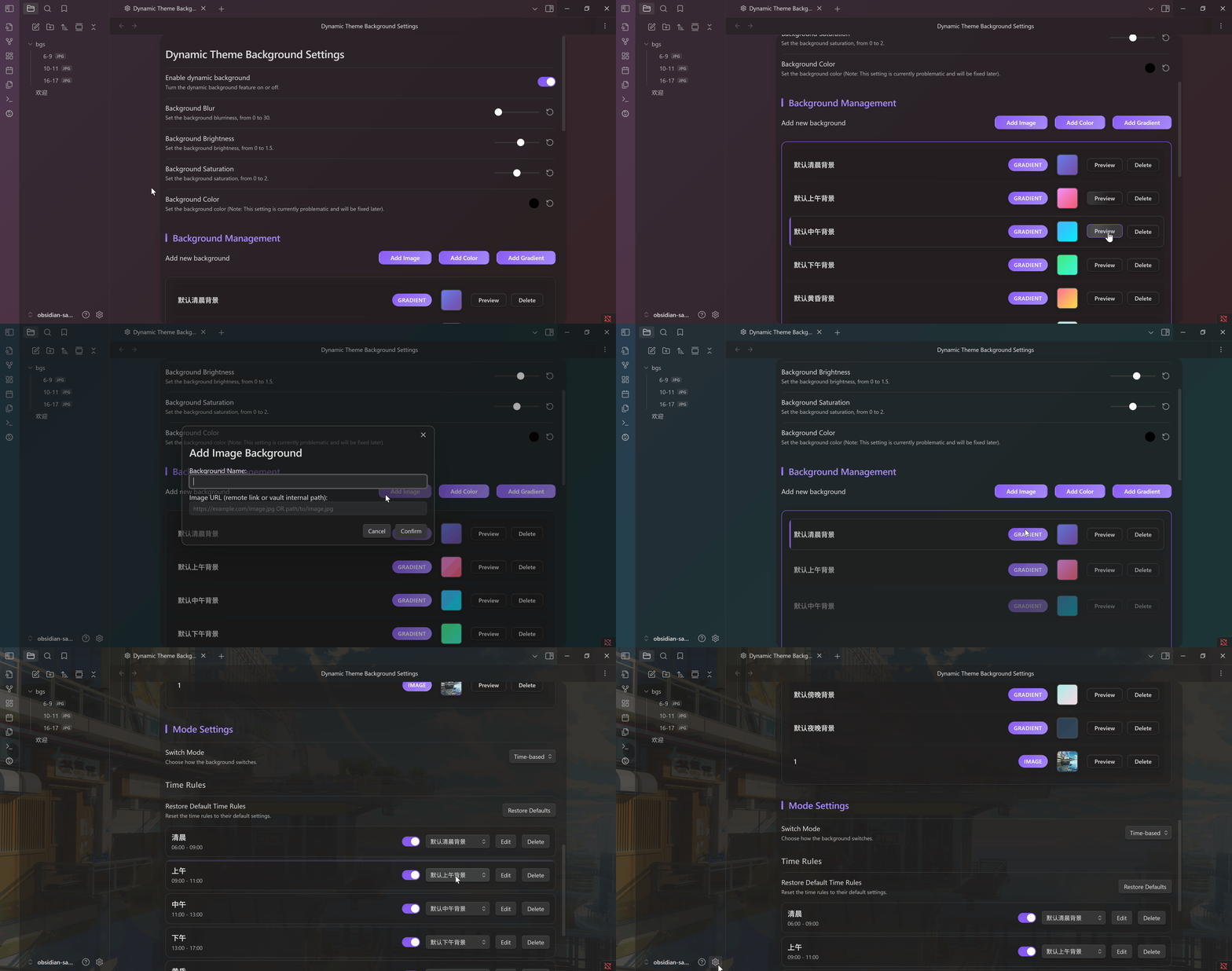
- Visual Tuning — Blur, brightness, saturation, hue adjustments; dark/light theme aware
- Smart Rotation — Time windows, interval auto-change, command palette quick switch
- Performance — Async loading, caching, minimal impact on editor responsiveness
Installation
Marketplace (Pending)
Currently in Obsidian review queue. Track: obsidian-releases#7359
BRAT
- Install BRAT
- Add beta plugin →
https://github.com/sean2077/obsidian-dynamic-theme-background - Enable in settings
Manual
- Download
main.js,manifest.json,styles.cssfrom Releases - Create
.obsidian/plugins/obsidian-dynamic-theme-background/ - Place files inside, restart Obsidian, enable
Quick Start
- Add Sources — Local images or API providers (Unsplash / Pixabay / Pexels / Wallhaven / Custom)
- Set Rotation — Interval + optional time windows (morning / day / night)
- Control — Status bar clicks or Command Palette (
dtb) to switch, save & fetch
Status Bar:
- Left Click → Random wallpaper
- Middle Click → Open settings
- Right Click → Save current background
Notes
- Optimized for dark themes; light themes may need parameter adjustments
- Uses Obsidian CSS variables — compatible with most themes
- If your theme defines custom backgrounds, choose one or the other to avoid conflicts
CSS Override Details
.dtb-enabled .workspace::before {
    background-image: var(--dtb-bg-image);
    filter: blur(var(--dtb-blur-depth)) brightness(var(--dtb-brightness)) saturate(var(--dtb-saturate));
    /* ... */
}
Roadmap
- Weather / system theme driven wallpaper sets
- Video / GIF backgrounds
- AI-generated backgrounds
- Mobile refinements
- Preset packs & collections
Contributing
- Report Bug
- Feature Request
- Star the project if it helps!
License
For plugin developers
Search results and similarity scores are powered by semantic analysis of your plugin's README. If your plugin isn't appearing for searches you'd expect, try updating your README to clearly describe your plugin's purpose, features, and use cases.