DarkSlide
pendingby ThorGarden
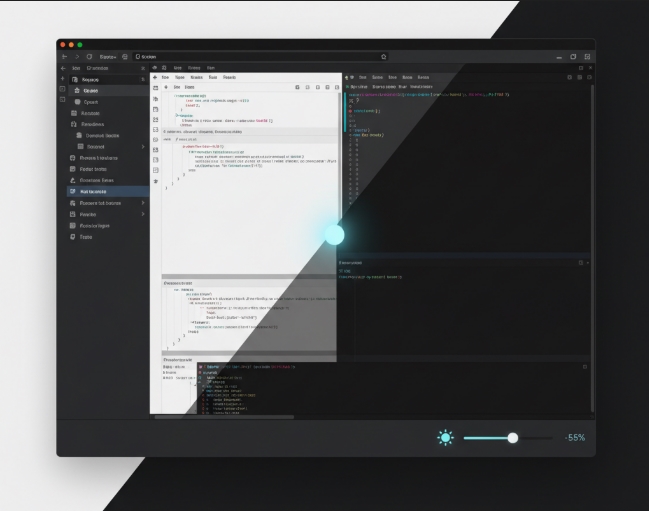
Slide into darkness (or light). Adjust background brightness across any theme with a status bar slider.
DarkSlide
Fine tune the brightness/contrast for any Obsidian theme from the status bar.


How to use it
DarkSlide adds a slider to your status bar (bottom right corner, next to a sun icon ☀️).
Drag the slider to adjust brightness.
Click the toggle button (◐) to switch to contrast mode.
Click reset (↺) to return to defaults.
Changes happen instantly. Each theme remembers its own brightness and contrast settings.
It works everywhere—the editor, sidebars, tabs, modals, and plugin panels—without modifying theme files.
Installation
DarkSlide is pending approval for the Obsidian Community Plugins marketplace.
Install with BRAT (recommended)
- Install the BRAT plugin
- Open command palette (Ctrl/Cmd + P)
- Run "BRAT: Add a beta plugin for testing"
- Enter:
Th0rGarden/obsidian-darkslide - Enable DarkSlide in Settings → Community Plugins
What's new in v1.2
- Contrast control: New contrast slider lets you adjust contrast independently from brightness (20-200%)
- Dual-mode status bar: Toggle between brightness and contrast controls directly in the status bar
- Revamped settings: Cleaner settings panel with separate controls for brightness and contrast
- Per-theme contrast: Each theme remembers its own contrast setting, just like brightness
- Status bar toggle: Option to hide the status bar slider if you prefer using the settings panel
What's new in v1.1
- Added a reset button to the status bar slider
- Each theme now remembers its own brightness
- Tweaked how colors are calculated
A quick note
This plugin works by applying a color overlay to backgrounds. It works well with most themes, but some themes with very specific styling might not respond perfectly to the adjustment. If you find one that doesn't work right, let me know.
License
This is free for personal use, but the code is proprietary. You can use it, but please don't redistribute or modify it. See LICENSE.md for the full terms.
Need a commercial license? Email th0rgardentools@proton.me
Bugs and requests
Found something broken or have an idea? Open an issue.
For plugin developers
Search results and similarity scores are powered by semantic analysis of your plugin's README. If your plugin isn't appearing for searches you'd expect, try updating your README to clearly describe your plugin's purpose, features, and use cases.