Natural Language Dates Redux
pendingby Tommy Bergeron
Insert timestamps and cross-link your notes with the flexibility of natural language. Now with Notion-like behavior!
nldates-redux
Insert timestamps and cross-link your notes with the flexibility of natural language. Based on argenos/nldates-obsidian.
Now with Notion-like behavior!
Features
If a date is not recognized, the link won't be created.
Date Autosuggestion
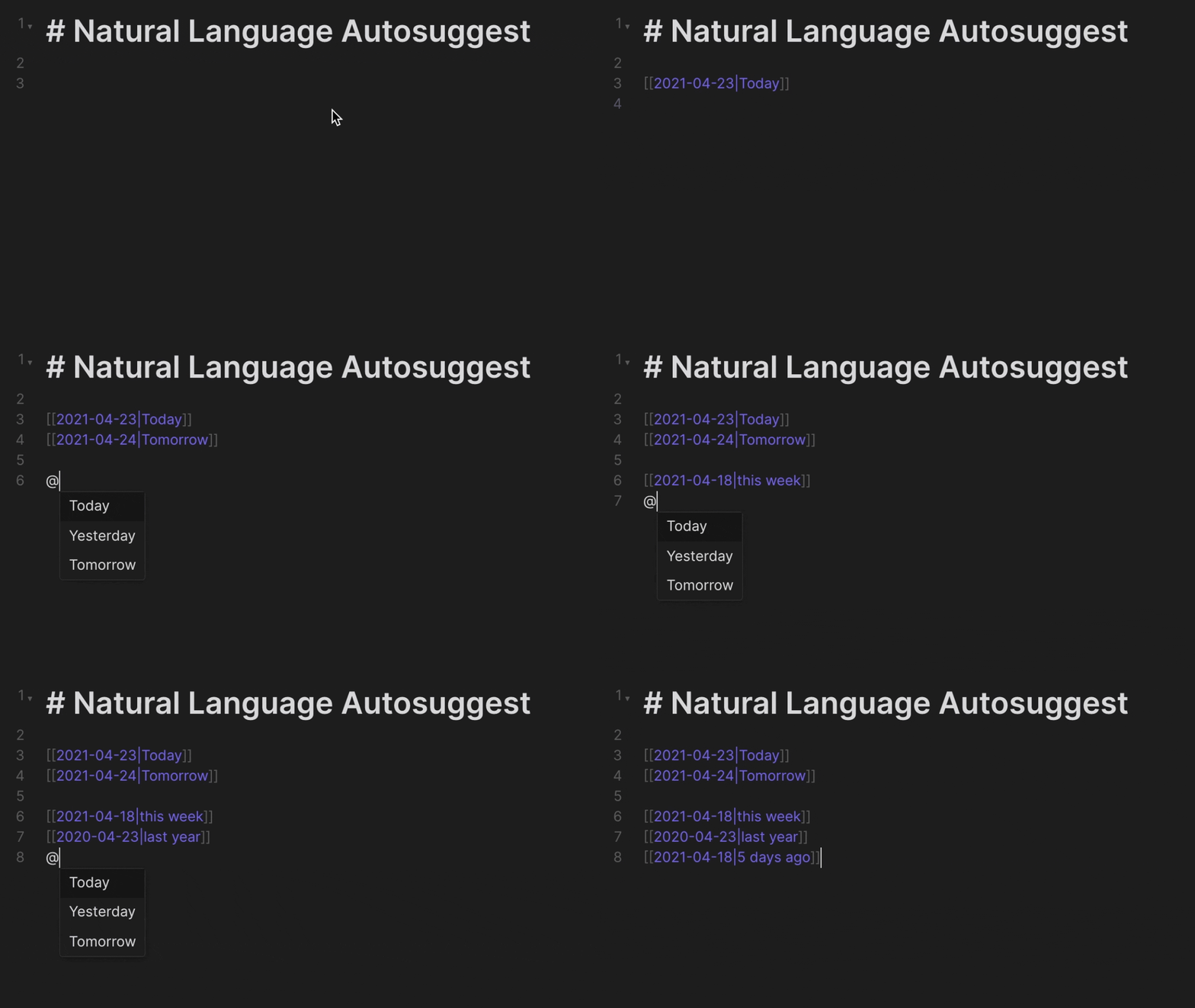
Expand dates using natural language inline within the editor view.
Typing @today Enter will automatically be expanded to the current date. Press Shift at the same time to keep the input text as an alias (e.g. @today → [[202112-27|today]]).
nldates URI Action
It's now possible to use the Obsidian URI to open daily notes using natural language by using the nldates action obsidian://nldates?day=<date here>. Don't forget to encode space characters appropriately.
obsidian://nldates Parameter | Description |
|---|---|
day | natural language date string |
newPane | open note in new pane, default is yes |
Commands and Hotkeys
nldates adds a few commands to work with dates in natural language. You can add custom hotkeys for them by going to Settings > Hotkeys and filtering by Natural Language Dates (Note that hotkeys are unset by default starting on v0.4.1).
Natural Language Dates: Date Picker
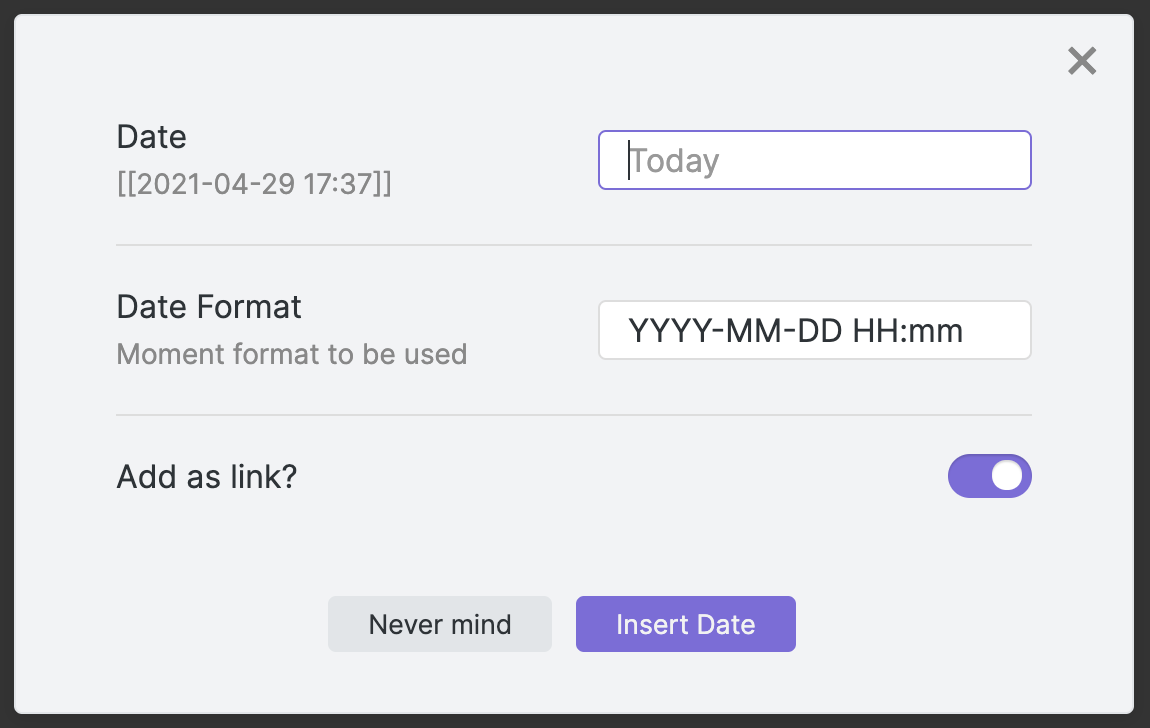
Opens the date picker menu
Natural Language Dates: Open daily note using natural language
Input a natural language date to open or create the daily note for the parsed date.
Other Commands
| Setting | Description | Default |
|---|---|---|
| Insert current date | Inserts the current date, using the format specified in the settings menu | YYYY-MM-DD |
| Insert current time | Inserts the current time, using the format specified in the settings menu | HH:mm |
| Insert current date and time | Inserts the current date, using the format specified in the settings menu | YYYY-MM-DD HH:mm |
| Parse natural language date | Parses the selected text as a natural language date. Replaces selected text with an obsidian link to the parsed date in the format specified in the settings menu. For single-word dates (e.g. today, tomorrow, friday, etc.), it's possible to use the command without selecting the word first. It's also possible to use dates like Nov9, 25Dec to use this trick. | [[YYYY-MM-DD]] |
| Parse natural language time | Parses the selected text as a natural language time. Replaces selected text with the parsed time stamp in the format specified in the settings menu. You can try with any of the standard times, i.e. now, in 15min, in 1h, 5min ago, etc. | HH:mm |
| Parse natural language date (as link) | Parses the selected text as a natural language date. Replaces selected text with a standard markdown link to the parsed date in the format specified in the settings menu | [selected text](YYYY-MM-DD) |
| Parse natural language date (as plain text) | Parses the selected text as a natural language date. Replaces selected text with a plain text parsed date in the format specified in the settings menu | YYYY-MM-DD |
Note: You can of course add hotkeys to each of these commands.
Usage
Examples
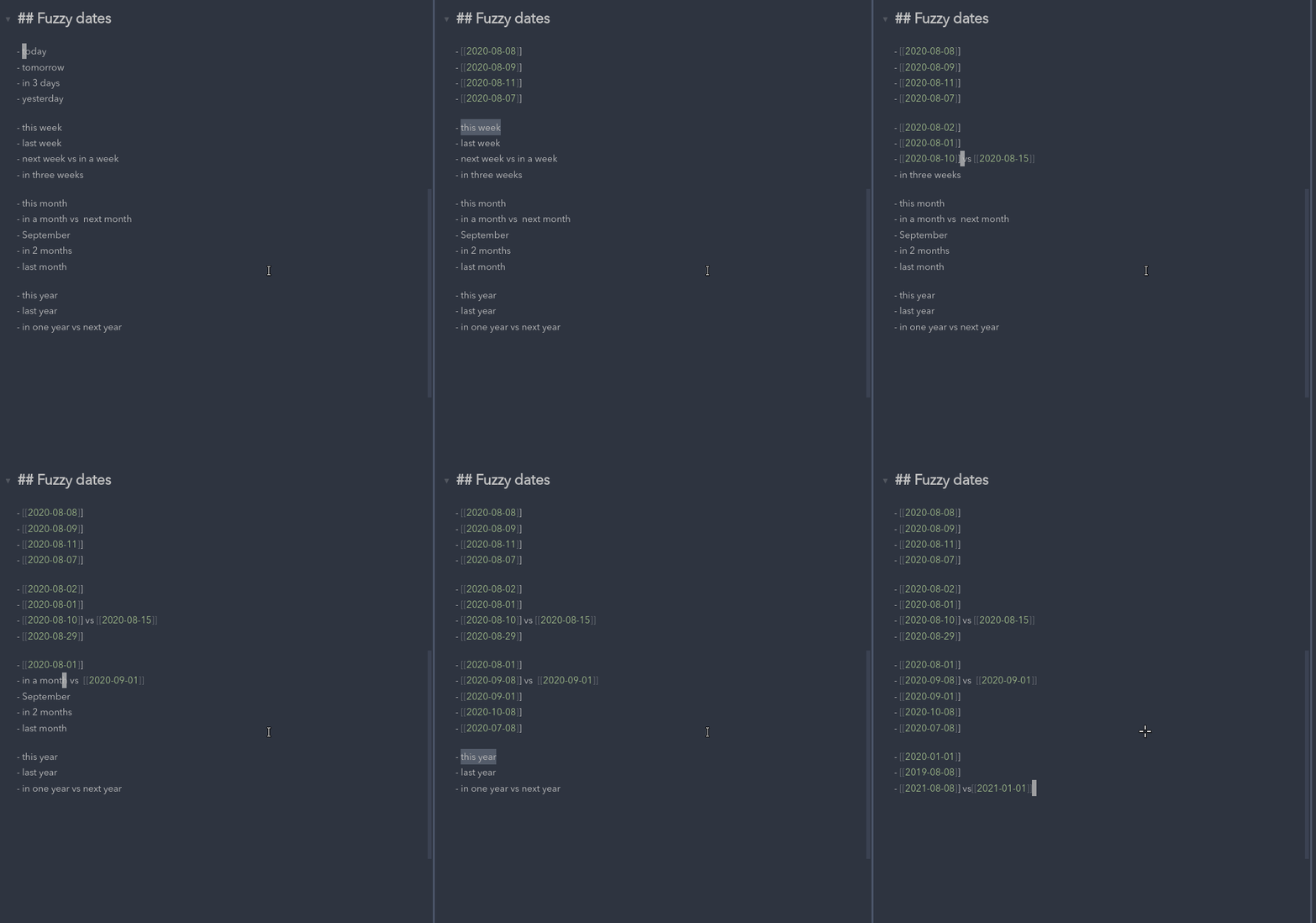
The parser supports most date/time formats, including:
- Today, Tomorrow, Yesterday, Last Friday, etc
- 17 August 2013 - 19 August 2013
- This Friday from 13:00 - 16.00
- 5 days ago
- 2 weeks from now
- Sat Aug 17 2013 18:40:39 GMT+0900 (JST)
- 2014-11-30T08:15:30-05:30
Demo
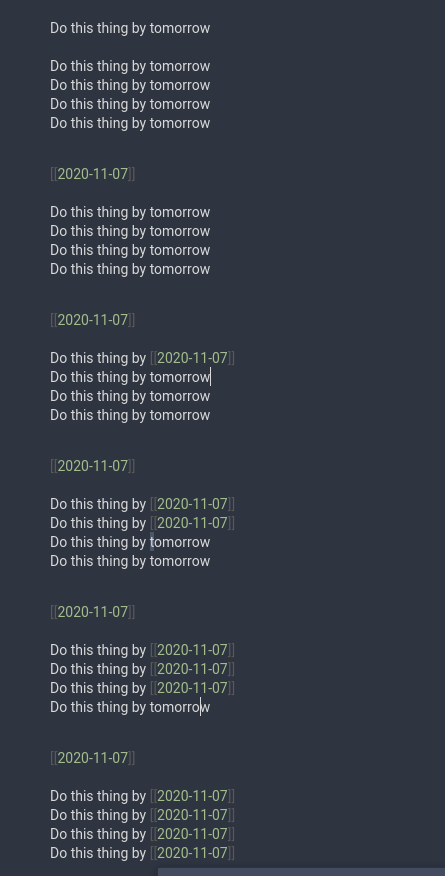
Note: The parser will replace all the selected text, meaning that in a sentence you should only select the dates to be parsed and not the full sentence.
In the example sentenceDo this thing by tomorrow, only the wordtomorrowshould be selected. Alternatively, keep in mind that you can place your cursor on or next to the word tomorrow, and it will be replaced:
How to install
This plugin is still awaiting approval from the Obsidian team. It's been there since Feb 6 2025.
You can show interest by bumping the issue here: https://github.com/obsidianmd/obsidian-releases/pull/5319 Hopefully it will get merge, soon (tm)
In Obsidian go to Settings > Third-party plugins > Community Plugins > Browse and search for Natural Language Dates.
Manual installation
Unzip the latest release into your <vault>/.obsidian/plugins/ folder.
Credits
This plugin was originally made by Argentina Ortega Sáinz (argenos) but seems to have been abandoned for the last 2+ years. I decided I'd start maintaining it and introduce features that I always wanted and were requested many times on the original repository.
Feel free to send pull requests, I will check and consider any of them if they make sense.
For plugin developers
Search results and similarity scores are powered by semantic analysis of your plugin's README. If your plugin isn't appearing for searches you'd expect, try updating your README to clearly describe your plugin's purpose, features, and use cases.