Node Graph View
pendingby bluebird
Interactive node graph visualization of your vault - converted from mkdocs-nodegraph.
Obsidian Node Graph View — Plugin
An Extension for Visualizing Markdown Files Network Graph in Obsidian
It is a copy of mkdocs-nodegraph - github | pypi
Example
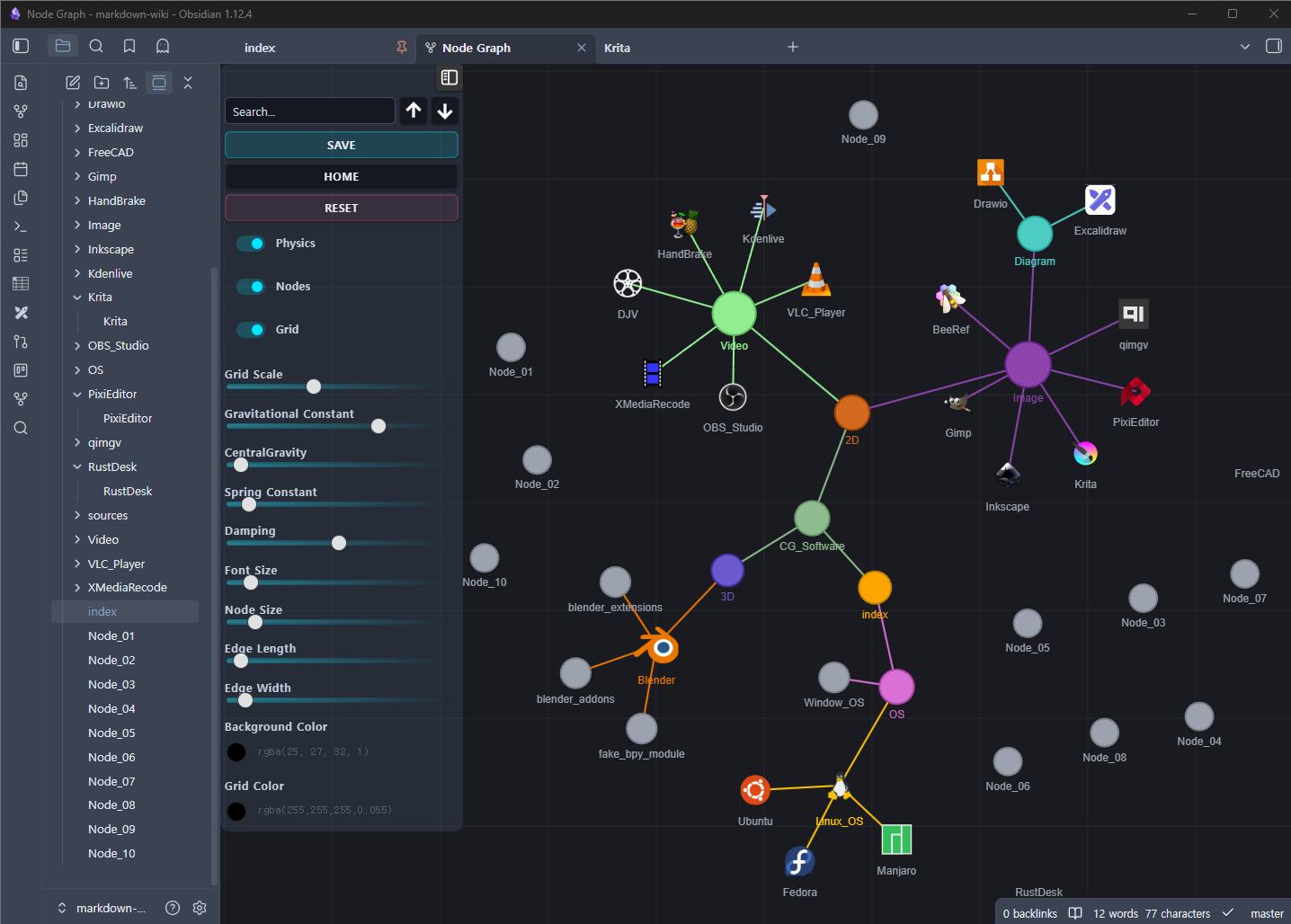
Features
- Visualizes links between
.mdfiles as an interactive force-directed graph - Click a node to open the md file
Ctrl+Click/Cmd+Clickto open in a new tabAlt+Clickto openmdfile_siteURL (if set in frontmatter)- Search nodes by filename with keyboard navigation
- Physics simulation with full slider controls (identical to original)
- Persistent node positions and preferences across sessions
- Auto-refresh when markdown files are created, deleted, or modified
Setup Tags, Node Icon and Color on Markdown File
---
tags:
  - CG
  - 3D software
mdfile_icon: "_sources/svgs/blender.svg"
mdfile_color: "#ea7600"
mdfile_site: "https://www.blender.org/"
---
Installation
From source
- Copy this folder to
~/.obsidian/plugins/ - Restart Obsidian
Usage
- click the Open Graph View Button
Panel Controls
| Control | Description |
|---|---|
| Search | Filter nodes by filename; ↑↓ buttons or Enter/Shift+Enter to cycle |
| Save | Persist current layout + settings |
| Home | Fit all nodes into view |
| Reset | Restore default settings and clear saved positions |
| Refresh | Re-scan workspace files and rebuild graph |
| Physics toggle | Enable/disable force simulation |
| Nodes toggle | Show/hide file nodes |
| Grid toggle | Show/hide background grid |
| Sliders | Tune physics, font, node/edge size |
| Color pickers | Change background and grid color |

For plugin developers
Search results and similarity scores are powered by semantic analysis of your plugin's README. If your plugin isn't appearing for searches you'd expect, try updating your README to clearly describe your plugin's purpose, features, and use cases.