Place Notes
approvedby michael-jb
Tie notes to places on a world map. Works entirely offline, on desktop and mobile. Simple, unopinionated and markdown-native. - This plugin has not been manually reviewed by Obsidian staff.
Place Notes
Tie notes to places on a world map. Works entirely offline, on desktop and mobile. Simple, unopinionated and markdown-native.
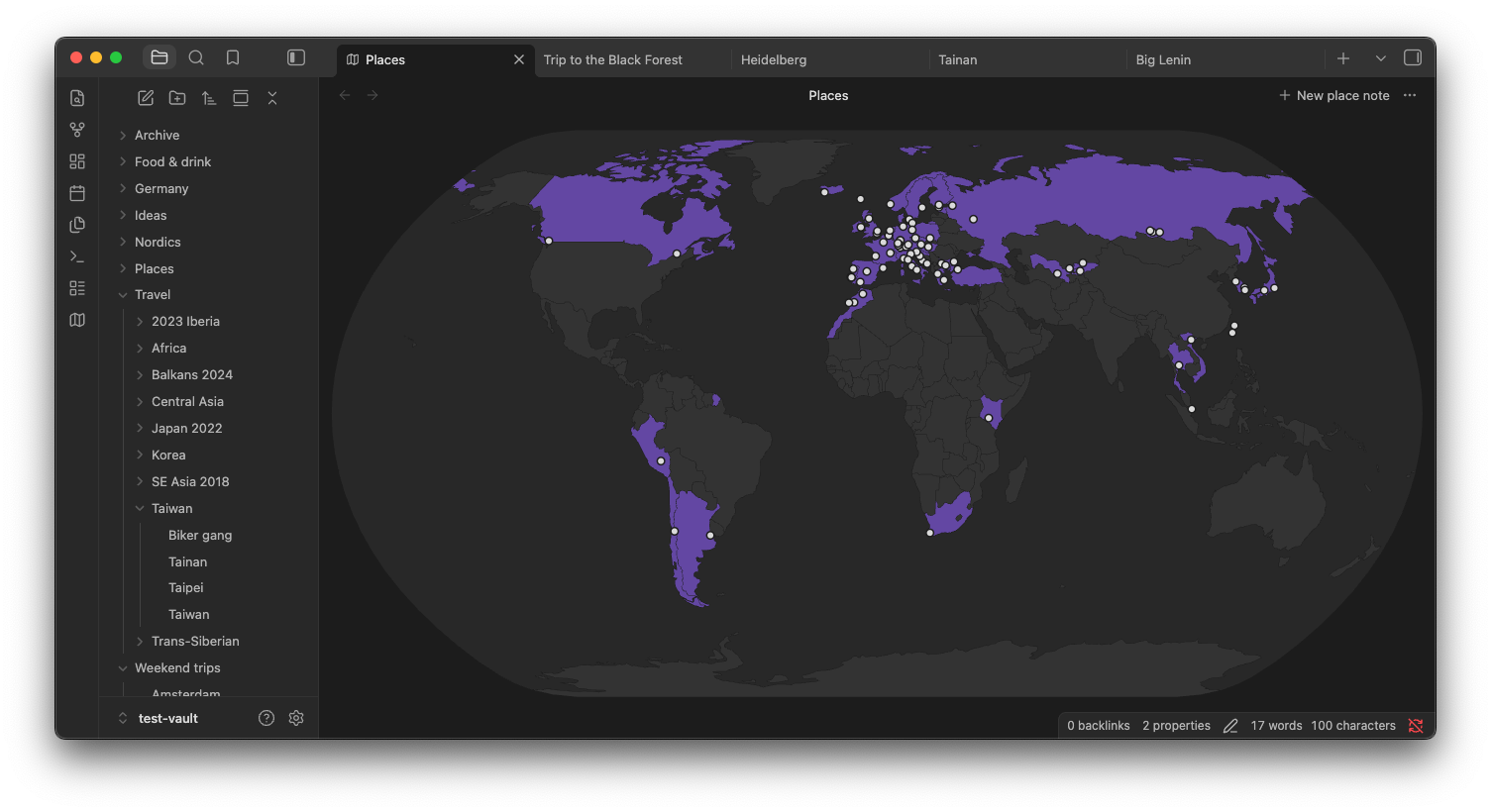
How it works
A place note is an ordinary Markdown note with two optional properties:
---
country: PT                      # ISO 3166-1 alpha-2
coordinates: [38.7169, -9.1399]  # latitude, longitude
---
The interactive map view lets you easily find and create these notes. Existing notes join the map via Add to map in their context menu.
Install
Install Place Notes from Obsidian's community plugin directory, or in Obsidian go to Settings -> Community plugins -> Browse and search for "Place Notes".
Data and licenses
The plugin code is MIT licensed. It bundles:
- Country outlines from Natural Earth (public domain).
- Country codes, city and town names from GeoNames, licensed under CC BY 4.0.
For plugin developers
Search results and similarity scores are powered by semantic analysis of your plugin's README. If your plugin isn't appearing for searches you'd expect, try updating your README to clearly describe your plugin's purpose, features, and use cases.