by Plagiarism Checker X
Calm writing helpers for any theme: Plagx Writer heading and quote colours, readable line width presets, focus mode, and reading time in the status bar.
Plagx Writer Tools
Calm writing helpers for Obsidian that work with any theme.
| Light mode | Dark mode |
|---|---|
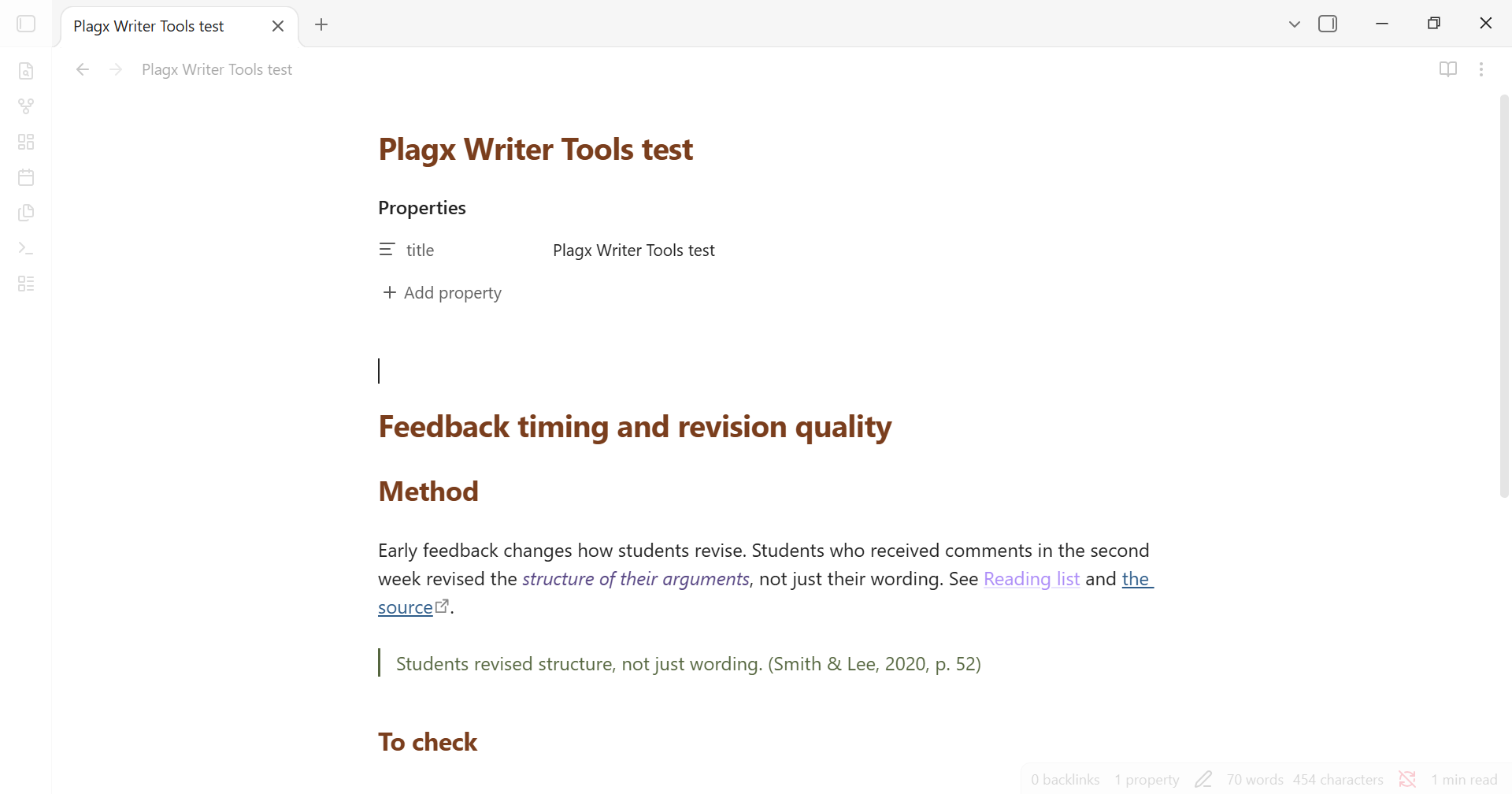 | 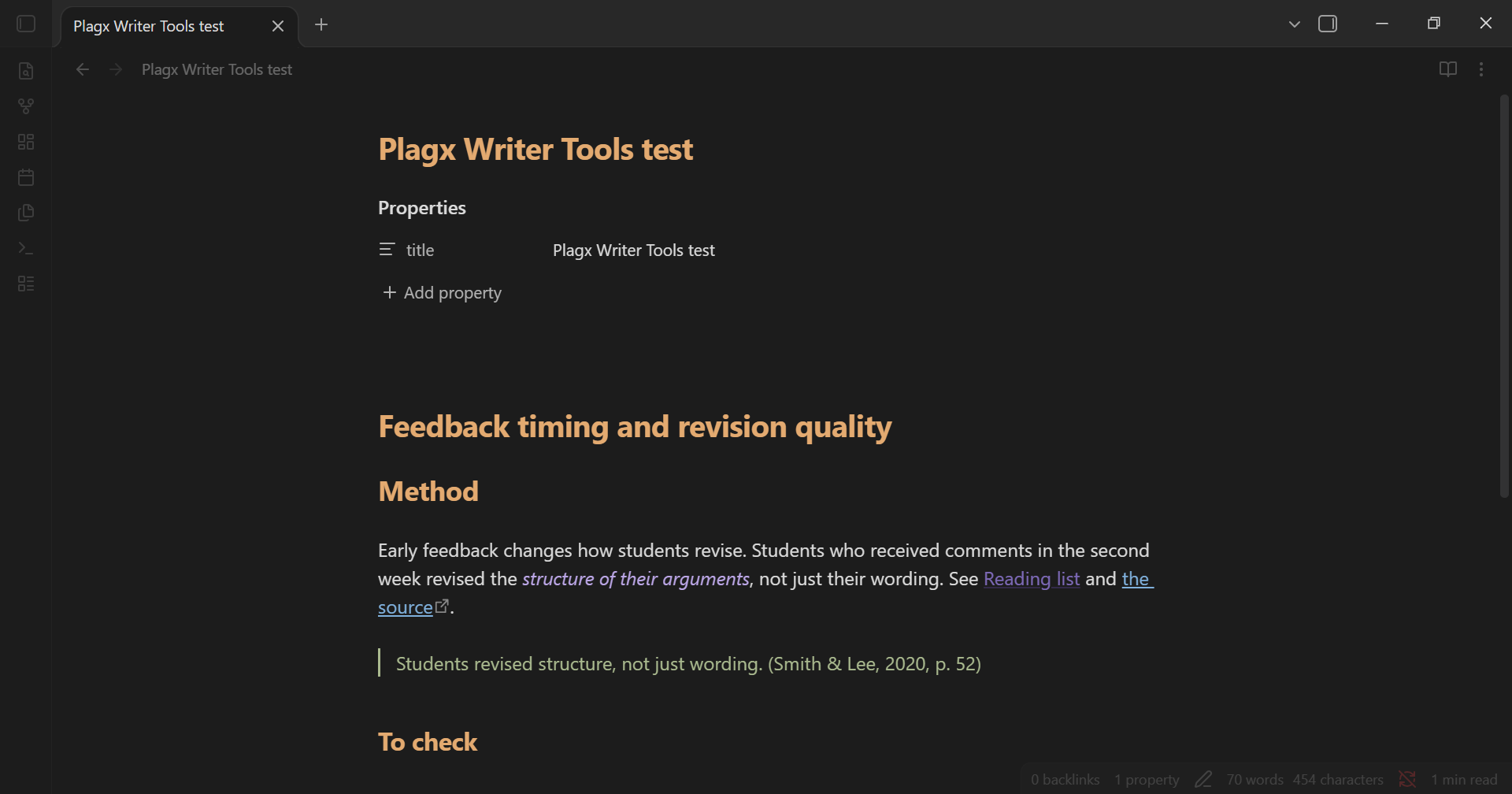 |
- Plagx Writer colours: headings, quotes, links and emphasis in the Plagx Writer palette (Paper colours in light mode, Ink colours in dark mode). Every colour meets WCAG AA contrast on the Plagx Writer backgrounds.
- Readable line width: narrow (36rem), medium (42rem) or wide (50rem) text column when Obsidian's "Readable line length" is on.
- Focus mode: one command collapses both sidebars and fades the ribbon, status bar and note header until you hover them. Run it again to restore your sidebars.
- Reading time in the status bar, for the whole note or just the selection (frontmatter is not counted). An optional word count can be turned on in settings; it is off by default because Obsidian's core word count already shows it.
Commands
| Command | What it does |
|---|---|
| Toggle focus mode | Collapse sidebars and quiet the interface, or restore it |
| Toggle Plagx Writer colours | Turn the palette colours on or off |
| Cycle readable line width | Theme default → narrow → medium → wide |
No hotkeys are assigned by default. Add your own under Settings → Hotkeys.
Settings
Plagx Writer colours, readable line width, reading time, reading speed (words per minute) and an optional word count.
Install
From Obsidian: Settings → Community plugins → Browse, search for "Plagx Writer Tools".
Manually: download main.js, manifest.json and styles.css from the latest release into <vault>/.obsidian/plugins/plagx-writer-tools/, then enable the plugin under Settings → Community plugins.
Privacy
The plugin works entirely offline. It makes no network requests, collects no data and only reads the note that is open to count words.
Pairs well with
The Plagx Writer theme for Obsidian, which uses the same palette for the whole interface.
Licence
MIT. See LICENSE.
Made by Plagiarism Checker X. For checking text overlap between your own documents, see the Text Similarity Detector.
For plugin developers
Search results and similarity scores are powered by semantic analysis of your plugin's README. If your plugin isn't appearing for searches you'd expect, try updating your README to clearly describe your plugin's purpose, features, and use cases.