Note Review Reminder
approvedby rheor108
Schedule spaced reviews for notes, track what is due or overdue, and get reminders while using Obsidian. - This plugin has not been manually reviewed by Obsidian staff.
Note Review Reminder for Obsidian
Schedule spaced reviews for each note, see what is due today or overdue, and track your learning progress without adding properties to the top of your notes.
The forgetting curve
The Ebbinghaus forgetting curve describes a general tendency of memory: without review, recall drops quickly soon after learning, then the rate of forgetting gradually slows. Reviewing material before it is forgotten strengthens retention and makes it possible to wait longer before the next review.
This plugin applies that idea through spaced repetition. Reviews begin close together and become progressively farther apart as the note advances through its schedule.
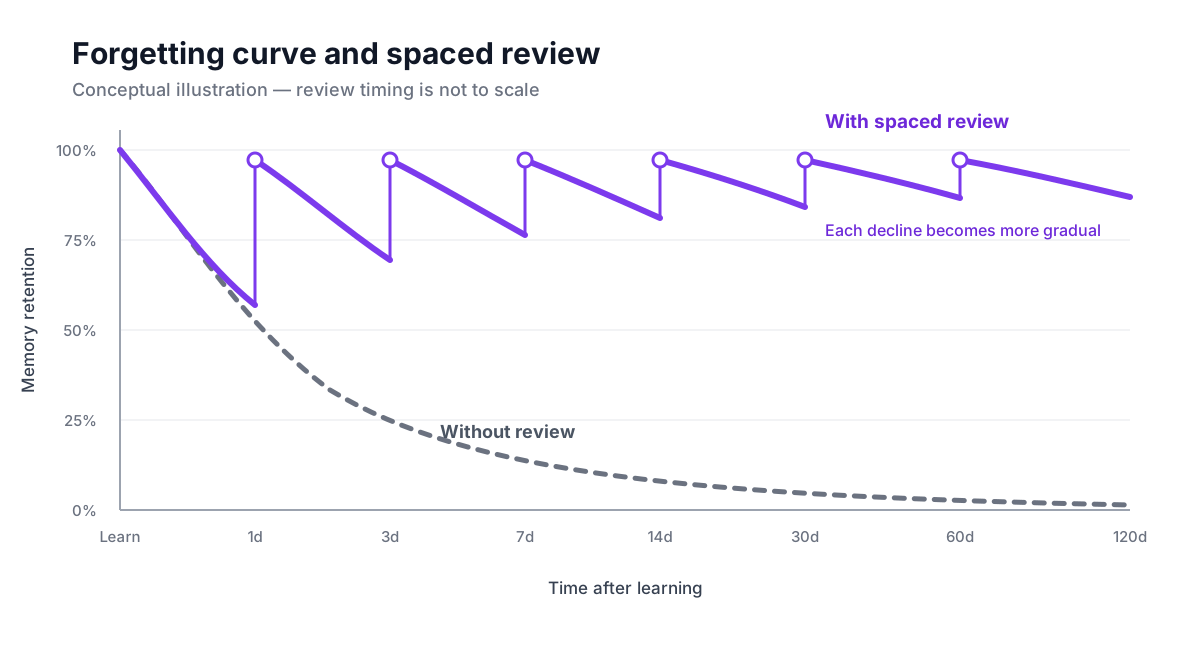
Conceptual illustration. Actual retention and effective review intervals vary by learner and material; the timeline is not to scale.
The default intervals are a practical spaced-repetition preset. They do not claim to reproduce Ebbinghaus's experimental results exactly for every learner. You can customize the intervals in settings.
Highlights
- Start a configurable
1, 3, 7, 14, 30, 60, 120 dayreview schedule for any note. - Review today's notes, overdue notes, progress, and seven-day activity from a dedicated dashboard.
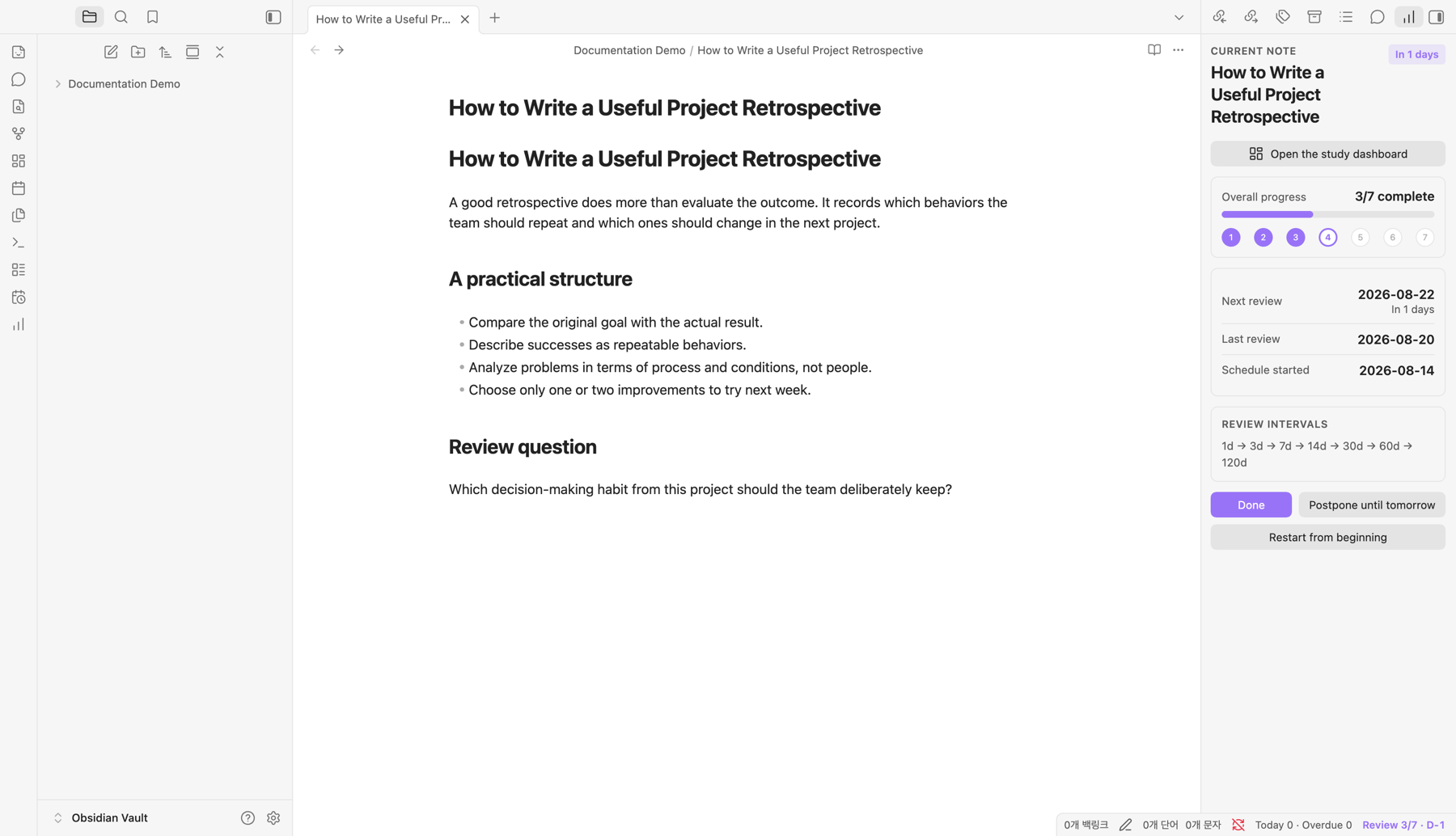
- Open the study dashboard directly from the current-note review status panel.
- Mark a review complete, postpone it until tomorrow, or undo an accidental completion.
- Keep review data in plugin storage so note properties stay clean.
- Detect review-data changes from another device in an iCloud-based vault without restarting Obsidian.
- Receive in-app and optional operating-system notifications.
- Use the same plugin on desktop and mobile.
- Keep the last card and controls clear of Obsidian's floating mobile navigation.
- Automatically match Obsidian's interface language across all 46 completed app locales; unknown future locales fall back to English.
- Follow Obsidian's language by default or choose any supported language in the plugin settings.
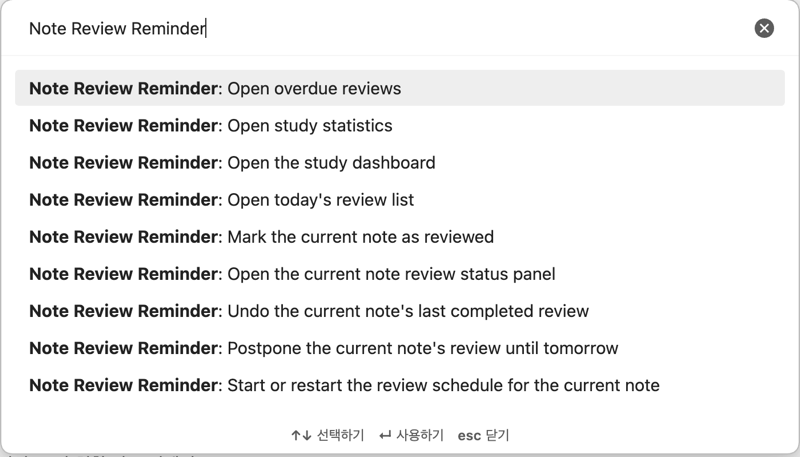
- Find every plugin command by searching for
Note Review Reminderin the command palette, regardless of the selected interface language.
Screenshots
Find commands by plugin name
Open the command palette with Cmd+P on macOS or Ctrl+P on Windows/Linux, then type Note Review Reminder. Obsidian groups the localized commands under the plugin name so they remain searchable when you change the plugin interface language.
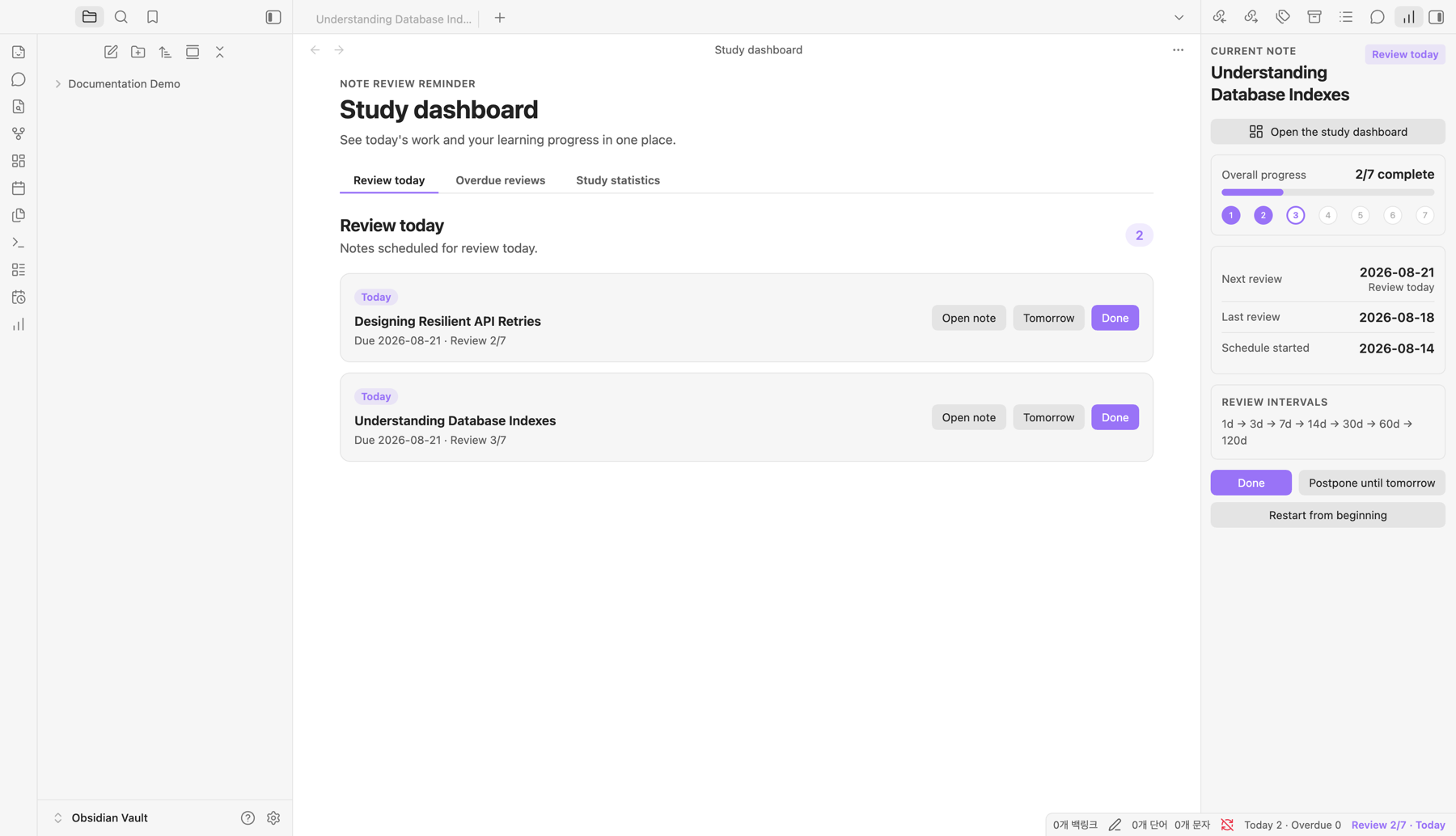
Review today's notes
See every note due today and complete, postpone, or open each review from one place.
Current-note review status
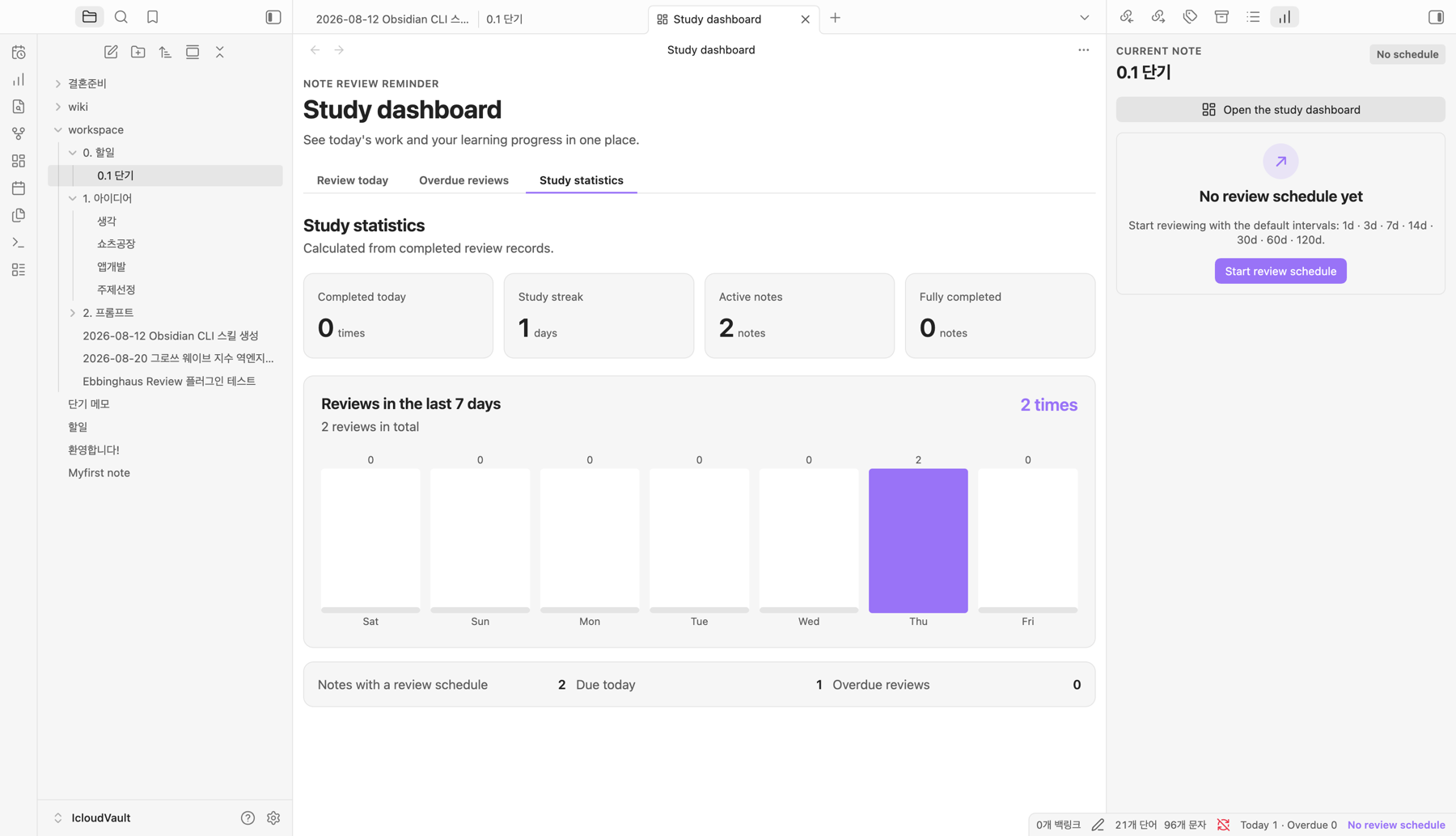
Study statistics
Language support
The plugin uses Obsidian's official getLanguage() API and bundles translations for every locale marked as complete for the app in the official Obsidian translations repository. No network connection is needed for translation. English is used as a safe fallback for newly added or unknown locales.
Translations are machine-assisted. Korean has completed a manual editorial review; every other localized dictionary has full structural QA and targeted terminology corrections but still needs native-speaker review before it can be considered native-certified. See the translation quality and review status.
Usage
- Open a Markdown note.
- Open the command palette, search for
Note Review Reminder, and run Note Review Reminder: Start or restart the review schedule for the current note. - Use the status bar or ribbon icons to open the current-note panel and study dashboard.
- Select Done after studying, or postpone the review until tomorrow.
- Check the Study statistics tab for your streak and recent activity.
Development
Requires Obsidian 1.8.7 or later.
npm install
npm run check
Run npm run audit:i18n to validate all 4,840 localized messages independently.
Copy main.js, manifest.json, and styles.css into a test vault's .obsidian/plugins/ebbinghaus-review/ directory, then enable Note Review Reminder under Settings → Community plugins.
License
Note Review Reminder is available under the MIT License.
For plugin developers
Search results and similarity scores are powered by semantic analysis of your plugin's README. If your plugin isn't appearing for searches you'd expect, try updating your README to clearly describe your plugin's purpose, features, and use cases.