by theluckystrike
Match a local notice list to reference notes and linked manuscripts for review.
Retraction Review Queue
Match a local notice list to reference notes and linked manuscripts for review. Select a CSV in your vault, choose its columns, and compare the supplied paper DOIs with your reference properties. The result is a list of notes to inspect. It is not a finding that a paper is unreliable.
A notice list can be incomplete or old. A Correction row and a Retraction row remain separate notices. The plugin does not download updates or decide what a notice means for your argument. Use the source notice and your own review before you change a manuscript.
Features
Select and map a local CSV
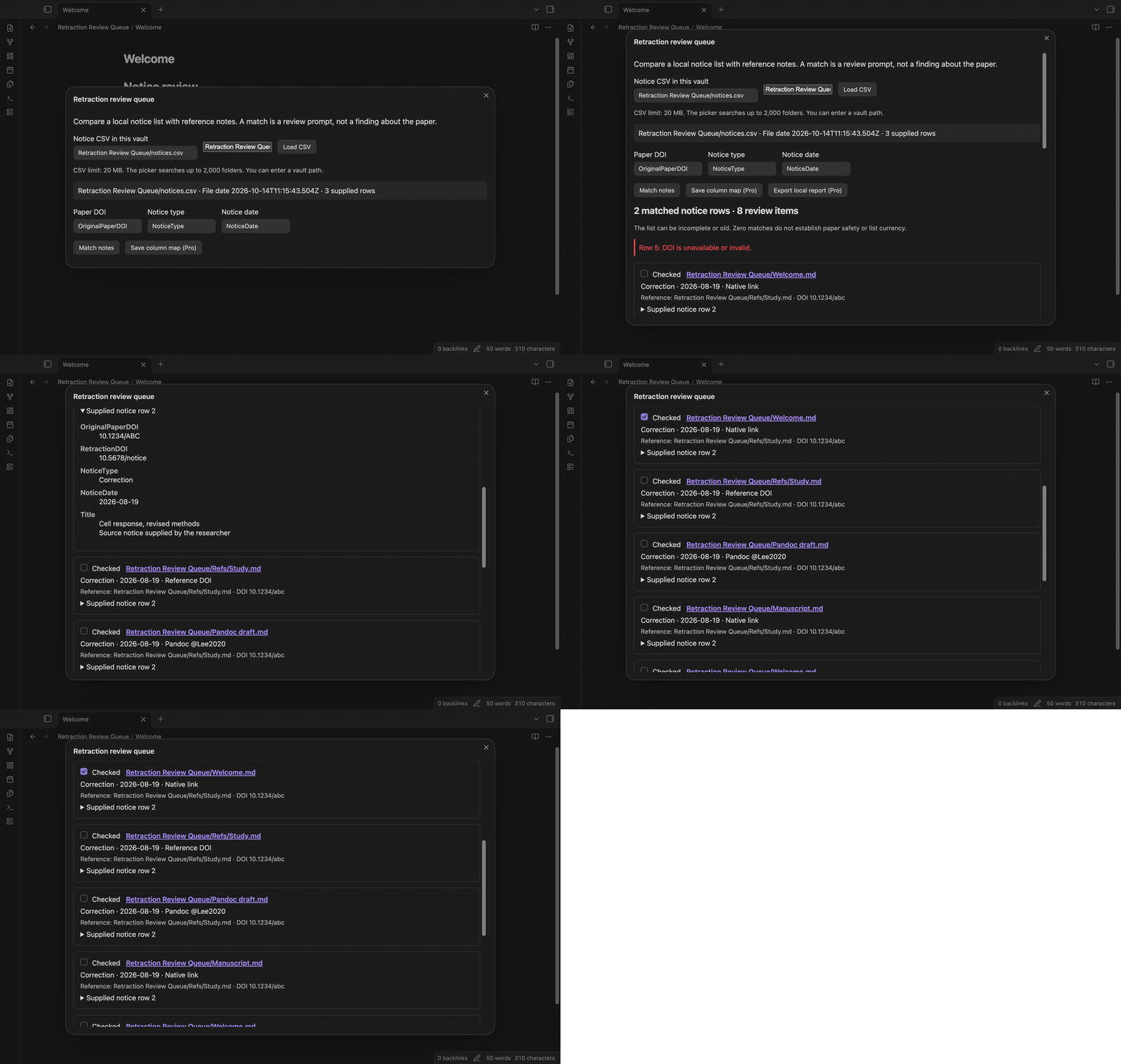
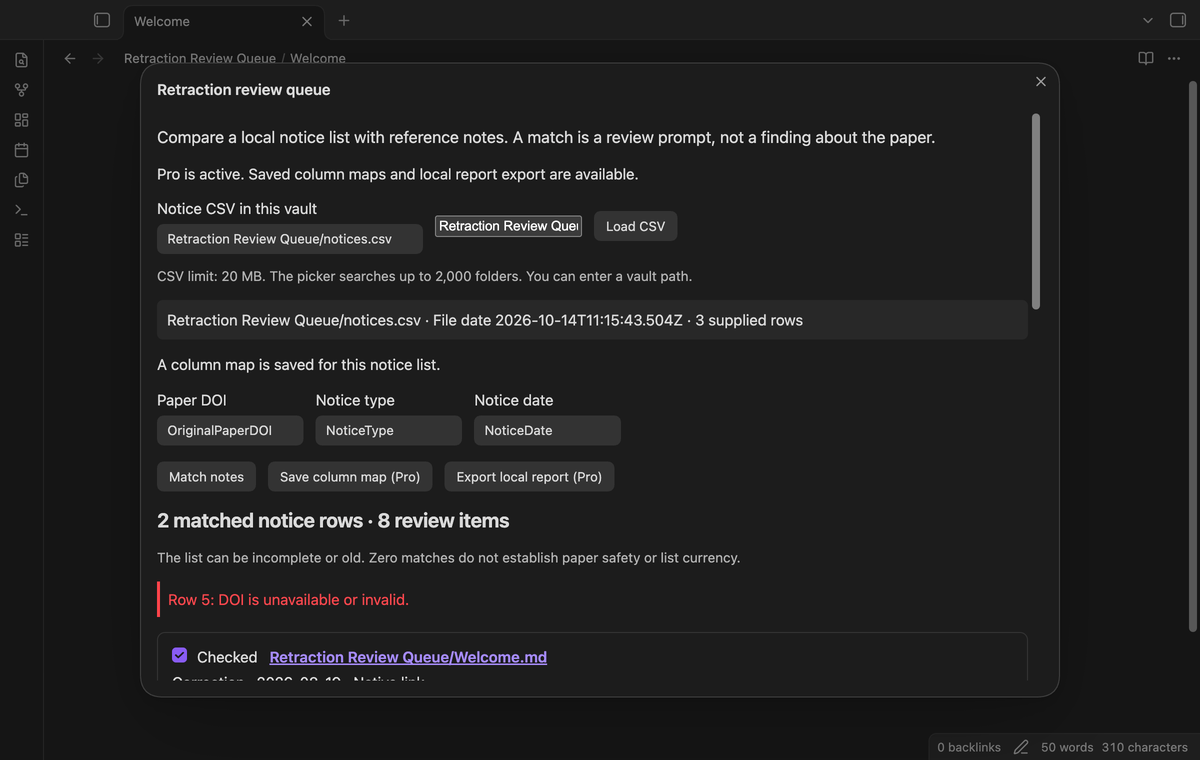
Select a CSV from the vault picker, or enter its vault path. Use forward slashes to separate folders in a typed path. Map the paper DOI, notice type, and notice date columns. The default DOI column is OriginalPaperDOI, with DOI as a fallback. RetractionDOI is not selected by default because it can identify the notice rather than the original paper. You can select a different paper column yourself.
The reader supports a UTF-8 BOM, quoted commas, escaped quotes, and quoted line breaks. The limit is 20 MB. A row with an invalid quote or a different field count gets a warning and is excluded from matching. Duplicate or empty column names stop the import.
Match reference DOIs
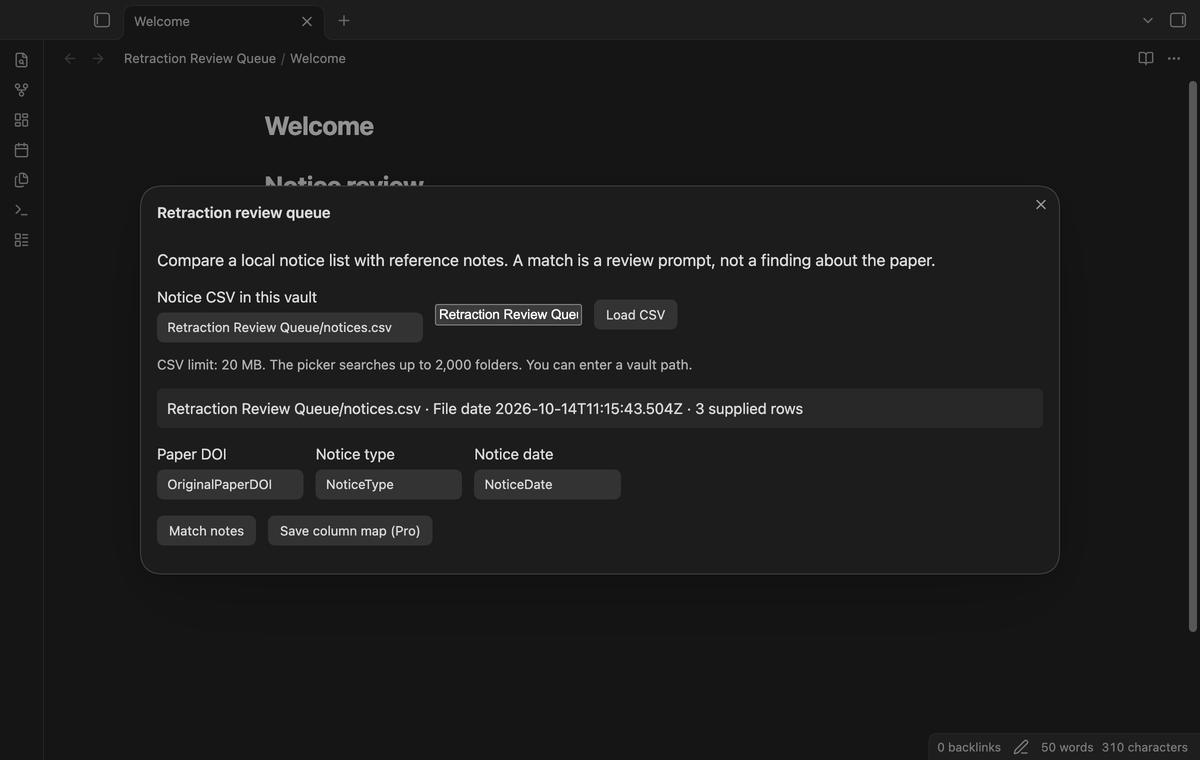
DOIs are trimmed and compared without case. The reader removes doi:, https://doi.org/, and the older http://dx.doi.org/ prefix. The reference property must contain one DOI string. Missing or invalid CSV DOIs produce row warnings. The plugin does not select a reference by title or author when a DOI is absent.
Find affected manuscripts
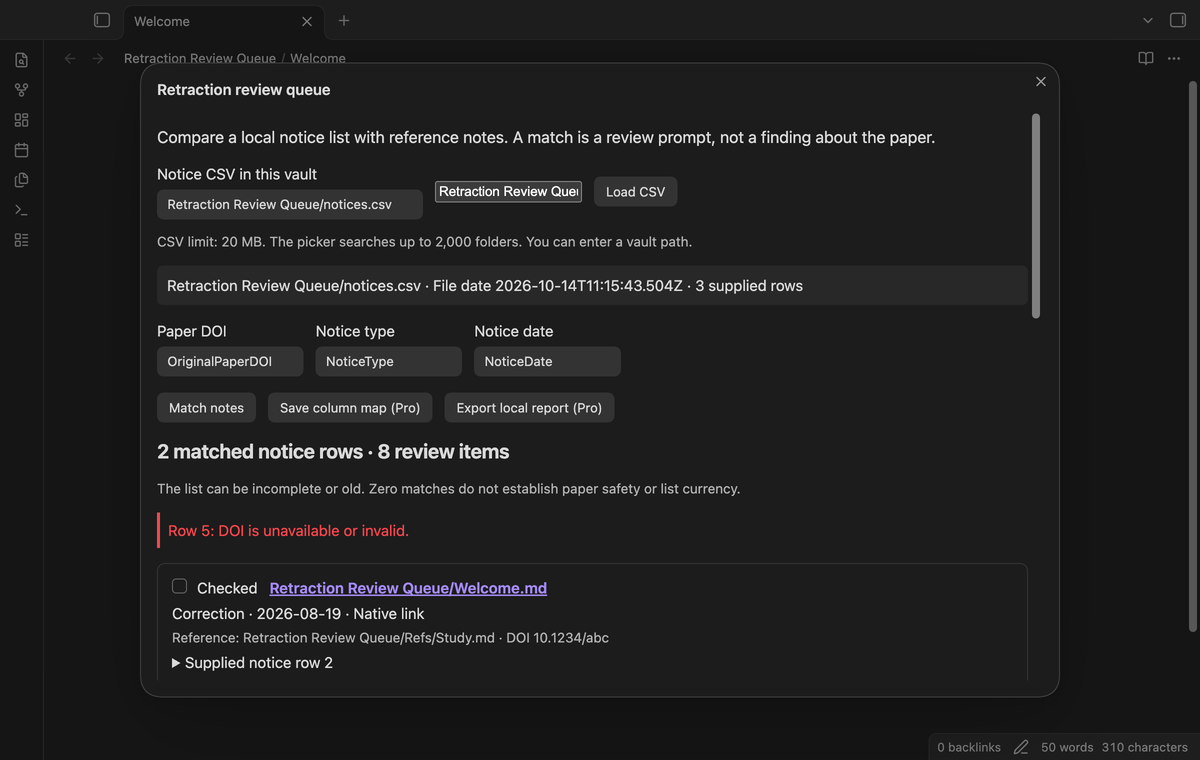
A native link from a manuscript to a matched reference adds that manuscript to the queue. Simple bracketed Pandoc keys also count: a reference with citekey: Lee2020 can match [@Lee2020, 4]. Key case is significant. Fenced code, inline code, and keys outside citation brackets are excluded. If several reference notes share a key, the plugin warns and excludes matches through that key. Native links still work.
Inspect supplied rows and keep checked state
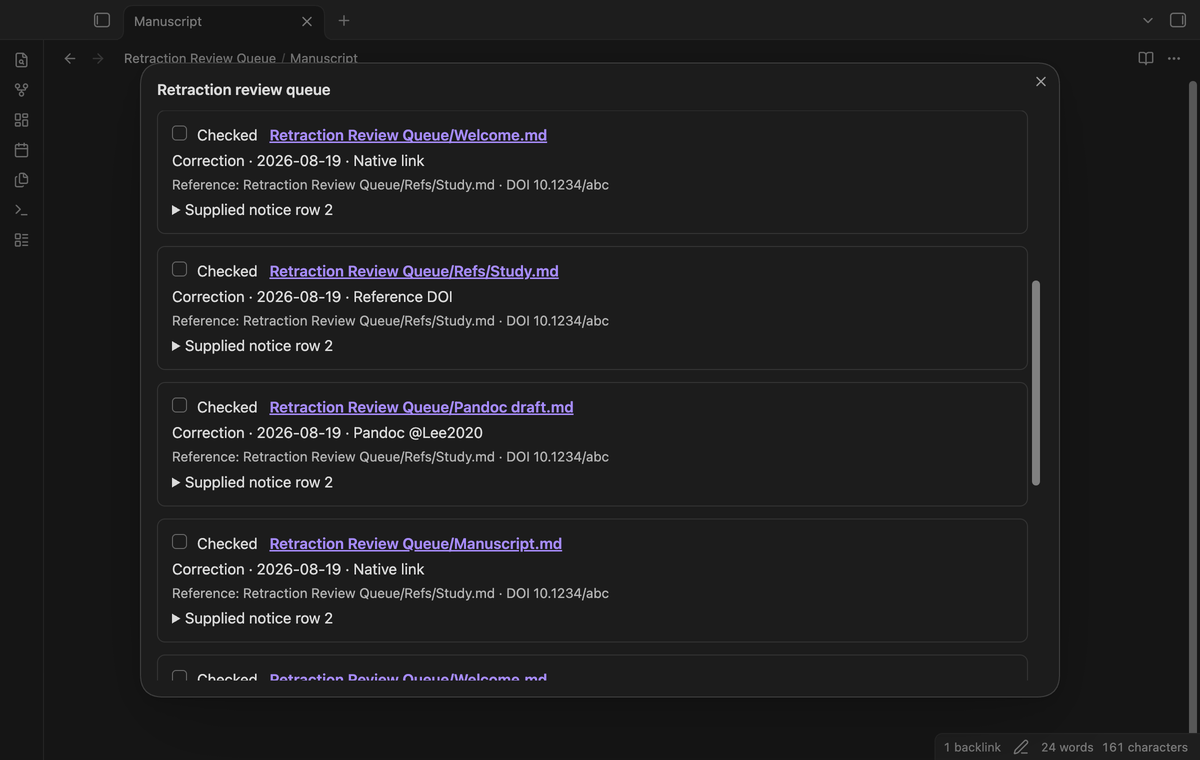
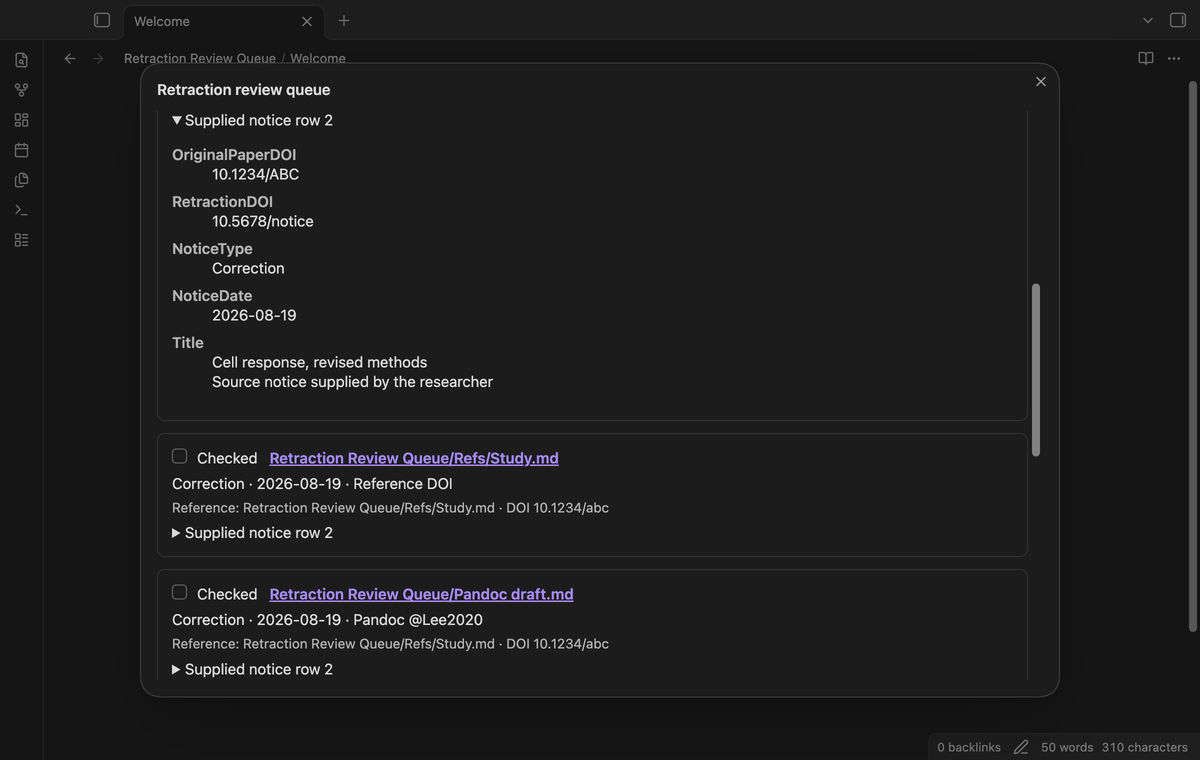
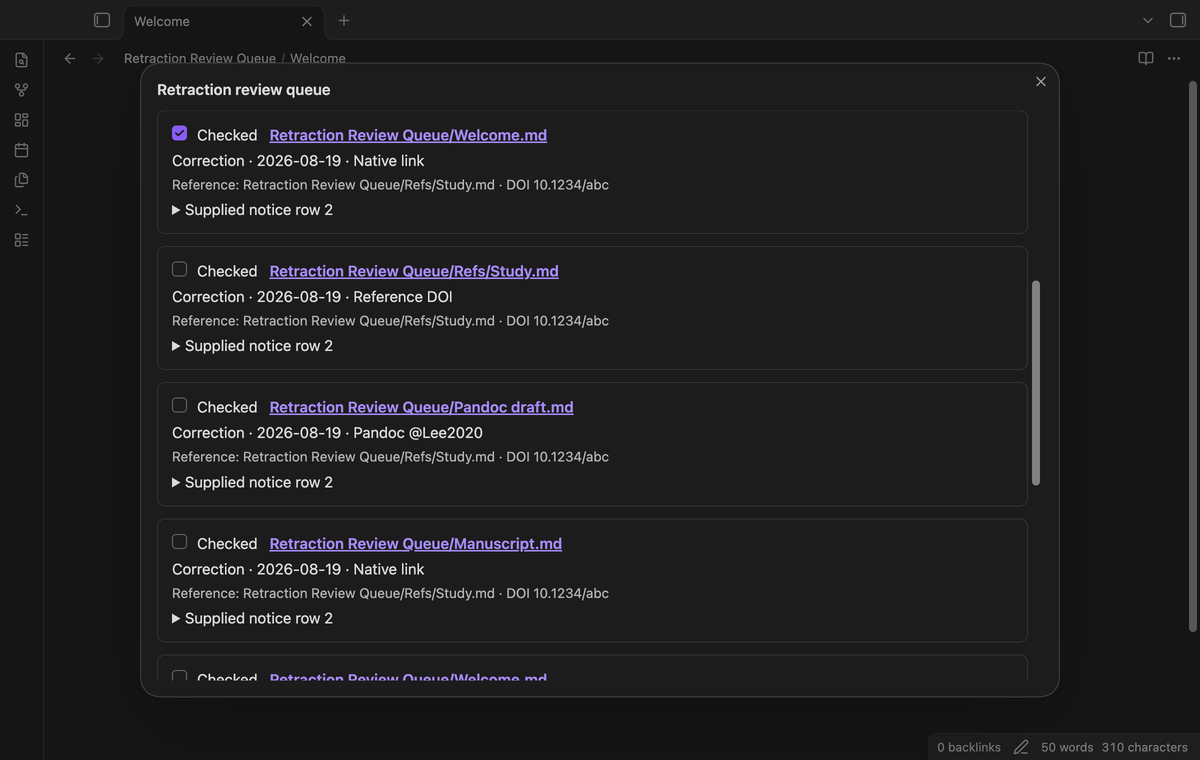
Open “Supplied notice row” to read the source fields. The file date above the queue is the CSV modification time, not a promise about the notice list. Use a note link to open the affected note in a new tab. Mark it checked after your review. The checked identity uses the note path, normalized DOI, notice type, and notice date. A changed type or date creates an unchecked item.
Save column maps (Pro)
“Save column map (Pro)” stores the current three column positions for that CSV path. Separate paths can have separate maps. With Pro active, loading the same path uses its saved map. Check the map again if the source changes its column order. Free imports can select columns without a saved map.
Export a dated local report (Pro)
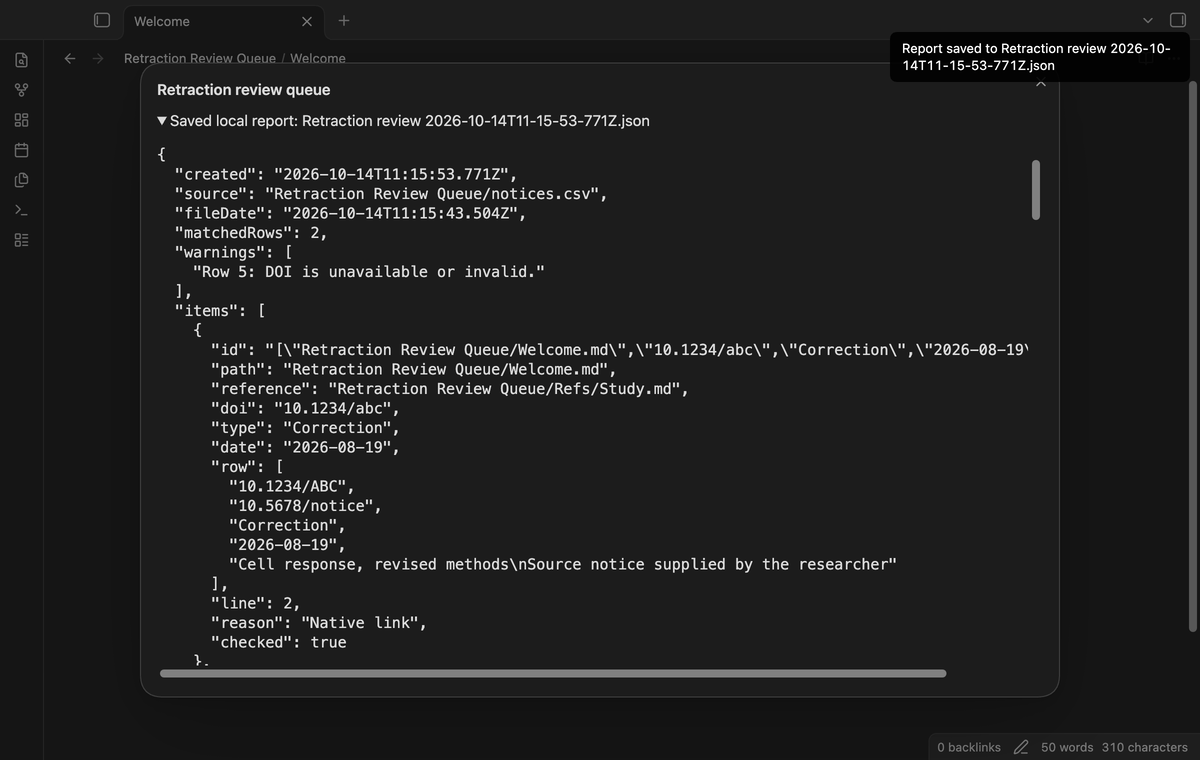
“Export local report (Pro)” writes a new JSON file in the vault root. It includes the creation time, source path, CSV file date, matched row count, warnings, and review items with supplied fields and checked state. The file name has a date and time. The report is a local snapshot. It does not update when you check another item.
Install
For manual installation, copy main.js, manifest.json, and styles.css from a release into <vault>/.obsidian/plugins/retraction-review-queue/. In Community plugins, enable Retraction Review Queue. Obsidian 1.13.4 or later is required. This source tree is prepared for release; directory publication is a separate step.
Usage
- Put your notice CSV inside the vault. Keep its source and retrieval date in a separate note if you need that record.
- Give a reference note a
doiproperty. Add acitekeyproperty if you use Pandoc citations. - Run “Retraction Review Queue: Open review queue” from the command palette.
- Load the file and check the three column selections. Select “Match notes”.
- Inspect warnings, open affected notes, and read the supplied source row before you mark an item checked.
Run Match notes again after a note edit or after metadata resolves a new link. Load CSV again to read changed source rows. This release scans on request. It does not monitor changes to your CSV.
Settings
The plugin settings tab has “DOI property” and “Citekey property”. They default to doi and citekey. Property names are case sensitive. Use a string value, not a list. The settings tab also has the GitHub Sponsors account controls. Checked state and saved maps are stored in plugin data. Vault sync software can copy this data if you configure it to sync the plugin folder.
FAQ
What does zero matches mean?
No supplied DOI matched with the selected columns and current reference properties. This does not establish paper safety or notice currency. Check the CSV file date, column map, and reference DOI values.
What are the limits?
The picker searches up to 2,000 folders and skips hidden folders. You can enter a visible vault CSV path. The view shows the first 500 review items. A Pro report includes the complete computed result. Matching follows direct links to references, not chains of links.
Does it edit source notes?
Import and checking write plugin state, not manuscript or reference text. Report export creates a separate JSON file. Renaming an affected note changes its checked identity.
What was not tested?
Local real-app tests ran on macOS. Linux, Windows, phone and tablet use, large production vaults, unusual nested Pandoc syntax, and a live paid GitHub account were not tested. Pro tests use a supplied sponsorship response. No mobile performance claim is made.
Payment, account and network
The core features are free. Pro features need a GitHub Sponsors sponsorship of theluckystrike: $5 a month or more, or $15 once. A total payment of $15 meets the payment requirement for Pro without further payment. Sign-in and the checks below still apply. Your notes stay readable and editable with or without Pro.
GitHub handles the payment. Sponsor at https://github.com/sponsors/theluckystrike. You need no account for the free features. Pro needs the GitHub account that sponsors.
Until you select "Sign in with GitHub" in the settings, Retraction Review Queue makes no network requests. Sign in uses the GitHub device flow. Retraction Review Queue sends its public client ID and the scope read:user to https://github.com/login/device/code and shows you a code. While you enter the code at https://github.com/login/device, it asks https://github.com/login/oauth/access_token every few seconds to check the sign-in status. The scope permits profile reads only. GitHub needs this access to show the sponsorship tier. It grants no repository scope and no write access.
After sign in, Retraction Review Queue sends one query to https://api.github.com/graphql. It checks if the signed-in account sponsors theluckystrike. It asks for the tier and the total payment to theluckystrike. The plugin reuses a successful check for 7 days. Failed checks can retry after 6 hours. Select Refresh to request an earlier check. It sends no note content, file names or other vault data, and it has no telemetry.
After a successful check, Pro can work offline for up to 14 days. Sign out or a negative sponsorship answer turns Pro off. The plugin stores the GitHub token through the secret storage API of Obsidian. It does not put the token in its saved settings or its local sponsorship data. The local storage of this device keeps your GitHub login, the tier and the time of the last check. Sign out clears the token. You can also revoke the access in your GitHub settings, under Applications.
Support
Report a problem in this repository's issues after publication. Include the app version, selected property names, and a small CSV with invented values. Remove private notice fields and manuscript text first. For a matching problem, include the mapped headers and an example DOI. For a citation problem, show the key and whether another reference uses it. The source is under the MIT license.
For plugin developers
Search results and similarity scores are powered by semantic analysis of your plugin's README. If your plugin isn't appearing for searches you'd expect, try updating your README to clearly describe your plugin's purpose, features, and use cases.