root-vocabulary
An Obsidian desktop plugin for organizing English roots, affixes, and related vocabulary. It stores every entry as a Markdown note, supports multiple root associations, searches spelling and Chinese meanings, tracks familiarity and favorites, and looks up Chinese definitions from a local ECDICT CSV file.
Installation and usage
Install the plugin from the Obsidian Community Plugins directory. To install a release manually, copy main.js, manifest.json, and styles.css into .obsidian/plugins/root-vocabulary/, then enable root-vocabulary in Obsidian.
Open the plugin from the ribbon book icon or the 打开词根词库 command. Create a root or affix before creating related words. Plugin data is stored in 词根词库/词根 and 词根词库/单词; the Markdown files and their frontmatter remain directly editable.
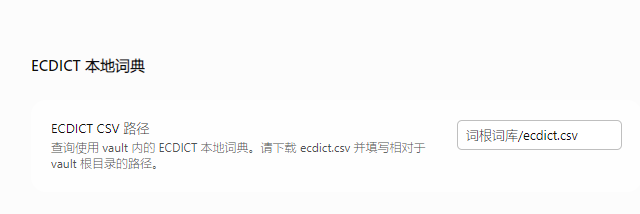
Chinese meaning lookup uses the local ECDICT dataset and does not send words to an online translation service. Download ecdict.csv, place it at 词根词库/ecdict.csv, or configure another vault-relative path in the plugin settings.
中文说明
个人英语词根和单词记录插件,适用于 Obsidian 桌面端。数据保存在库内 词根词库/词根 和 词根词库/单词 的 Markdown 笔记中,可直接修改 头部元数据 和正文。一个单词可以关联多个词根;收藏和熟悉度用于筛选,不安排复习日期。
构建与安装
开发与测试使用 Node.js 24 或更新版本。运行 npm install、npm test、npm run typecheck、npm run build。
请从 Obsidian 社区插件中搜索 root-vocabulary安装本插件。 如果手动安装发行版本:将 main.js、manifest.json、styles.css 复制到目录 .obsidian/plugins/root‑vocabulary/,之后在 Obsidian 内启用 root‑vocabulary 插件。
点击左侧书本图标打开“打开词根词库”命令。界面分为“词根”和“单词”两个页面,可用顶部标签切换;先新建词根,再新建单词,铅笔图标可重新编辑字段。词根和单词页可按拼写、中文释义、词根形式和变体搜索,并按熟悉度或收藏筛选。单击词根会自动跳转到关联的单词。
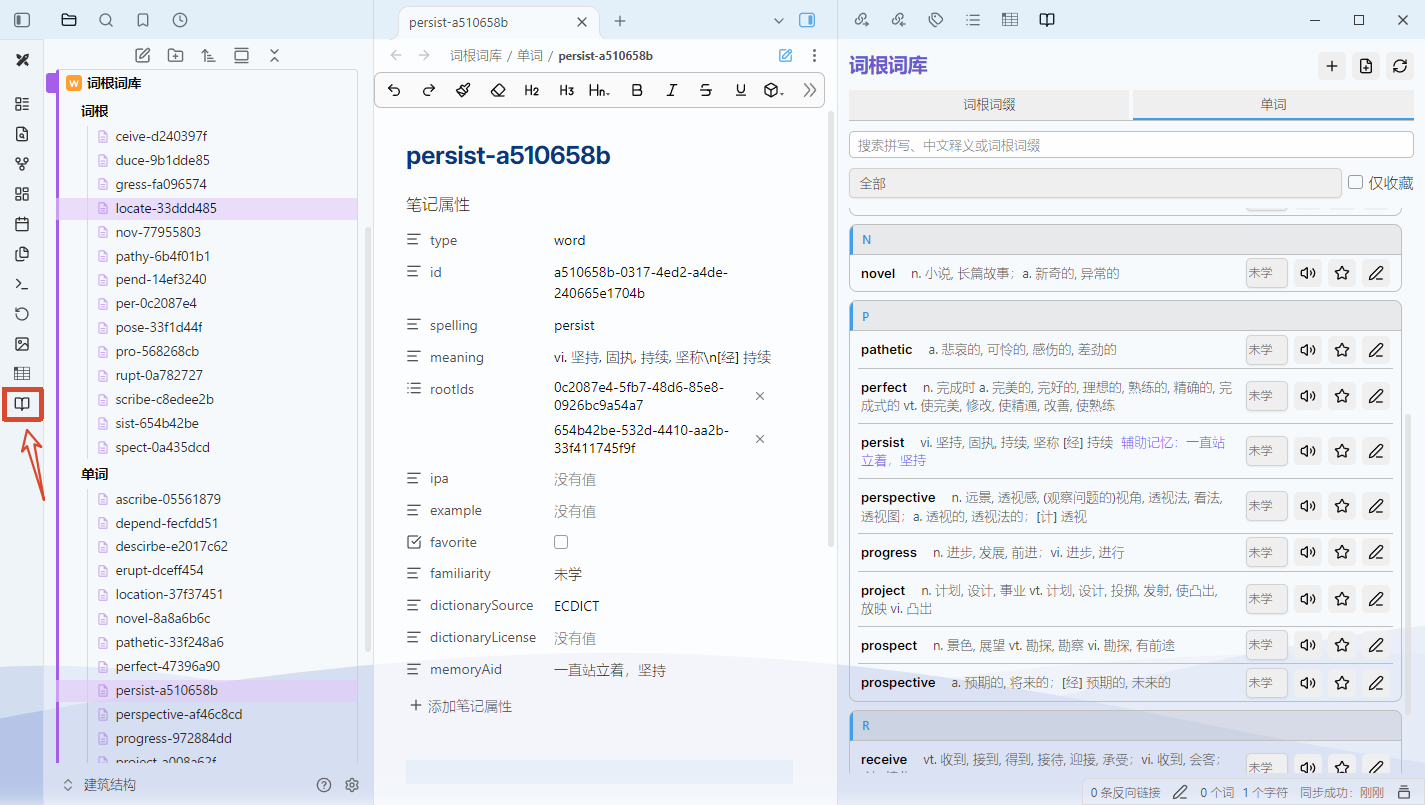
重点说明
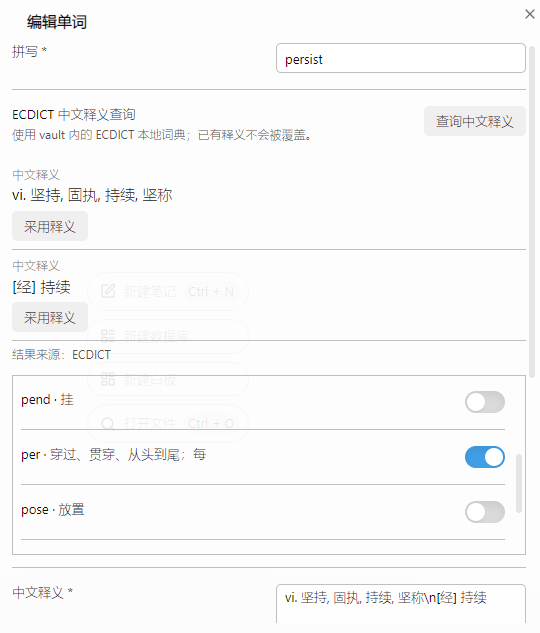
新建单词时,在单词表单点击“查询中文释义”时读取 vault 内的 ecdict.csv,不请求网络。请从 ECDICT 官方仓库 获取 ecdict.csv,或者本仓库获取 ecdict.csv,放入 词根词库/ecdict.csv。可在插件设置中填写其他相对路径。
For plugin developers
Search results and similarity scores are powered by semantic analysis of your plugin's README. If your plugin isn't appearing for searches you'd expect, try updating your README to clearly describe your plugin's purpose, features, and use cases.