by Leon Obrenov
A mobile-compatible map Bases view, custom note renderers and more for TTRPG world-building vaults.
Saga for Obsidian
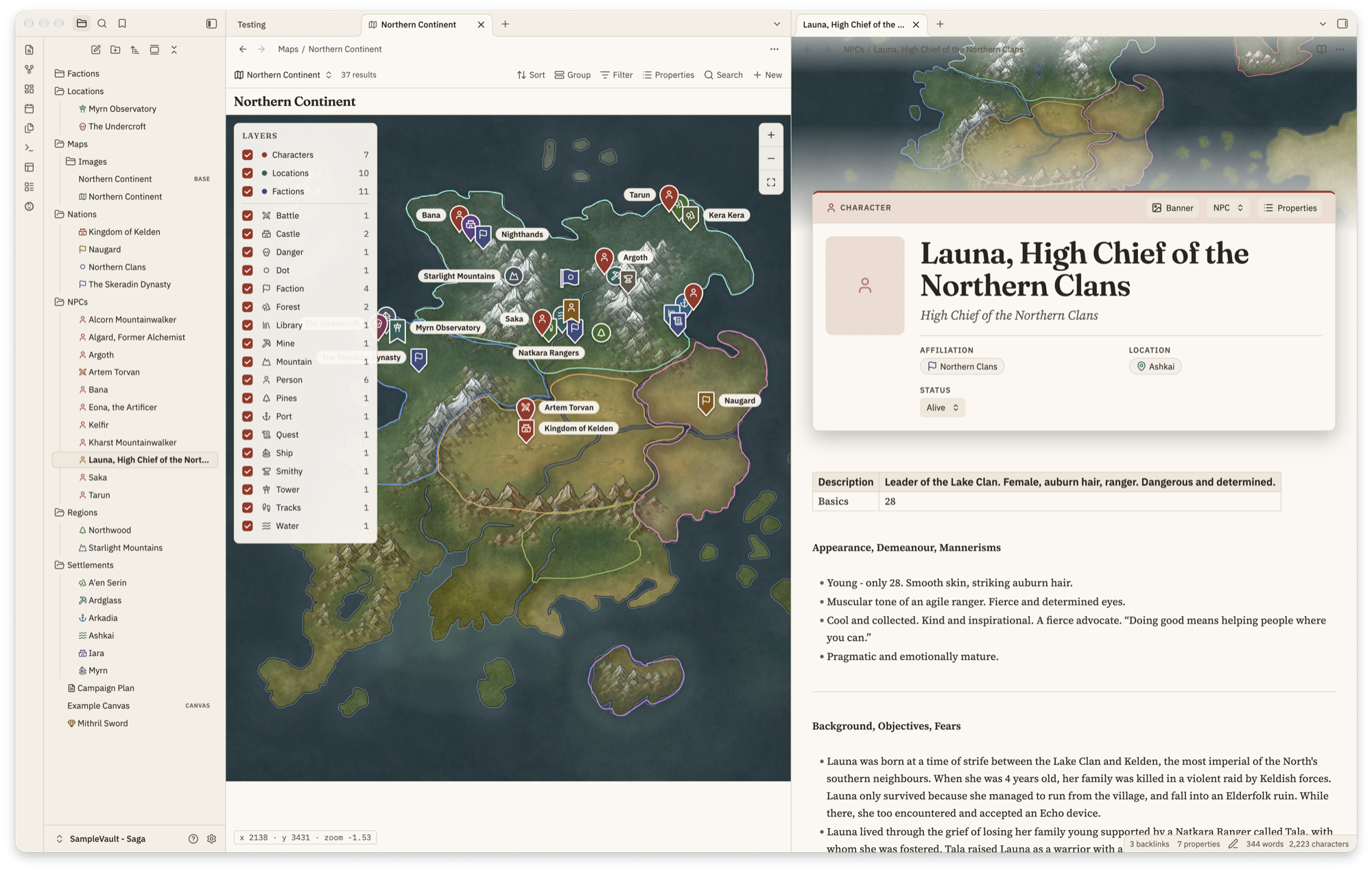
Saga is a work-in-progress world-building plugin for Obsidian. It renders notes differently according to their type, adds banners, portraits and emblems to notes, shows icons for files and links, and draws maps with customisable pins in a custom Bases view. Every feature works on desktop and mobile, maps included.
Saga works best with the Saga theme.
AI Disclaimer: Saga is 100% vibe-coded. I've no intention of claiming that "I made" Saga or could quickly or easily re-create it myself. It almost definitely has many AI-isms in its visual design and codebase.
Renderers
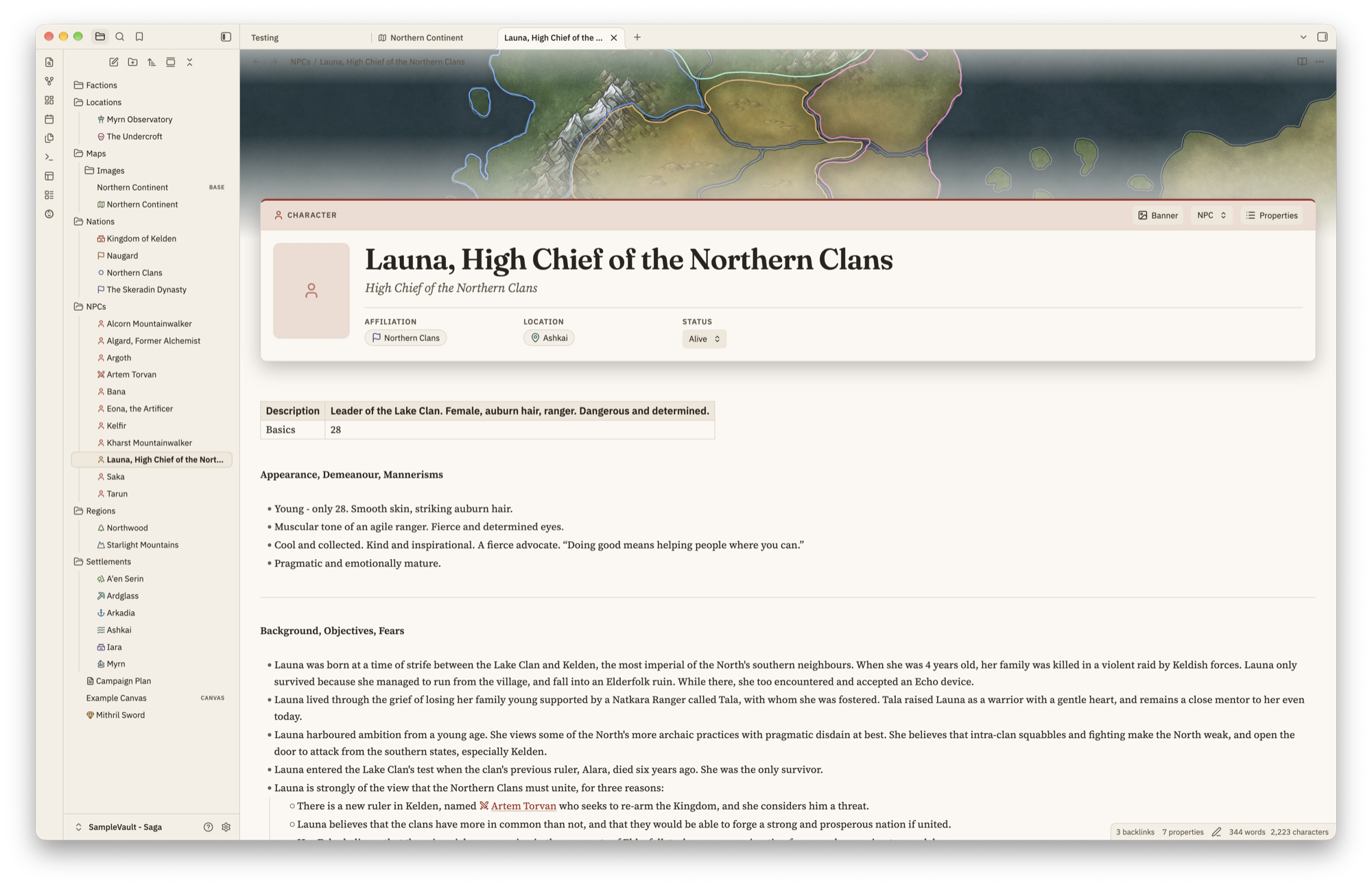
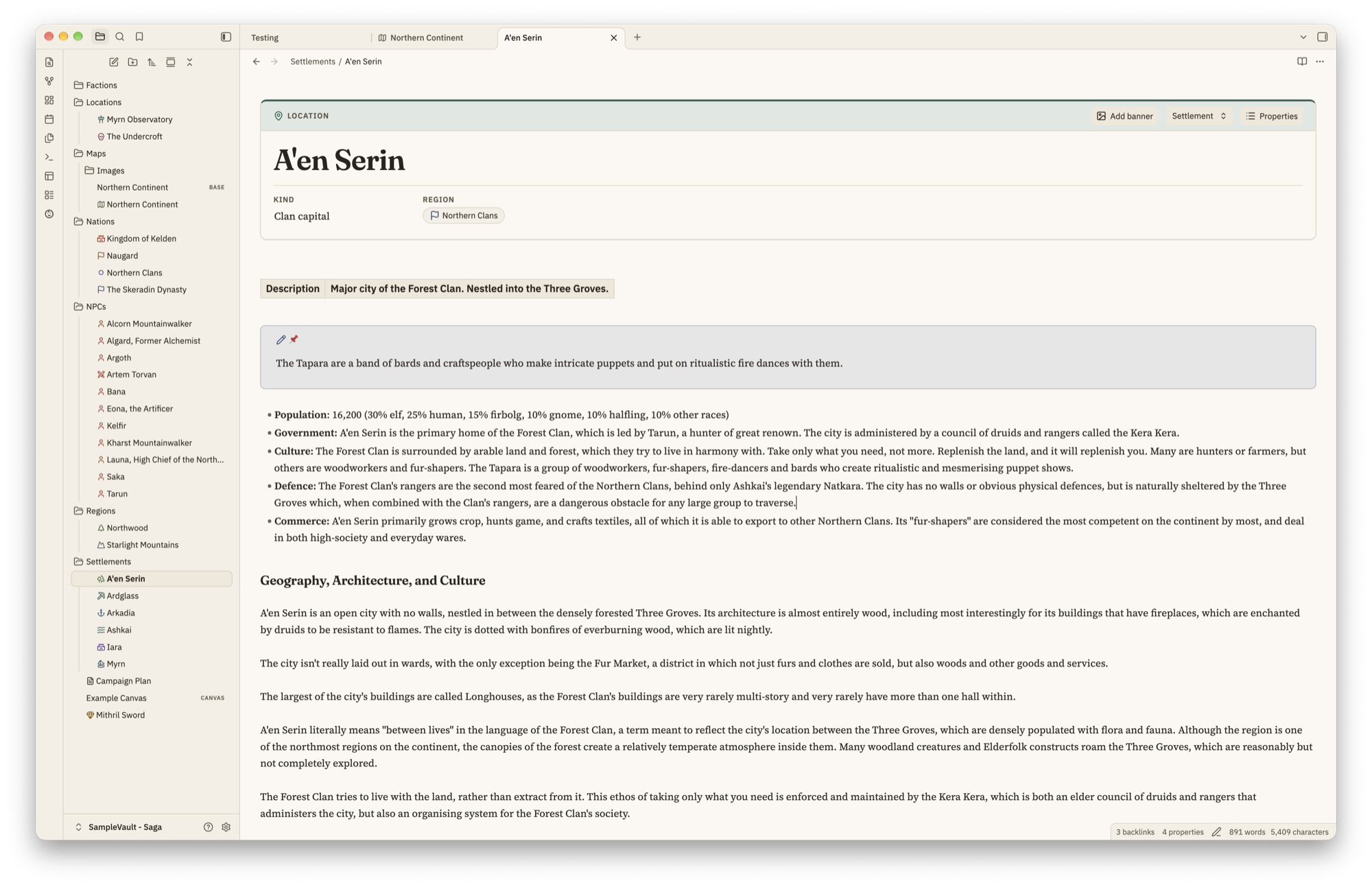
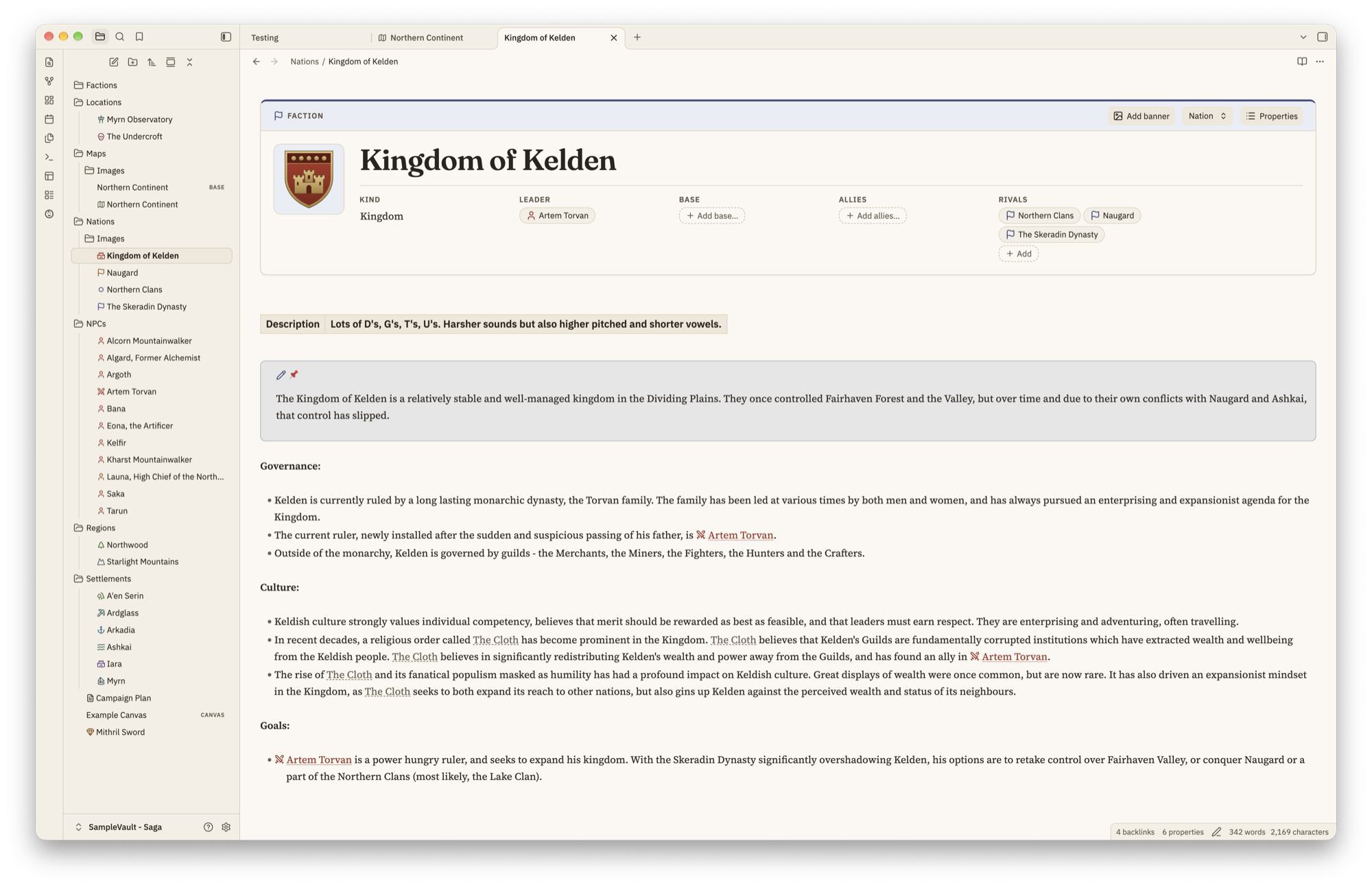
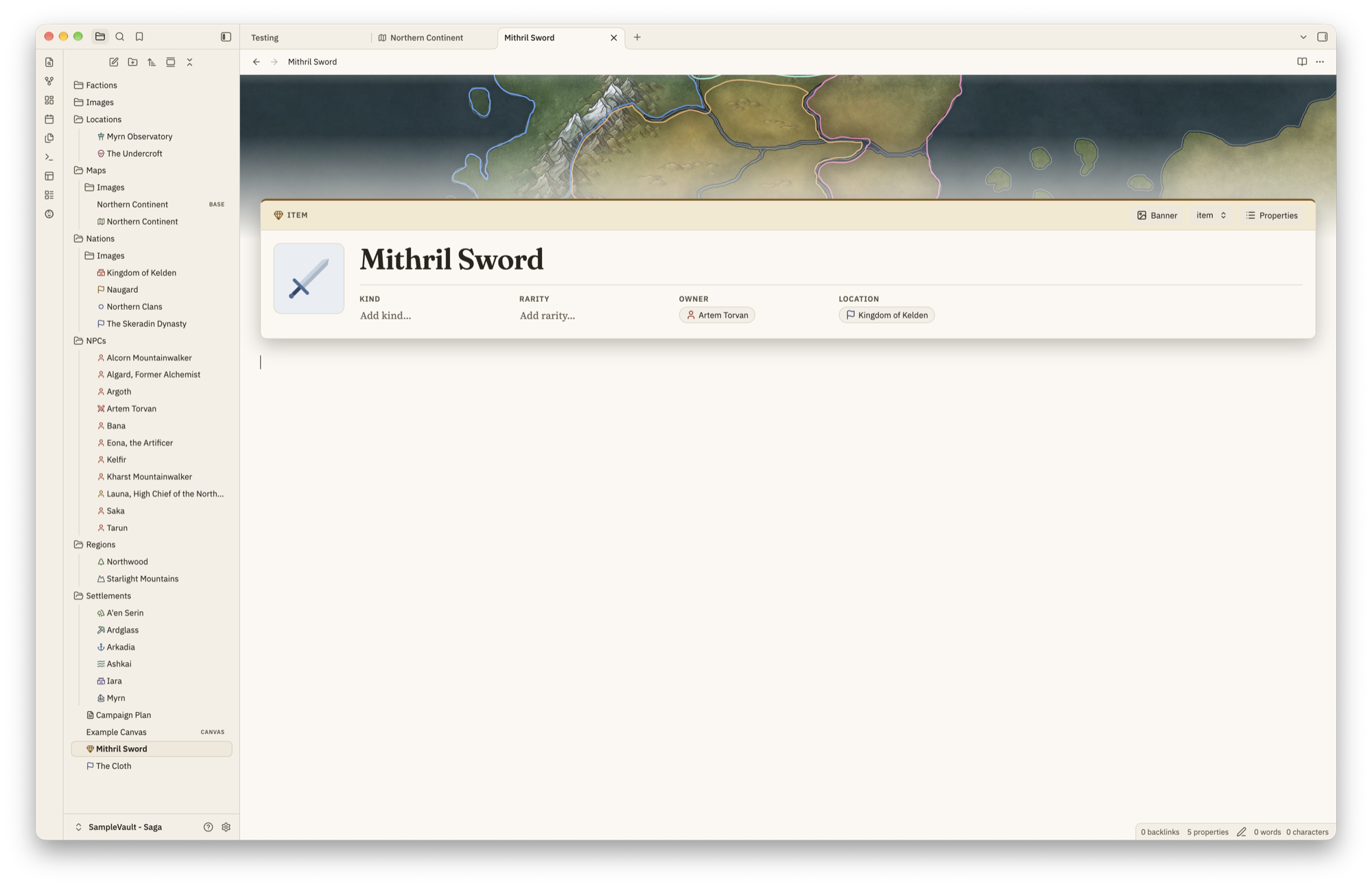
A note's type property picks its renderer. The renderer replaces the inline title and properties with a header card: an image, the title, and fields you edit in place. The note's text stays below. The Properties button shows Obsidian's own properties.
| Renderer | Image | Fields |
|---|---|---|
| Character | Portrait | Title, Affiliation, Location, Status |
| Location | Banner | Kind, Region |
| Faction | Emblem | Kind, Leader, Base, Allies, Rivals |
| Item | Image | Kind, Rarity, Owner, Location |
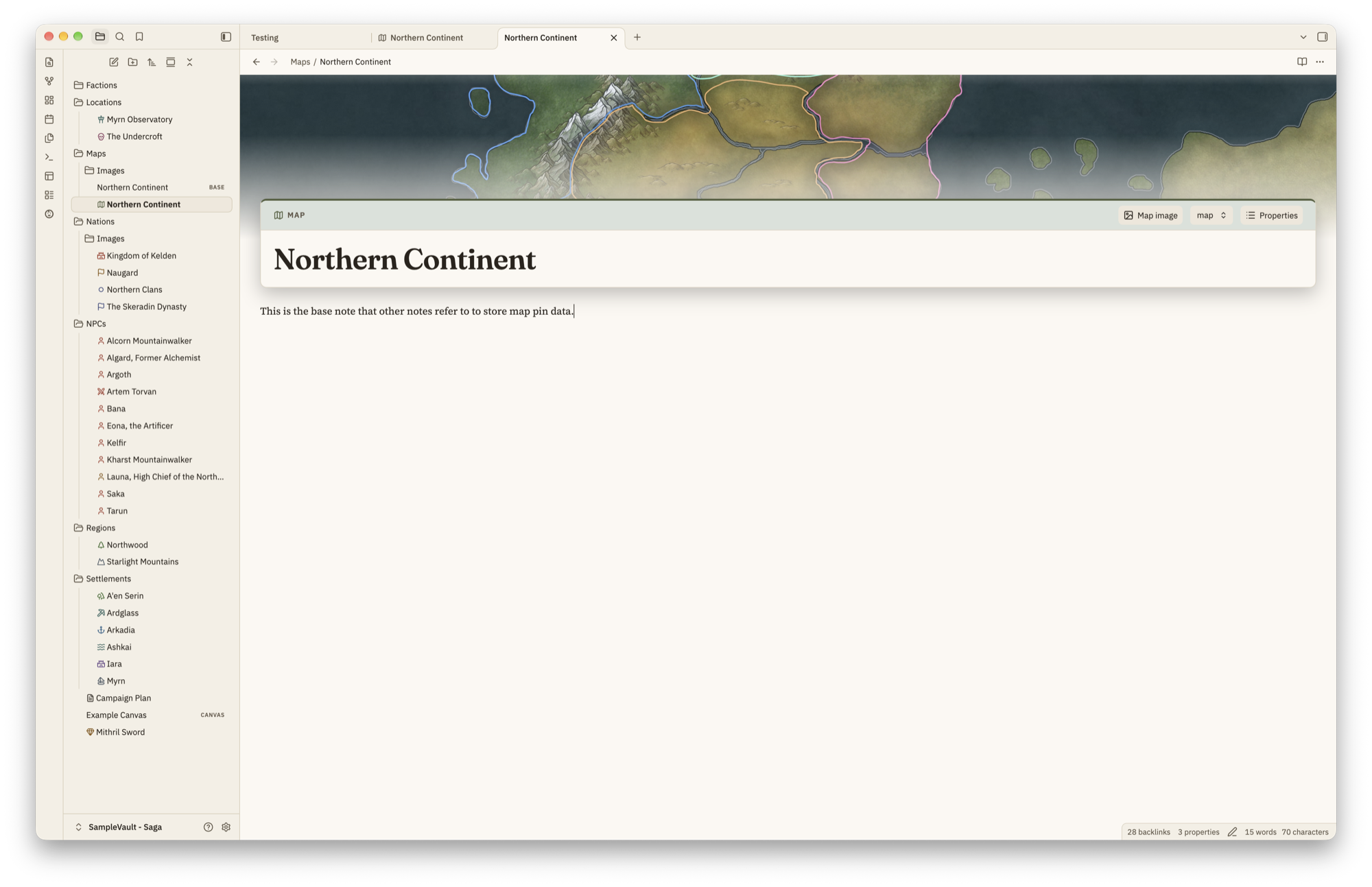
| Map | Banner | |
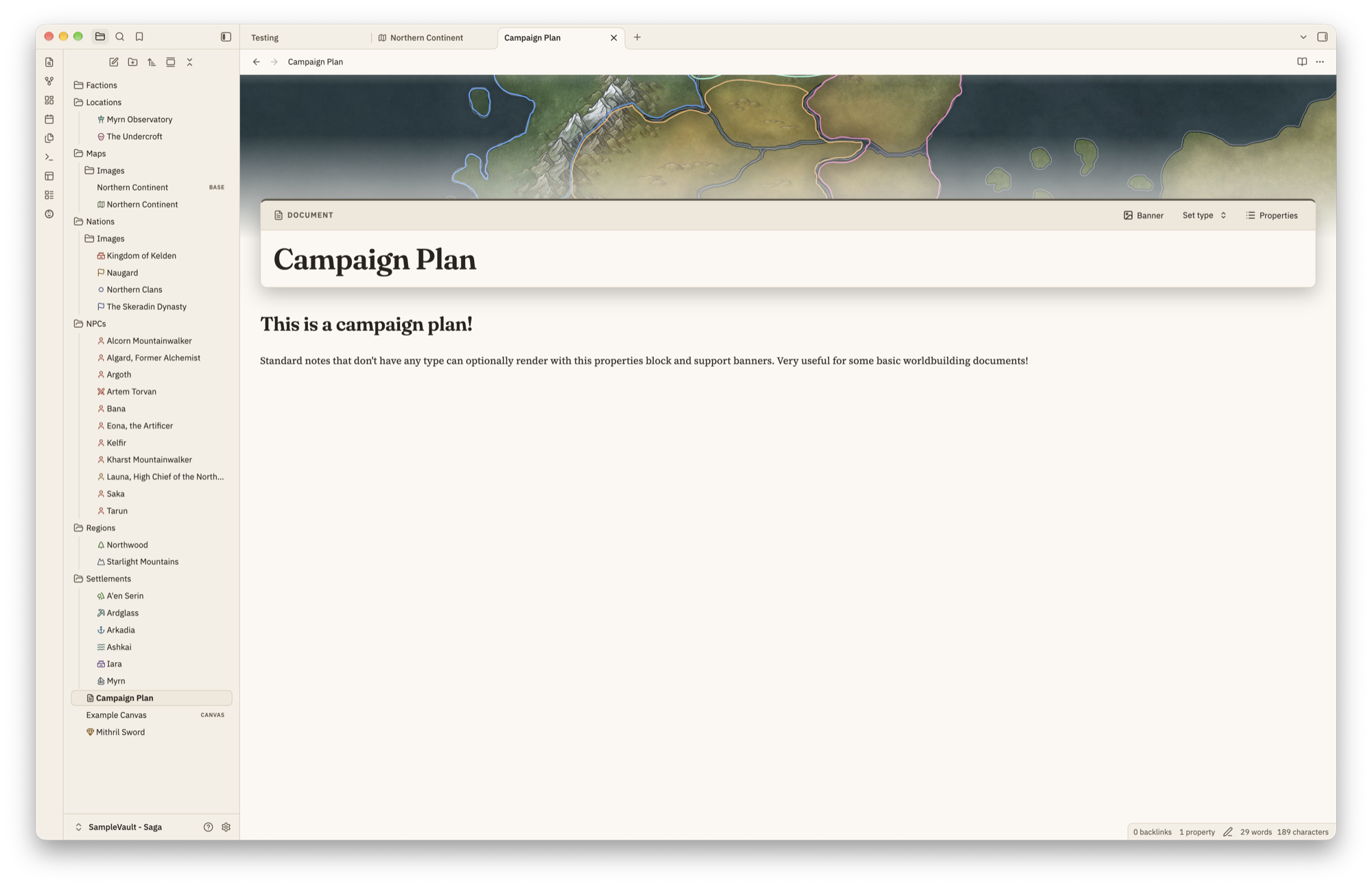
| Document | Optional banner |
Notes with no type, or one that maps to no renderer, get the Document card. Any note can have a banner via the banner property, repositioned by dragging.
Settings → Saga sets the type property's key, which type values map to each renderer, each field's property key, and which fields show in the header. These are stored in .saga/renderers.yaml.
Character
Location
Faction
Item
Map
Document
Maps
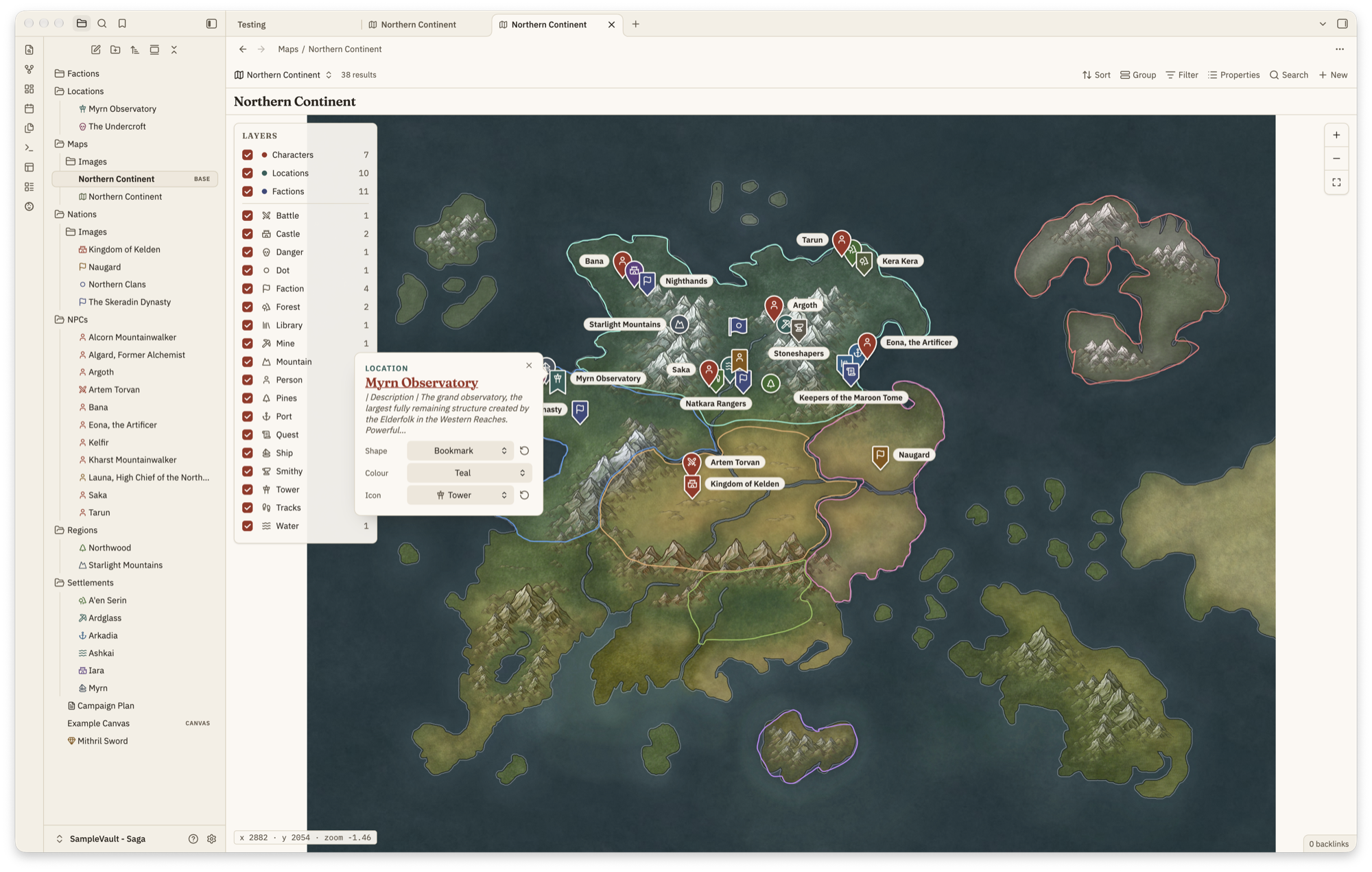
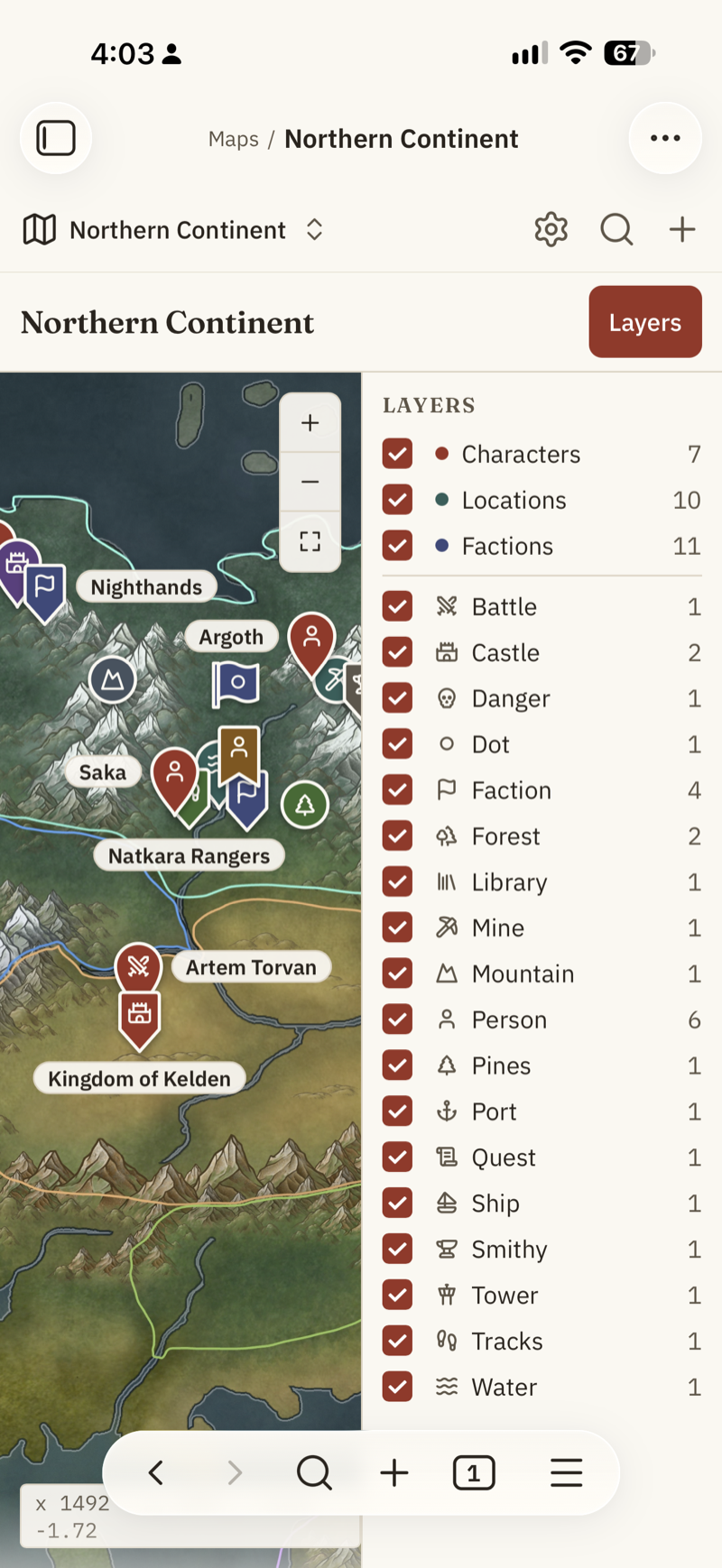
Saga map is a Bases view. Pick a map note (type: map with an image) in the view's options; every note in the base with a pin on that map shows on it.
- Add, drag and remove pins from the map. Click a pin for a card with the note's excerpt and its look.
- Each pin has a shape (pin, circle, flag, bookmark, herald), one of 12 colours and an icon. Renderers set the default look; a pin can override it.
- Maps with more than 50 pins cluster them when zoomed out. Labels show always or on hover.
- A Layers panel hides pins by renderer or icon.
- On mobile: pinch to zoom, drag to pan, long-press for the pin and map menus.
Pins are stored in the note they point at, so the map note is never edited:
map-pins:
  - map: "[[The Shattered Coast]]"
    x: 412.5
    y: 288
    shape: flag     # optional
    color: crimson  # optional
    icon: tent      # optional
x and y are image pixels from the top left.
Icons
Optional, in Settings → Saga.
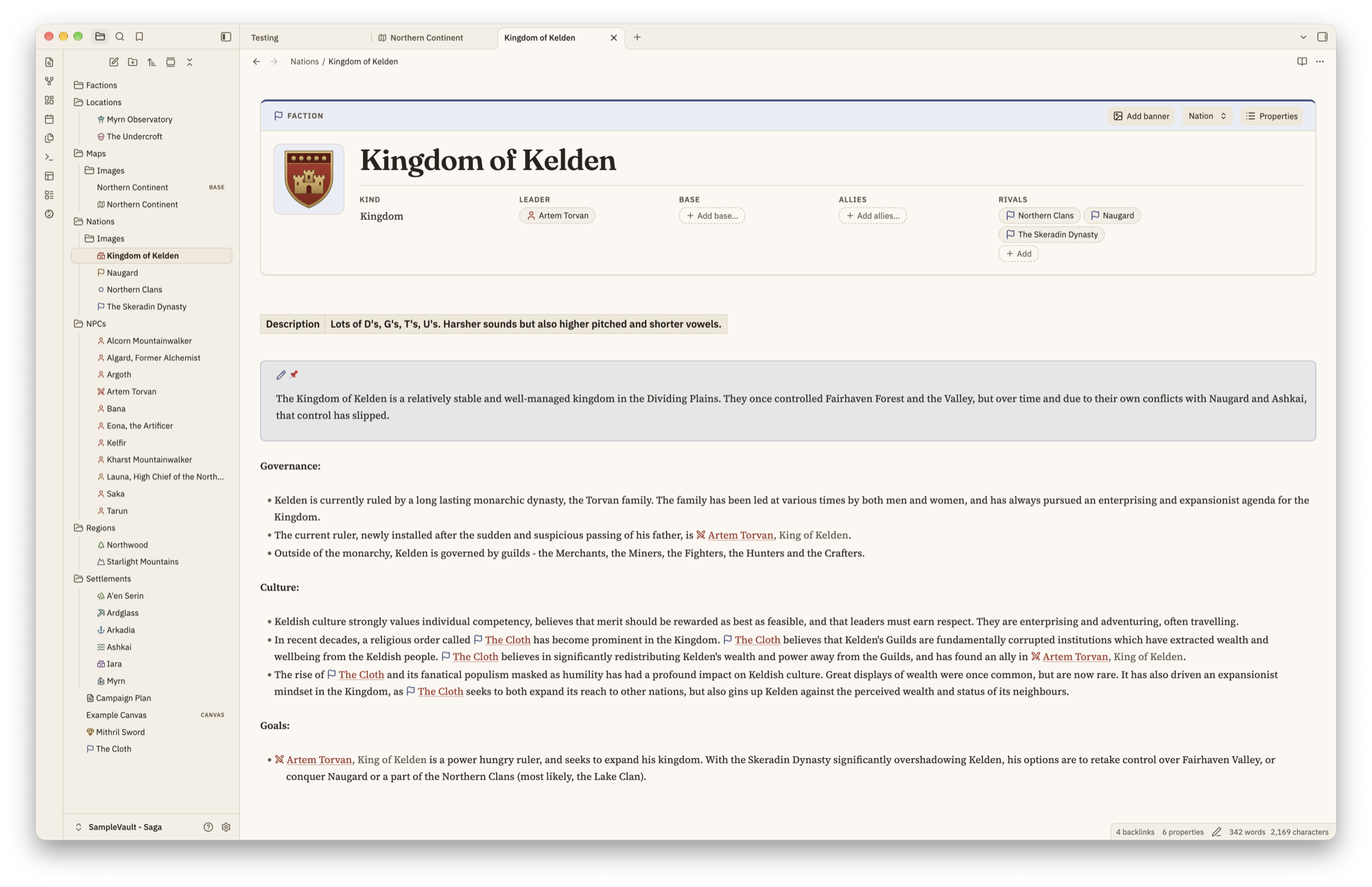
- File explorer: notes show their renderer's icon; folders show open and closed folder icons.
- Wikilinks: links in note text show the linked note's icon. Links to characters can also show their title, e.g. Ada Lovelace, Countess of Lovelace.
Icons use either the renderer's icon and colour, or the note's pin look on a chosen map.
Other features
- PDF export: Export to PDF prints the banner and header card (desktop).
- Field editing: link fields use Obsidian's note suggester; image fields use an image suggester.
- Hover previews: map pins and header link fields show Obsidian's page preview.
- Text-preserving writes: edits change only the edited property's text in the note.
Saga theme
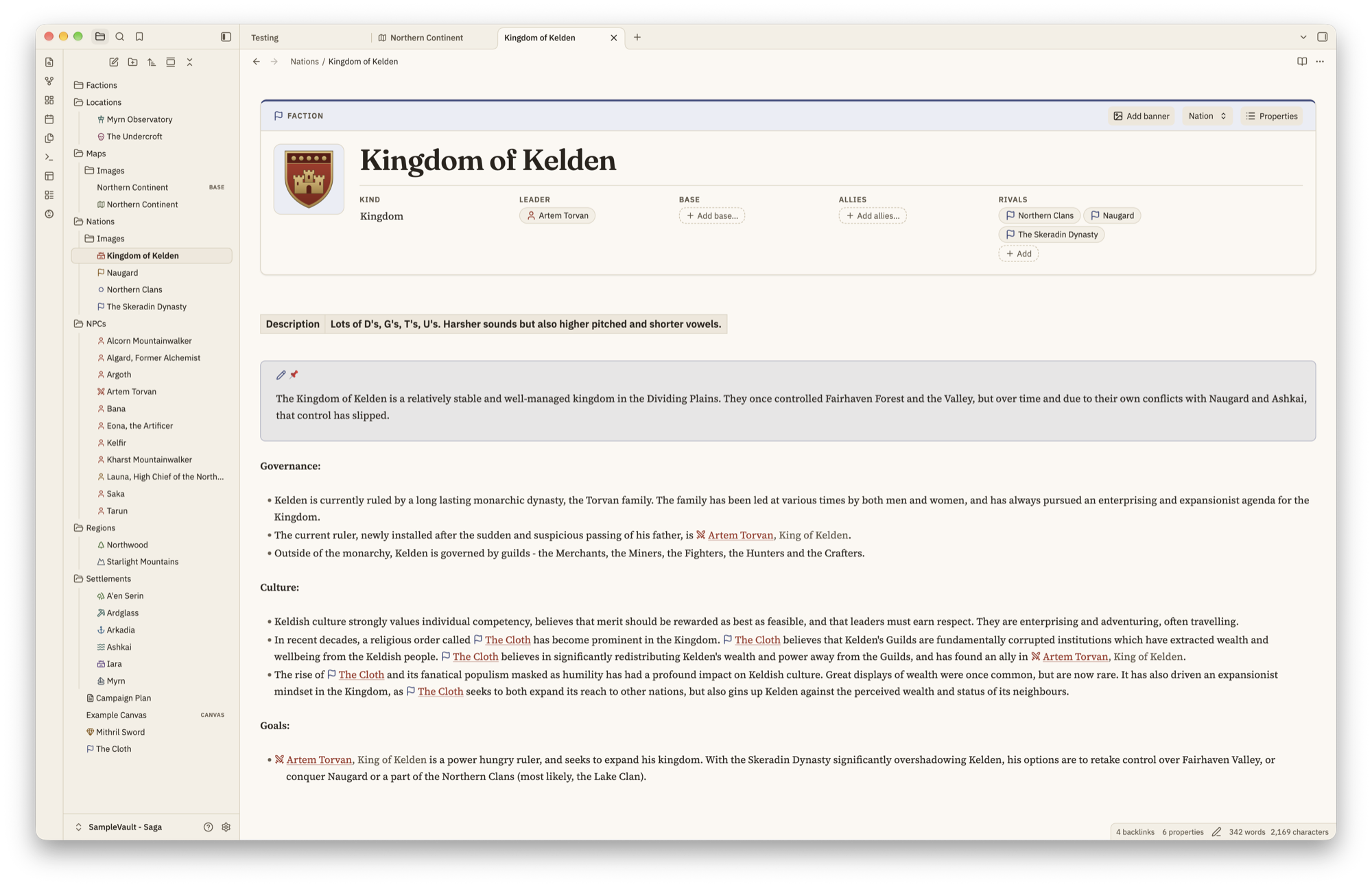
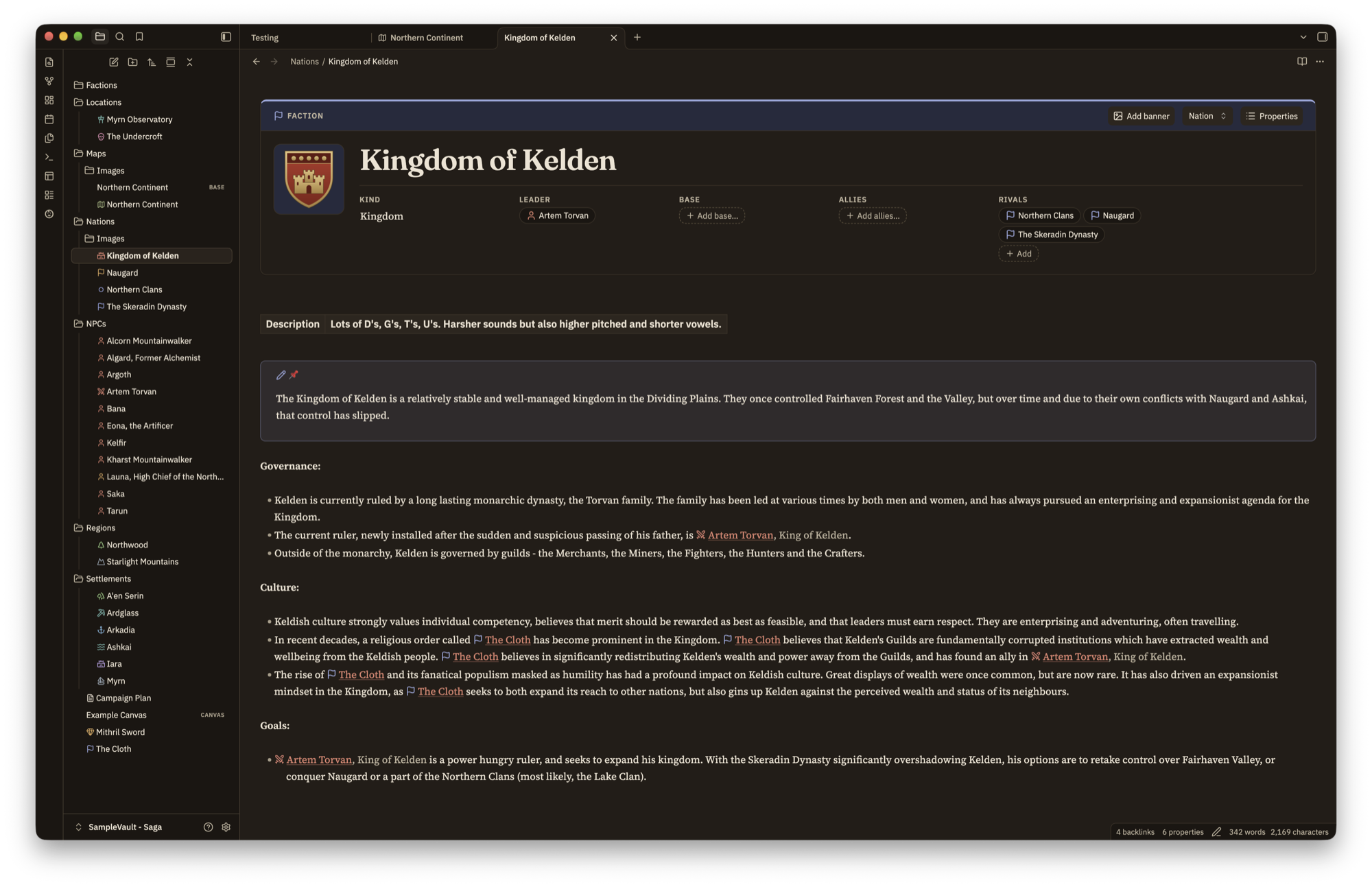
Saga works with any theme, but is designed alongside the Saga theme: a serif parchment theme with light and dark schemes. The theme sets Saga's renderer colours, and adds its own callouts (secret, statblock, read-aloud) and alternative checkboxes.
Install
Requires Obsidian 1.10.2 or later.
Install:
- via the Obsidian community store
- via BRAT: Add beta plugin,
lobrenov/saga-obsidian
Or build it:
npm install
npm run build
Copy main.js, styles.css and manifest.json to <vault>/.obsidian/plugins/saga/ and enable Saga in Community plugins.
Implementation Notes
Obsidian's automated plugin review flags two things in Saga that can't be changed.
- Settings don't appear in Obsidian's settings search. Search covers settings built with an API that Obsidian added in version 1.13. Saga supports Obsidian 1.10.2 and up, and its settings page (renderer cards, pin previews) can't be built with that API.
- "Only partially supported" CSS warnings (multi-column layout,
display: contents,clip-path). The checker judges these against a list of old browsers. Obsidian runs on current Chromium, and on iOS on current WebKit, which support all three fully.
For plugin developers
Search results and similarity scores are powered by semantic analysis of your plugin's README. If your plugin isn't appearing for searches you'd expect, try updating your README to clearly describe your plugin's purpose, features, and use cases.