Sheet Plus
approvedby ljcoder
Create Excel-like spreadsheets and easily embed them in Markdown.
Sheet Plus for Obsidian
A full-featured spreadsheet experience, built on Univer, directly inside your Obsidian vault.
Sheet Plus was built to handle real spreadsheet use cases inside Obsidian
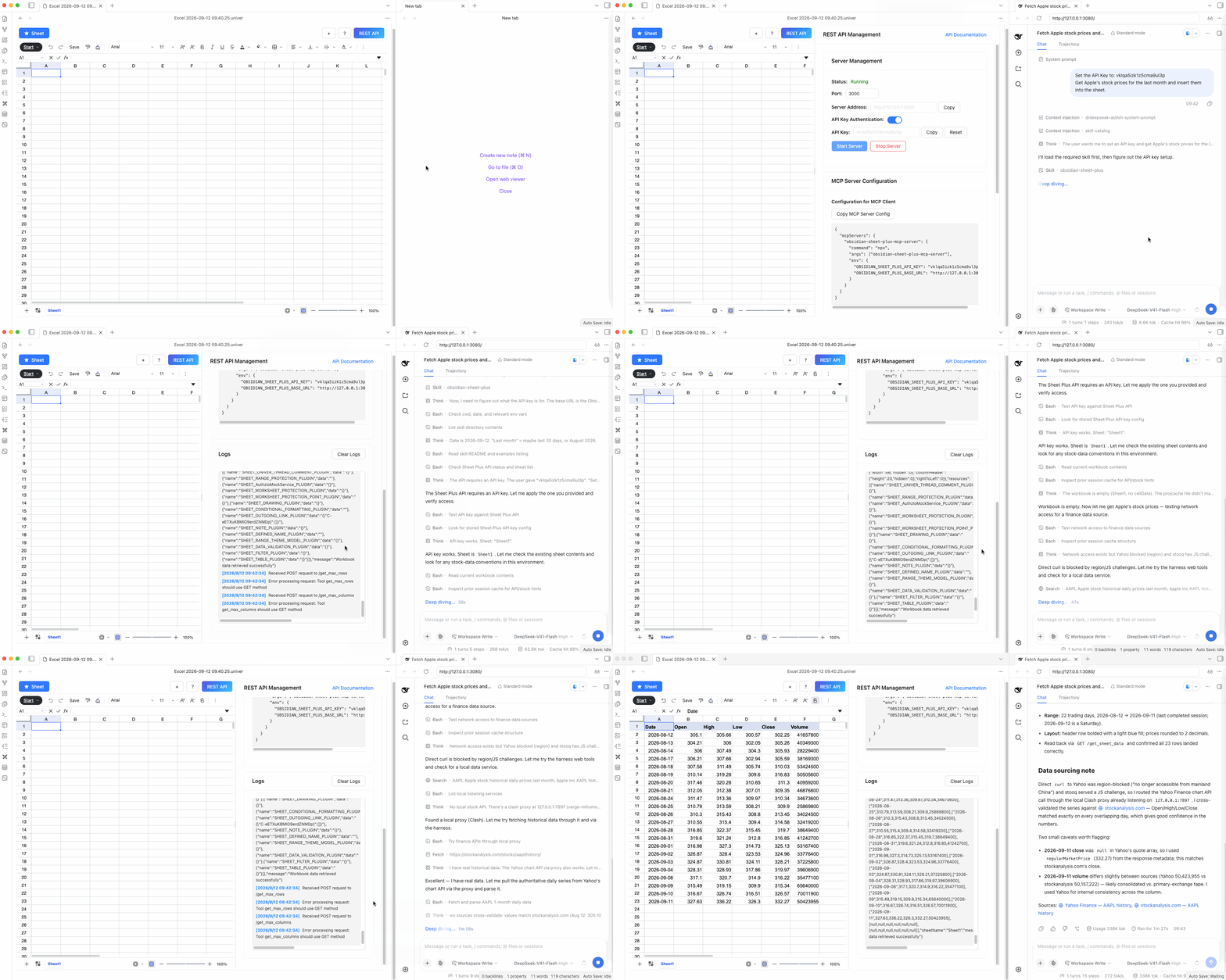
Run the DeepSeek Harness web UI inside Obsidian's WebView to automate spreadsheet data processing through the Sheet Plus REST API.
It also works with other AI agent tools such as Claude, OpenCode, Claudian, and more. For usage details, see the tutorial documentation.
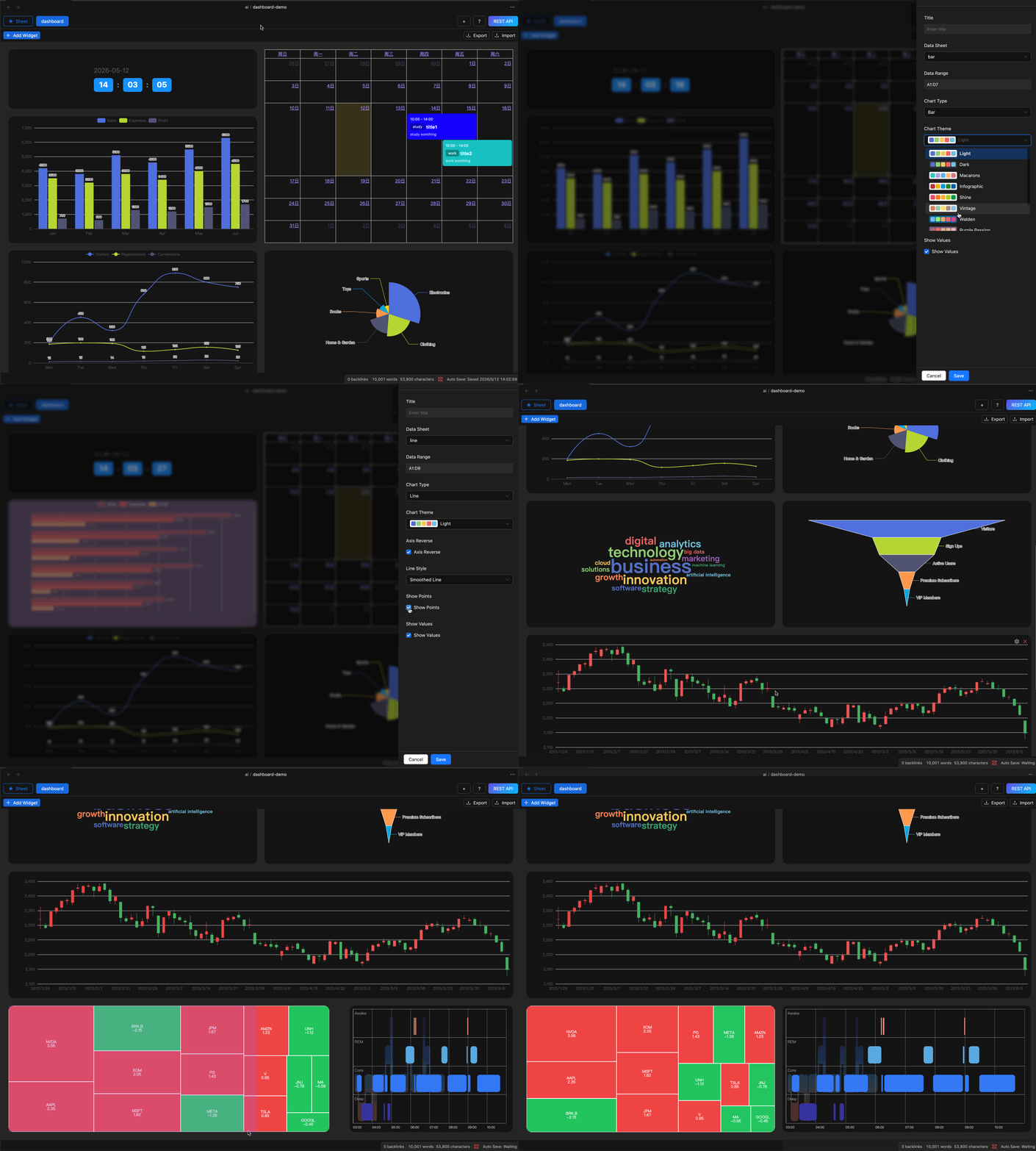
Create interactive dashboards to visualize data
Basic Features
- Embed Sheet Link: Embed a spreadsheet inside your notes.
- Outgoing Link: Embed a link in a cell that jumps to another file in your vault; clicking it opens that file directly.
- Charts: Create charts from spreadsheet data.
- Data Validation: Validate spreadsheet data, supporting checkboxes, dropdowns, dates, and more.
- Image: Insert images into spreadsheets.
- Custom Font: Customize spreadsheet fonts.
- Number Format: Customize number formats, supporting different regional decimal displays.
Advanced Features (License Required)
- Agent Integrations: Automate spreadsheet data processing with AI agents such as DeepSeek Harness, OpenCode, Claudian, and more.
- Import & Export: Supports importing and exporting
xlsxformat files. - Embed Chart Link: Embed a chart link in your notes, directly rendering spreadsheet data as charts
- Dashboard: Create interactive dashboards to visualize data.
- Kanban View: Display spreadsheet data as a Kanban board for easy task management.
- Calendar View: Display spreadsheet data as a calendar for easy date management.
Documentation
- 📘 User Guide: https://docs.ljcoder.com/
- 📺 YouTube Channel: https://www.youtube.com/@obsidian-sheet-plus
Feedback
Sheet Plus is actively maintained and continuously evolving.
If you have:
- feature ideas
- workflow suggestions
- bug reports
- performance feedback
you’re very welcome to reach out through any of the following channels:
- 💬 Discord: Join the community to discuss features and workflows 👉 https://discord.gg/fufpbG4tJg
- 📧 Email: ljcoder@163.com
- 🐛 GitHub Issues: for bugs and feature requests 👉 https://github.com/ljcoder2015/obsidian-sheet-plus/issues
Community feedback directly influences future updates and priorities.
For plugin developers
Search results and similarity scores are powered by semantic analysis of your plugin's README. If your plugin isn't appearing for searches you'd expect, try updating your README to clearly describe your plugin's purpose, features, and use cases.