SideBrace
approvedby Henry Lo
Group a few lines of related text with a large curly brace and a side note, using familiar callout syntax (> [!brace]). - This plugin has not been manually reviewed by Obsidian staff.
Obsidian SideBrace
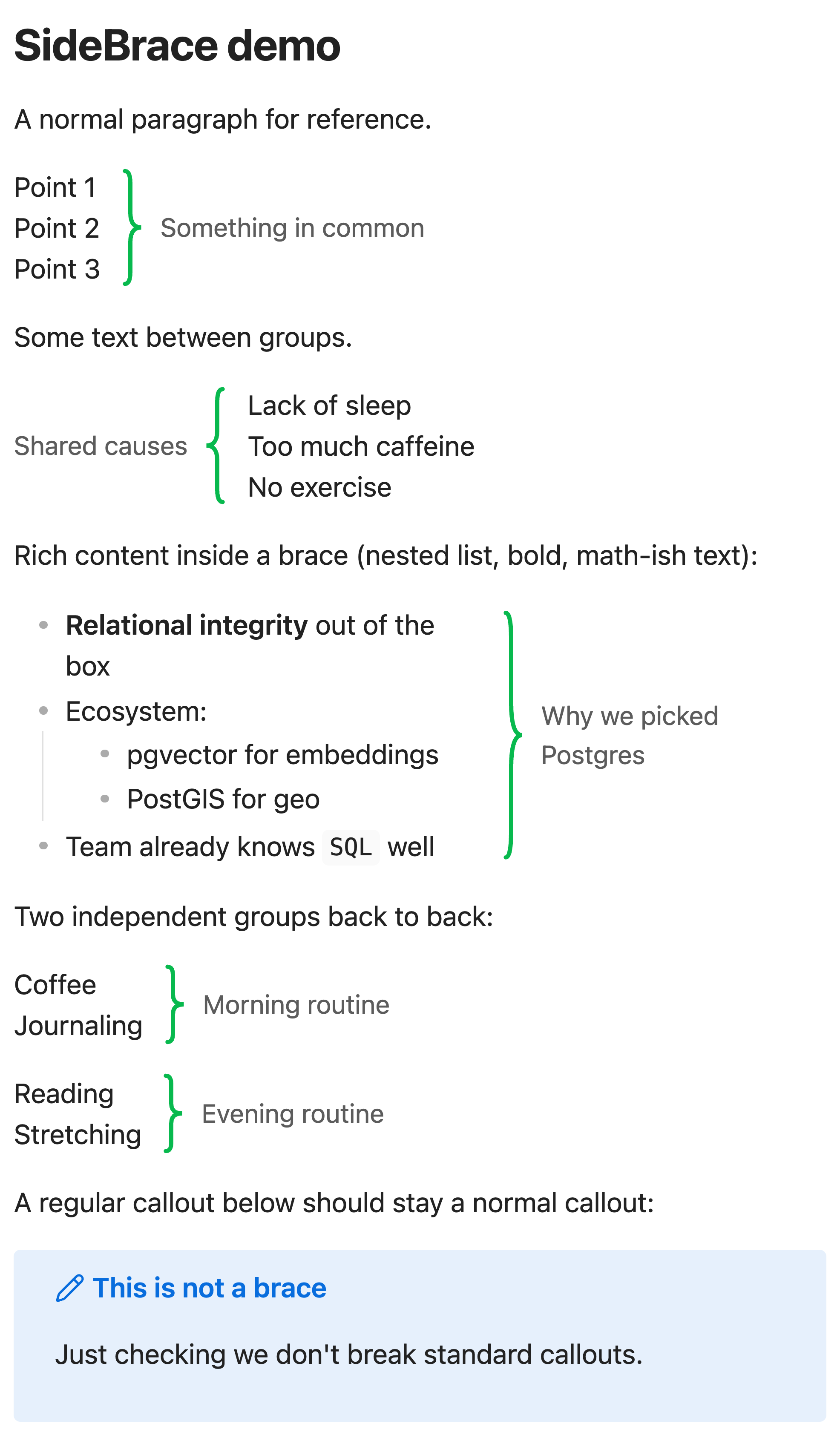
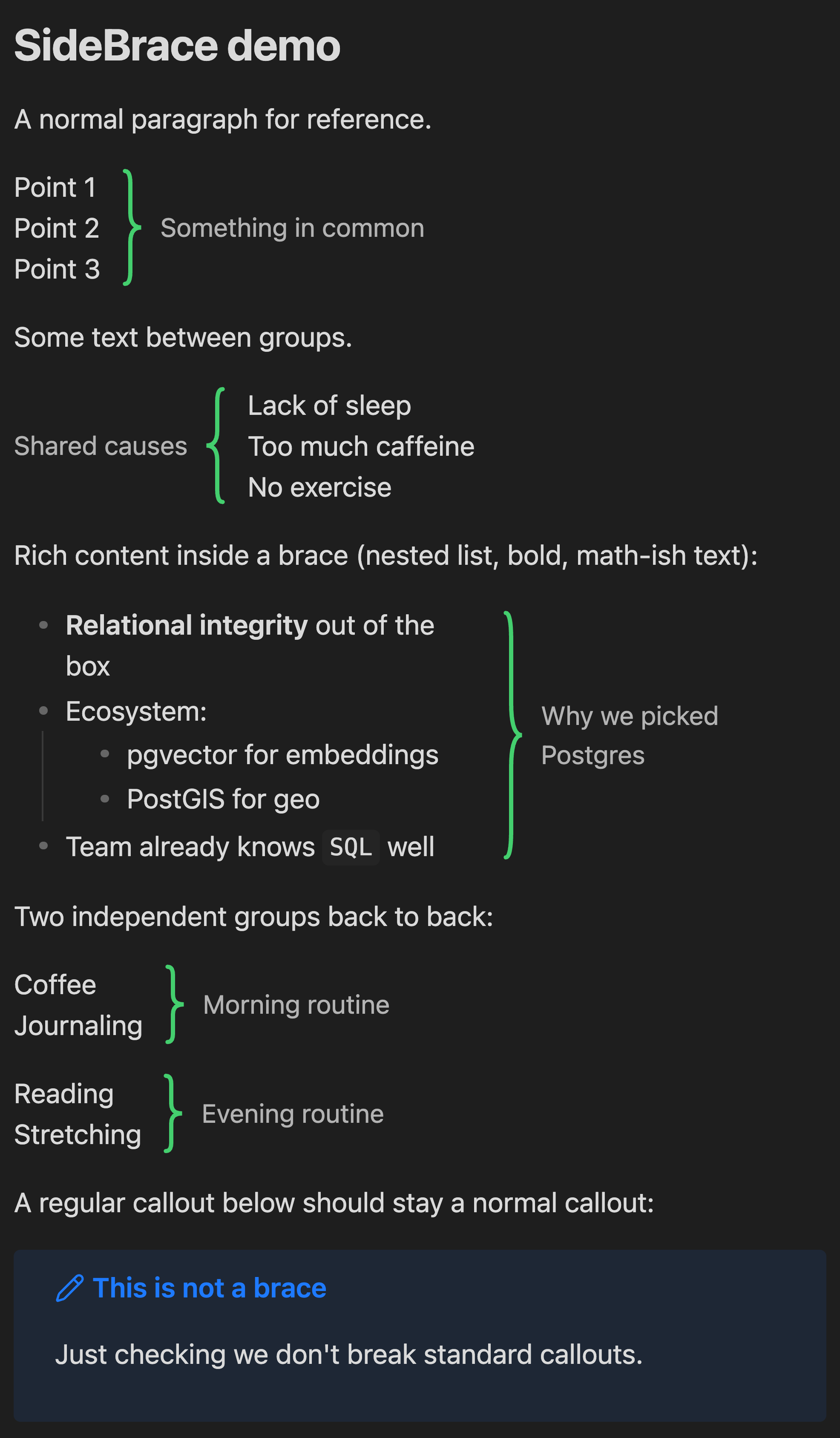
Group a few related lines with a big curly brace and a side note — without reaching for a heading or a callout box. Say "these 3–5 lines have something in common" with a brace on the side and a short label.
Usage
SideBrace reuses the callout syntax you already know. The callout title becomes the label, the body becomes the braced content:
> [!brace] Something in common
> Point 1
> Point 2
> Point 3
> [!brace](alias:> [!bracer]) — brace on the right of the content, label beside it.> [!brace-left]— mirrored: label and brace on the left.
Graceful degradation: without the plugin, these render as ordinary callouts, so your notes stay readable everywhere.
Works in both Reading mode and Live Preview. In Live Preview, click into a brace block to edit the raw markdown; move the cursor away and it re-renders. Regular callouts ([!note], [!warning], …) are untouched.
Installation
Community plugins
SideBrace is listed in the Obsidian community plugin directory: https://community.obsidian.md/plugins/sidebrace
In Obsidian: Settings → Community plugins → Browse, search for SideBrace, then Install → Enable.
Manual
- Download
main.js,manifest.json, andstyles.cssfrom the latest release. - Copy them into
<your-vault>/.obsidian/plugins/sidebrace/. - Reload Obsidian and enable SideBrace under Settings → Community plugins.
Customization
Everything is styled with CSS variables, so themes and snippets can override them:
.sidebrace-container {
	--sidebrace-color: #e0564b;        /* brace stroke (default: theme's --color-green) */
	--sidebrace-stroke-width: 3;       /* brace line width */
	--sidebrace-width: 1.2em;          /* brace column width */
	--sidebrace-label-color: #888888;  /* label text (default: --text-muted) */
	--sidebrace-label-size: 1em;       /* label font size */
}
License
MIT © 2026 Henry Lo. See LICENSE.
For plugin developers
Search results and similarity scores are powered by semantic analysis of your plugin's README. If your plugin isn't appearing for searches you'd expect, try updating your README to clearly describe your plugin's purpose, features, and use cases.