Simple Colored Folder
approvedby Mara
Automagically add color to roots folders, and customize it with Style Settings.
Simple Colored Folder
Automagically add color to roots folders, and customize them with Style Settings.
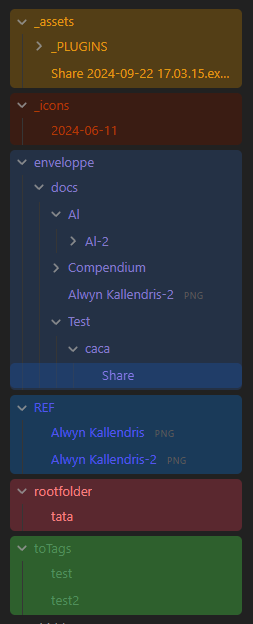
📦 Features
- Automatically applies variables & colors to root-level folders in your vault
- Customizable colors for each folder through style settings
- Custom styling options through template
- Folder style changes update in real-time
- Supports both light & dark themes
- Support for renaming folder while keeping styling
[!warning] This plugin requires the Style Settings plugin to customize folder colors. You'll see a warning if Style Settings isn't installed.
⚙️ Usage
- Install the plugin
- Make sure you also have the Style Settings installed & enabled.
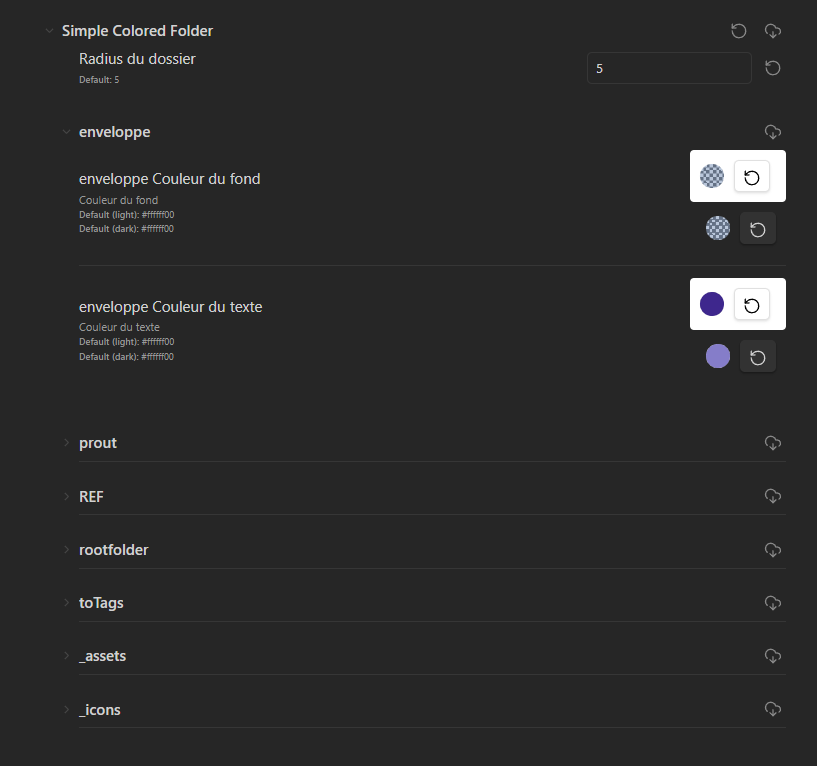
- Access Style settings to customize your folder color.
- Under the "Simple Colored folder" section, you can change colors for each root folder.
🎨 Configuration
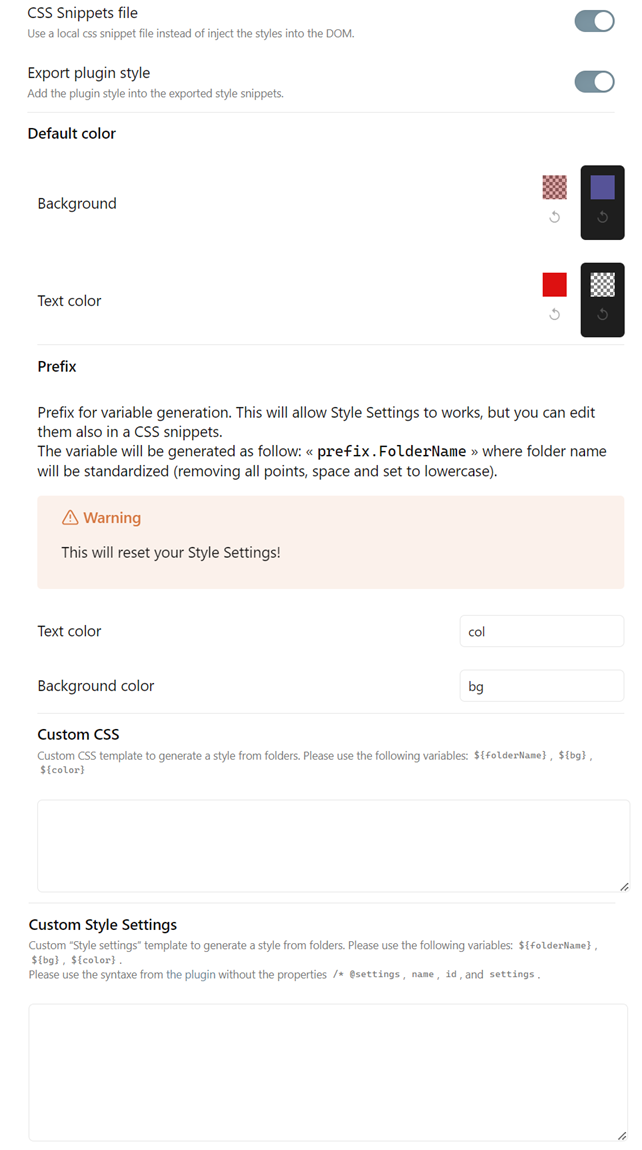
In the plugin settings, you can customize :
- Export to a css snippets (instead of inject into the DOM)1
- Default colors (when creating new folders)
- Folder name prefix for CSS variable
- Custom CSS and Style Settings templates
[!NOTE] You can see some example of css template here
📥 Installation
- From Obsidian's community plugins
- Using BRAT with
https://github.com/Mara-Li/obsidian-simple-colored-folder - From the release page:
- Download the latest release
- Unzip
simple-colored-folder.zipin.obsidian/plugins/path - In Obsidian settings, reload the plugin
- Enable the plugin
🎼 Languages
- English
- French
To add a translation:
- Fork the repository
- Add the translation in the
src/i18n/localesfolder with the name of the language (ex:fr.json).- You can get your locale language from Obsidian using obsidian translation or using the commands (in templater for example) :
<% tp.obsidian.moment.locale() %> - Copy the content of the
en.jsonfile in the new file - Translate the content
- You can get your locale language from Obsidian using obsidian translation or using the commands (in templater for example) :
- Edit
i18n/i18next.ts:- Add
import * as <lang> from "./locales/<lang>.json"; - Edit the
ressourcepart with adding :<lang> : {translation: <lang>}
- Add
Footnotes
-
Some styles can be broken while disabling the plugin, as it injects the folder path into
tree-item.nav-folderto improve performance, instead to use:has. ↩
For plugin developers
Search results and similarity scores are powered by semantic analysis of your plugin's README. If your plugin isn't appearing for searches you'd expect, try updating your README to clearly describe your plugin's purpose, features, and use cases.