Spoiler
approvedby PatruusBarba
Wrap selected text in a collapsible spoiler callout, or unwrap an existing spoiler, from a ribbon button. - This plugin has not been manually reviewed by Obsidian staff.
Obsidian Spoiler Plugin
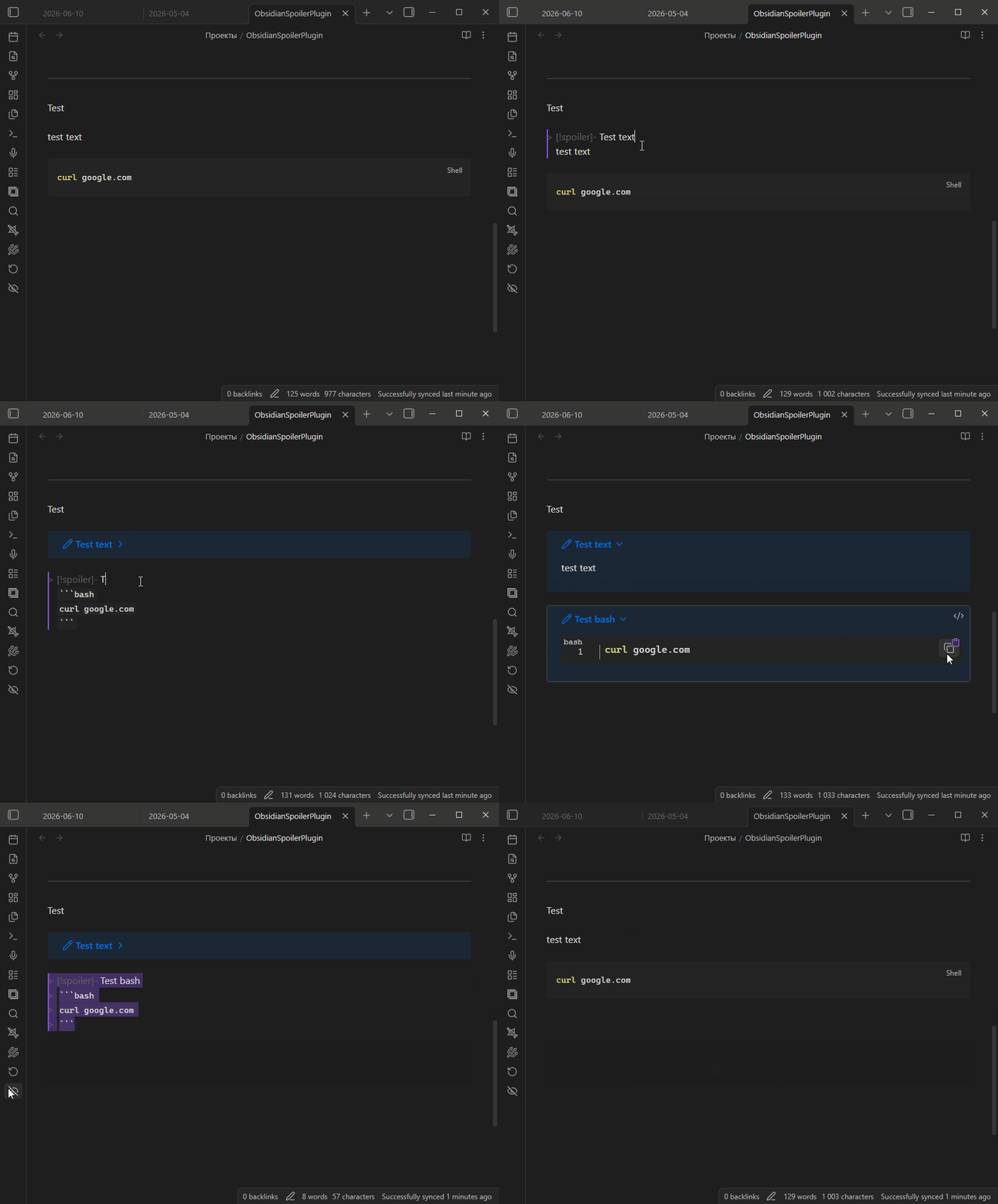
An Obsidian plugin that lets you hide and reveal sensitive text in your notes with a single click. Select some text, press the ribbon button, and the selection is wrapped in a collapsible spoiler callout. Press it again on a spoiler and it gets unwrapped back to plain text.
Features
- Adds a button to the left ribbon (near Open daily note).
- Wraps the currently selected text in a collapsible spoiler callout.
- Toggling: if the selection already is a spoiler, it is unwrapped back to plain text.
Spoiler format
The plugin wraps your selection in a collapsible spoiler callout, preserving
any markdown inside it:
> [!spoiler]-
> super_secret_key
In reading view this renders as a collapsed callout; click it to reveal the contents.
Usage
- Open a note and select the text you want to hide.
- Click the spoiler button in the left ribbon.
- The selected text is replaced with a spoiler callout.
- To reveal it permanently, select the spoiler and click the button again to unwrap it.
Installation
From a release (recommended)
- Download
main.jsandmanifest.jsonfrom the latest release. - Put both files in your vault at
<vault>/.obsidian/plugins/spoiler/. - Reload Obsidian and enable Spoiler in Settings → Community plugins (you may need to turn off Restricted mode first).
Building from source
npm install
npm run build
This produces main.js. Copy it together with manifest.json into
<vault>/.obsidian/plugins/spoiler/, then reload Obsidian and
enable the plugin as above.
License
MIT
For plugin developers
Search results and similarity scores are powered by semantic analysis of your plugin's README. If your plugin isn't appearing for searches you'd expect, try updating your README to clearly describe your plugin's purpose, features, and use cases.