by dalvt
Comprehensive academic study assistant: customizable Pomodoro timer, task and habit tracker, time blocking calendar, metrics, and distraction-free Zen mode.
Study Flow Assistant
An all-in-one study and academic productivity assistant for Obsidian. Seamlessly combines an interactive time-blocking calendar, a customizable Pomodoro focus timer, full-vault task management with an Icebox, flexible habit tracking with a 52-week consistency heatmap, spaced repetition, study performance analytics, and a distraction-free Zen mode.
All your data stays 100% local in plain Markdown and JSONL files within your vault. No external accounts, no cloud sync lock-in, no telemetry.
✨ Features
☀️ 1. Today Dashboard
Your central operational hub for each day:
- Now & Next: Instantly shows your current scheduled time block and what is coming next.
- Priority Tasks: Today's tasks and overdue items sorted by urgency and priority.
- Habit Checklist: Quick-toggle daily habits with live streak counters.
- Spaced Repetition Queue: Flashcard and note reviews scheduled for today.
- Customizable: Show or hide any section directly in the plugin settings.
🍅 2. Focus & Pomodoro Engine
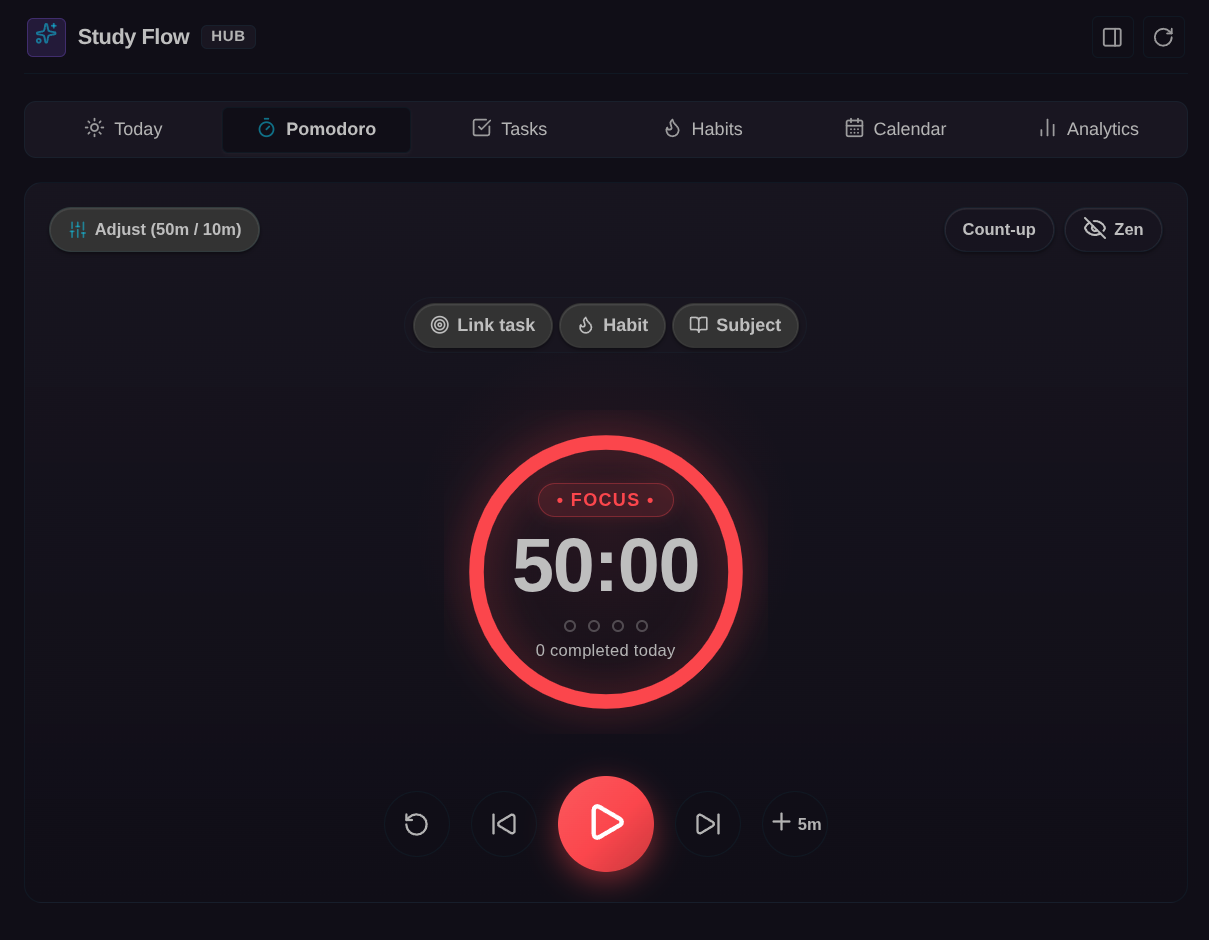
- Presets & Flow Mode: Built-in standard intervals (25/5, 50/10, 90/20) plus custom named presets. Supports an open-ended Flow Mode (count-up stopwatch) for uninterrupted deep work.
- Web Audio Chimes: Pure client-side synthetic audio cues (Harmonic Bell, Soft Tone, Tactile Click, or Mute) with volume control and live preview.
- Active Break Tips: Optional posture, hydration, and 20-20-20 visual rest reminders during breaks.
- Closing Reflection & Distraction Logging: Optional review prompt at the end of each session to record accomplishments and log distraction counts.
- Daily Note Auto-Logging: Automatically logs completed focus sessions under your daily note as bullet items (
- 🍅 14:30 · Study Calculus · #math). - Status Bar Integration: Persistent timer display with a right-click context menu to switch presets, toggle phases, or reset.
📅 3. Interactive Calendar & Time Blocking
- 15-Minute Grid Snapping: Drag blocks vertically to reschedule, or drag the top/bottom handles to resize duration with 15-minute increments.
- Recurring Class Schedule: Automatically loads recurring weekly lectures and labs from
StudyFlow/Schedule.mdand displays them as background blocks on your grid. - Subject Color Accents: Time blocks reflect the custom colors of your configured subjects.
- Vault-Native Storage: Scheduled blocks are saved directly to your daily notes under
## Time Blocks(or## Bloques de Tiempo), preserving your notes as the single source of truth. - Overlap Detection: Visual alerts when two blocks compete for the same time window.
- Tomorrow Planning: Quickly plan tomorrow's schedule and transfer unfinished tasks with one click.
📋 4. Task Management & Icebox
- 4 Dedicated Views:
- Today: Tasks due today and overdue items.
- Upcoming: Future scheduled tasks grouped by date.
- By Subject: Tasks categorized under your configured academic subjects, plus an Unclassified section.
- Icebox: Ideas, backlog items, and someday projects saved without checkbox pressure.
- Rich Task Metadata: Priority indicators (⏫ High, 🔼 Medium, 🔽 Low), Pomodoro estimates and progress (
🍅 1/3), deadlines (📅 YYYY-MM-DD), and subject tags. - Interactive Subtasks: Expandable nested checklist support with instant completion toggling.
- Fast Vault Indexing: Reactive caching across included/excluded folders with zero UI stutter.
- Quick Capture: Modal shortcut to capture a task or idea into
Inbox.mdor the active note from anywhere.
🔥 5. Habit Tracker & 52-Week Heatmap
- Flexible Frequencies: Support for daily habits, weekly targets ($N$ times per week), or specific days of the week (e.g., Mon-Wed-Fri).
- Rest Days: Mark a rest day (
💤) without penalty to pause a habit while protecting your streak. - Dynamic Streak Calculation: Evaluates continuous completion streaks tailored to habit frequency.
- 52-Week Consistency Matrix: GitHub-style full-year heatmap visualizing daily habit completions and volume.
- Clean Markdown Storage: All habits and metadata are stored in
StudyFlow/Habits.mdusing unobtrusive HTML comments.
🧠 6. Spaced Repetition
- Queue by Date: Identify study notes with a review tag (default:
#reviewor#repasar) and frontmatter properties (review_next,review_interval). - Review Grading: Rate your recall with Hard (1d) or Easy (+step) to automatically reschedule the next review date in the note's frontmatter.
- Note Initialization: Command to instantly initialize spaced repetition frontmatter on the active note.
🧘 7. Zen Mode
- Distraction-Free Focus: Conceals sidebars, toolbars, and clutter for an immersive study environment.
- Quick Toggle: Activate via ribbon icon, command palette, or press
Escapeto toggle in and out of Zen mode.
📊 8. Study Analytics & Performance
- Daily Focus Trend: Bar chart showing net focused hours over the last 7 days.
- Subject Distribution: Visual breakdown of focus time across your subjects.
- Weekly Subject Goals: Track actual study hours against target goals, monitor weekly goal streaks, and compare estimated vs. completed Pomodoros.
- KPI Summary: Overview cards for today's focus, daily averages, habit consistency, and task completion rates.
- Historical Vault Sync: Scan existing daily notes to rebuild or synchronize focus session history into
StudyFlow/Sessions.jsonl.
🔗 Obsidian URI Protocol Handler (obsidian://study-flow)
Automate and trigger Study Flow actions externally from Alfred, Raycast, iOS Shortcuts, Stream Deck, or terminal scripts:
| Action | URI Example | Description |
|---|---|---|
| Start Timer | obsidian://study-flow?action=start | Starts or resumes the Pomodoro timer. Supports task=Text and subject=Name. |
| Pause Timer | obsidian://study-flow?action=pause | Pauses the running timer. |
| Reset Timer | obsidian://study-flow?action=reset | Resets the timer to default duration. |
| Skip Phase | obsidian://study-flow?action=skip | Transitions to the next phase (work ↔ break). |
| Complete Task | obsidian://study-flow?action=complete-task | Marks the currently active timer task as done. |
| Quick Capture | obsidian://study-flow?action=capture&text=Read%20Chapter%204 | Appends a task to Inbox.md. Omitting text opens the capture modal. |
| Open View | obsidian://study-flow?action=open&tab=calendar | Opens the hub to a specific tab (today, pomodoro, calendar, tasks, habits, analytics). |
Terminal examples:
# Start a 25-minute session focused on Linear Algebra
xdg-open "obsidian://study-flow?action=start&task=Solve%20problem%20set%202&subject=Math"

# Open the Habit Tracker in Obsidian
xdg-open "obsidian://study-flow?action=open&tab=habits"
📁 File Structure & Vault Conventions
Study Flow adheres to standard Markdown and vault file conventions:
YourVault/
├── StudyFlow/
│   ├── Inbox.md             # Default inbox for quick capture tasks
│   ├── Habits.md            # Habit definitions, frequencies, and streaks
│   ├── Schedule.md          # Weekly recurring class and lab timetable
│   └── Sessions.jsonl       # Historical focus log records
└── Daily/                   # Your daily notes folder
    └── YYYY-MM-DD.md        # Contains ## Tasks and ## Time Blocks
⌨️ Command Palette
Search for Study Flow in the Obsidian Command Palette (Ctrl + P / Cmd + P):
Open full interface (main tab)Open in sidebarOpen calendar and time blocksOpen task manager & InboxOpen daily habits trackerOpen study analytics & performanceOpen Pomodoro timerQuick capture taskPlan next dayToggle Zen modeStart spaced repetition on active noteStart / pause PomodoroReset PomodoroSwitch between work and breakReturn to previous phaseSkip to next phaseComplete active Pomodoro task
⚙️ Settings
- Pomodoro: Work duration, short break, long break, long break interval, auto-start next phase, system notifications, sound type and volume, session closing review, and break tips.
- Tasks & Conventions: Custom headers for tasks (e.g.
## Tasks/## Tareas), Icebox header, Time Blocks header, and folder inclusions/exclusions. - Notes & Paths: Folders for daily notes, inbox file path, habits file path, and schedule file path.
- Subjects: Define your academic subjects with custom colors, weekly hour goals, and matching tags.
- Spaced Repetition: Custom review tag (
#reviewor#repasar) and frontmatter property keys. - Appearance & Locale: Week start day (Monday or Sunday), language selection (English, Spanish, or Auto-detect), and today tab sections visibility.
🛠️ Development
# Install dependencies
npm install

# Type-check TypeScript code
npm run check-types

# Run unit test suite
npm test

# Build production bundle
npm run build
📄 License
MIT © dalt
For plugin developers
Search results and similarity scores are powered by semantic analysis of your plugin's README. If your plugin isn't appearing for searches you'd expect, try updating your README to clearly describe your plugin's purpose, features, and use cases.