by dingzy53
Render TikZ code blocks with your locally installed TeX distribution (TeX Live, MacTeX, MiKTeX) instead of a browser WASM engine. Full TikZ, real compiler logs, transparent caching.
TikZ (obsidian-tikz)
An Obsidian desktop plugin that renders ```tikz code blocks by shelling out to a locally installed TeX distribution (TeX Live, MacTeX, or MiKTeX) instead of a browser WASM engine.
Forked and rewritten from artisticat1/obsidian-tikzjax: settings scaffolding and the ```tikz code block tag are preserved for backward compatibility, while the rendering engine is completely replaced with native TeX execution.
Requirements
- Obsidian Desktop (Windows, macOS, Linux). Mobile is unsupported (no Node.js child processes).
- A TeX distribution with
dvisvgminstalled:- Windows: MiKTeX or TeX Live
- macOS: MacTeX (or via Homebrew:
brew install --cask mactex-no-gui) - Linux: TeX Live
- Ubuntu/Debian:
sudo apt install texlive-latex-extra texlive-luatex texlive-pictures dvisvgm - Fedora:
sudo dnf install texlive-scheme-medium dvisvgm - Arch Linux:
sudo pacman -S texlive-basic texlive-latexextra texlive-pictures dvisvgm
- Ubuntu/Debian:
- Linux Flatpak note: If running Obsidian via Flatpak (
md.obsidian.Obsidian), the plugin automatically executes host TeX binaries viaflatpak-spawn --hostand uses~/.cache/obsidian-tikzfor scratch files without extra setup.
Installation
- Download
main.js,manifest.json, andstyles.cssfrom the latest GitHub Release. - Create a folder named
<vault>/.obsidian/plugins/tikz/in your vault. - Place the downloaded files into that folder.
- Reload Obsidian and enable TikZ in Settings → Community plugins.
Usage
Place TikZ code inside a ```tikz block. Standard figures, bare snippets, or complete documents are all supported:
```tikz
\begin{document}
\begin{tikzpicture}
  \draw[thick, ->] (0,0) -- (1,1) node[right] {$x$};
\end{tikzpicture}
\end{document}
```
Bare TikZ snippets and packages loaded inline are also accepted:
```tikz
\usepackage{forest}
\begin{forest}
[VP [NP [Det][N]] [V]]
\end{forest}
```
Cache & Scratch Files
- Render cache: Compiled diagrams (
<hash>.svg) are saved in<vault>/.obsidian/plugins/tikz/cache/(hidden inside the plugin directory; zero vault pollution). Failed compiles are not cached; the error block shows the live compiler log. When the entry limit is reached, the least recently used diagrams are dropped first. - Compile scratch files: Temporary TeX build files (
.tex,.dvi,.log) live in your OS temp folder (os.tmpdir()/obsidian-tikz/, or~/.cache/obsidian-tikz/on Flatpak) and are cleaned up immediately upon completion.
Settings
| Setting | Description | Default |
|---|---|---|
| Dark mode colours | Adaptive (mirrors lightness with contrast floor), Light canvas (light panel), or Off. | Adaptive |
| TeX engine | dvilualatex (recommended), latex, xelatex, or pdflatex. | dvilualatex |
| Binary paths | Custom path overrides for TeX engine and dvisvgm, with an Auto-detect button. | Auto (PATH) |
| Extra PATH | Extra directories to append to PATH at runtime. | Empty |
| Default preamble | Common packages injected when no \documentclass is provided. | Standard TikZ packages |
| Allow shell escape | Enables -shell-escape (danger: executes arbitrary system commands). | false |
| Restrict file access | Runs TeX with openin_any=p so a diagram cannot read files outside its build folder (\input{~/.ssh/config}). Side effect: \includegraphics/\input with absolute paths stop working. | true |
| Compile timeout | Maximum seconds per compilation stage (1–3600) before killing the process tree. Time spent queued does not count. | 20 |
| Parallel compiles | How many diagrams compile at once; the rest queue. 0 = automatic (half the CPU cores, 1–4). | 0 |
| Maximum cache | Maximum cached SVGs (0 = unlimited). | 500 |
[!NOTE] On macOS, GUI apps launched from Finder or the Dock do not inherit your shell's
PATH. If binaries show as "not found", click Detect automatically or set the path manually (e.g./Library/TeX/texbin).
Dark Mode Customization
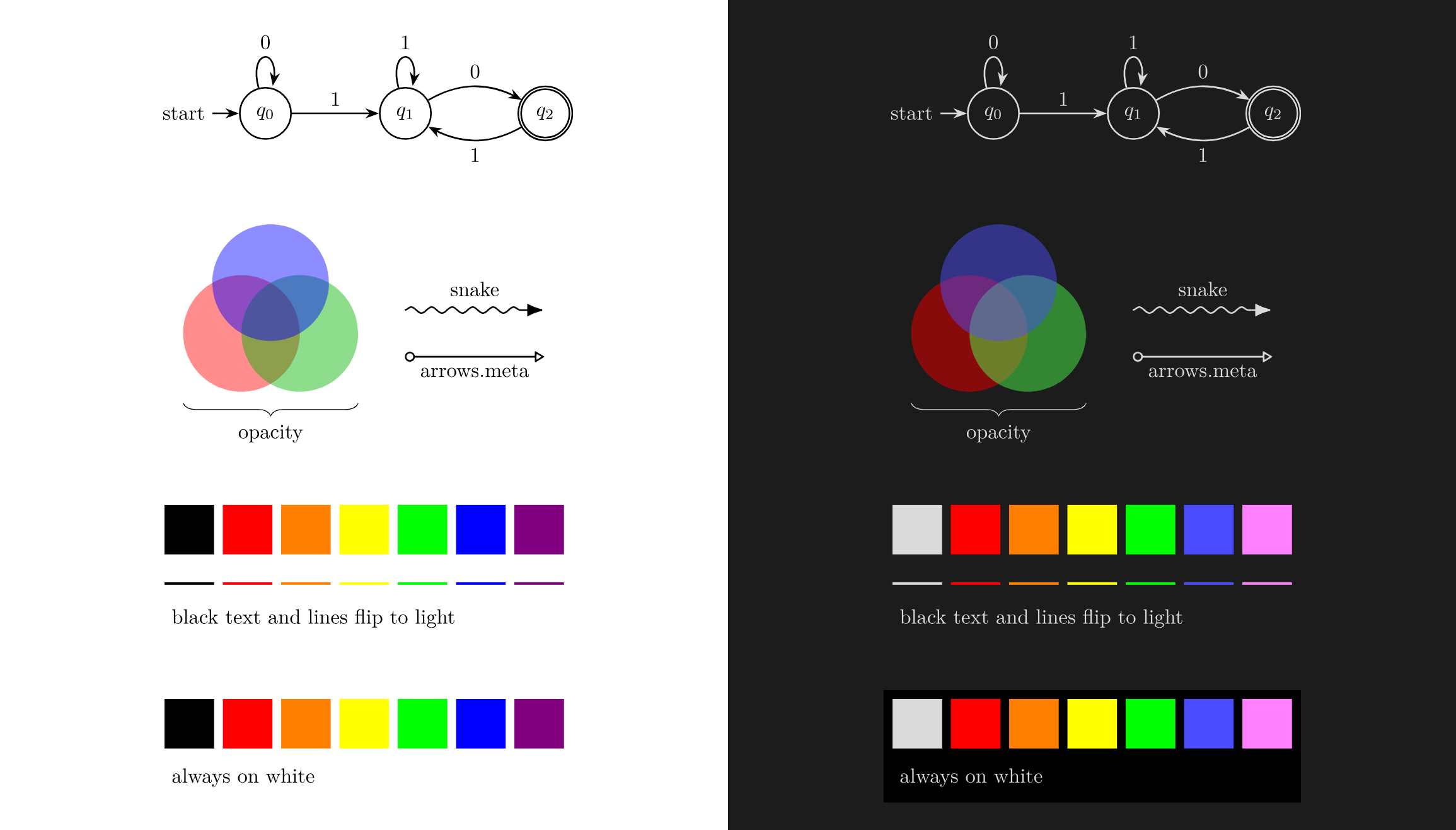
- Adaptive (default): Automatically mirrors colour lightness while maintaining a 3:1 contrast floor, ensuring labels and shapes remain legible against dark themes.
- Light canvas: Keeps original colours untouched and shows the diagram on a light panel (ideal for complex shading,
ball color, or colormaps). - Off: Leaves colours unchanged.
To force a diagram to look identical in both light and dark themes, give it a background rectangle:
\usetikzlibrary{backgrounds}
\begin{tikzpicture}[
    show background rectangle,
    background rectangle/.style={fill=white, draw=none},
  ]
  \draw[thick, ->] (0,0) -- (1,1) node[right] {$x$};
\end{tikzpicture}
Security
- Shell escape is off by default: Vault content is untrusted;
-shell-escapeis never enabled unless explicitly turned on by the user. - Direct argv execution: Subprocesses are spawned with an argv array (
spawn/execFile), never interpolated shell strings. - File reads are restricted: TeX runs with
openin_any=p, so a note cannot\inputor\includegraphicsarbitrary files (e.g.~/.ssh/config) into a diagram. It can be turned off in settings for trusted vaults. - SVG sanitization (allowlist, fail-closed): The SVG is parsed and only the elements dvisvgm/PGF emit are kept; event handlers, external
href/url()references,<style>,<a>and animation elements are removed. An SVG that cannot be parsed is rejected rather than displayed, and the result is inserted viaDOMParser, neverinnerHTML.
Development
npm run dev     # watch build (outputs main.js)
npm run build   # typecheck + production bundle
npm run lint    # eslint
npm test        # vitest unit tests
npm run clean   # clean generated bundle files
See AGENTS.md for architectural constraints and contribution rules.
License
MIT. Scaffolding based on artisticat1/obsidian-tikzjax.
Showcase
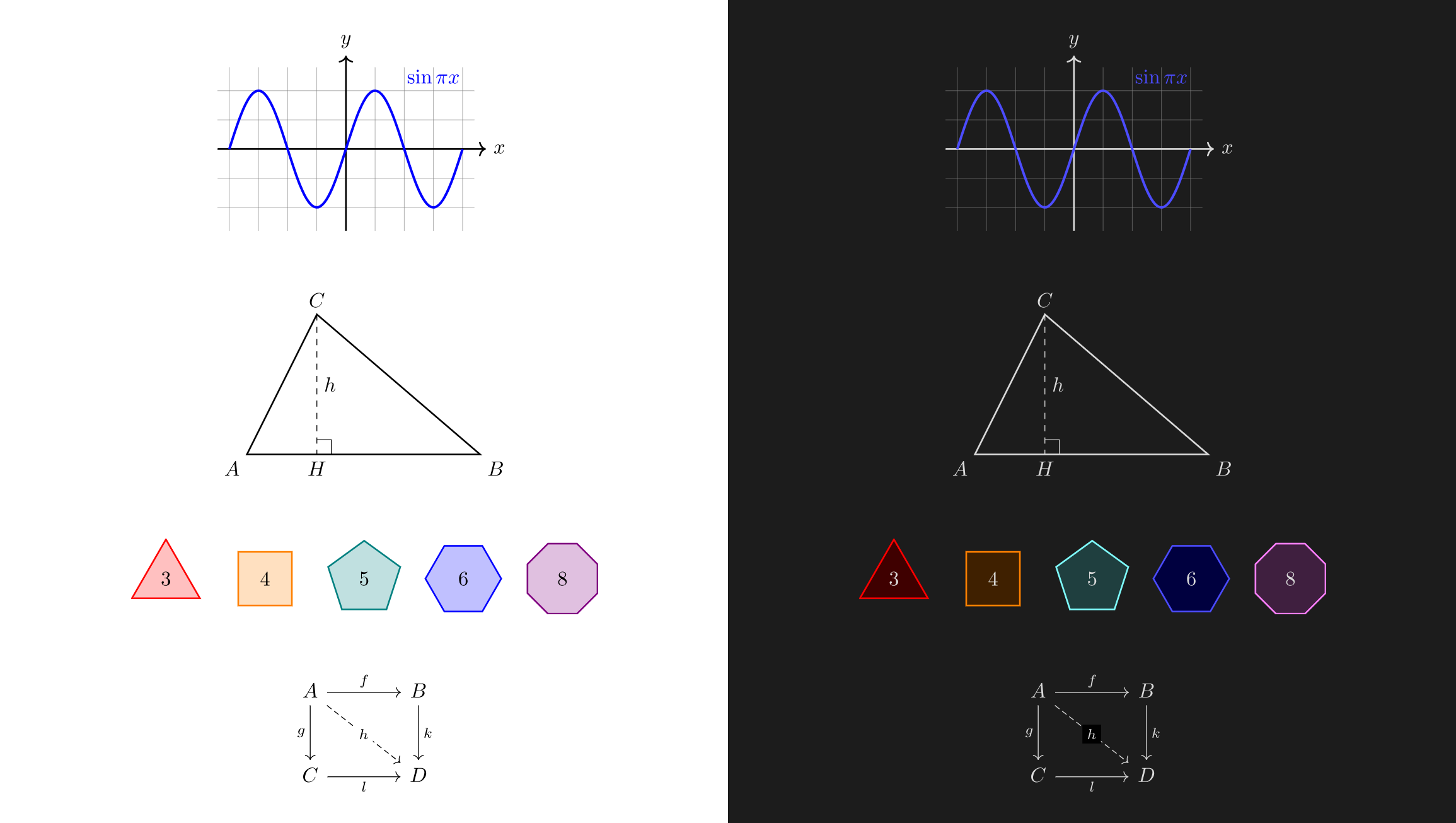
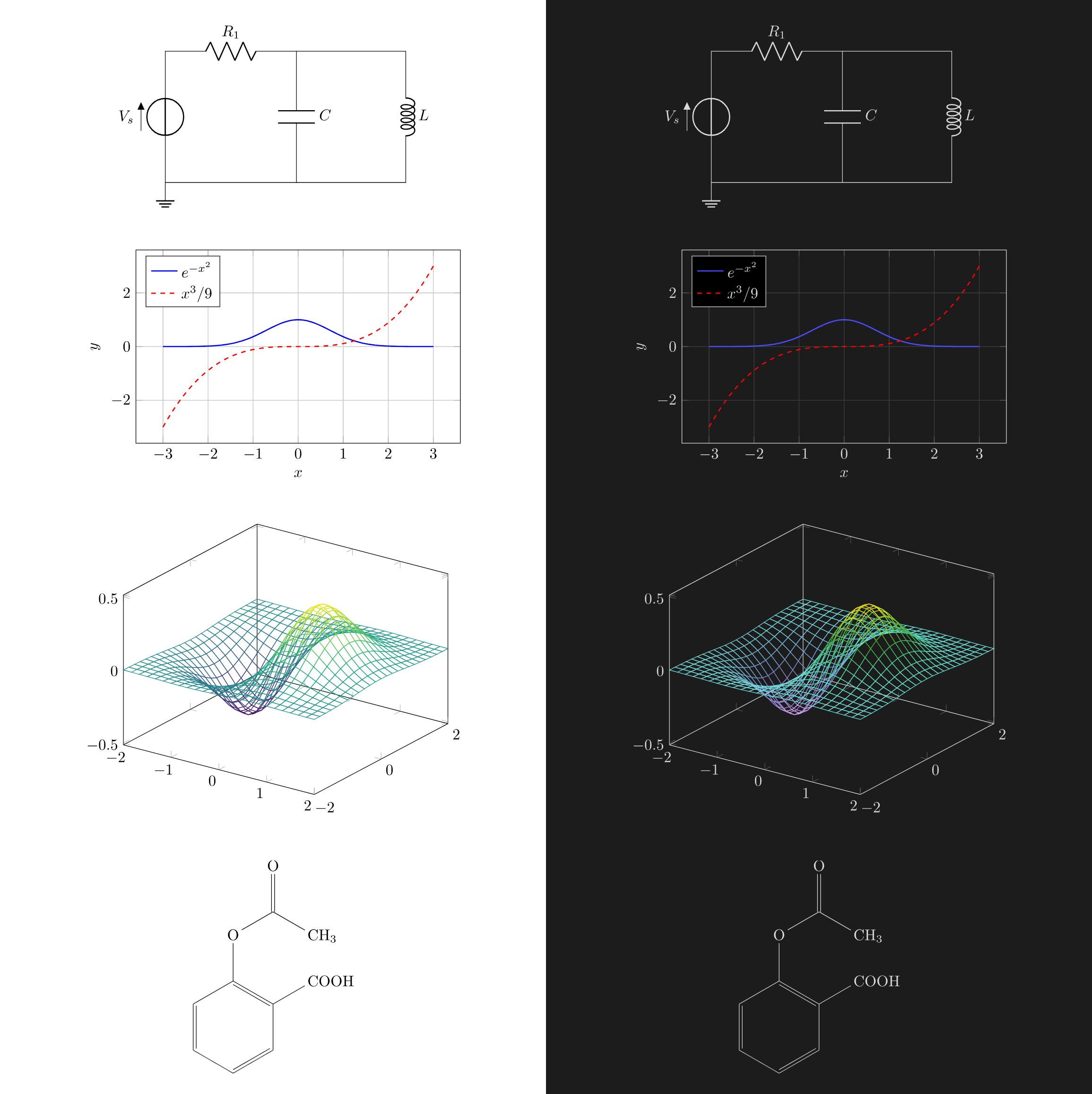
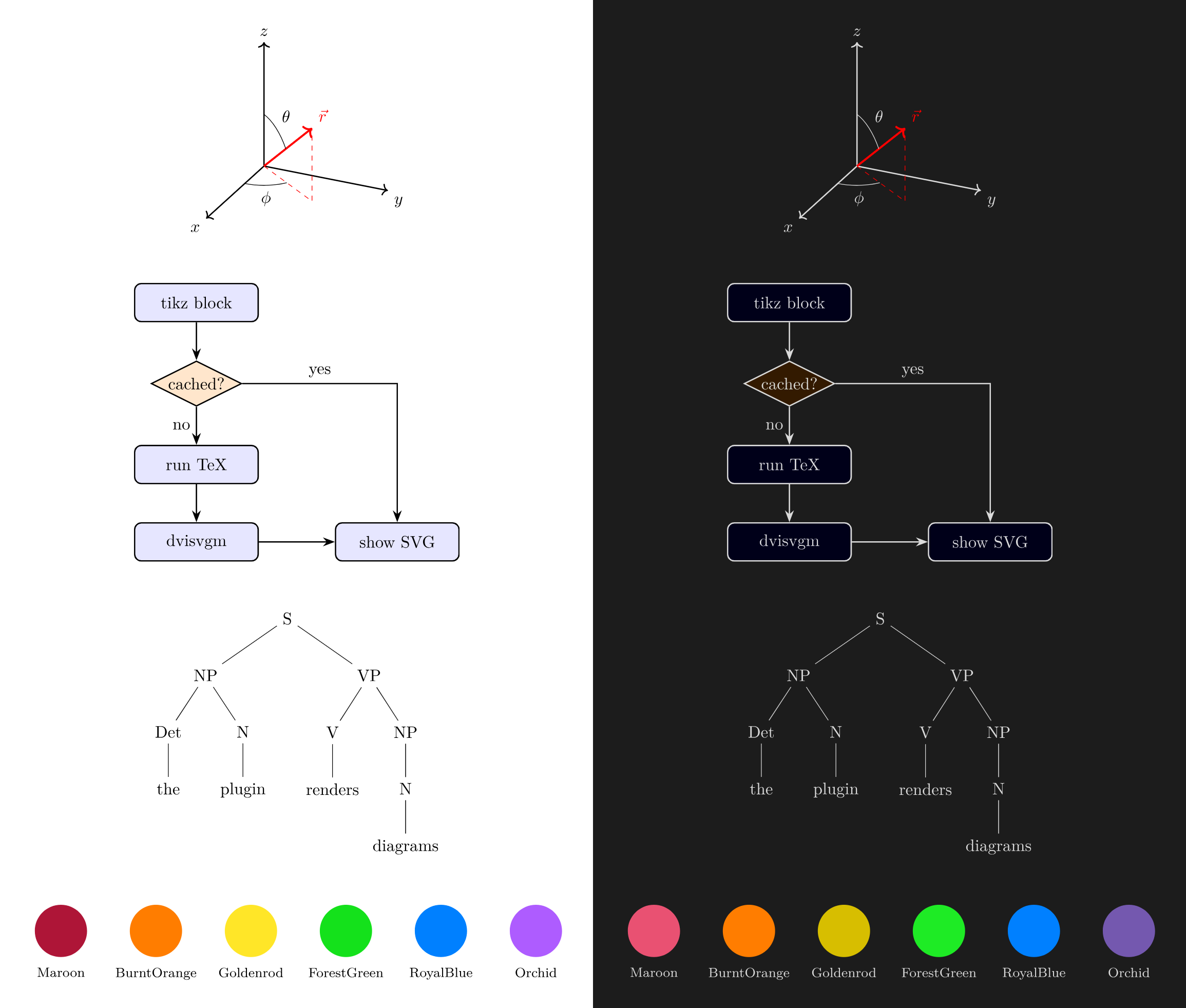
Diagrams rendered side-by-side in Light mode (left) and Dark mode (right) with automatic adaptive contrast:
Mathematics & Geometry
Circuits & Scientific Plots
3D Coordinates & Diagrams
Automata & Theme Adaptation
For plugin developers
Search results and similarity scores are powered by semantic analysis of your plugin's README. If your plugin isn't appearing for searches you'd expect, try updating your README to clearly describe your plugin's purpose, features, and use cases.