by Agostino Cesarano
Render LaTeX and TikZ diagrams locally using your system TeX installation with support for any package.
LaTeX and TikZ Renderer for Obsidian



Render any LaTeX and TikZ diagram directly inside your Obsidian notes using your local LaTeX installation (latex, dvisvgm).
Unlike WebAssembly-based solutions with limited package support, this plugin invokes your system's native TeX distribution. This means you can use any package installed on your computer — including pgfplots, circuitikz, chemfig, tikz-cd, forest, quantikz, and more!
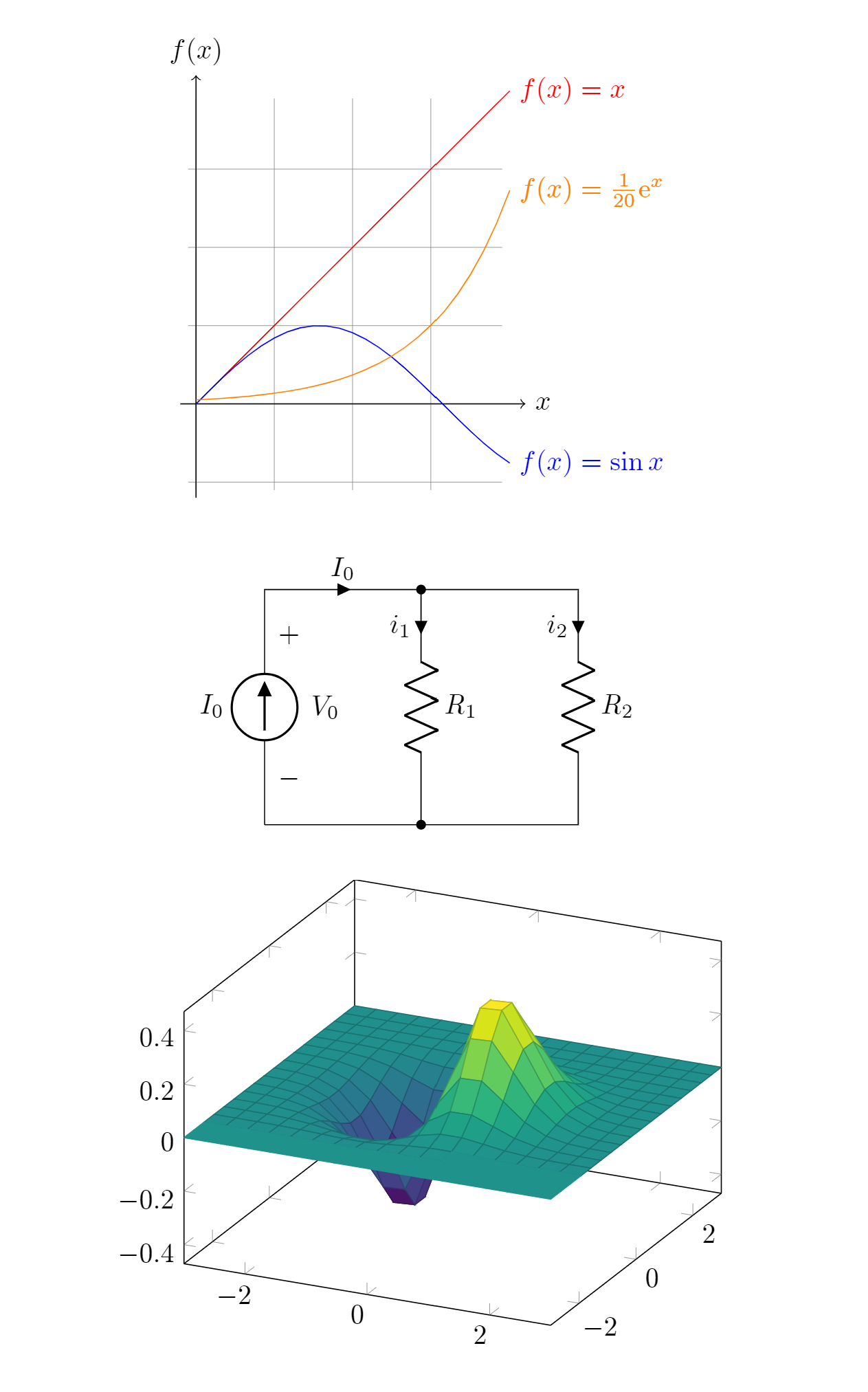
✨ Features
- ⚡ Zero-boilerplate Snippets: Directly write
\begin{tikzpicture} ... \end{tikzpicture}. The plugin automatically wraps it with a customizable standalone preamble. - 📜 Full Document Support: Write full standalone documents with custom
\documentclass, packages, and macros. - 📦 Unlimited Package Ecosystem: Use any package installed on your local TeX distribution (
MiKTeX,TeX Live,MacTeX). - 🌓 Smart Dark Mode Theming: Automatically adapts black/white lines, text, and axes to your active Obsidian theme.
- 💾 Fast Persistent Cache: Diagrams are compiled to vector SVG and cached via IndexedDB. Re-opening notes is instant.
- 🛠️ Built-in Diagnostics: One-click "Test Toolchain" button in settings to verify your compiler and
dvisvgmsetup. - ⏱️ Process Timeout & Clear Error Logs: Prevents infinite macro loops from freezing Obsidian and displays highlighted LaTeX error messages with expandable full logs.
📋 Prerequisites
Because this plugin executes your local compiler, you must have the following tools installed and accessible in your system's PATH:
- A LaTeX distribution:
dvisvgm(included by default in MiKTeX, TeX Live, and MacTeX).
Tip: You can check if they are available in your terminal by running:
latex --version
dvisvgm --version
🚀 Installation
From Obsidian Community Plugins (Recommended)
- In Obsidian, open Settings → Community plugins.
- Turn off Restricted mode if prompted.
- Click Browse and search for "LaTeX and TikZ Renderer" (or
latex-tikz-renderer). - Click Install, then Enable.
Via BRAT (for beta releases)
- Install the Obsidian BRAT plugin.
- In BRAT settings, click Add Beta plugin.
- Enter
agostino-code/obsidian-tikz.
Manual Installation
- Download
main.js,manifest.json, andstyles.cssfrom the latest Release. - Inside your vault, navigate to
.obsidian/plugins/and create a folder namedlatex-tikz-renderer. - Copy the downloaded files into
.obsidian/plugins/latex-tikz-renderer/. - In Obsidian, reload plugins and enable LaTeX and TikZ Renderer.
⚙️ Configuration
In Obsidian Settings → LaTeX and TikZ Renderer:
| Setting | Default | Description |
|---|---|---|
| LaTeX Compiler Path | latex | Executable name or absolute path to your compiler (e.g., latex, pdflatex, xelatex, or C:\...\latex.exe). |
| dvisvgm Path | dvisvgm | Executable name or absolute path to dvisvgm. |
| Test Toolchain | Button | Tests and displays version info for both the compiler and dvisvgm. |
| Auto-wrap Snippets | true | When enabled, code without \documentclass is automatically wrapped with the Default Preamble. |
| Default Preamble | \documentclass[tikz, border=2pt]{standalone}... | Preamble prepended to snippets. Add custom \usepackage{...} or macros here. |
| Compilation Timeout | 25 | Maximum seconds to wait before aborting a compile job. |
| Invert dark colors in dark mode | true | Automatically recolors black/white diagram lines to match light/dark themes. |
| Clear cached SVGs | Button | Empties the IndexedDB SVG cache to force re-rendering all diagrams. |
💡 Usage & Examples
Create a code block with language identifier tikz or latex.
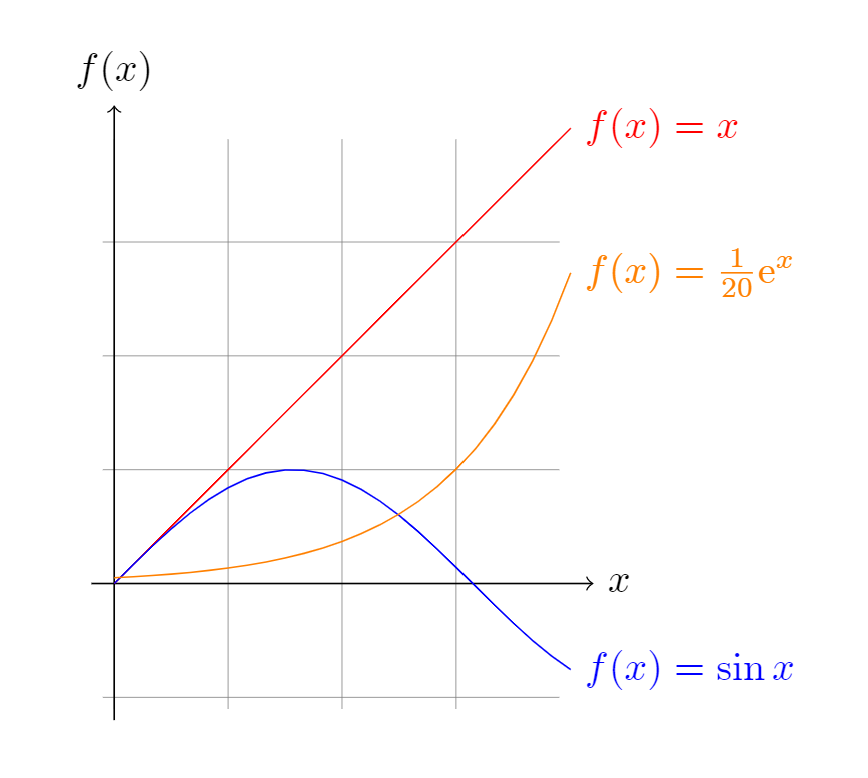
1. Minimal TikZ Diagram (Snippet Mode)
No document boilerplate needed!
```tikz
\begin{tikzpicture}[domain=0:4]
  \draw[very thin,color=gray] (-0.1,-1.1) grid (3.9,3.9);
  \draw[->] (-0.2,0) -- (4.2,0) node[right] {$x$};
  \draw[->] (0,-1.2) -- (0,4.2) node[above] {$f(x)$};
  \draw[color=red]    plot (\x,\x)             node[right] {$f(x) =x$};
  \draw[color=blue]   plot (\x,{sin(\x r)})    node[right] {$f(x) = \sin x$};
  \draw[color=orange] plot (\x,{0.05*exp(\x)}) node[right] {$f(x) = \frac{1}{20} \mathrm e^x$};
\end{tikzpicture}
```
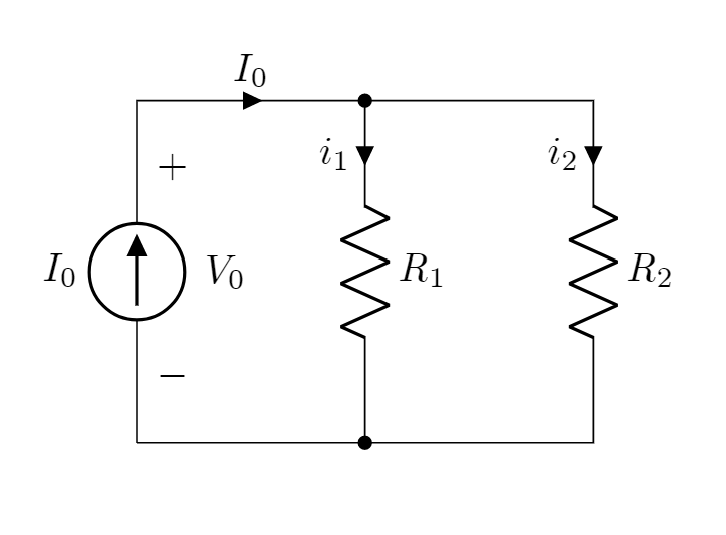
2. Electronic Circuits (circuitikz)
```tikz
\usepackage{circuitikz}
\begin{document}
\begin{circuitikz}[american, voltage shift=0.5]
  \draw (0,0)
  to[isource, l=$I_0$, v=$V_0$] (0,3)
  to[short, -*, i=$I_0$] (2,3)
  to[R=$R_1$, i>_=$i_1$] (2,0) -- (0,0);
  \draw (2,3) -- (4,3)
  to[R=$R_2$, i>_=$i_2$] (4,0)
  to[short, -*] (2,0);
\end{circuitikz}
\end{document}
```
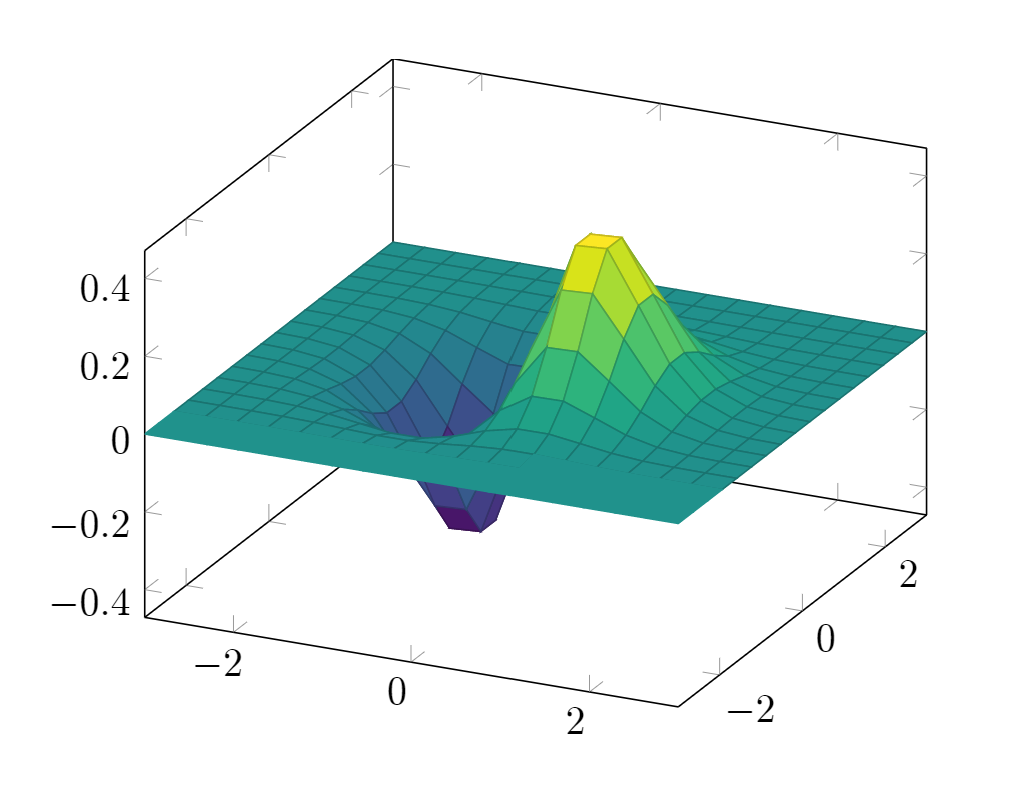
3. 3D Function Plots (pgfplots)
```tikz
\usepackage{pgfplots}
\pgfplotsset{compat=1.16}
\begin{document}
\begin{tikzpicture}
  \begin{axis}[colormap/viridis]
    \addplot3[surf, samples=18, domain=-3:3] {exp(-x^2-y^2)*x};
  \end{axis}
\end{tikzpicture}
\end{document}
```
4. Commutative Diagrams (tikz-cd)
```tikz
\usepackage{tikz-cd}
\begin{document}
\begin{tikzcd}
  T \arrow[drr, bend left, "x"] \arrow[ddr, bend right, "y"] \arrow[dr, dotted, "{(x,y)}" description] & & \\
  K & X \times_Z Y \arrow[r, "p"] \arrow[d, "q"] & X \arrow[d, "f"] \\
    & Y \arrow[r, "g"]                           & Z
\end{tikzcd}
\end{document}
```
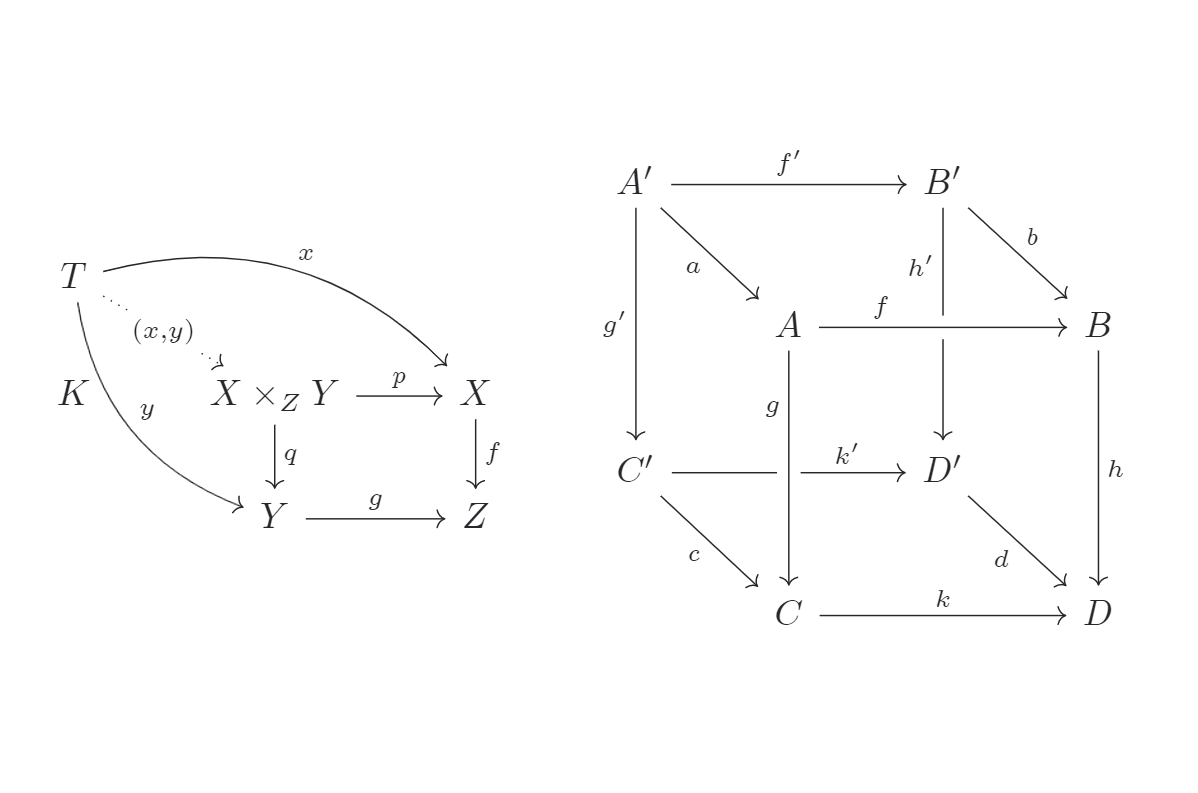
5. Chemical Structures (chemfig)
```tikz
\usepackage{chemfig}
\begin{document}
\chemfig{[:-90]HN(-[::-45](-[::-45]R)=[::+45]O)>[::+45]*4(-(=O)-N*5(-(<:(=[::-60]O)-[::+60]OH)-(<[::+0])(<:[::-108])-S>)--)}
\end{document}
```
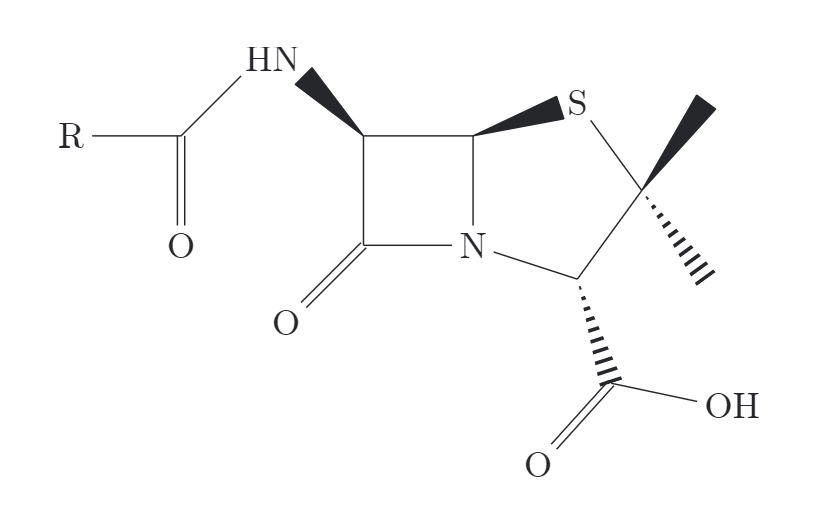
🔧 Troubleshooting
Windows: "MiKTeX session could not be initialized"
If you encounter a MiKTeX session initialization error on Windows, register the MiKTeX DLLs manually in an Administrator Command Prompt (adjust version if different):
cd %LOCALAPPDATA%\Programs\MiKTeX\miktex\bin\x64
regsvr32 MiKTeX240400-core-PS.dll
regsvr32 MiKTeX240400-core.dll
regsvr32 MiKTeX240400-packagemanager.dll
regsvr32 MiKTeX240400-packagemanager-PS.dll
Executable not found in PATH
If the "Test Toolchain" button reports that latex or dvisvgm cannot be found:
- Provide the full absolute path in the plugin settings (e.g.
C:\Program Files\MiKTeX\miktex\bin\x64\latex.exeor/Library/TeX/texbin/latex). - Ensure the directory containing your TeX executables is in your system's environment
PATH.
🔒 Security & Desktop Architecture
This plugin is configured as desktop-only ("isDesktopOnly": true) because it relies on your local TeX distribution:
- Process Execution (
child_process.execFile): The plugin executes your locally installed LaTeX compiler anddvisvgm. Commands are invoked strictly viaexecFilewith segregated argument arrays (no shell interpolation), protecting against shell injection. - Filesystem Access (
fs/promises): Temporary.tex,.dvi/.xdv/.pdf, and.svgfiles are created exclusively inside an isolated temporary directory within your system'stmpdir()(e.g.tmpdir()/tikz-XXXXXX). This directory is deleted in afinallyblock immediately after conversion. - Offline & Private: The plugin performs zero external network calls and executes no dynamic script tags. Diagram source code is rendered locally on your machine and cached within local browser IndexedDB.
📄 License & Acknowledgements
- Licensed under the MIT License.
- Forked from the Obsidian TikZJax plugin by @artisticat1.
- Inspired by the TikZJax project by @kisonecat.
For plugin developers
Search results and similarity scores are powered by semantic analysis of your plugin's README. If your plugin isn't appearing for searches you'd expect, try updating your README to clearly describe your plugin's purpose, features, and use cases.