Timelive
approvedby annimon
Turn a list of dates into a timeline.
Timelive Plugin
Plugin for Obsidian that turns a list of dates into a timeline.

Usage
The key difference from other timeline plugins is that Timelive doesn't use a code block. It's much easier to format any date event, provide a link or block of code, add an image or a video, etc.
To build a timeline, you need to define a list of dates, enclosed by the | symbol. The date format is automatically detected, but in case of ambiguity, the preferred format can be selected in the preferences. You can also generate a placeholder with the Timelive: New block action (accessible from Ctrl+P Command Palette).
There is also support for time spans. Just define two dates separated by - and they will be turned into a span.
The timeline will be rendered in Reading view, or in Live Editing mode in case you embed a note with a timeline.
Use now, today or present to indicate that the project is live and that today's marker should be added.
Examples
## Demo
- |2011-02-05| Start
- |2021/04/28| Second event
- |21 6 12| Third event
   It's also a valid date
- |2018-07-01 - 2021-11-14| Time span
- |2025-02-05| **bold**, *italic*, ~~strikethrough~~, link to another note [[Welcome]]
- |2025-02-06| Merged events
  Test links and multiline code:
  https://github.com/aNNiMON/obsidian-timelive
   ```css
   .tlv-years {
    display: flex;
    justify-content: space-between;
    margin-bottom: 1rem;
    column-gap: 0.5rem;
    color: var(--text-normal);
   }
   ```
- |now| Dynamic event, means that the timeline (e.g. your project) is **live**
- |2056-05-24| Some future event
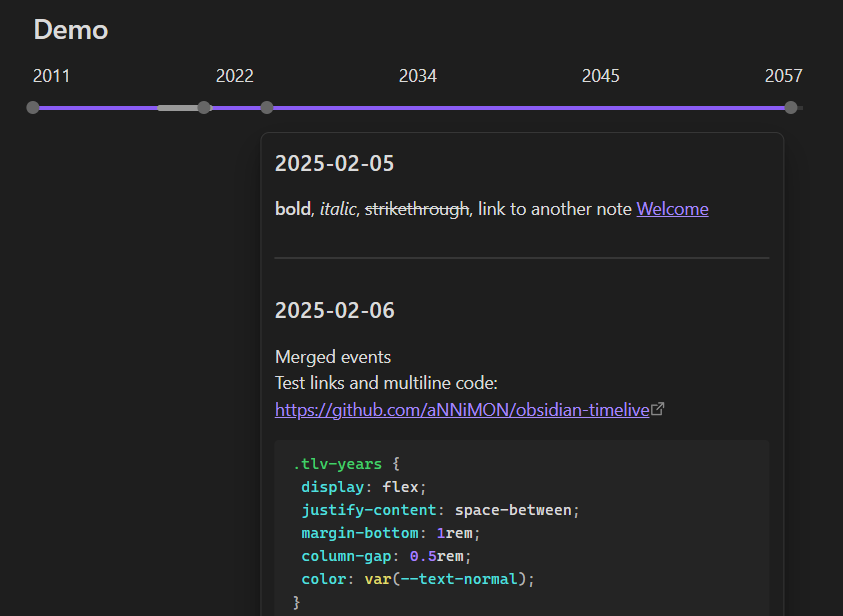
See info.md for a real use case.
Settings
Preview title date format
Date format for titles in the date preview popup. See Date format reference.
Examples:
| Value | Default? | Result |
|---|---|---|
YYYY-MM-DD | ✅ | 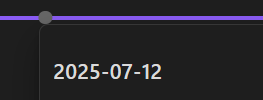 |
MM/DD/YYYY | 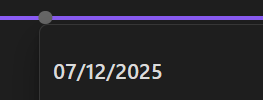 | |
MMMM DD, YYYY | 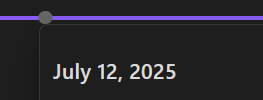 | |
DD MMM YYYY | 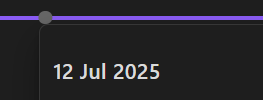 | |
ddd, DD MMM YYYY | 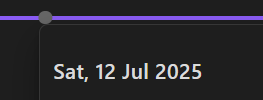 |
Calendar month format
Calendar row format for years and months only. See Date format reference.
Examples:
| Value | Default? | Result |
|---|---|---|
YYYY-MM | ✅ |  |
YYYY/MM |  | |
MMM YY |  | |
MMM YYYY |  |
Parse date format
| Value | Default? | Matches |
|---|---|---|
Years Months Days | ✅ | 2008-02-09, 2008/02/09, 08/2/9, 2008/02-09, 8 2 9 |
Days Months Years | 09-02-2008, 09/02/2008, 9/2/08, 09-02/2008, 9 2 8 | |
Months Days Years | 02-09-2008, 02/09/2008, 2/9/08, 02-09/2008, 2 9 8 |
For plugin developers
Search results and similarity scores are powered by semantic analysis of your plugin's README. If your plugin isn't appearing for searches you'd expect, try updating your README to clearly describe your plugin's purpose, features, and use cases.