TubeNote
approvedby Hugo Santos
Adds a compact YouTube livestream controller above the vault name. - This plugin has not been manually reviewed by Obsidian staff.
TubeNote
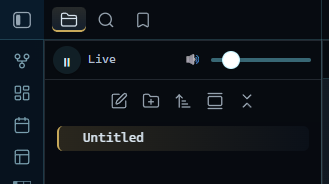
Adds a compact YouTube livestream controller above the vault name in Obsidian's sidebar, so you can listen to (or watch) a YouTube livestream without leaving your notes.
Features
-
A small play/pause control and volume slider docked above the file explorer's nav header.
-
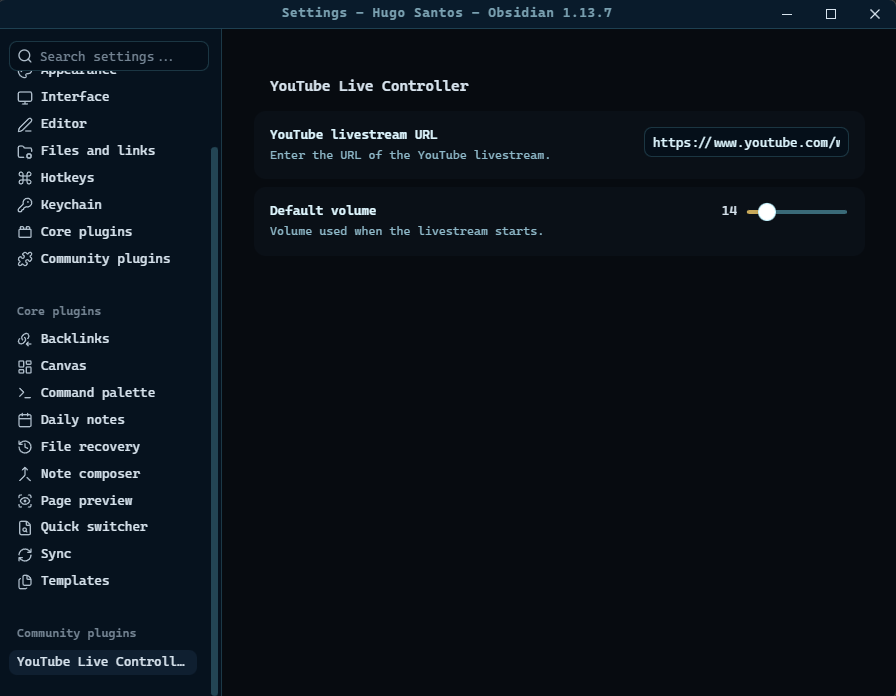
Configure the livestream URL and default volume from the plugin settings.
-
The player persists across layout changes and reloads with your last saved settings.
Usage
- Open Settings → TubeNote and paste the URL of the YouTube livestream
(or any YouTube video) you want to control, e.g.
https://www.youtube.com/watch?v=VIDEO_ID. - Set your preferred default volume.
- Use the play/pause button and volume slider docked at the top of the sidebar to control playback.
Network use
This plugin loads the official YouTube IFrame Player API
(https://www.youtube.com/iframe_api) from YouTube's servers, and embeds
a YouTube video player for the livestream URL you provide. No other
external service is contacted, and no data is sent anywhere by the plugin
itself beyond what YouTube's own player requires to stream video/audio.
Installation
From Obsidian (once published)
- Open Settings → Community plugins → Browse.
- Search for "TubeNote" and select Install.
- Enable the plugin.
Manual installation
- Download
main.js,manifest.json, andstyles.cssfrom the latest release. - Copy them into
<your-vault>/.obsidian/plugins/tubenote/. - Reload Obsidian and enable TubeNote under Community plugins.
Support
Found a bug or have a feature request? Please open an issue in this repository.
I have converted coffee ☕ into this repository.
If you think it was worth it, consider helping me buy more coffee ☕: PayPal
License
Released under the MIT License.
For plugin developers
Search results and similarity scores are powered by semantic analysis of your plugin's README. If your plugin isn't appearing for searches you'd expect, try updating your README to clearly describe your plugin's purpose, features, and use cases.