TreeGen
unlistedby 30jannik06
Generate a copyable ASCII folder/file tree from any folder in your vault.
Updated 2mo agoMIT
TreeGen — Obsidian Plugin
Generate and copy ASCII folder/file trees directly from your Obsidian vault.
Inspired by the JetBrains TreeGen plugin.
Preview
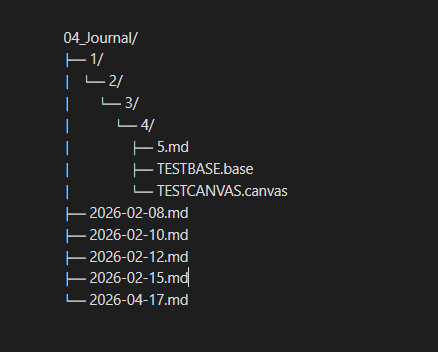
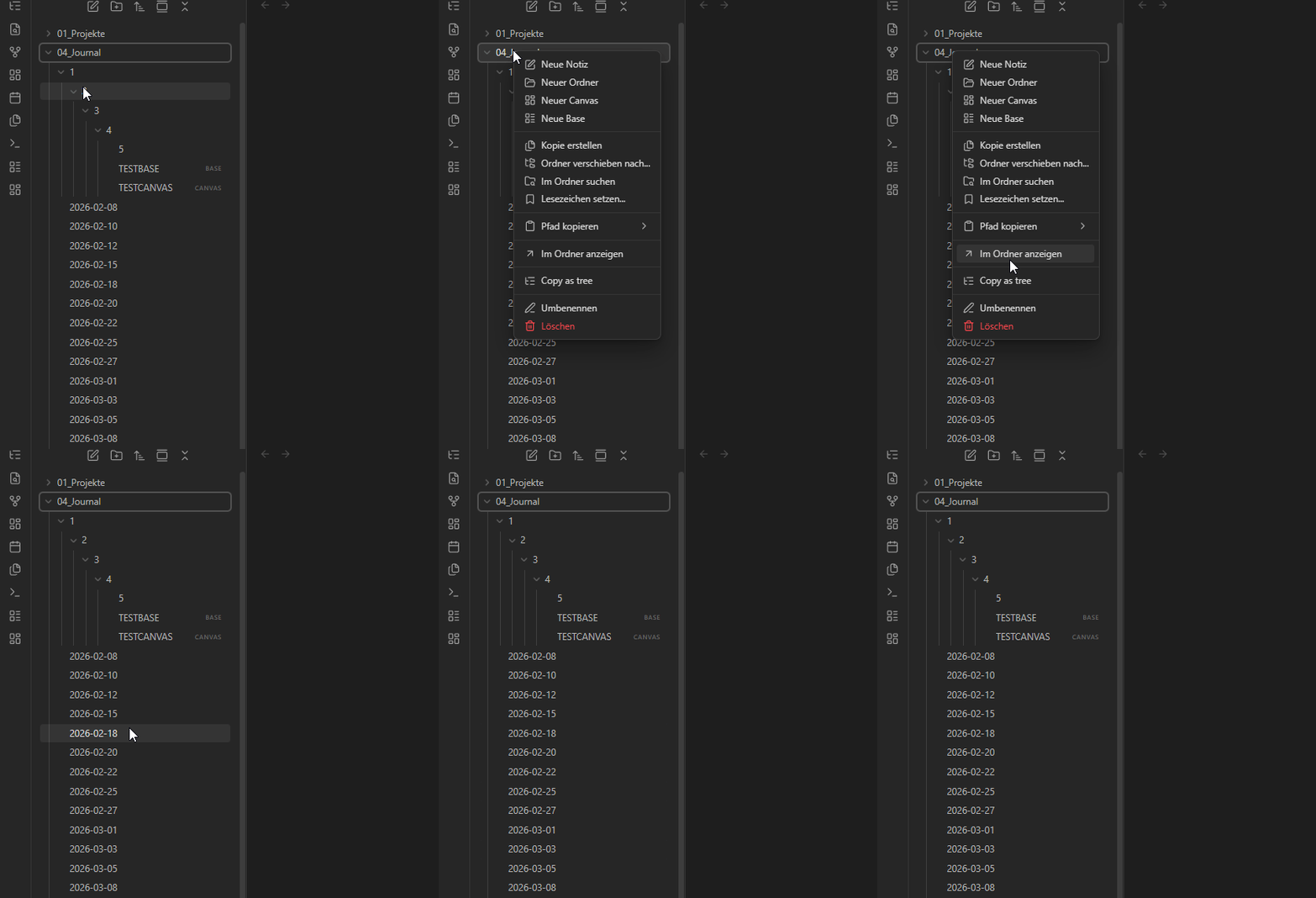
Features
- Side panel — interactive tree view in the right sidebar, opened via ribbon icon
- Right-click menu — "Copy as tree" on any folder in the file explorer
- Live search — filter the tree by name, matching files are highlighted
- Expand / Collapse all — one click to open or close the entire tree
- Copy formats — switch between Tree, Paths, and JSON before copying
- 5 tree styles — Lines, Rounded, ASCII, Minimal, Compact
- File count badges — see how many files each folder contains at a glance
- Click to open — click any file in the panel to open it; Ctrl+click opens in a new tab
- Per-folder copy — copy button appears on hover for any folder
- Configurable — max depth, exclude patterns, tree style, root label, show/hide files
Tree styles
Lines (default)
my-project/
├── src/
│   ├── main.ts
│   └── TreeView.ts
├── styles.css
└── manifest.json
Rounded
my-project/
├── src/
│   ├── main.ts
│   ╰── TreeView.ts
├── styles.css
╰── manifest.json
ASCII
my-project/
+-- src/
|   +-- main.ts
|   \-- TreeView.ts
+-- styles.css
\-- manifest.json
Minimal
my-project/
· src/
·   · main.ts
·   · TreeView.ts
· styles.css
· manifest.json
Compact
my-project/
  src/
    main.ts
    TreeView.ts
  styles.css
  manifest.json
Copy formats
Paths
my-project/src/main.ts
my-project/src/TreeView.ts
my-project/styles.css
my-project/manifest.json
JSON
{
  "src/": {
    "main.ts": null,
    "TreeView.ts": null
  },
  "styles.css": null,
  "manifest.json": null
}
Installation
Manual
- Download
main.js,manifest.json, andstyles.cssfrom the latest release - Copy them into
.obsidian/plugins/obsidian-treegen/in your vault - Enable the plugin in Settings → Community Plugins
Usage
| Action | How |
|---|---|
| Open panel | Click the tree icon in the left ribbon |
| Copy vault tree | "Copy all" button in the panel |
| Copy folder tree | Hover a folder → click copy icon |
| Copy file path | Hover a file → click copy icon |
| Open file | Click any file in the panel |
| Open in new tab | Ctrl+click (Cmd+click on Mac) |
| Filter | Type in the search box |
| Change format | Click Tree / Paths / JSON in the panel |
| Copy from file explorer | Right-click any folder → "Copy as tree" |
| Command palette | TreeGen: Open TreeGen panel / TreeGen: Copy vault root as tree |
Settings
| Setting | Default | Description |
|---|---|---|
| Max depth | 10 | How many folder levels deep to traverse |
| Show files | On | Include files in the tree; disable for folders only |
| Exclude patterns | .obsidian,.git | Comma-separated names to skip |
| Tree style | Lines | Lines, Rounded, ASCII, Minimal, or Compact |
| Root label | Folder name | Top-level label: folder name, full path, or none |
Development
git clone https://github.com/30jannik06/Obsidian-TreeGen
cd Obsidian-TreeGen
pnpm install
pnpm dev        # watch mode
pnpm build      # production build
pnpm lint       # ESLint
pnpm lint:fix   # ESLint + auto-fix
Stack: TypeScript · esbuild · ESLint · Obsidian API
License
MIT — see LICENSE
For plugin developers
Search results and similarity scores are powered by semantic analysis of your plugin's README. If your plugin isn't appearing for searches you'd expect, try updating your README to clearly describe your plugin's purpose, features, and use cases.