Nebula
unlistedby 7evyr
See your vault as a glowing 3D constellation: a hub, one orbit ring per folder, every note a star, every link a line of light.
Nebula
A glowing 3D constellation view of your Obsidian vault.
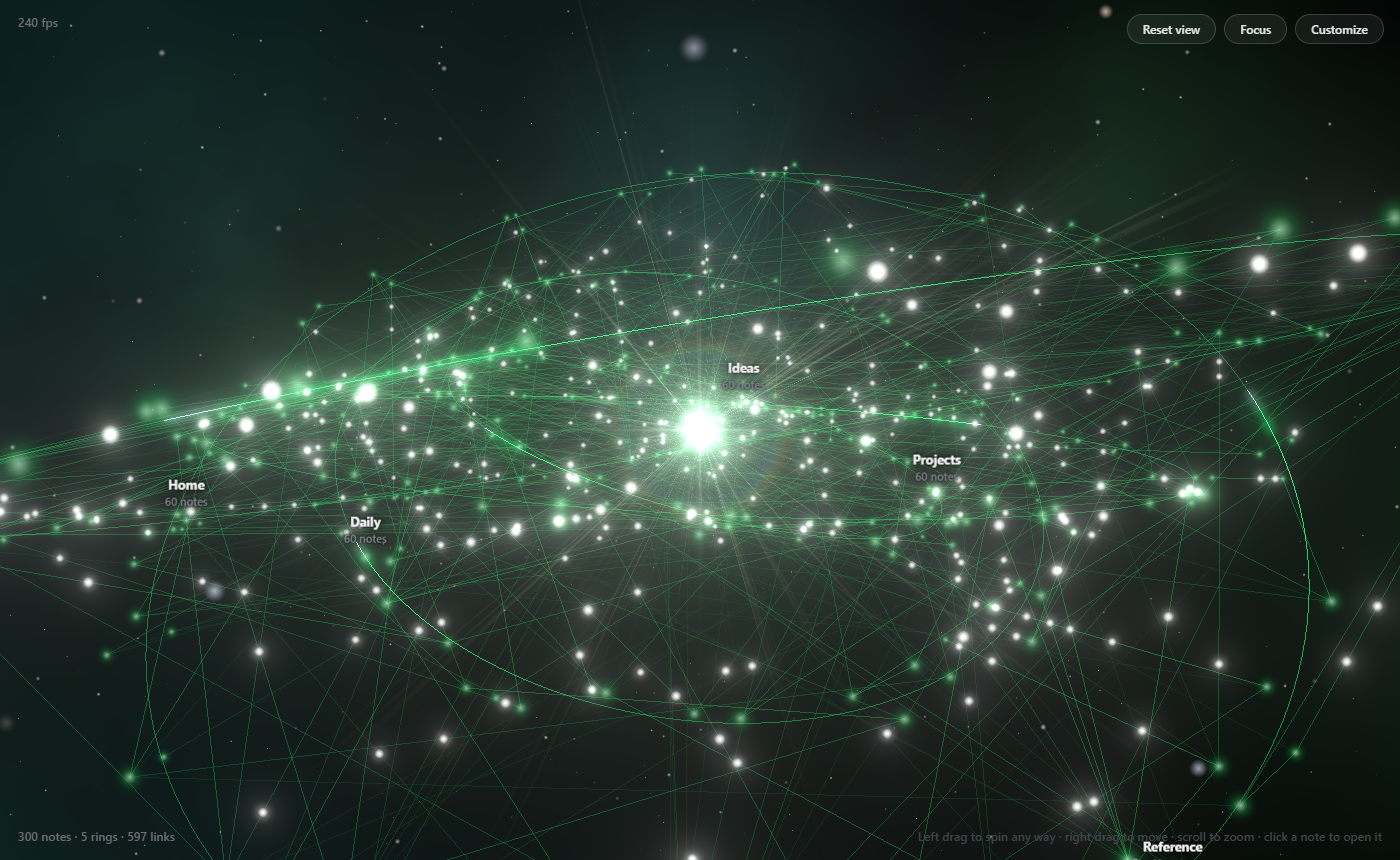
Every note is a star. A living star burns at the centre, each top-level folder gets its own tilted orbit ring around it inside faint nebula gas, and every link between notes is drawn as a line of light, with beads of light running along it.
Features
- Full 3D view: drag to spin, right-drag to move, scroll to zoom.
- Click a star to open that note in a split pane. Hover to see its name and folder.
- Click a folder label to fly to that ring.
- Focus mode (
F) hides the sidebars so the view fills the window.Escleaves it. - Customize panel: color, glow, node size, link and ring brightness, light beads, spin, comets, pulse, twinkling background stars, nebula clouds, folder names, motion, and render quality.
- The view updates itself when notes or links change.
- The ribbon's orbit button switches between Nebula and the normal graph view.
Install
With BRAT (works today)
- Install BRAT from Settings → Community plugins → Browse, and enable it.
- Run the command BRAT: Add a beta plugin for testing.
- Paste
7evyr/obsidian-nebulaand confirm. - Enable Nebula in Settings → Community plugins.
By hand
- Download
nebula.zipfrom the latest release. - Unzip it into
<your vault>/.obsidian/plugins/, so you end up with.obsidian/plugins/nebula/main.js,manifest.jsonandstyles.css. - Reload Obsidian and enable Nebula in Settings → Community plugins.
Do not use the green Code → Download ZIP button. That is the source code and has no main.js, so Obsidian cannot load it.
Troubleshooting
- The tab is blank or shows an error on Obsidian 1.15. Update to 0.1.4 or later (BRAT: run BRAT: Check for updates).
- It does not spin. Your system asks apps to reduce motion (Windows: Settings → Accessibility → Visual effects → Animation effects; macOS: Reduce motion). Nebula follows that by default. To animate anyway, open Customize and set Motion to On.
- BRAT says the plugin is "desktop only" and you are on a mobile device. Versions before 0.1.6 were marked desktop only. Run BRAT: Check for updates, or add the plugin again. On a PC, this message also means Obsidian's mobile emulation is switched on.
- "Nebula could not start". Nebula needs WebGL. Turn on Settings → Appearance → Hardware acceleration and restart Obsidian.
- Hidden
.obsidianfolder. On macOS pressCmd+Shift+.in Finder. On Windows turn on View → Show → Hidden items.
Use
Click the orbit icon in the left ribbon, or run Nebula: Toggle view from the command palette.
Notes
- Works on desktop, phones and tablets. On touch: drag to spin, pinch to zoom, two fingers to move, tap a note to open it.
- Big vaults are fine. If it feels heavy, set Quality to Fast in the Customize panel.
- Nebula only reads your vault's file list and links. It never changes your notes and makes no network requests.
Build
npm install
npm run build
This writes main.js next to manifest.json and styles.css.
License
For plugin developers
Search results and similarity scores are powered by semantic analysis of your plugin's README. If your plugin isn't appearing for searches you'd expect, try updating your README to clearly describe your plugin's purpose, features, and use cases.