Vault Atom
unlistedby Miles Gurule
See your vault as a 3D atom: folders orbit as shells around your core notes, with links drawn between them.
⚛️ Vault Atom for Obsidian
See your whole vault as a 3D atom. Your core notes glow at the nucleus, each folder orbits as its own shell, and every link between notes is drawn as a line through space.


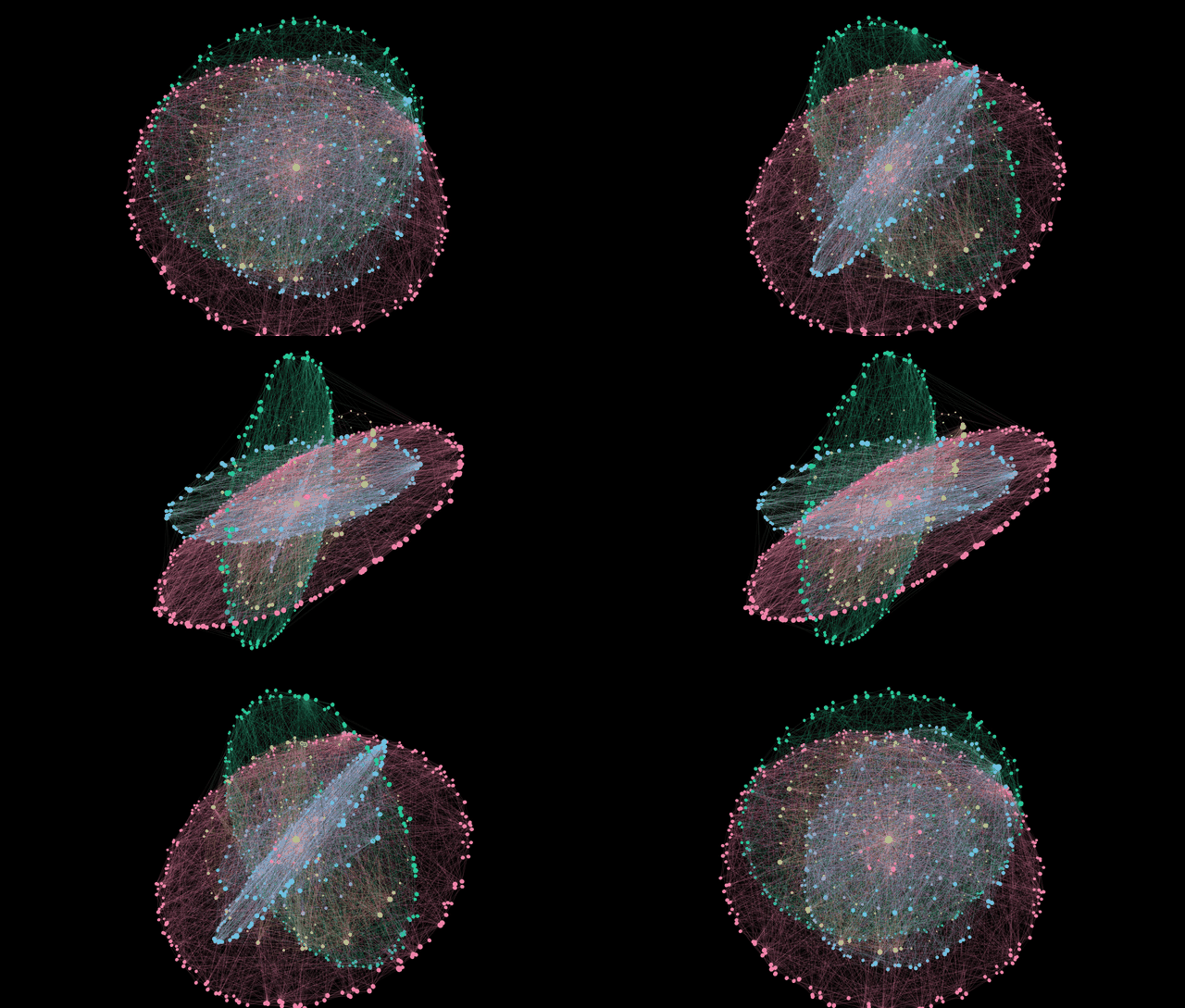
Features
- Nucleus: your most-linked note, or any notes you choose, at the center
- Shells: folders become orbiting rings, sized by how many notes they hold. Automatic depth picks the clearest grouping, and tiny folders merge into "Other".
- Links: every resolved
[[link]]drawn in 3D and colored by shell - Search: press
/or click the search box, type part of a note's name, and press Enter to fly to it. The camera follows the note as its shell orbits. Cmd/Ctrl+Enter opens it. - Interact: drag to rotate, scroll to zoom, hover for the note name and link count, click to open the note (Cmd/Ctrl-click for a new tab)
- Legend: click a shell to hide or show it
- Live: updates as you write, rename or delete notes
- Settings: nucleus notes, shell depth (auto/1/2/3), exclude folders, show links, auto-rotate, orbit speed, max notes
- Uses your theme's colors and works in light or dark mode
Install
Vault Atom is waiting for review for Obsidian's Community Plugins list. Until then, either:
Option A: BRAT (easiest, gets updates automatically)
- Install BRAT from Settings → Community plugins → Browse.
- Run "BRAT: Add a beta plugin for testing" from the command palette.
- Paste
milesgurule-png/obsidian-vault-atomand click Add plugin. - Enable Vault Atom in Settings → Community plugins.
Option B: manual
- Download
main.js,manifest.jsonandstyles.cssfrom the latest release. - Put them in
<your vault>/.obsidian/plugins/vault-atom/. - In Obsidian, go to Settings → Community plugins, turn off Restricted mode, and enable Vault Atom.
Then click the ⚛ ribbon icon or run "Open Vault Atom" from the command palette.
Like it? A ⭐ on this repo helps other Obsidian users find it. Share a screenshot of your vault's atom in Discussions!
Contributing
Ideas and bug reports are welcome. See CONTRIBUTING.md.
Build
npm install
npm run build
Made by Miles Gurule.
License
MIT. See LICENSE.
For plugin developers
Search results and similarity scores are powered by semantic analysis of your plugin's README. If your plugin isn't appearing for searches you'd expect, try updating your README to clearly describe your plugin's purpose, features, and use cases.