AnyMenu
unlistedby LincZero
A powerful input method assistant / editor assistant. Integrates a variety of quick input tools that can be used in a general text environment. Like quicker input, quicker conversion, quicker search, quicker menu, etc.

[WIP] AnyMenu
A powerful assistant for inputMethod / editor
A cross-platform, lightweight, fast, and customizable Input Method Companion / Editor Companion focused on text editing environments.






[!WARNING] It is still under development and improvement. Currently, it is in the beta version.
What is AnyMenu
- Positioning
- A cross-platform, lightweight, fast, and customizable Input Method Companion / Editor Companion focused on text editing environments.
- Multi-platform
- Obsidian Plugin
- Cross-platform application
- Main function
- Used to enhance input method or editor functionality, quickly generate templates, and provide auto-completion
- Specific functions
- Quick text - Quick input of text, quick conversion of text
- Quick panel invocation - Quick search box, quick multi-level menu, quick editor (under development)
- Quick activation - Quick super key (Caps+), quick cursor (like vim), hot string (under development)
- User-friendly dictionary/script - Customization, cloud market
- Quick GPT (under development)
Document (usage / tutorial / example)
- Document Homepage
- Shortcut - Advanced, Fast Cursor (Caps+ Scheme)
- Dictionaries
(Scripts are also considered a special type of dictionary.)
- 1. Download AnyMenu Dictionaries Online
- 2. Manually Download AnyMenu Dictionaries (For use in offline environments / network issues / online marketplace unavailable / downloading unaudited third-party dictionaries)
- 3. Writing AnyMenu Dictionaries
- 4. Uploading Custom AnyMenu Dictionaries
- Related articles
Features
Features will be introduced by different modules (categorized into multiple groups/abstract categories).
Core Features
[table]
- Quick Input
- Custom text, phrases, templates, etc., for quick input
- Quick Conversion
- Convert selected text into corresponding text based on certain rules. Can be used for smart punctuation, smart tag pairs, text commands, formatting, translation, GPT, and more
- Quick Panel
- Default shortcut:
Alt+A(configurable). Summon the panel anytime, anywhere, similar to utools and quicker
- Default shortcut:
- Quick Multi-level Menu
- Visual output, especially when using the Obsidian version, allowing you to see the Markdown-rendered result of the output content
- Quick Search Box
- In addition to using the multi-level menu, you can also quickly find and output desired content via the search box
- Shortcuts - Advanced (Caps+)
- Use non-traditional system shortcuts like
Caps+or'+to execute commands, avoiding crowded global shortcuts
- Use non-traditional system shortcuts like
- Quick Cursor
- Utilizes advanced shortcuts, with a default configuration of a vim-like scheme based on the
Caps+approach
- Utilizes advanced shortcuts, with a default configuration of a vim-like scheme based on the
- Multi-platform, High Compatibility, Unified
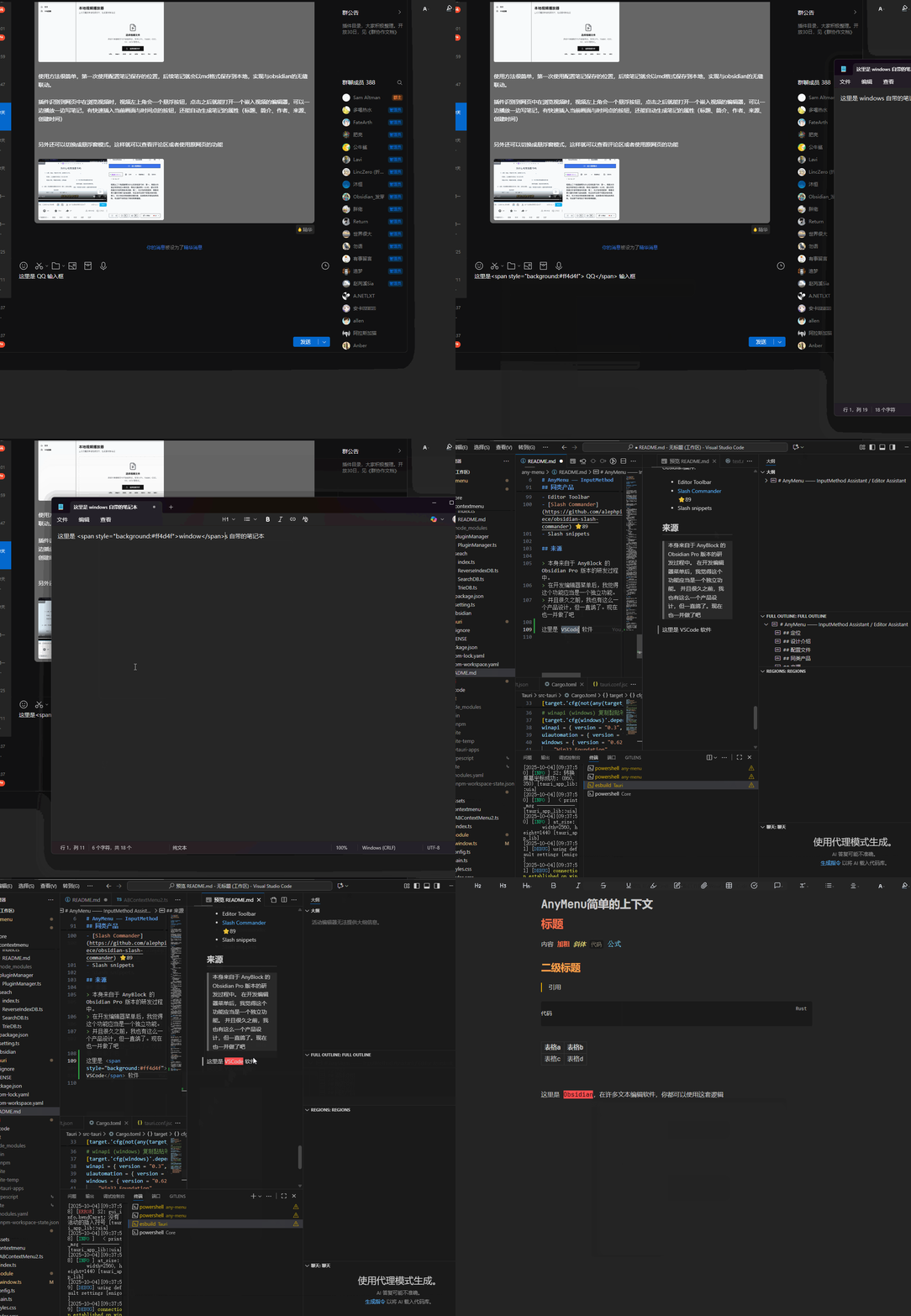
- Not just an Obsidian plugin but also available as a standalone app In the app version, you can summon the same menu in any text-based editor environment, using the same operational logic to enhance your input method and current editor
- Others
- Additional features that are under development, in progress, or planned can be found in Miscellaneous
Dictionary / Script Marketplace Module
Currently officially supported dictionaries: (Just a few examples are listed.)
mindmap
  root(AnyMenu)
    (Phrase Type)
      emoji
      Kaomoji (Text Emoticons)
    (Markdown Demo)
      Markdown demo
      Mermaid demo
      AnyBlock plugin demo
      MetaBind plugin demo
    (Script Type)
      Output current date and time
      Markdown formatting
      Markdown tags
      HTML tags
    (Other)
      Obsidian command
Official dictionaries/scripts are continuously being expanded. You can also fully write your own custom dictionaries/scripts.
Graphic and textual demonstrations of some functions
After configuring the dictionary, you can use it as follows:
Quick Input Template:
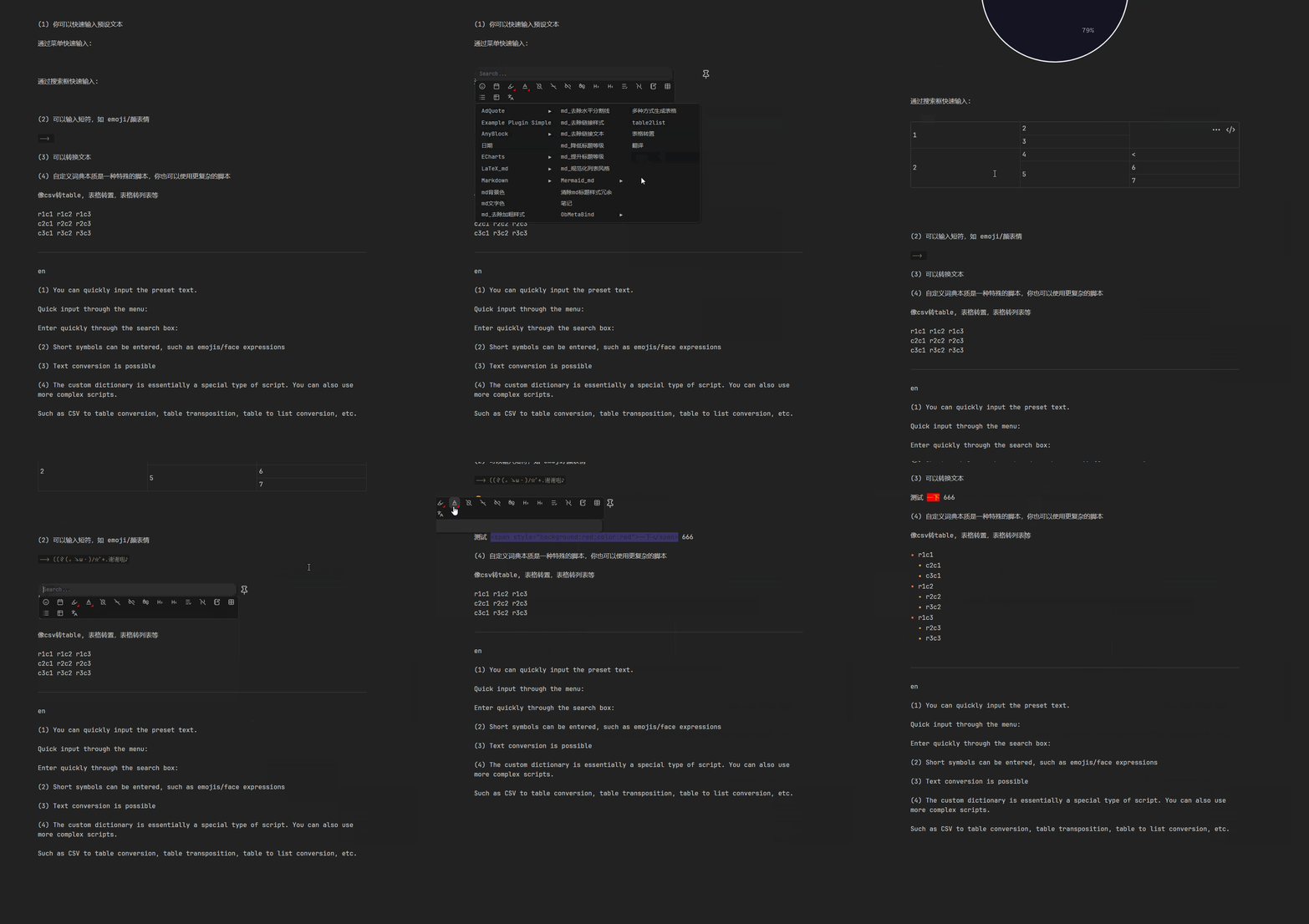
The app version can be used in any text environment: (Old version screenshot)
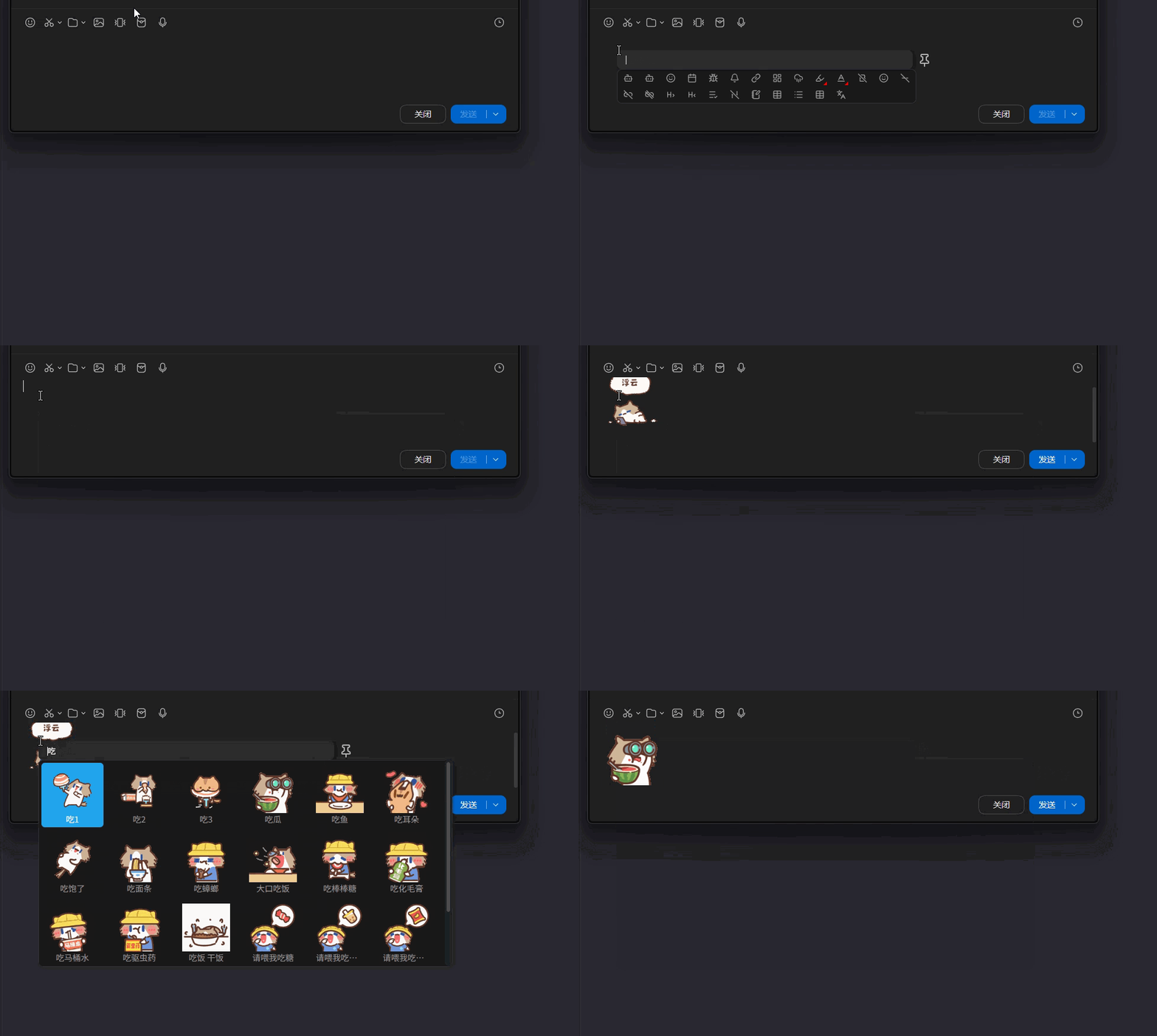
Can quickly search for and input emoticons:
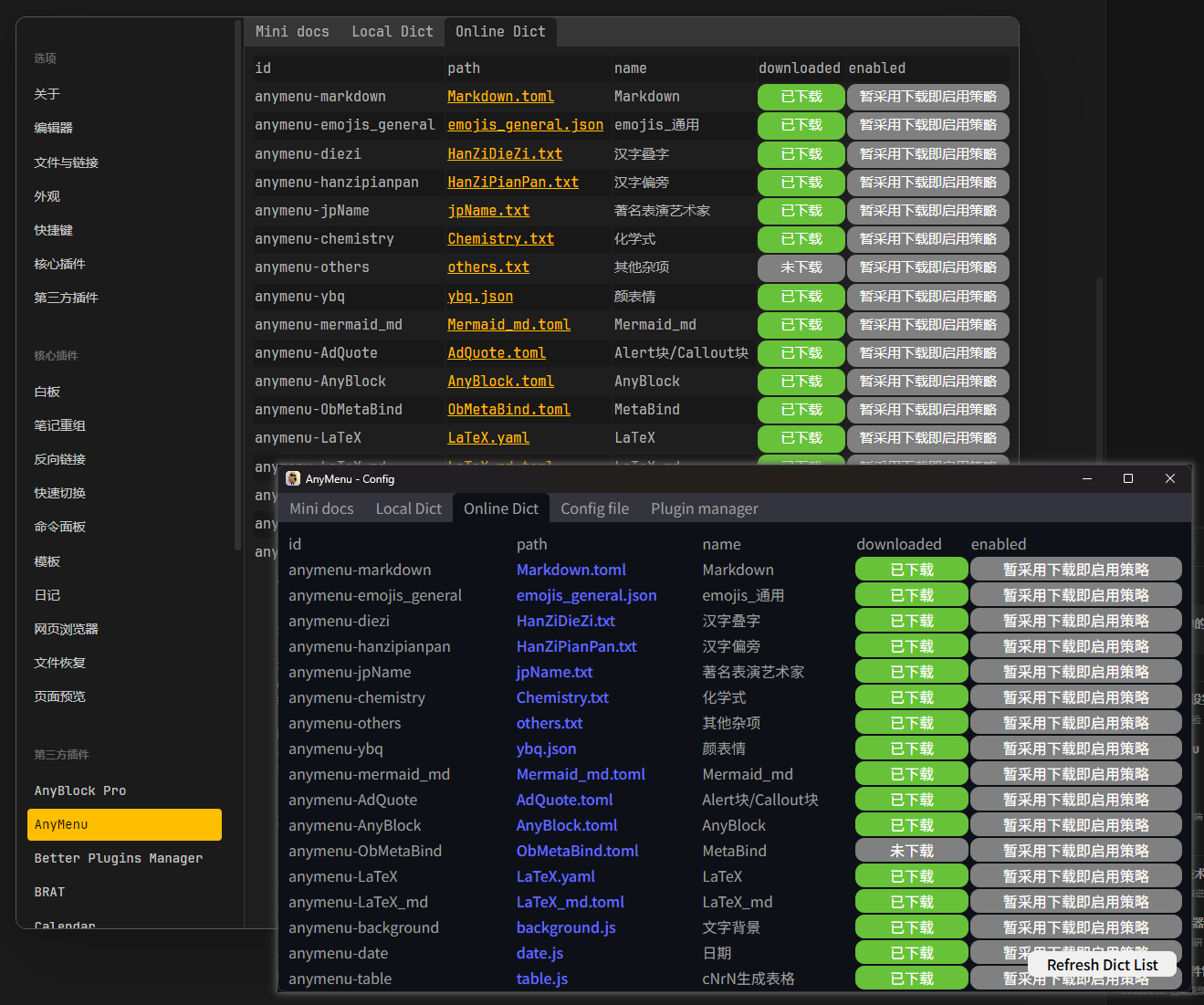
You can download and manage online dictionaries/scripts, or you can manually create, manage and customize them.
Differences Between Plugin Version and App Version
[!warning] Regarding Simultaneous Installation:
- Setup Method 1 (Default): The App version will automatically add Obsidian to its blocklist.
- Setup Method 2: You can modify the
app_black_listsetting in the App version to remove Obsidian from the blocklist.Resulting Behavior:
- In the default setup, if both the Plugin and App versions are installed, the same hotkey will prioritize the Plugin version. (Corresponds to Setup Method 1)
- You might prefer installing only the App version without the Plugin version. (Corresponds to Setup Method 2)
- Alternatively, you can assign different hotkeys to each, allowing flexible use within Obsidian based on the situation. (Corresponds to Setup Method 2)
| Feature | Plugin version | App version |
|---|---|---|
| Multilevel menu | ✅ | ✅ |
| Search Box | ✅ | ✅ |
| Advanced Hotkeys (Caps+) | ❌ | ✅ |
| Better Selected Text Capture | ✅ | ✅ |
| Better Full Editor Text Capture | ✅ | ❌ |
| Performance | Potentially better |
Among them
- "Better Selected Text Capture" is related to whether the text processing and replacement functions can be used.
- "Better Full Editor Text Capture" is related to whether functions such as finding the next matching text, multiple cursors, and full-text AI can be utilized. Even the ability to call some of the software's own APIs is possible.
Highlights
Given that tools like Quicker and uTools already exist, what are the advantages compared to similar products? See below and What Quick Input/Auto-completion Solutions Exist?
- Zero Barrier to Entry
- It's not the one with the shortest or fastest input chain (the fastest are input method phrases and hotstring solutions, but they have a steeper learning curve). However, it is definitely the most intuitive and easiest to use in terms of thinking logic.
- Can be used with any input method solution or any input method software.
- Easy to use, fast, powerful, and highly customizable.
- Cross-platform
- If time permits, support for Windows/Linux platforms, Obsidian, and VSCode plugins will be added.
For plugin developers
Search results and similarity scores are powered by semantic analysis of your plugin's README. If your plugin isn't appearing for searches you'd expect, try updating your README to clearly describe your plugin's purpose, features, and use cases.