Year Map
unlistedby Abdulrahman S. Al-Batati
A linear calendar: the whole year on one page, with your daily notes, your tasks and your plans on it.
Year Map
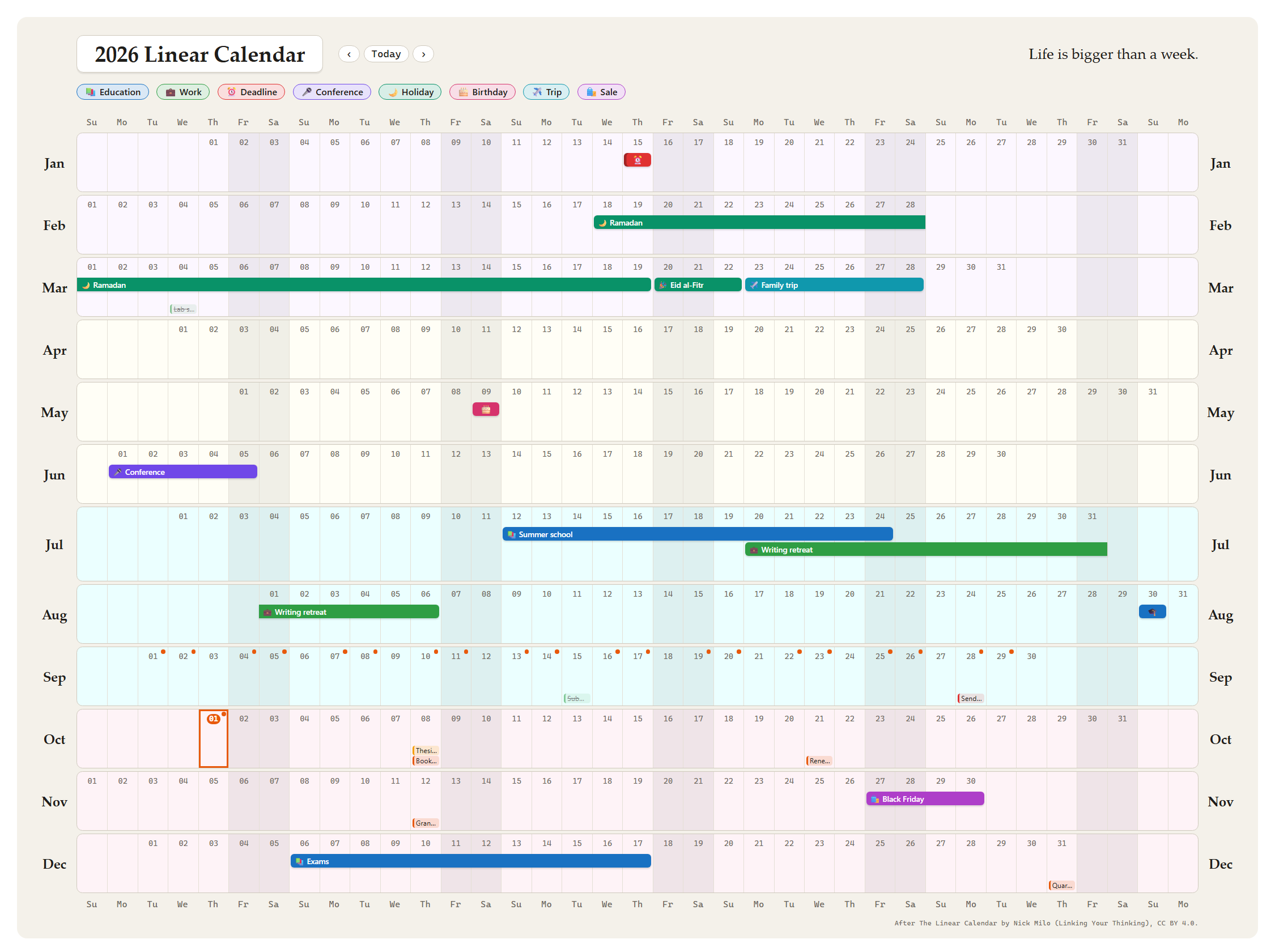
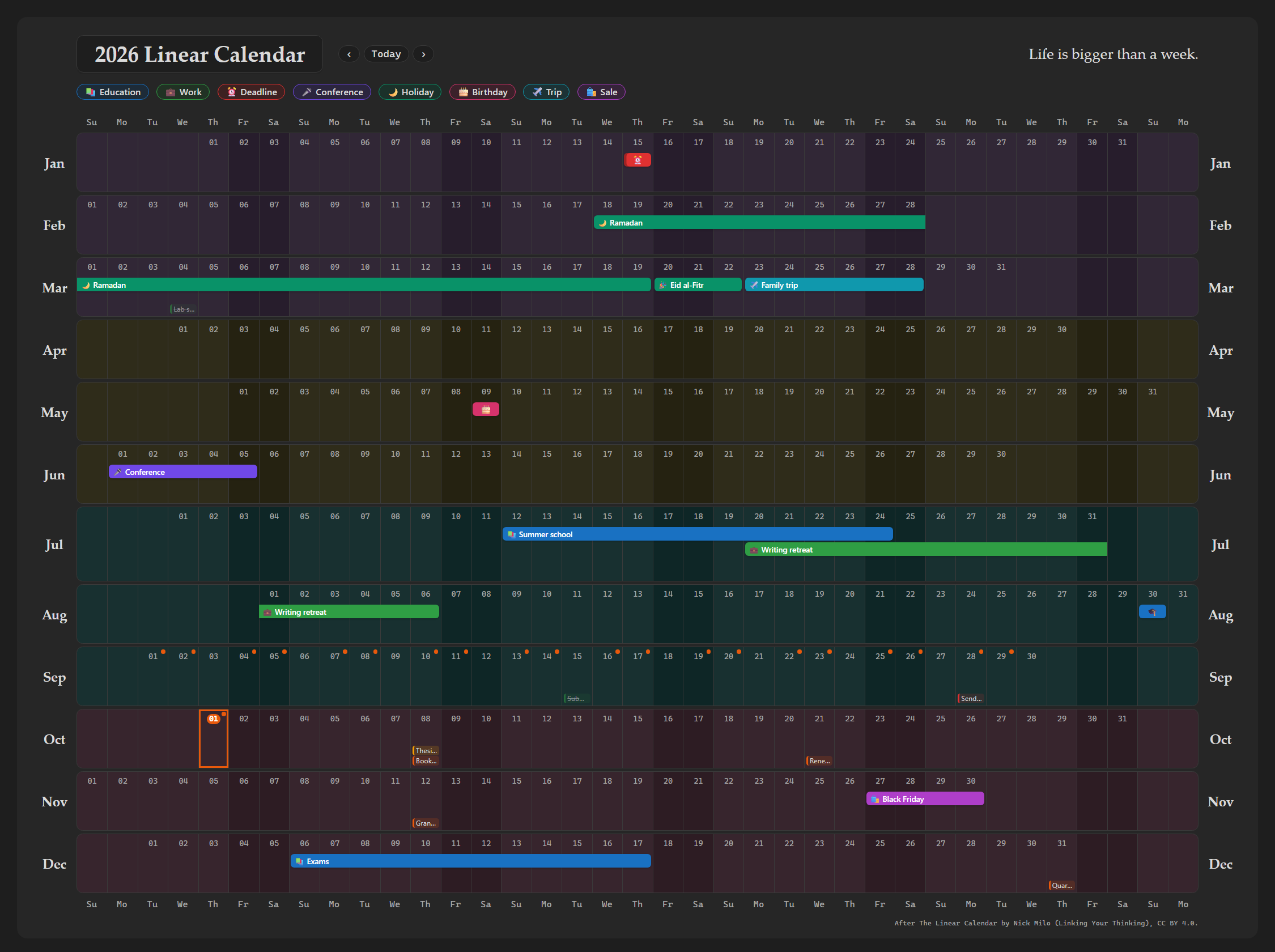
A linear calendar for Obsidian: the whole year on one page, twelve months as twelve rows with the days lined up by weekday, so that every weekend falls in the same column down the year. Your daily notes, your tasks and your plans are drawn on it, and every day, month, task and plan opens with a click.
The layout follows The Linear Calendar by Nick Milo (see Credit).
What it draws
- Days. A dot marks a day with a daily note. A click on a day asks what to do: add an event there, add one that comes back every year (a birthday, an anniversary), open the day's note (made from your template when it does not exist yet), or open an event on that day. Ctrl-click (Cmd-click on macOS) opens the day's note in a new tab, and a setting can make the click open the note or add an event at once.
- Months and the year. A click on a month's name opens its monthly note, and a click on the title opens the yearly note, when you keep them (Journals or Periodic Notes).
- Tasks, at the foot of their day, in the colour of their status or priority. A task that is past its due date and not done is marked. Drag a task onto another day to move it there.
- Events as bars across their days, each with its icon: any note with a start date and an end date, in a folder or with a tag you choose. A bar that runs into the next month continues there.
- Kinds of event. Each kind has a colour and an icon: Personal, Education, Work and Deadline, as in the template's legend, then Conference, Holiday, Birthday, Trip, Money and Sale. Change them or add your own. A legend under the title names the kinds the year shows.
- Repeats. An event that says
repeat: yearlycomes back every year from its first. Withcalendar: hijriit follows the Umm al-Qura calendar, so Ramadan and the two Eids land on their days each year. - Deadlines. A date inside an event, such as a conference's
deadline, is drawn as a day of its own, in the Deadline kind, in the year it falls in. - Still open. An event whose end is
todayruns until today: a request still waiting, a project under way. - Quarters. Each quarter on a tint of its own, lavender, cream, aqua and rose, as the template does it.
- Plans. Drag across days to plan something: name it, choose its kind, icon and repeat, and it is written as an event note.
Opening it
- The ribbon icon or the command Year Map: Open in a tab opens the year in its own tab. The arrows move through the years and Today comes back.
- Or put a
year-mapcode block in any note (the command Year Map: Insert block writes one):
```year-map
```
A block may choose its year, title, density and layers, one per line. Anything it does not set comes from the settings.
```year-map
year: next
title: {year}, the thesis year
density: compact
layers: tasks, events
```
| Line | Values |
|---|---|
year: | a year such as 2027, or this, next, last, +2, -1 |
title: | any text; {year} stands for the year |
density: | comfortable or compact (tasks as dots, for a narrow pane) |
layers: | any of days, tasks, events, or none |
Works with
TaskNotes. When TaskNotes is on, the year map reads its own settings: how it recognises a task (its tag or property), the names it gives the due, scheduled, status and priority properties, its statuses and which of them count as completed, and their colours. A task dropped on another day is moved by TaskNotes' own update, so its views and its notices follow. The time of day a date had is kept.
Journals. A day, a month and the year open through the journals you name (Daily, Monthly and Annually by default). Journals makes a missing note from its own template, with its own name and index. Days are read from the date Journals records in each note, whatever the note is called.
Daily notes (core), Periodic Notes. Without Journals,
the core plugin's or Periodic Notes' folder, date format and template are used. A missing note is made from the
template, with {{date}}, {{date:FORMAT}}, {{time}} and {{title}} filled in.
Without any of them, choose a folder and a date format in the settings. Tasks then are notes with the task tag
(task by default) and due or scheduled dates in their frontmatter.
Events are plain notes, so notes made by other plugins can be drawn too, such as Full Calendar's: a note is an
event when it is in one of the event folders (Year Map by default) or has one of the event tags (event), and it
has a start date:
---
title: Summer school
start: 2026-07-12
end: 2026-07-24
category: Education
---
The first of start, date and startDate present is the start, and of end and endDate the end; with no end,
the event is one day. All of these names can be changed in the settings. More that a note may say:
---
title: Ramadan
start: 2026-02-18        # one year's first day: 1 Ramadan 1447
end: 2026-03-19
category: Holiday        # its colour and icon, unless the note gives its own
icon: 🌙                 # an emoji or a few letters
repeat: yearly           # every year from 2026
calendar: hijri          # on the Umm al-Qura calendar
---
---
title: ICRA 2027
start: 2027-05-24
end: 2027-05-28
category: Conference
deadline: 2026-09-16     # drawn on 16 September 2026, in the Deadline kind
---
The Hijri dates come from your system's own calendar data (Intl, Umm al-Qura). Where a month's last day is the
30th and next year's month has 29 days, the event ends on the 29th.
Settings
| Setting | Default | What it does |
|---|---|---|
| Block name | year-map | The code block's language. A change takes effect when the plugin is reloaded. |
| Title, Line under the title | {year} Linear Calendar, Life is bigger than a week. | The head of the page. |
| Week starts on | Sunday | The first column. |
| Weekend | Saturday and Sunday | The columns shaded down the year; Friday and Saturday, or one day, or none. |
| Density | Comfortable | Compact draws tasks as dots. |
| Tasks shown on a day | 3 | More are counted. |
| Event rows in a month | 3 | Events beyond these are counted on their days. |
| A click on a day | Shows a menu | Or opens the day's note, or adds an event. A right-click always shows the menu. |
| Legend | on | The kinds of event the year shows, under the title. |
| Tint each quarter, and the four tints | on; lavender, cream, aqua, rose | As in the Linear Calendar template. |
| Show daily notes | on | |
| Daily notes from | Found by the plugin | Journals, Daily notes or Periodic Notes, or a folder and a date format. |
| Daily, Monthly and Yearly journal | Daily, Monthly, Annually | The Journals journals that open a day, a month and the year. |
| Show tasks | on | |
| Date a task sits on | Scheduled, or due when not scheduled | Or due, or scheduled, or both. |
| Hide completed tasks | off | |
| Drag to reschedule | on | |
| Colour tasks by | Status | Or priority. |
| Task tag and property names | task, due, scheduled, status, priority | Used only without TaskNotes. |
| Show events | on | |
| Event folders, Event tags | Year Map, event | What makes a note an event. |
| Start, End and Colour properties | start, date, startDate, end, endDate, color | |
| Default colour | orange | For an event with none. |
| Kinds of event | ten kinds | One per line: Name, #colour, icon. |
| Kind, Icon, Repeat and Calendar properties | category, icon, repeat, calendar | |
| Dates inside an event, and their kind | deadline; Deadline | Each drawn as a day of its own. |
| Folder for new events | Year Map | Where a plan made on the grid is written. |
| Properties for new events, Text of a new event | none | Frontmatter lines and a body for every new plan, such as a parent note or a heading. {{title}}, {{start}}, {{end}} and {{now:FORMAT}} are filled in. |
Installing
From Settings → Community plugins, once it is listed there. Until then, download main.js, manifest.json and
styles.css from the latest release into
<your vault>/.obsidian/plugins/year-map/, then turn it on under Settings → Community plugins. It needs Obsidian
1.13 or later.
Developing
npm ci
npm test          # the model, the renderer and the plugin, in Node, against a stub of Obsidian
npm run lint      # eslint with eslint-plugin-obsidianmd
npm run build     # type-check and bundle main.js
node docs/demo/build.mjs --shots   # the demo page and the two screenshots, with headless Edge or Chrome
Credit
The layout follows The Linear Calendar © Nick Milo (Linking Your Thinking), licensed under CC BY 4.0. This plugin redraws that layout in HTML and CSS and adds days, tasks and events to it; no file of the original is included. Every year map carries the credit in its corner.
License
MIT © 2026 Abdulrahman S. Al-Batati
For plugin developers
Search results and similarity scores are powered by semantic analysis of your plugin's README. If your plugin isn't appearing for searches you'd expect, try updating your README to clearly describe your plugin's purpose, features, and use cases.