Year Glance
approvedby yy
Render yearly calendar views with events marked and color-coded. - This plugin has not been manually reviewed by Obsidian staff.
Year Glance
A yearly calendar plugin for Obsidian that renders a whole-year view with events marked using colored indicators.
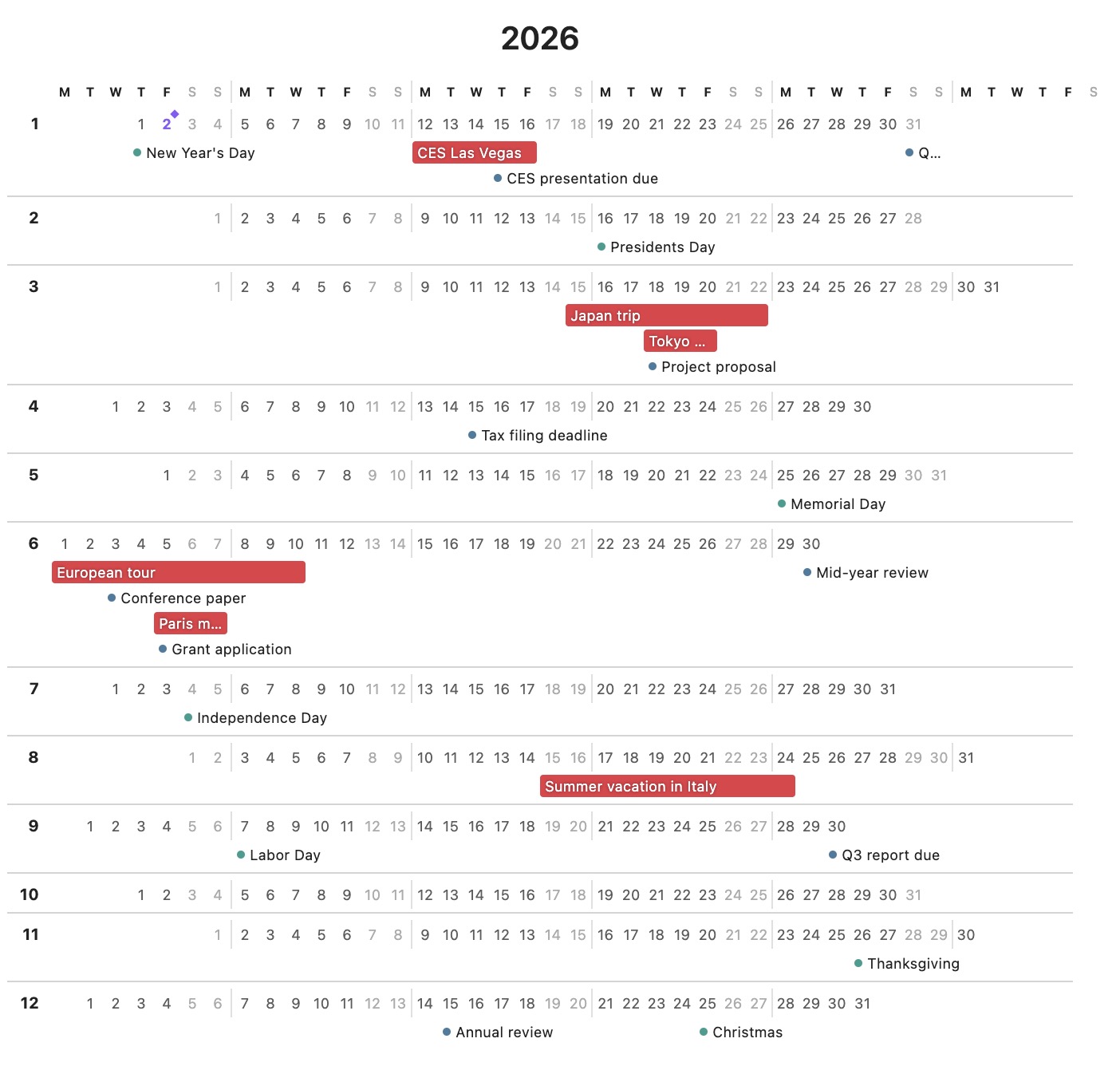
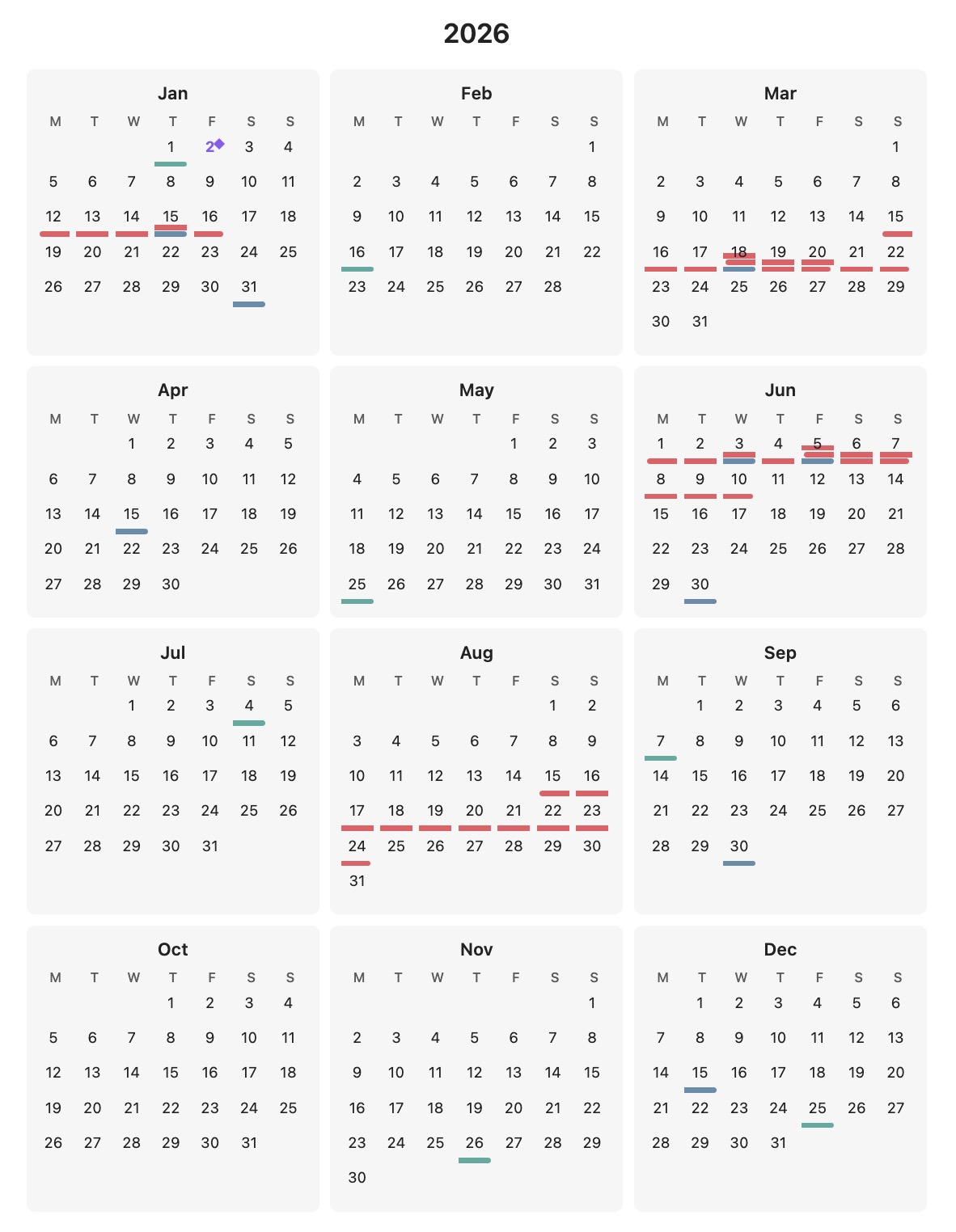
Installation
Community Plugin (Recommended, but currently under review and not yet available)
- Open Obsidian Settings → Community plugins
- Click "Browse" and search for "Year Glance"
- Click "Install" then "Enable"
Manual Installation
- Download
main.js,manifest.json, andstyles.cssfrom the latest release - Create a folder called
year-glancein your vault's.obsidian/plugins/directory - Copy the downloaded files into this folder
- Restart Obsidian and enable "Year Glance" in Settings → Community plugins
Basic Usage
Create a code block with year_glance as the language:
```year_glance
---
year: 2026
---

@Trips
- 20260601-20260608: A trip to Boston
- 20260815-20260820: Summer vacation

@Deadlines
- 20260731: Project X deadline
- 20261215: Annual review
```
Configuration Options
All options are specified in the YAML frontmatter between --- markers.
| Option | Values | Default | Description |
|---|---|---|---|
year | Any year (e.g., 2026) | Current year | The year to display |
layout | 3x4, 12-rows | 3x4 | Calendar layout style |
weekStart | sunday, monday | sunday | First day of the week |
style | compact, expanded | compact | Display style |
showToday | true, false | true | Show today indicator (diamond + accent color) |
palette | Preset name or hex list | default | Palette for auto-assigned category colors (see Color Palette) |
Layouts
3x4- Traditional 3×4 grid with months arranged in rows12-rows- One month per row, all days shown horizontally
Display Styles
compact- Minimal look with small colored indicator bars. Hover over a day to see event details in a tooltip.expanded- Event text is visible directly on the calendar. Multi-day events show as colored bars spanning multiple days; single-day events show as bullets with text.
Event Syntax
Categories
Categories group related events and share a color. Define them with @CategoryName:
@Trips
- 20260601-20260608: Boston conference

@Deadlines
- 20260731: Project deadline
Custom Colors
Optionally specify a hex color for a category:
@Trips [#ff6b6b]
- 20260601-20260608: Boston conference

@Holidays [#4ecdc4]
- 20261225: Christmas
If no color is specified, colors are auto-assigned from a palette. A category's color is derived from its name, so the same category keeps the same color across every calendar, regardless of the order categories appear in.
Date Formats
- Single day:
YYYYMMDD(e.g.,20260715) - Date range:
YYYYMMDD-YYYYMMDD(e.g.,20260601-20260608)
Full Example
```year_glance
---
year: 2026
layout: 3x4
weekStart: monday
style: expanded
---

@Trips [#e63946]
- 20260601-20260608: Boston conference
- 20260815-20260820: Summer vacation in Hawaii

@Deadlines [#457b9d]
- 20260131: Q1 planning complete
- 20260430: Tax filing deadline
- 20260731: Project X milestone

@Holidays [#2a9d8f]
- 20260101: New Year's Day
- 20260704: Independence Day
- 20261225: Christmas
```
Color Palette
Categories without an explicit [#hex] color are auto-assigned from a palette.
Choose the palette per calendar with the palette frontmatter option — either a
built-in preset name or your own list of colors:
---
year: 2026
palette: ocean          # a preset name...
---
---
year: 2026
palette: #3b82d6, #e5484d, #e6a521, #3ba24a   # ...or a custom hex list
---
Each color is picked in order; if there are more categories than colors, the palette repeats.
Presets
Every preset is checked so its colors stay distinct — including for the most common forms of color blindness — on both light and dark themes:
default- Balanced vivid hues (blue, aqua, yellow, green, violet, red, pink, orange)vivid- Deeper, more saturated version of the defaultpastel- Softer, lower-contrast tintsocean- Cool blues, teals, and greens
Custom palettes
Pass a comma-separated list of hex colors (#rgb or #rrggbb):
palette: #3b82d6, #e5484d, #e6a521, #3ba24a, #8b7be8
Explicit per-category colors (@Trips [#ff6b6b]) always override the palette.
For plugin developers
Search results and similarity scores are powered by semantic analysis of your plugin's README. If your plugin isn't appearing for searches you'd expect, try updating your README to clearly describe your plugin's purpose, features, and use cases.