AIOS Dashboard
unlistedby Jamison Hines
Live, interactive project and task dashboard for AIOS. Reads Operations/tasks and Projects hubs, renders a bespoke dark dashboard, and writes task changes back to the files.
AIOS Dashboard
Obsidian plugin for AIOS vaults: a live, interactive project and task dashboard. Reads task files (Operations/tasks/**/tsk-*.md) and project hubs (Projects/<slug>/<slug>.md), renders phase cards with computed progress bars, and writes status changes back to the files (frontmatter + folder moves). Nothing is stored in the dashboard note itself, so nothing drifts.
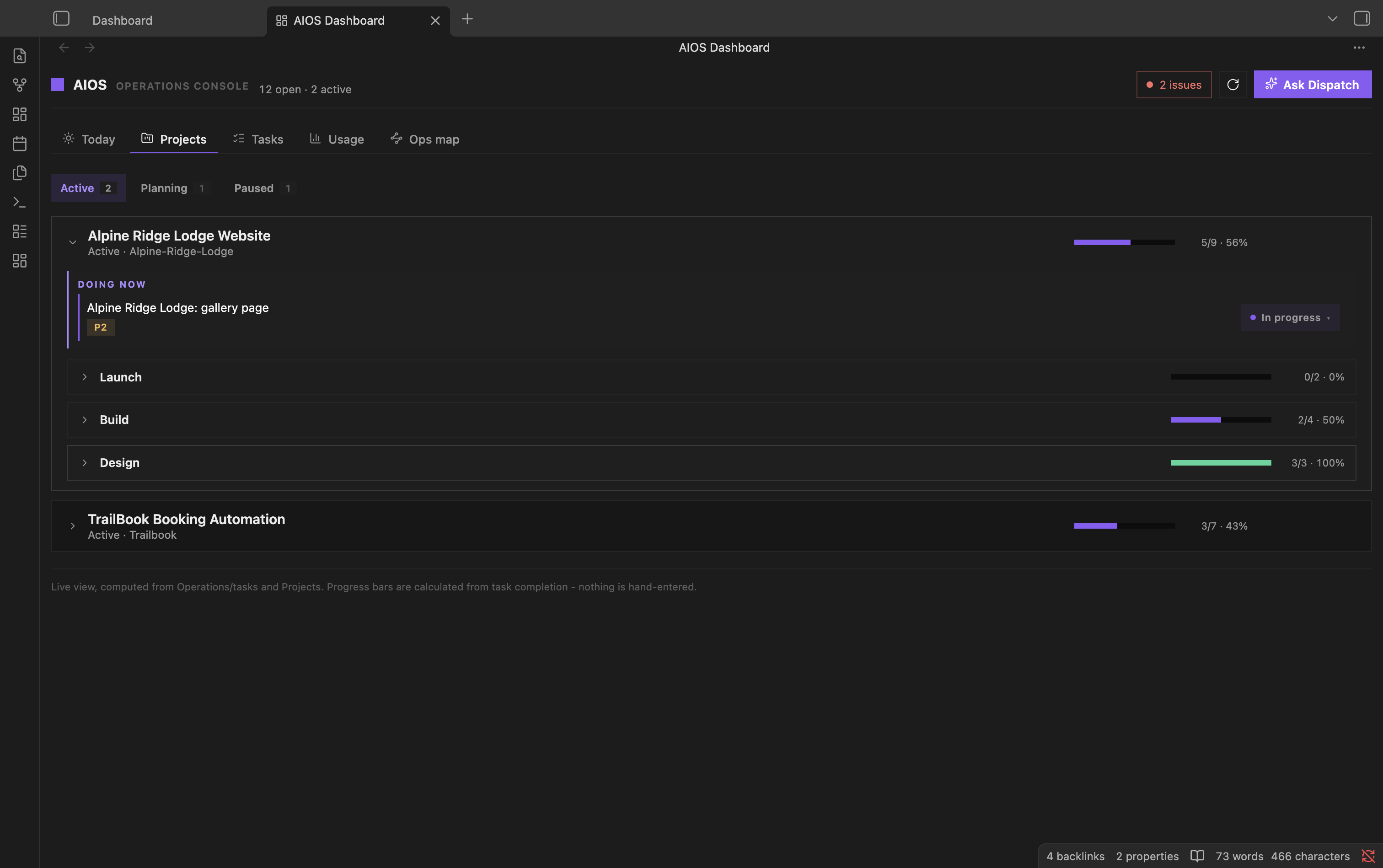
Demo vault with sample projects.
This is ONE engine shared by every AIOS instance. Per-fork variation is data, not code: override buckets and section order via frontmatter on the vault's Projects/Dashboard.md. Never fork this code per instance.
Settings
A settings tab (Obsidian Settings > AIOS Dashboard) configures the plugin's roots and thresholds per vault: tasks root, projects root, dashboard note path, header title, intake folder, journal folder, whether the health strip shows, the three staleness thresholds, and the broken-link exclude list. Frontmatter overrides on the dashboard note (dashboard_buckets, dashboard_project_statuses) still take precedence over settings where both apply.
Health strip
A row of small pills at the top of the dashboard surfaces vault upkeep issues: intake backlog, stale in-progress and stale open tasks, un-mined journal entries, orphan tasks (pointing at an unknown project), status/folder mismatches, and broken wikilinks. Tiles with a zero count are hidden entirely, so a healthy vault shows no strip. Click a tile to open a list of the offending files. Turn it off in settings with showHealthStrip.
Usage tab
A "Usage" tab shows token-usage/cost stats: today/7d/30d cost tiles, a 30-day stacked bar chart by model family (fable/opus/sonnet/haiku/other), a legend, a model breakdown table, and a top-projects table. It reads Operations/usage/usage-stats.json, which is produced by Operations/scripts/export-usage-stats.mjs (a dependency of this tab, not part of the plugin itself). The exporter scans Claude Code session transcripts and estimates API-equivalent cost; it is wired into the vault's SessionStart hook so the data refreshes automatically, or run it manually. If the stats file does not exist yet, the tab shows a hint instead of an error. The stats file path is configurable in settings (usageStatsPath, default Operations/usage/usage-stats.json).
Actions
On desktop, the dashboard can launch a Claude Code (Dispatch) session directly: each health tile's detail modal has a "Fix with Dispatch" button that opens a terminal in the vault with a canned prompt for that problem (plus a "Copy prompt" fallback that works everywhere), and the header has an "Ask Dispatch" button for a plain session. Launch mode is a setting: Terminal.app, iTerm2, or a custom command template with {vault} and {prompt} placeholders for wiring any other tool. Security note: actions only run the binary or template you configured in settings, prompts are passed as single quoted arguments, and the launched session is visible and interactive, so nothing executes without you watching it.
Install
- BRAT (recommended for forks): add this repo in the BRAT plugin settings; releases carry the built assets.
- Manual: copy
main.js,manifest.json,styles.cssinto<vault>/.obsidian/plugins/aios-dashboard/, or run./deploy.sh <vault-path>.
Develop
npm install
npm run dev     # watch build
npm test        # node test suites
npm run build   # production main.js
./deploy.sh ~/AIOS   # build + copy into a vault
Release
Bump manifest.json + package.json + versions.json, commit, then:
gh release create <version> main.js manifest.json styles.css --title <version>
For plugin developers
Search results and similarity scores are powered by semantic analysis of your plugin's README. If your plugin isn't appearing for searches you'd expect, try updating your README to clearly describe your plugin's purpose, features, and use cases.