Todo Block
unlistedby myaxislost
Keep your tasks in code-blocks. View them all in Hub view.
todo-blocks
Todo blocks for Obsidian that behave like a tiny task engine: parseable metadata, recurring tasks. A hub view aggregates all tasks from todo blocks in your vault.
Why do it?
For years I’ve been using different todo apps, and there were always things I liked about them. When I finally moved to Obsidian for keeping my notes, I tried several ways to manage my tasks in Obsidian too, but none of the existing approaches felt quite right.
What can it do?
- Always editable titles
- Simple keyboard combos for adding new/child tasks
- Task priority
- Natural language date parsing
- Recurring tasks
- Simple tags
- Locked tasks
- Hub view
- Sorting per code-block and in Hub view
- Show/Hide checked tasks
- Works on mobile
Install
Manually
Download latest "manual" release,
unpack the .zip and place the todo-block folder inside your .obsidian/plugins
From plugin store
coming soon
How to use it?
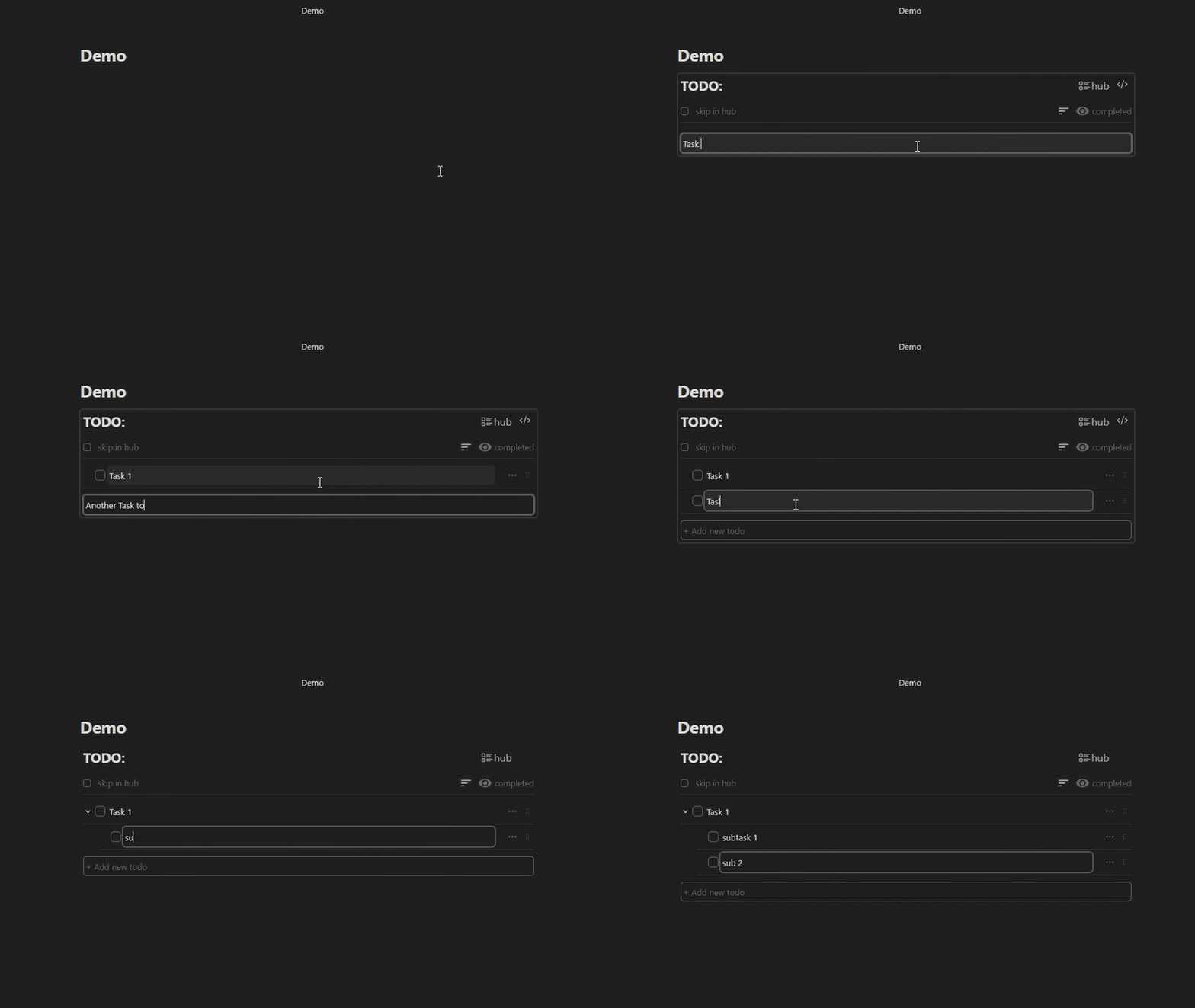
Quickly add tasks
Either add a bunch of top level tasks via the main input or:
- While editing any task press
Enterto add new task next to it - Press
Shift+Enterto add a subtask
Note: You can also add subtasks from the context menu
Natural date parsing
Things like this work:
tomorrowtodaynext week9 June20/05/2026
If you don't want to escape date parsing put text inside " " or ' ':
tomorrow-> parsed like a date"tomorrow"-> ignored
Note: There is also a date picker
Recurring tasks
Append r:<NUM_DAYS><UNIT> to the task label and press Enter
Units:
d- daysw- weekm- monthy- year
Examples:
- Every day:
r:1d - Every 4 days:
r:4d - Every two weeks:
r:2w - Every month:
r:1m - Every year:
r:2y
Note: Could be done in the date picker too
Priority
Append p:0 p:1 p:2 p:3 to the label and hit Enter to add or remove priority
The same can be done via the context menu
Tags
Append #tag to your label and hit Enter to see it appear
Lock/Unlock tasks:
You can lock any task to prevent accidentally checking/unchecking it
L:trueto lock a taskL:falseto unlock a task- Via the context menu
Move tasks:
There is no drag and drop. Because.. I'm yet to see it implemented in a way that doesn't make me wanna scream..
Good news is that you can still move your tasks around without it
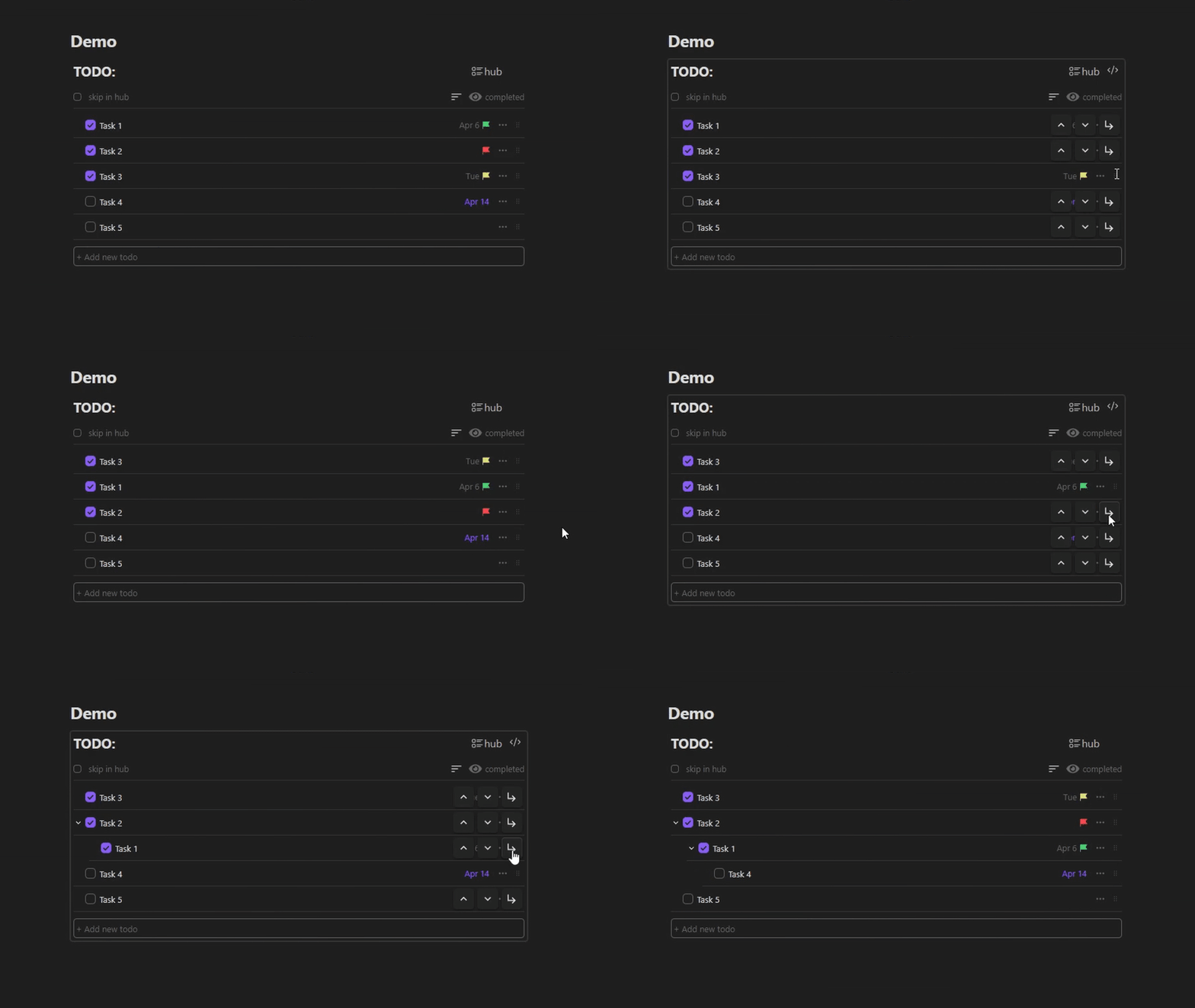
Sort tasks:
- Sort via priority p:3→p:0
- Sort via date
- Sort via label
Note: Sorting tasks in blocks updates their order in the underlying code block
Hub view
Hub view aggregates all todo blocks from your vault.
When you change a task in Hub view it is immediately updated in the original code block
Note: You can tell the hub to skip specific code block by checking skip in hub per code block
Set the scope:
- Today
- Tomorrow
- Week
- All
Sort it:
Same as in code block. But it doesn’t change the original code blocks
Settings:
- Date format: UK/US
- Start your week on any day
- Default Hub settings:
- Show/Hide completed tasks
- Filter
- Sorting
Issues:
If you encounter a bug, please open an issue, make sure to mention:
- Your Obsidian version
- Your OS
Note: I’m trying to keep things minimal here, so large feature requests would almost certainly be denied but you can try
For plugin developers
Search results and similarity scores are powered by semantic analysis of your plugin's README. If your plugin isn't appearing for searches you'd expect, try updating your README to clearly describe your plugin's purpose, features, and use cases.