ResearchMate
unlistedby weny tang
AI research assistant that turns your vault into cited Markdown notes.
ResearchMate
AI research assistant that turns your vault into cited Markdown notes.
ResearchMate combines Gemini chat, Gemini Deep Research, Vault Context, and Markdown-native save/writeback workflows so research outputs stay inside your vault instead of disappearing into a chat window.
Demo
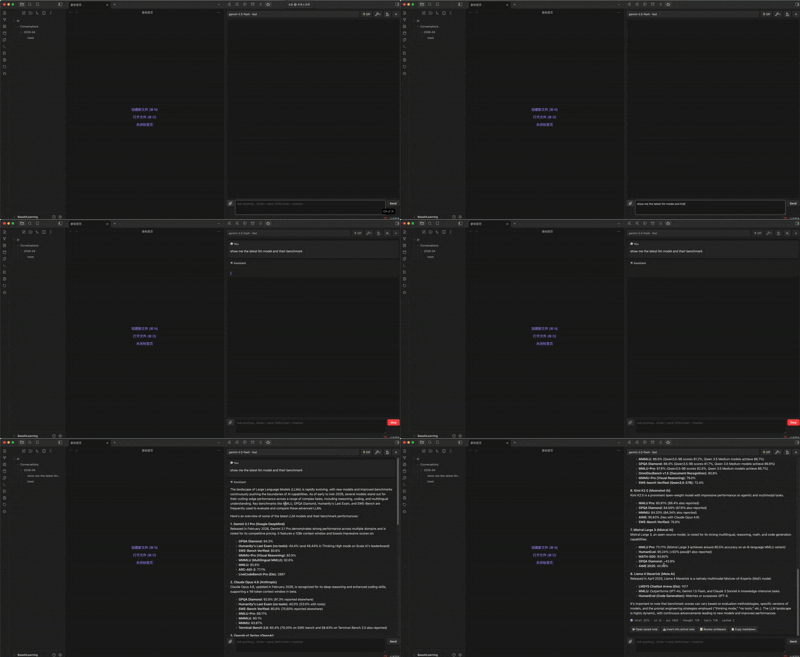
Features
- Gemini-first chat with Gemini 2.5 as the default path, Gemini 3 preview models when your account has access, and Azure OpenAI as an optional chat backend.
- Deep Research mode with collaborative planning, progress updates, citations, generated visuals, Gemini tools, and optional MCP servers.
- Provider-agnostic web context with Tavily-backed Web Search and built-in URL reading for non-Gemini chat providers.
- Vault Context modes: Off, Auto, and Pinned. ResearchMate can retrieve relevant local notes, headings, tags, wikilinks, and memory snippets before answering.
- Markdown-native output: conversations are saved under
AI/Conversations/YYYY-MM/with topic-based filenames, YAML metadata, sources, thinking summaries, visuals, and reusableconversation_id. - Editor workflows for asking about a selection, summarising the active note, continuing writing at the cursor, generating folder MOCs, and extracting durable memory.
- Review-before-writeback: assistant output can be previewed before it modifies your active note.
How to use
Open the chat panel from the ribbon icon or run ResearchMate: Open chat from the command palette.
| Goal | Action |
|---|---|
| Chat | Type a prompt and press Enter. The Send button becomes Stop while a response is running. |
| Deep research | Toggle Research mode, send a research prompt, approve or refine the plan, then use the result actions to insert, open, or copy the final Markdown. |
| Use web/tools | Open the Tools picker and choose Web Search, URL Context, or Gemini-native tools when supported by the selected model/mode. |
| Use vault context | Use Vault Context Auto for retrieved local sources, or Pinned for attached notes, wikilinks, and the active note only. |
| Attach notes | Click the attachment button or include [[wikilinks]] in your prompt. |
| Continue a saved chat | Open a saved ResearchMate note and run ResearchMate: Continue conversation from active note. |
Requirements
- Obsidian 1.5.0 or newer.
- A Google AI Studio API key for Gemini chat and Deep Research.
- Optional: Azure OpenAI credentials for Azure chat models.
- Optional: Tavily API key for provider-agnostic Web Search outside Gemini-native Search.
- Optional: MCP servers if you want Deep Research to use external/local tools you host.
Privacy and network use
ResearchMate does not include client-side telemetry or advertising.
The plugin sends content to remote services only when you trigger a chat, research, editor command, or workflow that requires a provider/tool call. Depending on your settings and selected tools, requests may be sent to Google Gemini, Azure OpenAI, Tavily, and any MCP servers you explicitly configure. Vault Context, attached notes, selected text, active-note content, URLs, web-search queries, and cited local snippets may be included in those requests when the corresponding feature is enabled.
Provider API keys are stored in .obsidian/plugins/researchmate/data.json inside your vault. If your vault is under Git or cloud sync, exclude that file when needed.
Troubleshooting
- Gemini 3 returns 429 or model not found: Gemini 3 is limited-access preview. Use Gemini 2.5 unless your account has quota/access.
- Google Search grounding returns 429: grounding tools have separate Gemini quota buckets. Disable tools you do not need or wait for quota reset.
- Azure 404 DeploymentNotFound: the deployment id in settings must match the Azure OpenAI deployment name exactly.
- Plugin does not appear after manual install: the folder must be
.obsidian/plugins/researchmate/and containmanifest.json,main.js, andstyles.cssat its root.
Contributing
Development setup, release workflow, and Marketplace submission notes live in CONTRIBUTING.md.
License
GPL-3.0-only
For plugin developers
Search results and similarity scores are powered by semantic analysis of your plugin's README. If your plugin isn't appearing for searches you'd expect, try updating your README to clearly describe your plugin's purpose, features, and use cases.