Vim Yank Highlight
approvedby aleksey-rowan
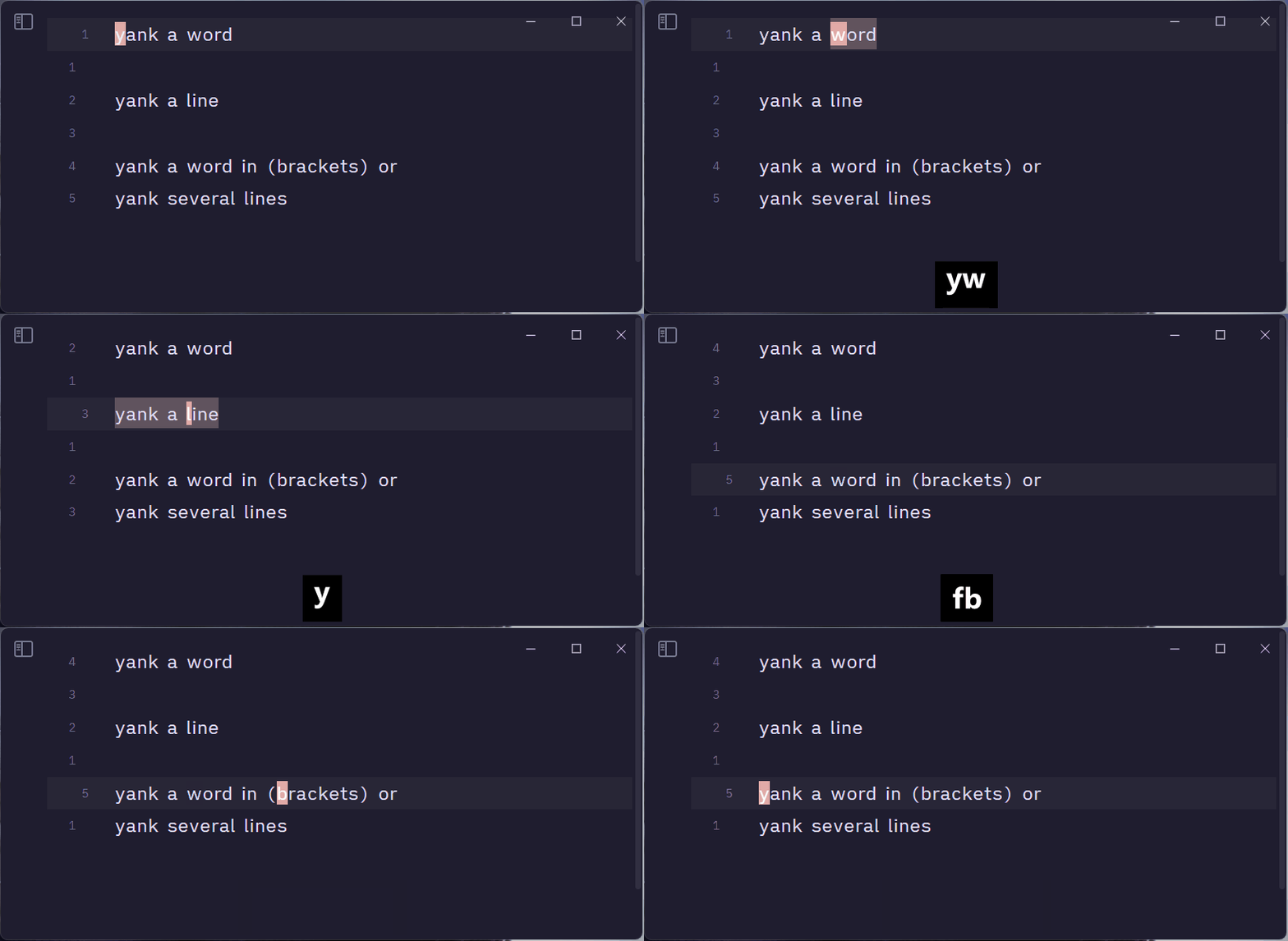
Highlight yanked text in Vim mode. Enjoy that subtle animation you've missed so much.

Obsidian Vim Yank Highlight Plugin
Highlight yanked text in Obsidian Vim mode with a subtle animation you've missed so much.
Why?
The Vim mode in CodeMirror lacks native support for highlighting yanked text and it's unlikely to be implemented.
There is already a yank highlighter plugin, but it relies on monkey-patching the codemirror-vim code which I wanted to avoid.
Features
- Make the yanked region apparent!
Installation
Community Plugins
- Open Obsidian.
- Go to "Settings" > "Community plugins."
- Search for "Vim Yank Highlight."
- Click "Install" to enable the plugin.
Manual Installation
- Download the latest release from the Releases page.
- Extract the zip file into your Obsidian plugins folder.
- Reload Obsidian to activate the plugin.
License
This project is licensed under the MIT License.
Enjoy a smoother editing experience with Vim Yank Highlight in Obsidian!
For plugin developers
Search results and similarity scores are powered by semantic analysis of your plugin's README. If your plugin isn't appearing for searches you'd expect, try updating your README to clearly describe your plugin's purpose, features, and use cases.