Activity Heatmap
approvedby zakhij
Tracks and visualizes app activity, similar to GitHub's contribution chart.
Activity Heatmap Plugin
A plugin for Obsidian that provides a GitHub-style activity heatmap visualization of your note-taking activity. Track your writing habits and vault changes over time with an intuitive visual representation!
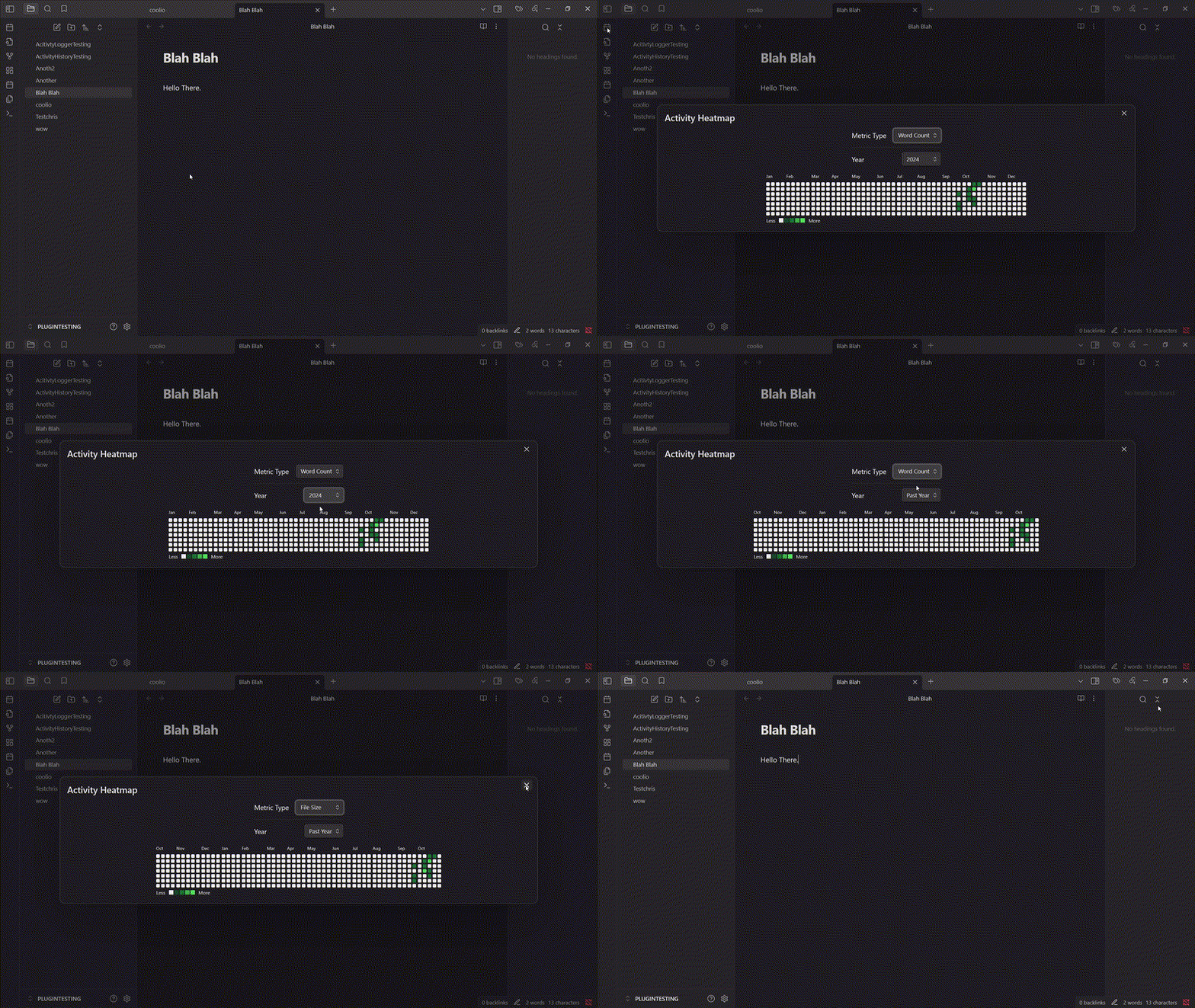
How it works
The plugin monitors activity metrics for all vault files. Upon each file change, it logs new values and compares them to previous checkpoint values to gauge activity. Currently, two metrics are tracked as proxies for activity: file size and word count. The heatmap is updated automatically in the background and available as a ribbon icon or through the command palette, displaying the activity data over the designated time period.
Usage
Opening the Heatmap
There are two ways to open the activity heatmap:
- Click the calendar icon in the ribbon (left sidebar)
- Use the command palette and search for "Open Heatmap"
Configuring the View
In the heatmap view, you can:
- Switch between different metrics
- Select different time periods (Past Year/Specific Calendar Year)
- Hover over cells to see detailed activity information
Installation
The plugin is available in the Obsidian community plugins list.
- Open Community Plugins settings page, click on the Browse button.
- Search for "Activity Heatmap" in the search bar and find this plugin.
- Click on the Install button.
- Enable the Activity Heatmap plugin.
For manual installation, please download the files in the latest release and put them under .obsidian/plugins/activity-heatmap/ in your vault. Then, open your Obsidian settings > Community plugins, and turn on Activity Heatmap.
Contributing
If you have any ideas for improving the plugin, please open an issue or submit a pull request. In particular, I'd love to add more metrics for activity tracking.
For plugin developers
Search results and similarity scores are powered by semantic analysis of your plugin's README. If your plugin isn't appearing for searches you'd expect, try updating your README to clearly describe your plugin's purpose, features, and use cases.