Authorship
approvedby rflpazini
Track and visualize text authorship in the editor. Distinguishes typed, pasted, AI-generated, and reference text with color-coded highlights. - This plugin has not been manually reviewed by Obsidian staff.
Obsidian Authorship
Track and visualize text authorship in Obsidian — see what you typed vs what you pasted.
Inspired by iA Writer's Authorship feature. Compatible with the open Markdown Annotations spec (v0.2).
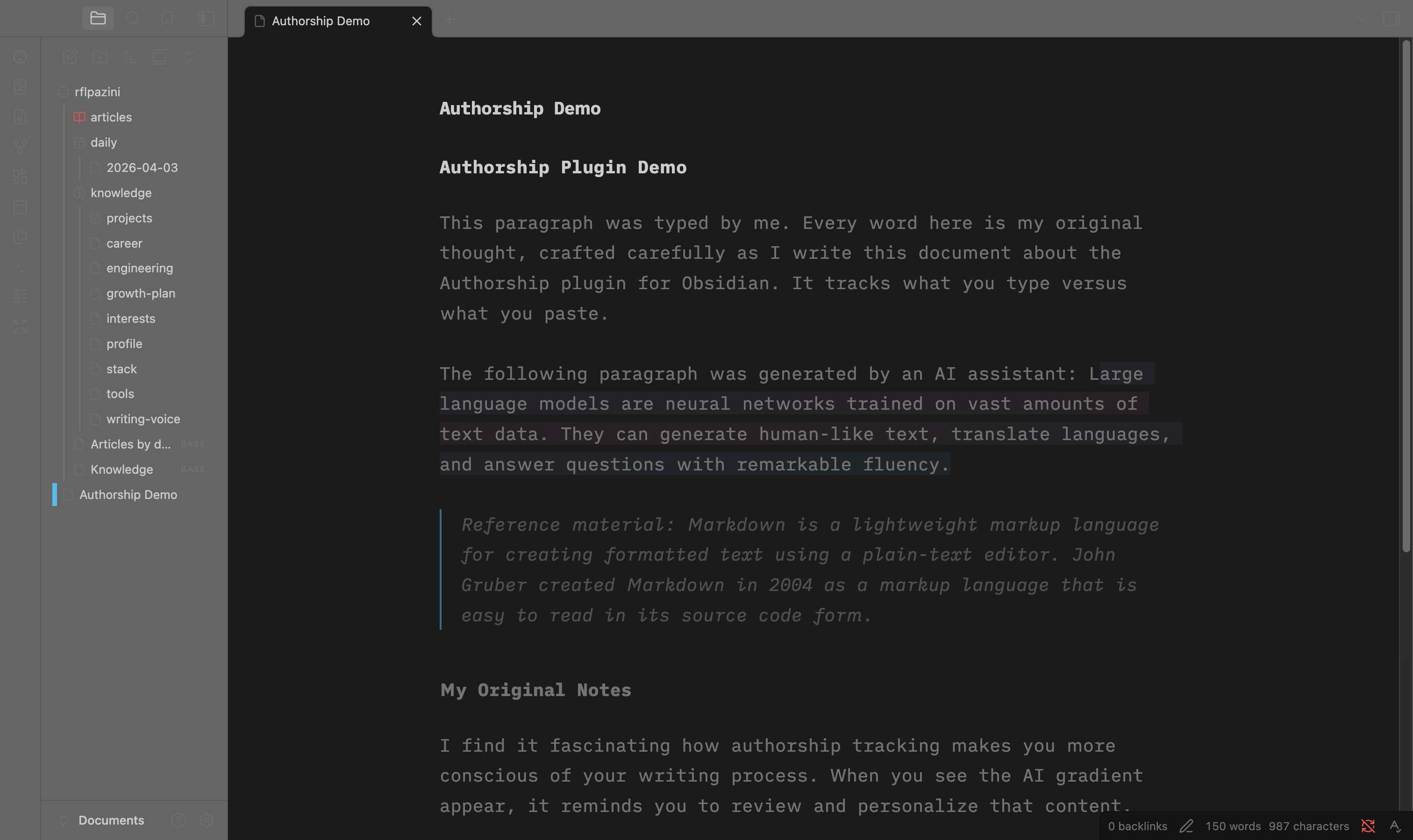
What it does
- Automatically tracks whether text was typed or pasted using CodeMirror 6 transaction events
- Visual distinction in the editor: AI text gets a gradient highlight, pasted text is subtly marked, reference material is italicized
- Manual marking via commands: select text and mark it as AI, Self, or Reference
- Persists authorship at the end of your markdown files using the Markdown Annotations format
- SHA-256 validation detects when files are modified outside Obsidian
- 100% local — zero network calls, zero cost, open source (MIT)
Commands
| Command | Description |
|---|---|
Mark selection as AI | Mark selected text as AI-generated |
Mark selection as self | Mark selected text as self-authored |
Mark selection as reference | Mark selected text as reference material |
Toggle highlighting | Show/hide authorship decorations |
How authorship data is stored
Authorship annotations are appended to the end of your markdown files, following the Markdown Annotations spec:
Your regular markdown content here...

---
Annotations: 0,42 SHA-256 abc123def456789012345678901234
@Self: 0,20
&AI: 20,22
...
@= human-authored text&= AI-generated text*= reference material- Ranges use grapheme cluster indexes:
start,length - SHA-256 hash validates integrity when reopening
Settings
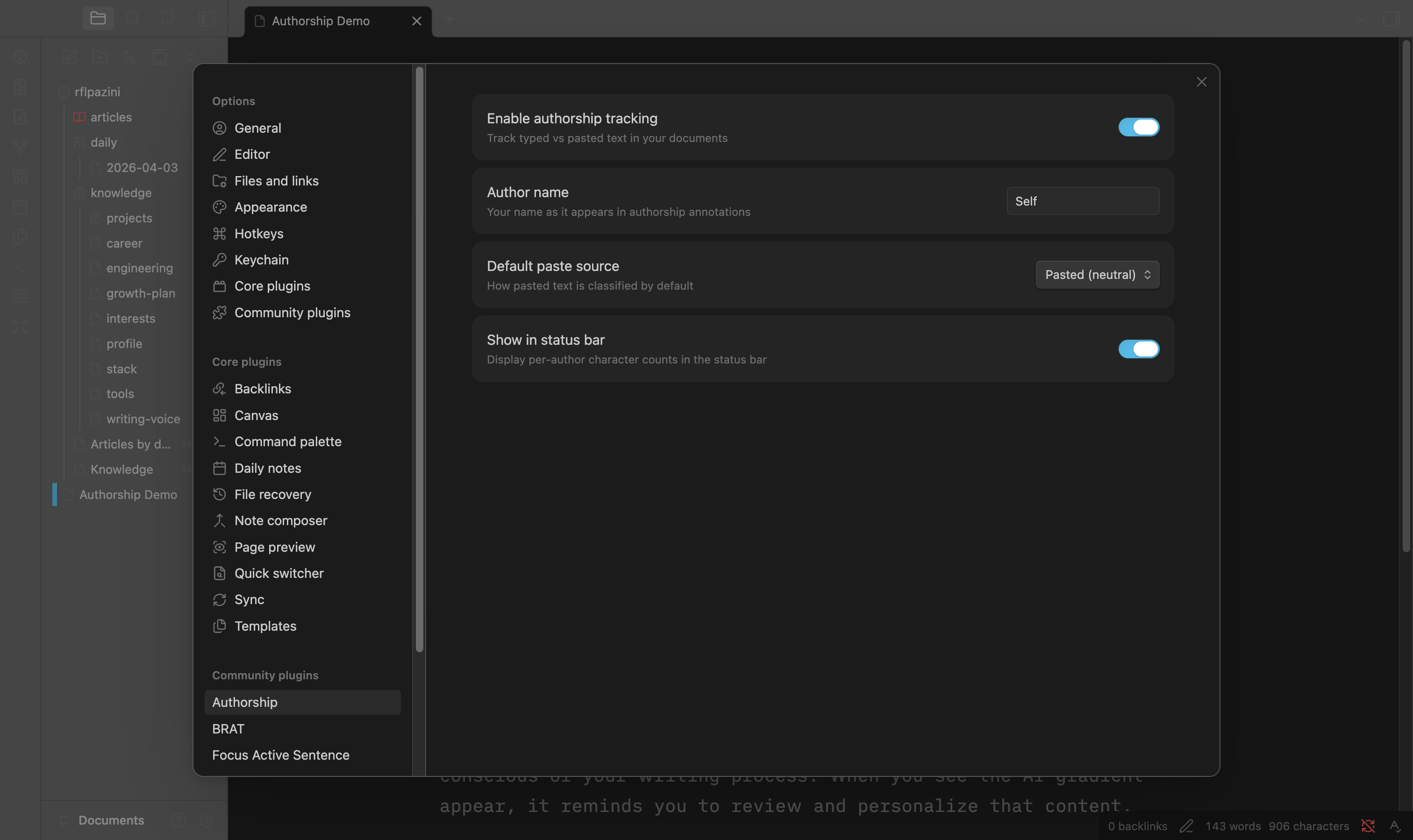
- Enable authorship tracking — global on/off toggle
- Author name — your name in annotations (default: "Self")
- Default paste source — how pasted text is classified (Pasted / AI / Reference)
- Show in status bar — per-author character count percentages
Installation
From Obsidian Community Plugins (coming soon)
- Open Settings > Community plugins
- Click Browse and search for "Authorship"
- Click Install, then Enable
Manual Installation
- Download
main.js,manifest.json, andstyles.cssfrom the latest release - Create a folder
authorshipin your vault's.obsidian/plugins/directory - Copy the downloaded files into that folder
- Enable the plugin in Settings > Community plugins
With BRAT (Beta Testing)
- Install the BRAT plugin
- Add
rflpazini/obsidian-authorshipas a beta plugin in BRAT settings
Development
npm install
npm run dev      # watch mode
npm run build    # production build
npm test         # run tests
npm run test:coverage  # coverage report
Architecture
Built with SOLID principles. Core domain logic is fully decoupled from Obsidian/CodeMirror APIs:
src/core/— Pure domain logic (RangeManager, HashValidator, AuthorshipTracker)src/annotations/— Markdown Annotations parser/serializersrc/editor/— CodeMirror 6 integration (StateField, decorations, input detection)src/commands/— User-facing commandssrc/ui/— Settings tab, modals, status barsrc/utils/— Cryptographic hashing, grapheme cluster utilities
License
MIT
For plugin developers
Search results and similarity scores are powered by semantic analysis of your plugin's README. If your plugin isn't appearing for searches you'd expect, try updating your README to clearly describe your plugin's purpose, features, and use cases.