Chat Bubble Renderer
approvedby bruce2431
Render Markdown chat logs as WeChat-style bubble dialogs. 将聊天记录渲染为微信风格气泡对话框。 - This plugin has not been manually reviewed by Obsidian staff.
Chat Bubble Renderer
Instantly transform Markdown chat logs into WeChat-style bubble dialogs inside Obsidian.


Features
Automatic Rendering
Switch to reading view on any file tagged with #聊天记录 — bubbles appear automatically. No manual trigger needed. Press Esc to dismiss. A Ctrl+P command ("Render as Chat Bubbles") is also available for manual control.
Message Types
| Type | Description |
|---|---|
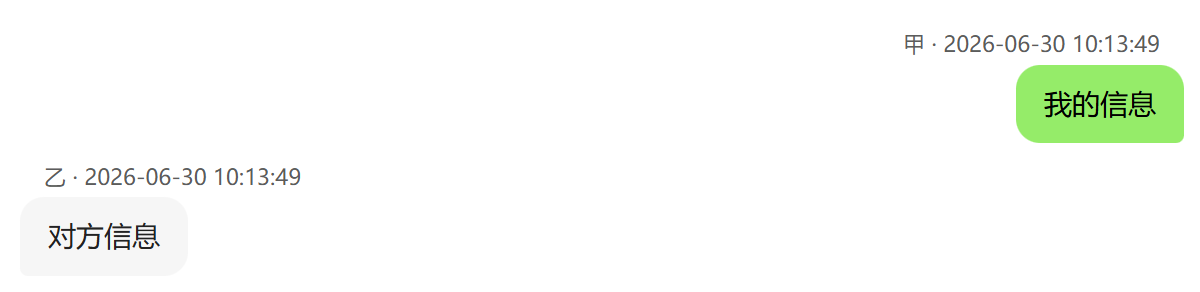
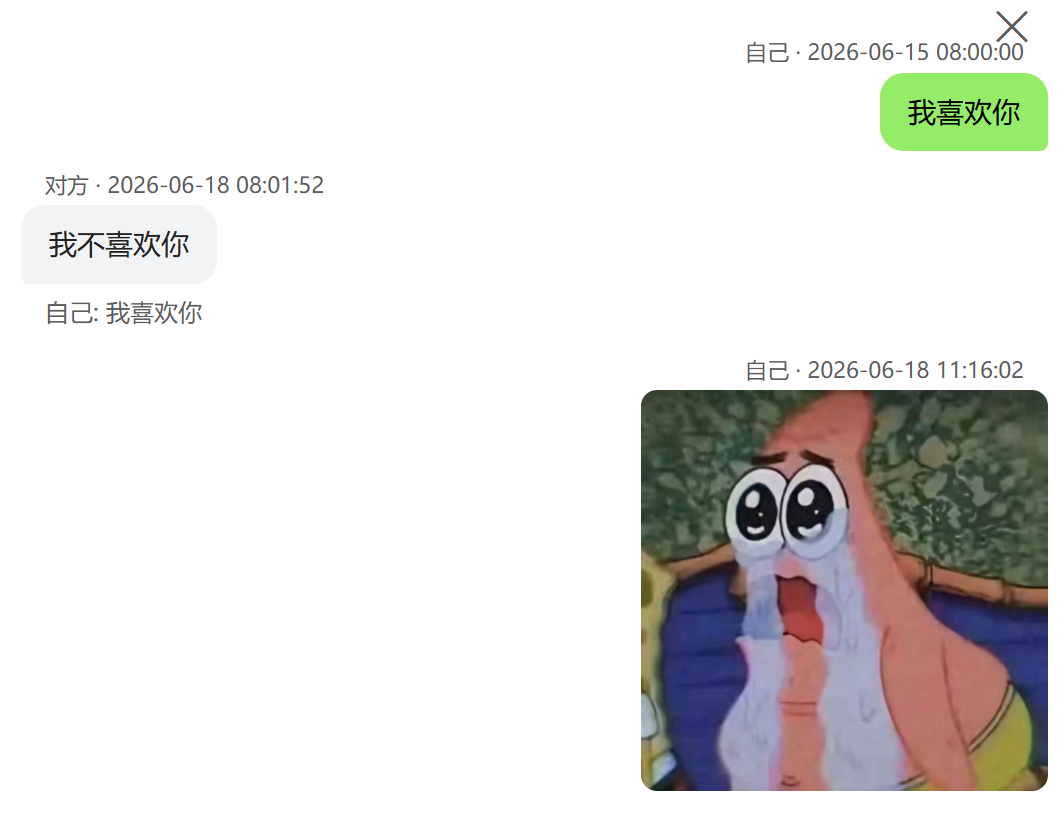
| Text | Standard messages in WeChat-style bubbles: others on the left (gray #f2f3f5), yourself on the right (green #95ec69). Bubbles auto-size to content width. |
| Quote Reply | >[Sender] quoted content — renders a gray reference bar above the reply bubble. Supports quoted images (thumbnail), videos (first-frame preview), audio (inline toggle), PDFs (red badge), and location/card/link previews. |
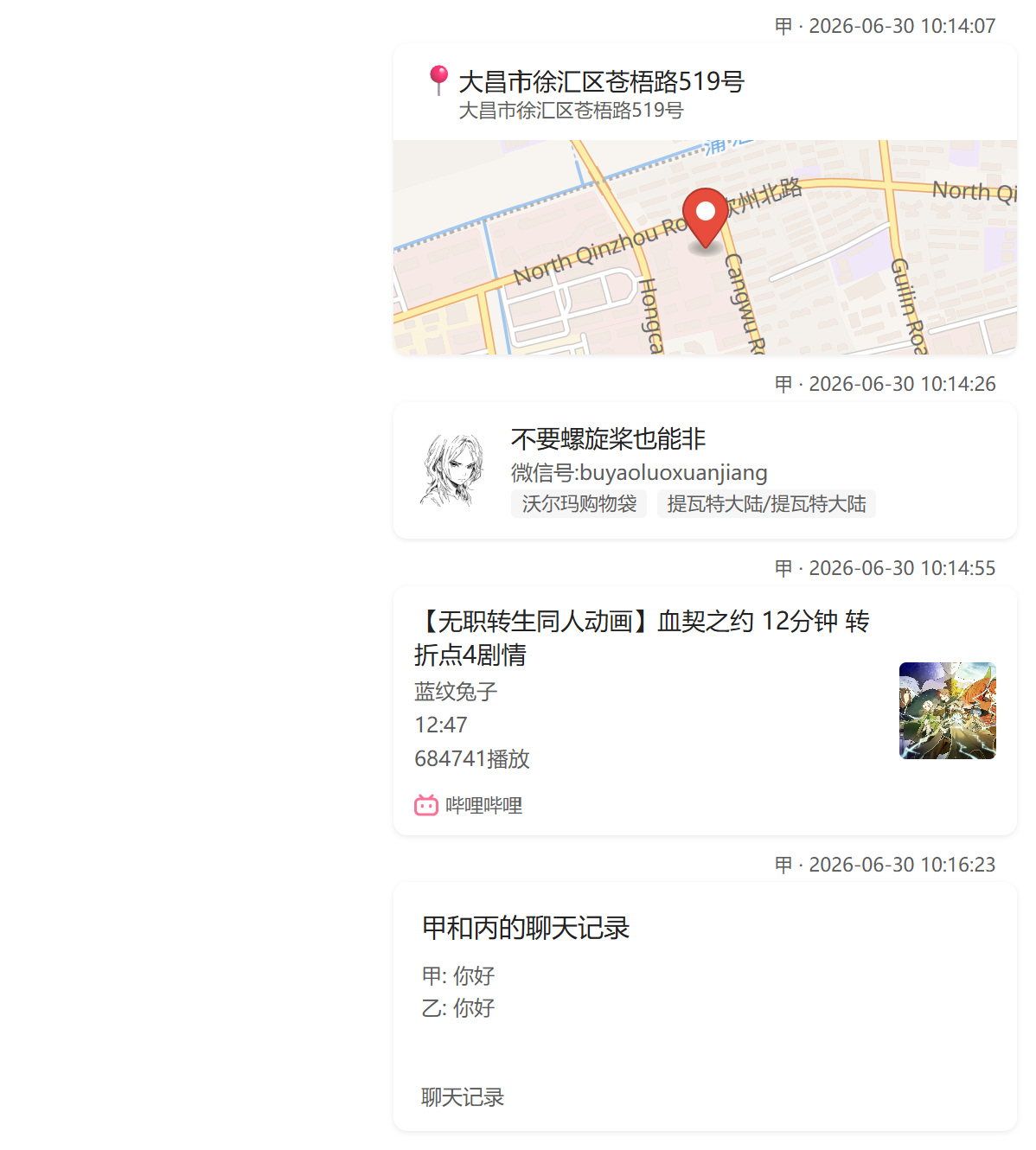
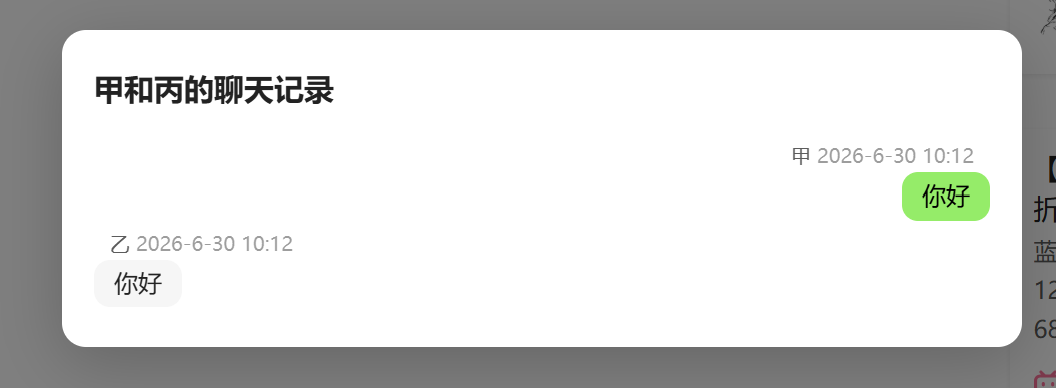
| Merge-Forward | [合并转发|title] — a compact card showing title + 4-line preview + "Chat Records" footer. Click to open a navigable overlay with sender/timestamp bubbles, inline media, and support for unlimited nesting (click nested cards to dive deeper, click background to pop back). |
| System Messages | Nudge, recall, group creation/rename, friend verification — rendered as centered gray tips without bubbles. |
Rich Cards
| Card | Format | Behavior |
|---|---|---|
| Location | [位置|address|city|lng,lat] | MapLibre vector map preview with red pin marker. Click to open in OpenStreetMap. |
| Contact | [名片|nickname|wechat_id|sex|region] | Avatar (from ![[image]] on next line) + nickname + tags. Personal 名片 shown as 👤, official accounts as 📢. |
| Link | [链接|title|cover_url|description](url) | Rich preview card with platform badge (Bilibili, NetEase Music, Xiaohongshu, WeChat, QQ, LOFTER, Tencent Meeting — auto-detected by domain) + cover thumbnail on the right. Simple cards fall back to a 🔗 icon. Supports [小程序|...] variant. |
| File | ![[file.pdf]] | Card with filename + extension badge (colored red). PDFs open an iframe preview on click. Supports PDF/DOC/DOCX/XLS/XLSX/PPT/PPTX/TXT/ZIP/RAR/7Z. |
Media Support
- Images — Inline rendering with
loading="lazy". Click to preview full-size in a dark overlay modal. - Videos — Static preview card (200×280 + first-frame thumbnail + ▶ overlay). Click to play full-screen.
- Audio — WeChat-style voice bubble (🔊 icon + dynamic duration). Click to play/pause inline.
- All media resolved via Obsidian's vault resource paths — audio files are base64-encoded for playback.
Performance
- Virtual scrolling — Only ~150 DOM nodes visible at any time, even with tens of thousands of messages.
- Lazy media resolution — Media file URIs are resolved on-demand as messages scroll into view.
- Chunked base64 encoding — Large audio files encoded in 4096-byte chunks, ~40× faster.
- Event-driven auto-render — No polling; renders on tab switch and layout change via workspace events.
- Shared name map — Vault file lookups cached once and kept in sync via create/delete/rename events.
Theme & UX
- Follows Obsidian's light/dark theme automatically via CSS custom properties.
- All interactive elements use event delegation (no inline
onclick) — clean, secure, maintainable. - Overlay modals close on background click or
Esckey. safeHrefAttrprotocol filtering on all user-generated links (http/https/mailto/obsidianonly).
Chat Log Format
Basic Message
---
tags:
  - 聊天记录
---

[Sender Name] 2026-06-30 10:13:49
Message content here.
[Reciver Name] 2026-06-30 10:13:49
Message content here.
Quote Reply
[甲] 2026-06-30 10:12:21
> [甲] Quoted message text
My reply content.

Quotes also support media and card references:
> [甲] ![[image.jpg]]         — thumbnail preview
> [甲] [位置|Shanghai|上海|121.47,31.23]  — map thumbnail
> [甲] [名片|张三|wxid_xxx|男|北京]        — contact card preview
> [甲] [链接|Title|cover.jpg](https://...)  — link card preview
Rich Cards
[甲] 2026-06-30 10:14:07
[位置|详细地址|市|经度,纬度]

[甲] 2026-06-30 10:14:26
[名片|Name|微信号:wxid|Gender|Location]
![[avatar.jpg]]

[甲] 2026-06-30 10:14:55
[链接|标题|https://example.com/cover.jpg|其它信息](https://example.com/article)

[甲] 2026-06-30 10:16:23
[合并转发|甲 和 丙的聊天记录]
  甲 2026-6-30 10:12
  你好
  丙 2026-6-30 10:12
  你好
Media Embeds
[甲] 2026-06-30 10:13:49
![[photo.jpg]]

[甲] 2026-06-30 10:14:00
![[voice.amr]]

[甲] 2026-06-30 10:14:30
![[video.mp4]]

[甲] 2026-06-30 10:15:00
![[document.pdf]]
Installation
Community Plugin Store
Search "Chat Bubble Renderer" in Obsidian → Settings → Community plugins → Browse → Install.
Manual
git clone https://github.com/bruce2431/obsidian-chat-bubble-renderer.git
cd obsidian-chat-bubble-renderer
npm install
npm run build
Then copy main.js, styles.css, and manifest.json into your vault's .obsidian/plugins/chat-bubble-renderer/ directory.
Settings
| Setting | Description | Default |
|---|---|---|
| Self Identifiers | Comma-separated names that identify yourself (your messages render on the right, in green). Supports Chinese commas. | 我, me |
Requirements
- Obsidian ≥ 1.5.0
- Desktop or mobile (plugin is not desktop-only)
License
MIT
For plugin developers
Search results and similarity scores are powered by semantic analysis of your plugin's README. If your plugin isn't appearing for searches you'd expect, try updating your README to clearly describe your plugin's purpose, features, and use cases.